




Proxy Authentication Methods Explained: Username/Password vs IP Whitelisting
06.10.2026 10 min
There isn’t a single proxy that works for every case. Most common proxy servers only work with the TCP protocol, which slows things down and adds extra checks. TCP is trustworthy, but it values accuracy over speed. Communication has to be slower so that each data packet is right. This is a major problem for anything that happens in real time, like streaming, gaming, or anything else.
UDP is different. It sends data right away, without waiting for a reply. This implies that it transfers data more quickly and doesn’t place as much stress on the network. This protocol works well for services that occurs in real time, such as video conversations, online games, and DNS lookups. A proxy that works with UDP can do these tasks without revealing the user’s identity.
In practice, almost every “UDP proxy” available today is a ”SOCKS5 proxy” with the UDP ASSOCIATE command implemented at the protocol level. SOCKS5 is the only mainstream proxy standard that natively supports UDP — HTTP and HTTPS proxies were never designed for it, and modern alternatives like MASQUE (CONNECT-UDP over HTTP/3) are still experimental.
The rest of this guide covers how UDP proxies work, where they’re used, how to spot fake “UDP support” implementations, and how to choose a proxy that genuinely handles UDP traffic.
A UDP proxy operates at the transport layer (Layer 4 of the OSI model). Here’s the basic flow when you send a UDP packet through one:
For SOCKS5 proxies specifically, this flow is initiated by the “UDP ASSOCIATE” command, which the client sends over a TCP control channel before any UDP datagrams flow. The TCP control channel stays open for the duration of the session, while the actual UDP traffic moves directly between client and proxy on a separate UDP port.
Unlike TCP proxies, a UDP proxy doesn’t maintain a full connection state for each session, it keeps only minimal IP/port mapping tables that expire after a short period of inactivity. That’s what makes UDP proxies fast and lightweight, but also what limits their use to applications that can tolerate occasional packet loss.
A proxy is a computer that lets you connect to the internet. When you connect through a proxy, your requests go through two servers instead of just one. This can hide your true IP address and make it seem like you’re somewhere else. A lot of individuals use proxies to protect their personal information, go to certain places, and manage traffic. But the protocol they employ determines how they handle connections.
Proxies for HTTP and HTTPS only function with TCP traffic. The CONNECT command makes a secure connection between the client and the server it wants to connect to. These types of proxies are good for regular web browsing, accessing APIs, and using websites in general. But they can’t handle UDP traffic, which is needed for voice conversations, online gaming, and a lot of streaming services.
HTTP/3 is built on the QUIC transport protocol, which works via UDP and should speed up data transfer. The new MASQUE (CONNECT-UDP) standard lets HTTP proxies use UDP. This approach is still being tested, though, and is mostly only available to huge businesses like Google or Cloudflare. Most proxy providers still utilize the old design, which means that SOCKS5 is the only option to acquire real UDP capabilities.
The simplest way to verify: send a DNS query (UDP port 53) through the proxy and see if it returns a response without falling back to TCP. If it does, the proxy genuinely handles UDP. If it falls back to TCP or fails, the “UDP support” claim is misleading.
Even though CDNs and enterprises haven’t fully adopted them yet, MASQUE and QUIC are paving the way for future networking standards. These technologies still don’t help end users much. Support isn’t always available, and programs don’t always work with them. On the other side, SOCKS5 proxies with native UDP have been tested and are stable on all major clients and OS systems. For constant performance and low latency, it is best to use SOCKS5 UDP instead of HTTP-based versions that are still being tested.
SOCKS5 proxies support UDP transmission at the protocol level. The UDP ASSOCIATE command allows applications to exchange data directly without the delays typical for TCP. This makes SOCKS5 proxies the most reliable option for tasks where low latency matters — gaming, voice calls, and streaming.
Originally designed as a lower-level and universal standard, SOCKS5 supports both TCP and UDP, ensuring broad compatibility with a wide range of programs — from messengers and VoIP clients to online games and data tools.
It helps to look at how TCP and UDP work behind the scenes to understand why UDP support is important in proxies.
The Transmission Control Protocol (TCP) is based on connections. It sets up a three-way handshake between the client and the server before sending any data. Each packet gets a number, is checked for integrity, and is validated when it arrives. TCP will automatically send a packet again if it gets lost.
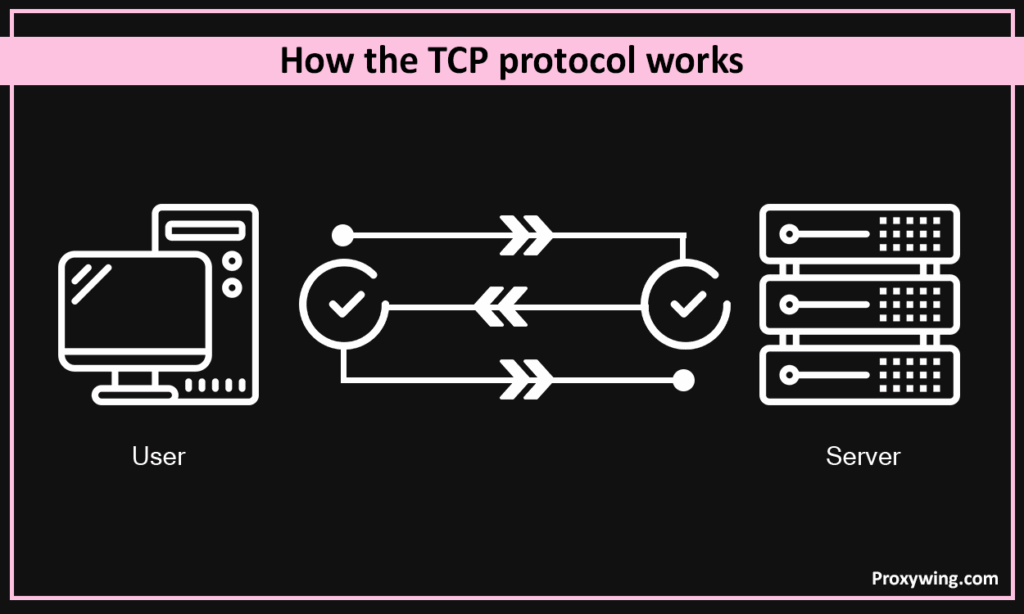
The protocol also takes care of controlling congestion, which keeps the network from getting too full. This technique makes TCP exceedingly dependable by making sure that no data is lost or comes out of order, although it does require some more work. Every confirmation, retransmission, and queue delay adds to latency, which is easy to see in real-time activities like voice calls or games.
UDP (User Datagram Protocol), on the other hand, doesn’t require a connection. It sends packets called datagrams without waiting for a reply or confirmation. There is no handshake, retransmission, or control over the order. The sender sends, and the receiver takes care of whatever comes in. UDP is significantly faster and uses fewer resources since it is simple, but it is also less reliable: once a packet is lost, it is gone. UDP is the better choice for things like live streaming, video calls, and online games where speed is more important than exact accuracy.
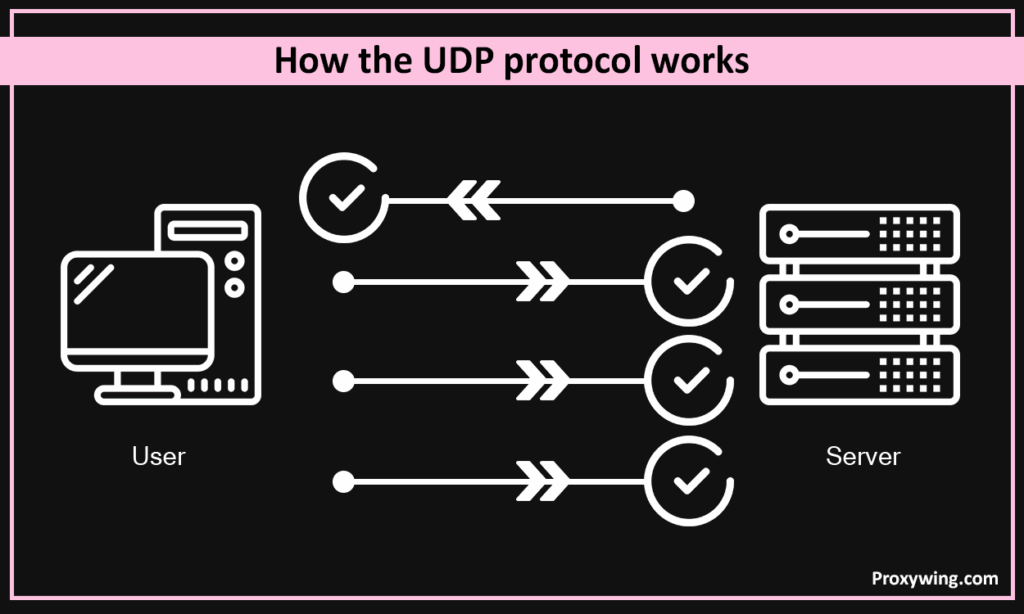
You can only do true UDP proxying if the protocol itself lets you do it. This means SOCKS5 proxies that use the UDP ASSOCIATE command to send native UDP traffic. Some providers say they offer “UDP support” on HTTP proxies, but unless they employ MASQUE (CONNECT-UDP) or HTTP/3 over QUIC, they only wrap UDP traffic in TCP streams, which takes away all the speed benefits of UDP.
If TCP were a registered mail service, every letter would be monitored and signed by. UDP, on the other hand, would be like a brief phone call—fast, direct, and without proof that the message was received.
TCP and UDP process data in fundamentally different ways, which has a direct effect on speed and responsiveness.
TCP checks each packet; thus, it must wait for acknowledgments before delivering the next one. TCP sends packets again and rearranges them when they are lost or arrive in the wrong order. This method makes sure that data is correct, but it also makes latency worse, especially on connections that aren’t steady or are far away. In real-time situations like video conversations or multiplayer games, even slight delays can make everything lag or become out of sync. TCP also has the head-of-line blocking problem, which means that if one packet is late, all the packets that come after it must wait.
This doesn’t happen with UDP at all. It keeps sending packets without waiting for a response. There are no retransmission delays and no need to keep track of the connection state, which keeps processing costs low. Because of this, ping and jitter are low, and the connection feels instant. So, UDP is utilized in situations when timing is more critical than precise delivery, such voice calls, live streaming, or competitive gaming.
The CONNECT technique, which only works via TCP, is the basis for most proxies, including HTTP and HTTPS. This means that they can only work with protocols that already use TCP, such normal web traffic, email, and APIs. If an application needs UDP to work, it won’t work through this kind of proxy.
That covers a lot of modern network services, like DNS lookups (port 53), VoIP and RTP calls, WebRTC sessions, and most online games. Instead of reliable delivery, these systems depend on low-latency packet exchange. When they must go through a TCP-only tunnel, one of two things happens: either the program can’t connect at all, or the UDP stream gets wrapped inside TCP, which is called encapsulation.
Encapsulation makes things work together, but it hurts performance. Every UDP packet turns into a TCP payload, which brings back acknowledgments, retransmissions, and congestion control—exactly the kinds of delays that UDP was supposed to prevent. Because of this, voice calls start to slow, gaming pings go up, and real-time streaming starts to stutter.
To sum up, UDP proxies offer the best of both worlds: they speed things up and protect your privacy for modern apps that care about latency.
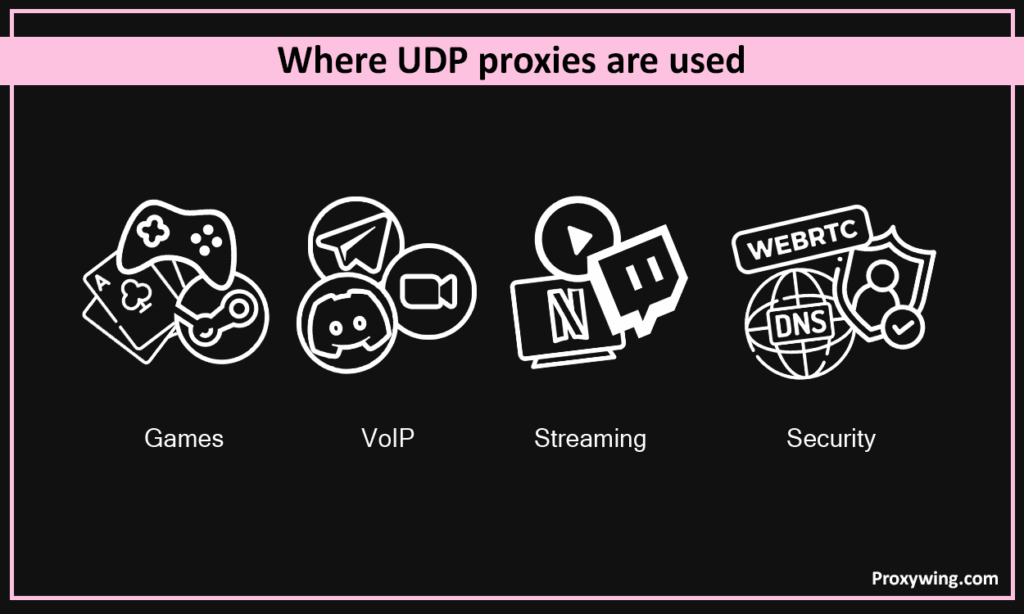
In real-time online games, UDP is the main mechanism for the client and the game server to talk to each other. There are a lot of various kinds of games in this category, like racing games, MMOs, and first-person shooters. UDP lets data move quickly and with very little delay. Even if one packet is missing, the game keeps going. This keeps the movement smooth and the syncing up to date.
Valve’s Source Dedicated Relay (SDR) system, for instance, employs UDP to connect players from different areas with less lag and more reliability. If a proxy supports UDP, it can maintain the direct flow of packets without transmitting the traffic through TCP tunnels. TCP tunnels make the connection slower and the ping higher.
You can also use UDP proxies to get around filtering depending on IP address and location. Some gaming networks don’t let players from countries or IP ranges connect. But a UDP proxy with a multitude of locations might transmit your connection through another region, which would help you get back into servers or lobbies.
But remember that deep packet inspection (DPI) and other censorship systems can completely stop or slow down UDP connections, including QUIC (HTTP/3). In these situations, a proxy that supports UDP fallback or obfuscation techniques is highly useful because it helps you play games even on networks with severe rules.
UDP is an important part of many business VoIP systems and apps for voice and video chat, such as Telegram, Discord, and Zoom. They use it to send audio and video streams in real time. These apps use protocols like RTP (Real-time transport Protocol), which don’t guarantee delivery but instead focus on moving data quickly. It’s okay to lose a few packets, but a packet that arrives late is useless.
It loses efficiency when it goes through a TCP-only proxy. It takes longer to set up and makes the overall delay longer to wrap up and send back every UDP packet. The result is clear: calls drop, video frames freeze, and sound is late. Even slight delays or jitters might make talking to someone in person less pleasurable.
A proxy that fully supports UDP keeps the way of talking the same. It allows VoIP apps and messengers to transfer audio and video streams directly, which keeps the sound crisp, the voice in sync, and the connections stable. If you use voice, streaming, or online meetings, you need proxies that can handle UDP.
UDP is also very important for real-time streaming, like live video, online radio, and interactive broadcasts. The protocol can deliver data all the time without waiting for acknowledgments, which makes sure that audio and video flow smoothly even on networks that aren’t very stable. If a few packets are missed, playback keeps going without any perceptible interruptions, which is what people expect from live content.
When you use a proxy that supports UDP, streaming services and media players can keep this low-latency behavior while still disguising your real IP address. This lets you use regional services, see material that is only available in some areas, or connect to private streaming networks without any buffering or delays.
On the other hand, TCP-only proxies send streams across a connection that stops checking each packet. This causes buffering and lag, especially when broadcasting live. UDP proxies completely get around this difficulty, letting you play music, videos, and other multimedia without interruption, even when they go through a remote or foreign server.
When it comes to privacy online, a proxy that supports UDP can make a big difference. DNS requests and WebRTC traffic are two prominent ways that IP addresses can leak. By default, they both use UDP. Anyone who works with private information or wants to get around censorship needs to know how to use a proxy correctly.
DNS lookups usually go through UDP port 53, but they can also go through TCP if needed. When your computer does DNS resolution locally, those requests can show your real IP address even if the rest of your traffic is going through a proxy. SOCKS5 proxies let you resolve DNS requests from a distance (socks5h), which means that all DNS requests are handled by the proxy, not your local system. Modern apps can also employ DoH (DNS over HTTPS) or DoT (DNS over TLS) to completely encrypt DNS traffic.
WebRTC is another typical way for leaks to happen. It lets people talk to each other in real time in browsers. It employs UDP-based protocols like STUN and DTLS-SRTP to connect peers to each other. If you don’t set up your proxy correctly, WebRTC can go around it and show your public or local IP. There is now a setting in Chromium-based browsers called disable_non_proxied_udp that stops any direct UDP connection from going via the proxy tunnel.
A UDP-capable proxy fills these gaps. It can safely send WebRTC traffic and DNS queries through the proxy network, protecting your identity even when you’re on a live call or sending encrypted data. This level of control is essential for users who work in limited spaces or on secret projects.
IPTV (Internet Protocol Television) services rely heavily on UDP because of how multicast streaming works. A single UDP stream can be delivered to many recipients simultaneously without the per-connection overhead of TCP. This makes UDP the standard choice for live TV broadcasts, sports streaming, and provider IPTV apps like TiviMate, IPTV Smarters, and Perfect Player.
When IPTV traffic is blocked or geo-restricted by your ISP, a UDP proxy lets the player connect through an alternative route while preserving the low-latency multicast behavior. A TCP-only proxy in this scenario causes constant buffering, freezes, and out-of-sync audio because every packet goes through the encapsulate-acknowledge-retransmit cycle. SOCKS5 proxies with native UDP keep the stream behavior identical to a direct connection.
BitTorrent clients use UDP for two critical things: peer-to-peer transfers via uTP (Micro Transport Protocol) and DHT (Distributed Hash Table) lookups for finding peers. When you route torrent traffic through a TCP-only proxy, both functions either fail or fall back to slower modes — uTP becomes regular TCP, and DHT lookups can leak your real IP because the client tries to bypass the proxy entirely.
A SOCKS5 proxy with proper UDP support handles both: peer connections route through the proxy IP, and DHT queries are forwarded without leaking. This is why most established proxy guides for torrenting specifically recommend SOCKS5 over HTTP — it’s not a preference, it’s a technical requirement for the protocol to work correctly.
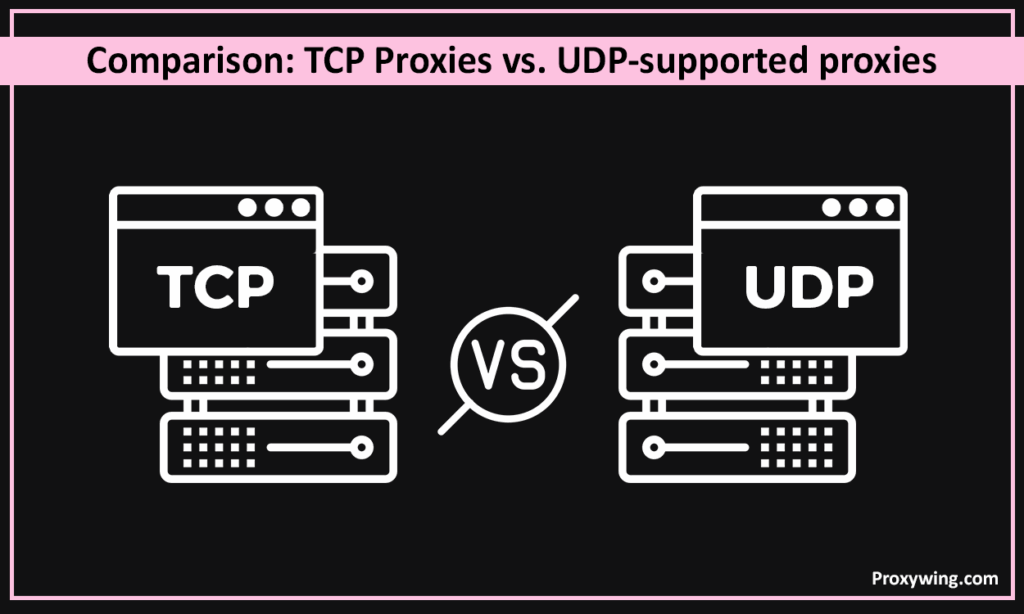
| Criterion | TCP Proxies (HTTP CONNECT) | UDP-Supported Proxies (SOCKS5-UDP) |
| Speed & Latency | Higher overhead and possible head-of-line blocking when packets are lost. | Lower ping and jitter in real-time scenarios |
| Compatibility with Games & VoIP | Often limited — UDP traffic must be emulated or encapsulated, which increases delay. | Full native support for UDP streams and ports used by online games and voice/video apps. |
| Risk of IP Leaks (DNS / WebRTC) | Higher if DNS is resolved locally and WebRTC runs without restrictions. | Lower with remote DNS (socks5h) and proper WebRTC policies; still depends on browser settings. |
| Bypassing Restrictions | Partial — DPI easily detects TCP signatures and can throttle tunnels. | More resilient to restrictions and filtering, because it sends traffic directly over UDP without wrapping it in TCP. It can bypass blocks that interfere with regular HTTP proxies. |
In short, UDP proxies are faster, work with more devices, and give you better privacy. TCP proxies remain suitable for normal web use, but they can’t meet the growing need for low-latency apps and secure, advanced networking protocols.
The first thing to check is that not every supplier that says they provide UDP does. When picking a real UDP-capable proxy, here are some things to keep in mind:
A reliable UDP proxy provider is open about its protocols, lets you verify performance in real time, and is both stable and flexible. You should expect to get the full benefits of low-latency, secure, and fully functional UDP connectivity if these conditions are met. Our datacenter proxies running on SOCKS5 protocol are installed on gigabit ports and support UDP traffic.
When a proxy supports UDP, it becomes a global networking tool that can do everything from online gaming and video conversations to secure DNS lookups and WebRTC sessions. UDP proxies get rid of the delays and compatibility issues that come with TCP-only connections by letting direct, low-latency communication happen.
For people who care about performance, privacy, and flexibility, it’s no longer optional to choose a proxy that can really use UDP. It’s a must. These technologies let you stay anonymous, access regional content, and have consistent, high-speed connections across the modern internet.
Article written by:

CEO
Founder of Proxywing. Drives growth across EU, US, and Asian markets, combining B2B strategy with a hands-on focus on product quality, 99% uptime, and responsive support.
All articles by author (64)Yes. The SOCKS5 specification includes the UDP ASSOCIATE command for forwarding UDP datagrams natively. However, not every provider that markets “SOCKS5 proxies” actually implements UDP — some skip it entirely, others wrap UDP inside TCP tunnels. Always verify with a UDP-specific test (like a DNS query) before committing to a provider for gaming, VoIP, or streaming.
No, not in the traditional sense. HTTP and HTTPS proxies only handle TCP traffic via the CONNECT method. UDP support is being added through MASQUE (CONNECT-UDP over HTTP/3) but this is still experimental and mostly available only on enterprise CDNs in 2026. For general use, treat all HTTP proxies as TCP-only.
The most common uses are: online gaming (where low ping matters), voice and video calls (Discord, Zoom, Telegram), live streaming and IPTV, DNS resolution (preventing DNS leaks), WebRTC sessions in browsers, and torrenting via BitTorrent’s uTP protocol. Any application that prioritizes speed over guaranteed packet delivery benefits from UDP support.
A TCP proxy uses connection-based forwarding with handshakes, acknowledgments, and retransmissions — reliable but slower. A UDP proxy forwards datagrams without any of that overhead — faster, but no delivery guarantee. For web browsing, scraping, or APIs, TCP is correct. For real-time apps, UDP is correct.
Some tools (like 3proxy, Shadowsocks, or custom Nginx setups) can encapsulate UDP traffic inside TCP for transit, then unwrap it on the other end. This is sometimes called “UDP-over-TCP tunneling.” It works, but you lose every latency benefit UDP provides — packets get queued, acknowledged, and potentially retransmitted, defeating the point. Use it only when UDP is blocked entirely and you need basic connectivity.
UDP ASSOCIATE is the SOCKS5 command (command code 0x03) that establishes a UDP relay session. The client sends it over the existing TCP control connection to request that the proxy reserve a UDP port for forwarding datagrams. Once associated, the client sends UDP packets directly to that port and the proxy relays them to the destination. The TCP control channel must stay open for the UDP relay to remain valid.
The easiest test is to configure the proxy in a tool that requires UDP — like a SOCKS5-compatible DNS resolver or a torrent client — and check whether traffic flows. For a more direct test, ProxyWing’s WebRTC/UDP Checker sends test datagrams through the proxy and reports whether they’re forwarded natively or fall back to TCP. If they fall back, the proxy doesn’t truly support UDP.
UDP itself has no built-in encryption, so by default, the data inside UDP packets is visible to anyone who can intercept the traffic between you and the proxy. For sensitive use cases (corporate VoIP, encrypted DNS), pair the UDP proxy with an application-layer encryption protocol like DoH (DNS over HTTPS), DTLS-SRTP (for WebRTC), or a UDP-based VPN like WireGuard running through the proxy.

