




Proxy Authentication Methods Explained: Username/Password vs IP Whitelisting
06.10.2026 10 min
Shopping can be a time-consuming process, especially if you have to browse through dozens or even hundreds of products before choosing the one you need. That’s where shopping bots come in. By using an automated shopping bot, you can save a lot of time when shopping for products on various e-commerce websites.
With LLM tools like ChatGPT, it is now possible to build more personalized shopping bots that are almost as accurate and reliable as humans. In today’s guide, we will discuss everything you need to know about shopping bots, including what they actually are and how to build one. Let’s dive in immediately.
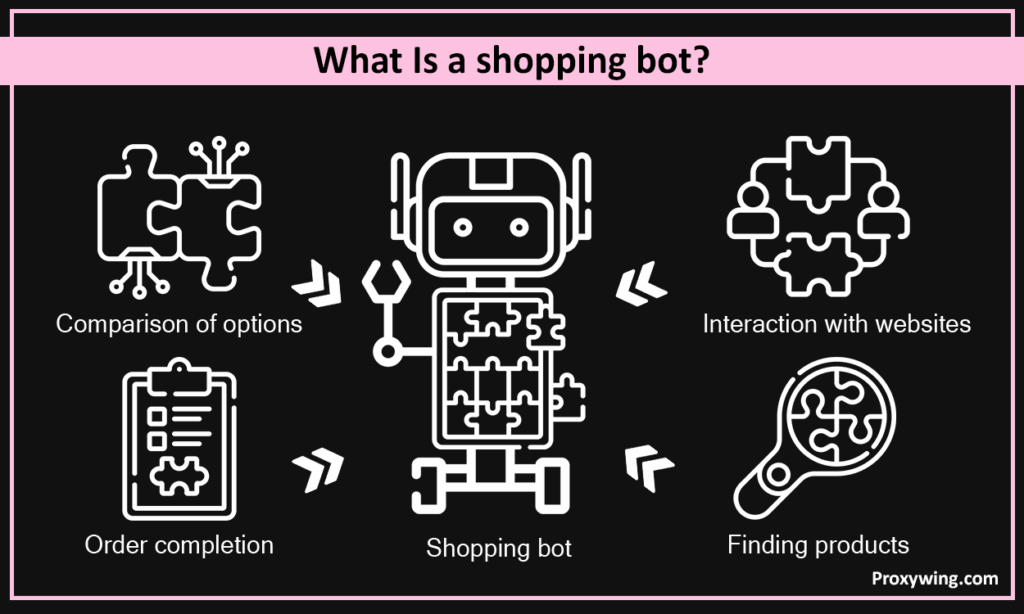
A shopping bot is an automated software tool that helps users shop products on online stores without having to do everything manually. A bot interacts with websites or apps to find products, compare options, and sometimes complete orders on behalf of the online shoppers.
The user can design their bot and choose what exact tasks they would like it to do and handle the rest by yourself. Shopping bots have also gotten better in recent years, thanks to the advancements made in generative AI.
So, how does a shopping bot work?
Bots follow these simple steps:
Some of the common tasks that bots are designed to handle include product search, price comparison, stock monitoring, order placement, and customer support.
These bots work by following programmed logic that tells them what to look for, where to look, and the kinds of actions to take. This level of personalizing enables users to create bots for specialized shopping tasks. They combine automation, data collection, and decision-making to handle shopping tasks with minimal human input.
These are the typical steps online shopping steps follow to do their job:
By using bots, users can quickly purchase products without going through several manual steps. Bots can instantly find products, compare them against pre-defined rules, and add them to cart without user intervention. This significantly improves the shopping experiences for users.
E-commerce bots monitor products continuously to check for metrics like prices and inventory product availability (inventory levels). This allows the shopper to always be updated if a good deal lands on their favorite shopping website.
E-commerce bots can act as always-on assistants. They are also integrated in some websites and can answer common product and order questions, guide users to the right products, provide quick responses without, and offer personalized recommendations. Bots can also be customized to offer more personalized product shopping experiences. Automating several tasks using bots allows businesses to save on customer support costs.
For businesses, bots can directly increase sales since they act as virtual assistants to handle most of the basic queries. Businesses automate most of the basic support and sales tasks using retail chatbots, especially in the early shopping journeys. Since bots reduce friction when shopping, customers are more likely to buy more products, which ultimately boosts sales for brands.
Some popular categories of shopping bots include:
These are general-purpose shopping bots that help users browse online stores faster. They are commonly used to recommend products based on preferences, answer questions about products, shipping, or returns. These bots are often integrated into e-commerce websites as chat assistants, which makes interacting with these sites faster for users.
Price-comparison bots help users find the best price for a product. They do this by scanning multiple online stores at the same time and compare prices, shipping costs, and seller ratings. Their goal is to show the users where to buy at the lowest total cost, which makes them useful for big purchases or frequent buyers.
These e-commerce chatbots focus on saving shoppers money by searching for active coupons and promo codes. They can even automatically apply these discounts at checkout. Some are designed to simply alert users about sales, flash deals, or special offers, which makes their shopping experience more seamless.
These are built to help shoppers buy limited edition sneakers faster by beating their competition. They are designed to offer the fastest speeds when purchasing limited-edition items like sneakers, tickets, or collectibles. For instance, sneaker bots can complete purchases in seconds, beating other humans trying to buy the same product.
If you don’t want to build a bot from scratch, there are several off the shelf bots that you can use for various shopping tasks. Some of the popular ones include:
As you might expect, SnapTravel helps users find hotel deals through chat. This bot can be integrated via messaging apps like WhatsApp and Telegram. It helps travelers in finding products and services with discounted prices before traveling. This includes discounted hotel prices that may not always be visible on booking sites. It can also handle search, booking, and support through chat.
Birdie is a conversational shopping assistant for online stores. It uses chat-based interactions on websites to help shoppers find the right products. Birdie mainly focuses on personalization and automated shopping.
It is a popular AI-powered shopping assistant that helps users quickly discover and buy products. It handles product search and recommendations, allowing users to only do the final transactions processing steps.
Masha.ai is built mainly for sales processes automation. It engages website visitors via chat and answers product questions instantly. It also helps businesses qualify leads and drive purchases.
ChatShopper focuses on conversational e-commerce. This conversational AI tool is often integrated into online stores to help users browse and buy products via chat, reducing friction in the buying processes.
SMSBump uses messaging to drive shopping actions such as sending order updates, promotions, and reminders. This bot also recovers abandoned carts via SMS which can boost retention and repeat purchases.
Yellow Messenger is an enterprise-grade chatbot solution that supports shopping, customer service tasks, and marketing use cases. It can be integrated into chat, voice, and messaging apps. Yellow messenger is mainly used by large brands and enterprises to enable automation at scale.
Kick Bot Shop targets high value limited-edition products such as sneaker releases and drops. It automates fast checkout, allowing shoppers to beat their competition when shopping limited inventory products like sneakers and gaming consoles. This bot also monitors restocks and launches.
Despite having several benefits shopping assistants or bots have several downsides and risks that you need to know about before using them. These include:
If you don’t want to use the off-the-shelf bots we have shared earlier, you can build a custom one for more personalized experiences. Use the steps below to build more advanced bots with all the custom features you want.
You need to start with a clear reason why you need to make a shopping bot. It should include what problem the bot solves, the website or platform it will target, and whether it will be for personal use or a business. Having clear goals makes every later decision easier.
Pick tools based on your skills and needs. For those with technical skills and willing to spend time to build a very customized bot, using programming languages like Python or JavaScript can be great options. For the less technical users, using no-code tools is the way to go. Besides the bot creation tool, you may also need to choose automation tools for browser actions, APIs if the store supports them, and more.
The core logic of your bot should:
Spend as much time as you can on the core logic because accuracy here prevents false alerts or mistakes when making purchases. Also, if you need a bot that offers personalized experiences, ensure to add all the necessary parameters in your logic.
Enhance the bot’s usefulness by including as many automation features as you can. Such features can include auto-add items to cart, optional automatic checkout, email, SMS, or app notifications, price history or availability tracking, and more.
Before using the bot fully, you need to first test it on different scenarios to ensure it handles them as intended. You must check how the bot behaves during errors or blocks. Before deploying the bot, you may also need to improve its speed and reliability based on feedback after the initial tests. Finally, deploy the bot on a schedule or server if needed.
Proxies are not necessarily a must when using shopping bots. But as earlier shared, some websites block bots, so using proxies can help bypass such restrictions. Most online stores track IP addresses, so sending too many requests with the same IP can often lead to blocks. Using proxies is necessary to regain connection in case of an IP ban.
By using proxies, each bot can be assigned several IP addresses. This allows requests to be spread across multiple IPs instead of one, reducing the risk of rate limits and bans. Without proxies, bots often stop working after a short time due to IP bans.
Article written by:

CEO
Founder of Proxywing. Drives growth across EU, US, and Asian markets, combining B2B strategy with a hands-on focus on product quality, 99% uptime, and responsive support.
All articles by author (64)Yes, you can. There are several no-code and low-code tools that let you build simple shopping bots using visual workflows. It is important to note that creating bots with complex features like auto-checkout and bypassing protections may require some coding.
Some of the common problems include:
Online orders getting canceled.
Accounts can be banned when bot usage is detected.
Websites may block IPs or payments.
Bots can fail when sites change their layout.
Shopping bots do not necessarily require proxies to work, but they are needed to improve reliability. If you intend to run bots for longer periods, using proxies is necessary. Proxies also allow users to access content in any location, providing personalized experiences for those who need to access products available in specific regions.
A virtual waiting room is a system used by websites during peak hours when traffic is at its highest. When using virtual rooms, users are placed in a queue before accessing the store. Entry is usually randomized or time-based. Many limited-edition drops use waiting rooms, which can make bots struggle since sessions are tracked.

