Proxy Authentication Methods Explained: Username/Password vs IP Whitelisting
06.10.2026 10 min
TCP (Transmission Control Protocol) proxies are the most common since most users rely on proxies for accessing web content. However, if you need to access other types of content, using UDP proxies is one of the reliable options you can choose. A UDP proxy works with UDP (User Datagram Protocol) traffic and is commonly used for high-bandwidth tasks where speed is the main priority.
If you want to learn more about UDP proxies, this guide is for you. In this guide, we will discuss how UDP proxies work, when it is best to use them, and more. Without wasting any more of your time, let’s jump right in!
A UDP proxy is an intermediary server that sits between a client and a target server and forwards UDP (User Datagram Protocol) traffic between them. When using a UDP proxy, the client sends packets (traffic) to the proxy server first, which then forwards it to the target servers. In the process, the IP address of the forwarding client is replaced with a different IP ( proxy server’s IP), making the connection more anonymous.
UDP proxies are mainly designed to handle UDP traffic, which is fast, connectionless, and does not require delivery confirmation. The main focus of UDP proxies is speed and low latency, not reliability. This makes them ideal for tasks that require the highest data transfer speed over any other factors.
Some of the real world use cases for UDP proxies include:
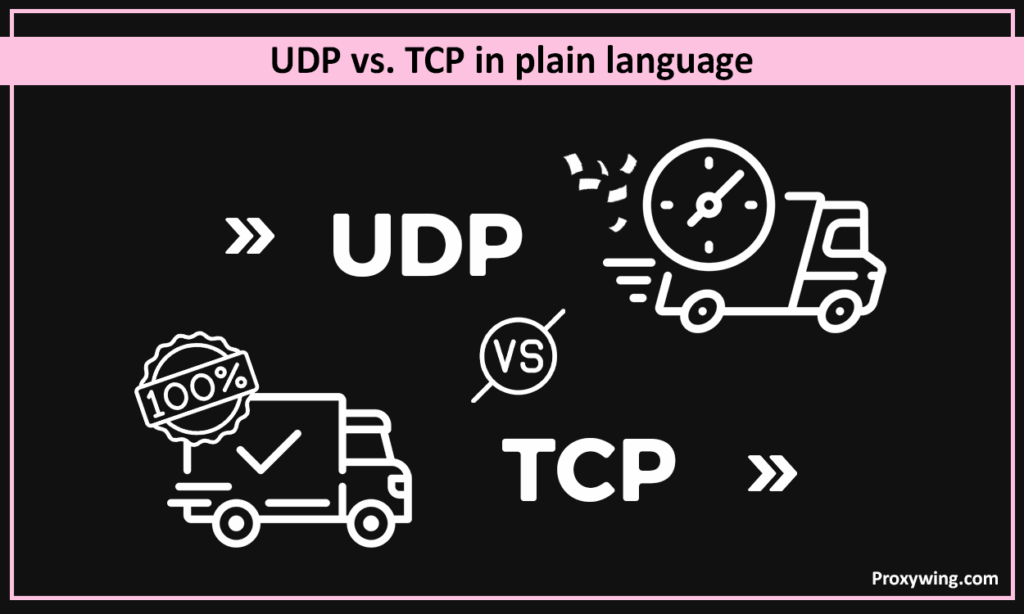
UDP is like sending a message without waiting for a reply, providing fast speeds, but some data could be lost along the way. On the other hand, TCP is like sending a message and waiting for confirmation before sending the next. It’s slower, but reliable and ordered.
UDP is a protocol designed to handle tasks where speed matters more than perfect data delivery. TCP is a great option when perfect data delivery is the priority. Ultimately, the choice between the two depends on the user’s needs.
As earlier discussed, a UDP proxy server acts as an intermediary between a client and a destination server. The proxy server receives UDP packets from the client, forwards them to the target server, and then sends the response back to the client. Because UDP is connectionless, this process is fast and lightweight, allowing for faster speeds than TCP.
Step-by-step flow of how the UDP traffic moves:
When a UDP packet reaches the proxy, it arrives on one IP address and port. The UDP proxy server then forwards packets to the target server’s IP and port. In the process, the proxy rewrites the source or destination IP and port. That means the client only sees the proxy’s IP. And likewise the target server will only see the proxy’s IP, making your connection more private and anonymous.
Unlike TCP proxies that rely on TCP connections, UDP proxies do not maintain full connections. They instead handle packets independently and only keep minimal, temporary state (such as recent IP/port mappings). With UDP proxies, there is no handshake, keep-alive, or session teardown. Using this stateless approach is what makes UDP proxies fast and efficient, enabling users to do tasks that require real-time connections.
Some of the core features you will get with UDP proxies include:
UDP does not wait for confirmations or retries, which is why UDP proxies work very well in situations where every millisecond matters. When the clients send requests, responses are received faster compared to TCP. So, using proxies relying on the UDP protocol matters in applications such as online gaming and streaming where a small delay is noticeable and significantly impacts the experience than a small amount of lost data.
Unlike TCP, UDP proxies do not include the extra steps such as connection handshakes, packet acknowledgements, and retransmissions. Not having these extra steps, allows UDP proxies to push more data, making them the ideal choice for use cases that need the fastest data transfer speeds.
UDP proxies are stateless or lightly stateful, which means they don’t need to maintain long-lived connections. These two capabilities make UDP proxies easier to scale horizontally and better suited for load balancing. It also makes them simpler to operate under heavy traffic and less memory-intensive per client. So, as the requests go up, more UDP proxy server instances can be added to meet the demand.
There are several real-time and proprietary protocols that are built on top of UDP to take advantage of its benefits, especially speed. UDP proxies allow these protocols to work through firewalls and NAT devices, route UDP traffic through controlled infrastructure, and function in restricted or segmented networks. So, when dealing with non-web traffic requests, UDP proxies are the most ideal choice.
Let’s explore some of the most popular real world applications of proxies for UDP traffic:
Online games and voice calls rely heavily on UDP because delays directly affect the experience. When making voice/video calls and gaming online, users will likely care about the data transfer speed over having the perfect data sent. By using UDP proxies, they will experience significantly lower latency and faster speeds, making their experience with these tasks much better.
Live video, audio streams, and interactive media on platforms like Netflix and Spotify often use UDP proxies for fast delivery. With streaming, it is more crucial to have data sent as fast as possible and using UDP proxies is the most effective way to achieve the lowest latency required.
DNS queries commonly use UDP because they are small and need quick responses. When using UDP, a client sends a DNS request over UDP, and the DNS server replies the same way. If a packet is lost in the process, the client simply retries the request, making the whole process much faster than using TCP, which involves the handshake step.
Many IoT devices and monitoring agents send small, frequent packets of data (in form of updates) using UDP. They use this protocol since speed is more important than perfect data, especially if data from IoT devices is supposed to be sent or streamed in real time.
These are three of the most used protocols for proxies. There are several differences between these proxy protocols that you need to know to determine which one makes the most sense for your use case. We will discuss these differences using three core factors:
UDP proxies perform better for use cases like gaming and streaming since they offer lower latency and faster data transfer speeds. So, for applications such as online gaming and streaming where minor buffers can affect the experience, using UDP proxies is the ideal choice.
For tasks like web browsing or downloading files where the accuracy of the data is highly important, TCP/HTTP proxies are the perfect choice. This is because they ensure complete and ordered data delivery. Using UDP here would cause broken pages or corrupted files, which is not ideal.
The decision of whether to use UDP or something like HTTP/TCP proxies largely depends on your use case and priorities.
Use UDP proxies for tasks where low latency and data transfer speeds matter more than perfect delivery. Examples of use cases where using UDP proxies makes sense include online gaming, voice or video calls, live streaming, and IoT or real-time monitoring systems.
You should stick with HTTP, HTTPS, TCP, or SOCKS proxy solutions for scenarios where perfect data delivery matters more than latency and speed. The TCP protocol also ensures more secure connections. Some of the tasks where using UDP proxies is not ideal include web browsing or web scraping, API requests, and file downloads or uploads.
Regardless of the proxy protocol, your experience will significantly depend on the proxy provider you choose. Some of the key factors you must consider when making this choice include:
If you’re looking for reliable, low-latency UDP proxies built for real-time use cases, ProxyWing UDP proxies are a perfect choice. Plans start at $1.05/month only. ProxyWing also offers different proxy types, including ISP, datacenter and residential proxy solutions. However, at this time, UDP protocol support on the service is only available for data center proxies.
Article written by:

Product & Support Operations Lead
Built Proxywing's support department from scratch — documented workflows, clear escalations, consistent quality. Now bridges the CEO and engineering, keeping infrastructure projects on track.
All articles by author (68)In almost every real-time scenario, UDP proxies offer faster speeds than TCP or HTTP proxy solutions. This is because they skip handshakes, acknowledgements, and retransmissions steps, which significantly reduces latency.
No. UDP proxies are mainly designed for UDP traffic (non-web traffic). If you need a proxy for web traffic, choose HTTP or SOCKS5 proxy solutions.
Yes, these proxies are legal when used responsibly. Ensure you only use them for ethical activities. Also follow all the terms of the platforms you intend to access when using these proxies.
They usually don’t. Most API and web scraping tools rely on transferring data using HTTP or HTTPS over TCP. For such use cases, it is best to use HTTP/HTTPS proxies.