




Proxy Authentication Methods Explained: Username/Password vs IP Whitelisting
06.10.2026 10 min
With over 130 million monthly active buyers, eBay is easily one of the most popular eCommerce platforms in 2025. This popularity makes it a perfect platform for businesses and researchers to scrape useful information that they can use to make important decisions. eBay web scraping primarily includes collecting data such as product listings, prices, product variations, and more.
By using an eBay scraper, it is much easier and faster to collect this information by copying the data manually. In this comprehensive guide, we will discuss web scraping and how you can build powerful eBay scrapers using tools like Puppeteer, Playwright, and other Python tools. Let’s start off with a summary of the key points in this guide.
It is the process of automatically collecting publicly available data from eBay. This process is executed by scripts or software tools, instead of gathering the information manually. By using eBay scrapers, it is easier and faster to collect loads of data that can then be fed into analytics tools to help guide decisions.
Depending on your goal, web scraping usually includes collecting a wide range of data. Some of the information that is usually extracted from product listing pages, search results, and seller profiles includes:
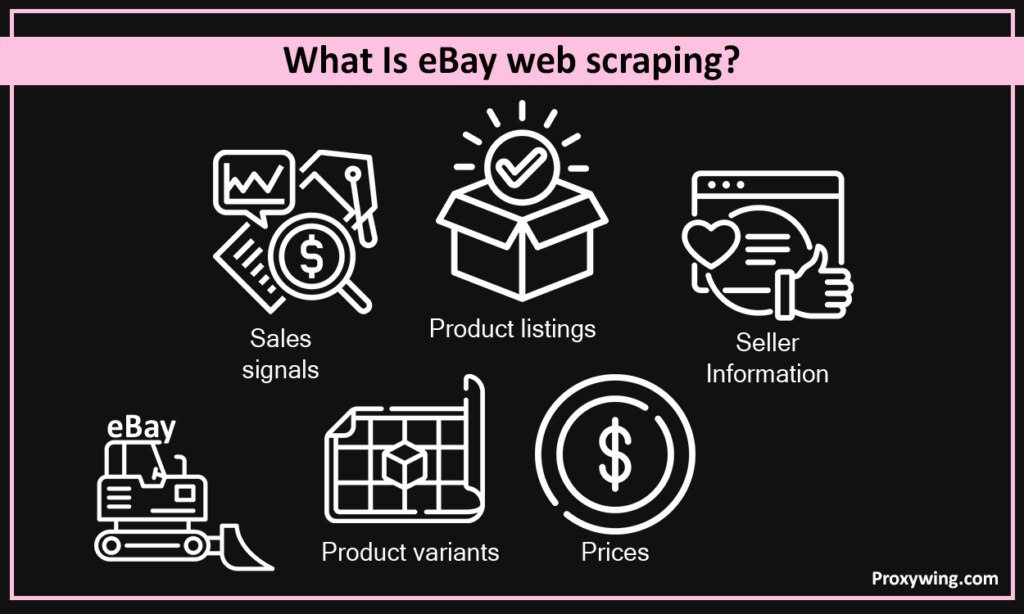
When web scraping, it is upon you to determine what data you want your scraper to collect. To avoid wasting time and resources, it is always best to design the eBay scrapers to only collect the data you need.
Before getting started with the web scraping process, it is important to understand how eBay’s web pages are structured and what elements your script will target. Let’s walk you through an overview of this platform’s page and DOM structure:
The three main tools that you can use for eBay scraping include Puppeteer, Playwright, and other Python tools. Let’s walk you through an overview of each of these tools:
Below is a ready-to-run Puppeteer example that fetches basic data about a listing on the search results page. Before running the code, here are a few requirements:
Code snippet example below:
JavaScript
importpuppeteer from"puppeteer";
construn = async() => {
  constbrowser = awaitpuppeteer.launch({ headless: true});
  constpage = awaitbrowser.newPage();
  constsearchUrl =
    "https://www.ebay.com/sch/i.html?_nkw=iphone+14";
  awaitpage.goto(searchUrl, { waitUntil: "networkidle2"});
  constlistings = awaitpage.evaluate(() => {
    returnArray.from(document.querySelectorAll(".s-item")).map(item => ({
      title: item.querySelector(".s-item__title")?.innerText || null,
      price: item.querySelector(".s-item__price")?.innerText || null,
      link: item.querySelector(".s-item__link")?.href || null,
    }));
  });
  console.log(listings.slice(0, 5));
  awaitbrowser.close();
};
run();
The above script does three simple things: It opens eBay, searches for a keyword, and extracts data, including titles, prices, and links.
By using Puppeteer, you can easily scrape data from eBay and other Javascript-heavy websites. As discussed earlier, Puppeteer is a Node.js library that controls a real browser, making it ideal for web scraping JavaScript-heavy websites like eBay, where content loads dynamically and changes when users interact with the page.
With this brief overview, let’s now dive into the six key steps for scraping eBay data using Puppeteer. For each step, we will provide a simple script that you can use to execute.
Use the script below:
JavaScript
const browser = await puppeteer.launch({ headless: true });
const page = await browser.newPage();
await page.goto("https://www.ebay.com", { waitUntil: "networkidle2" });
The script above starts a browser session, opens a new tab, and loads the eBay homepage.
JavaScript
awaitpage.type("#gh-ac", "iphone 14");
awaitpage.click("#gh-btn");
The above script types a search term into the search box and submits the form, just like a real user.
JavaScript
await page.waitForSelector(".s-item");This part of the program pauses the script until search result listings are visible, ensuring the page is ready to scrape.
JavaScript
const data = await page.evaluate(() => {
  return Array.from(document.querySelectorAll(".s-item")).map(item => ({
    title: item.querySelector(".s-item__title")?.innerText,
    price: item.querySelector(".s-item__price")?.innerText,
    shipping: item.querySelector(".s-item__shipping")?.innerText || "N/A",
  }));
});
Once the results are loaded, the script above reads the page’s HTML and extracts listing details such as title, price, and shipping info as configured.
JavaScript
importfs from"fs";
constcsv =
  "title,price,shipping\n"+
  data
    .map(d => `"${d.title}","${d.price}","${d.shipping}"`)
    .join("\n");
fs.writeFileSync("ebay_listings.csv", csv);
This script converts the scraped data into CSV format and saves it to a file called ebay_listings.csv for later use.
JavaScript
await browser.close();Finally, this script ends the browser session and frees system resources.
By implementing the six steps discussed above, you will have a working eBay scraper for collecting basic information from the website’s search results page. You can later add other capabilities such as pagination, proxies, or error handling to make your eBay scraper more robust.
As covered in an earlier section, Playwright for Python is a modern browser automation tool that lets you control real browsers using popular engines like Chromium, Firefox, and WebKit. Just like Puppeteer, it also works very well for JavaScript-heavy sites such as eBay. However, it is often seen as more stable and flexible than Puppeteer, especially for larger web scraping projects.
Compared to Puppeteer, using Python Playwright has these key benefits:
With this brief overview, let’s dive into the steps for web scraping with Python Playwright:
Install the dependencies using this command:
Bash
pip install playwright
playwright install
This command installs Playwright and its dependencies.
Python
fromplaywright.sync_api importsync_playwright
playwright = sync_playwright().start()
browser = playwright.chromium.launch(headless=True)
page = browser.new_page()
The above Python code snippet starts a real browser session that your script can control.
search_url = "https://www.ebay.com/sch/i.html?_nkw=iphone+14"
page.goto(search_url)
The Python script above opens an eBay search results page and defines which HTML elements will be scraped. Selectors will later be used to target titles, prices, and links.
Python
page.wait_for_selector(".s-item")This Python script ensures all listings are fully loaded before data extraction starts. The goal here is to prevent missing data caused by slow page loads.
Python
items = page.query_selector_all(".s-item")
data = []
foritem initems:
    title = item.query_selector(".s-item__title")
    price = item.query_selector(".s-item__price")
    link = item.query_selector(".s-item__link")
    data.append({
        "title": title.inner_text() iftitle elseNone,
        "price": price.inner_text() ifprice elseNone,
        "link": link.get_attribute("href") iflink elseNone
    })
The Python script above loops through all visible listings and pulls key product information. This is also where you would extend logic to handle variants like condition or size if required.
Python
importcsv
withopen("ebay_listings.csv", "w", newline="", encoding="utf-8") asf:
    writer = csv.DictWriter(f, fieldnames=["title", "price", "link"])
    writer.writeheader()
    writer.writerows(data)
After the data has been extracted, the above Python code adds the ability to store this data in a CSV file so it can be reused later.
Python Playwright can handle error using try as shown in the sample code below
Python
try:
    pass  # scraping logic runs here
finally:
    browser.close()
    playwright.stop()
The Python code above ensures the browser closes properly, even if something goes wrong to avoid hanging browser processes.
After writing and saving your full script, it is time to run it.
Bash
python ebay_scraper.pyOnce the script is executed and complete, your CSV file will contain the extracted listings.
Some of the common data that you can collect when scraping listings includes:
Scraping eBay or other websites at scale requires using an eBay scraper that can handle pagination since it has to move through multiple results pages to obtain all the relevant data. With this e-commerce website, searching results are often split across pages and each web page has page or _pgn parameter in the URL.
So, your web scraper will run a specific search query, scrape all listings on page 1, and then move to page 2, page 3, and so on. It should then stop when no more listings are found.
Not all data on this site is visible in the raw HTML. Some data is loaded dynamically. Some of the common sources of such data include:
To access this hidden, here are some techniques that you can use:
Scraping hidden web data is more effective when using browser-based tools than basic HTTP requests.
This e-commerce website actively detects automated web traffic and can block it. To prevent your GET requests from getting blocked, here are a few techniques that you should consider using:
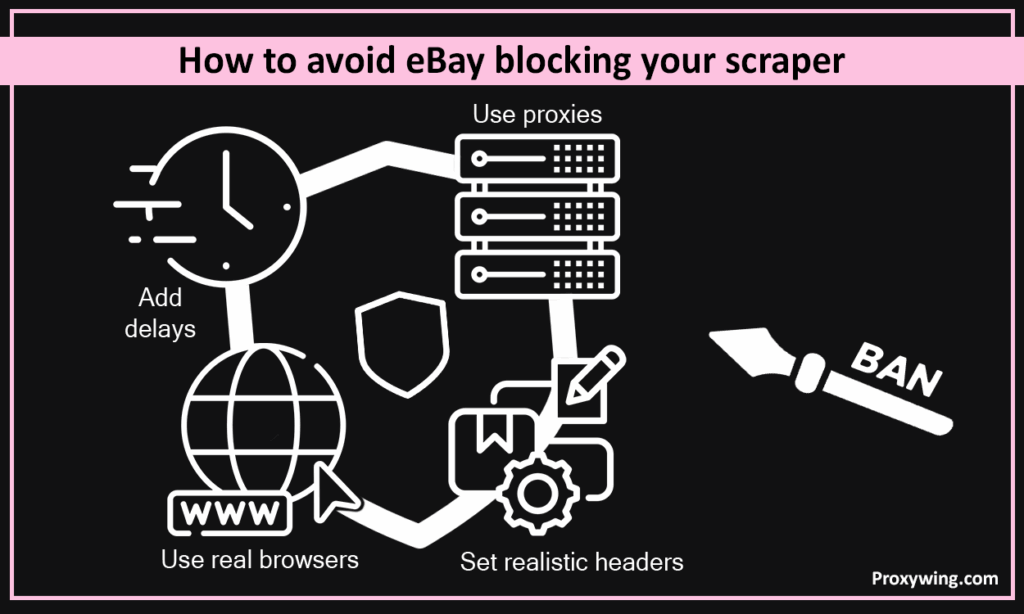
As you might have noticed, the goal is to make your traffic seem as human as possible.
As you scale your eBay scraping processes, you will encounter a number of challenges. Some of these include:
Using BrowserQL is one of the most effective ways to overcome the above challenges. It is a cloud-based browser automation solution designed for large-scale scraping. So, instead of running browsers locally, you run them remotely in a managed environment.
This approach is useful when scraping high volumes of pages, managing many sessions at once, and avoiding local resource limits. It also reduces the infrastructure complexity and improves stability.
To bypass the platform’s bot detectors, you first of all need to know how they work.
Some of the techniques eBay uses to detect bots include:
Stealth plugins alone are not enough to bypass eBay’s advanced bot detection system. Also, cheap or reused proxies can easily be detected and flagged.
It is a cloud-based web scraping solution that is designed for large-scale, browser-level data collection. Instead of running browsers on your local machine, BrowserQL runs real browsers for you in the cloud and returns the results. Using BrowserQL makes high-volumes easier and more reliable, especially on websites like eBay that use strong anti-bot systems.
BrowserQL runs real browsers in the cloud and executes all your web scraping logic remotely. It also handles browser fingerprints, sessions, and scaling. After scraping the data, it returns raw HTML or extracted data via an API. To get started, you need to send a GraphQL-style request, and then BrowserQL will handle the browser execution behind the scenes.
Follow these four simple steps to setup BrowserQL:
BrowserQL allows you to create a REST-style API that can automatically scrape eBay whenever it is called. This scraper API is useful for dashboards, internal tools, or automation workflows. Let’s walk you through the steps for creating this API.
The first step involves preparing your local project to send requests to BrowserQL.
This includes:
Your script should define the target eBay URL and headers for the scrape. So, you will need to configure the search keyword or product URL, region or marketplace, and your preferred output format. The data format can be HTML or structured data such as CVS
Here is an example:
GraphQL
mutation {
  browserql(
    url: "https://www.ebay.com/sch/i.html?_nkw=iphone+14",
    render: true
  ) {
    html
  }
}
The above Python script tells BrowserQL what page to open and to return the rendered HTML.
The next step is sending the mutation to the BrowserQL API endpoint. Below is a simple script for sending the request:
Python
importrequests
API_URL = "https://api.brightdata.com/browserql"
API_TOKEN = "YOUR_BROWSERQL_API_TOKEN"
mutation = """
mutation {
  browserql(
    url: "https://www.ebay.com/sch/i.html?_nkw=iphone+14",
    render: true
  ) {
    html
  }
}
"""
headers = {
    "Authorization": f"Bearer {API_TOKEN}",
    "Content-Type": "application/json"
}
response = requests.post(
    API_URL,
    headers=headers,
    json={"query": mutation}
)
data = response.json()
html = data["data"]["browserql"]["html"]
The above script sends a request to the BrowserQL API with your mutation and receives fully rendered HTML.
BeautifulSoup Python library is used to extract the listing data from the HTML returned by BrowserQL.
Python
frombs4 importBeautifulSoup
soup = BeautifulSoup(html, "html.parser")
listings = []
foritem insoup.select(".s-item"):
    title = item.select_one(".s-item__title")
    price = item.select_one(".s-item__price")
    link = item.select_one(".s-item__link")
    seller = item.select_one(".s-item__seller-info-text")
    shipping = item.select_one(".s-item__shipping")
    listings.append({
        "title": title.get_text(strip=True) iftitle elseNone,
        "price": price.get_text(strip=True) ifprice elseNone,
        "link": link["href"] iflink elseNone,
        "seller": seller.get_text(strip=True) ifseller elseNone,
        "shipping": shipping.get_text(strip=True) ifshipping elseNone,
    })
The program above extracts listing data from the returned HTML.
Python
importcsv
withopen("ebay_listings.csv", "w", newline="", encoding="utf-8") asfile:
    writer = csv.DictWriter(
        file,
        fieldnames=["title", "price", "link", "seller", "shipping"]
    )
    writer.writeheader()
    writer.writerows(listings)
The script above saves extracted listing data into a CSV file named ebay_listings.csv.
Article written by:

Product & Support Operations Lead
Built Proxywing's support department from scratch — documented workflows, clear escalations, consistent quality. Now bridges the CEO and engineering, keeping infrastructure projects on track.
All articles by author (68)It is legal as long as you collect publicly available data. Remember to review the platform’s Terms of Service and avoid scraping private, user-only, or personal data. To prevent your web scrapers from getting blocked, don’t overload their servers or bypass security controls.
To crawl efficiently, focus on speed, stability, and safety. Use pagination and reuse browser sessions to avoid sending too many requests. Also, consider adding delays between requests to make your traffic seem more natural.
Yes, it does provide an official API that developers can use to access listings, orders, and seller data. Using this API requires developer registration and API keys. It also has limits and restrictions.

