




Proxy Authentication Methods Explained: Username/Password vs IP Whitelisting
06.10.2026 10 min
JSON and CSV are among the popular data formats that you will often encounter whether you’re in software development, data analysis, or working with APIs and spreadsheets. These two formats have some differences that you need to consider before choosing which one to work with. XML is also in this category, but this guide will focus on CSV and JSON.
In this CSV vs JSON guide, we will discuss these two data formats, including their key differences, compatibility, pros and cons, and more. So, without further ado, let’s dive right in!
JSON or JavaScript Objects Notation is a lightweight text format used to store and exchange data between systems. This data format has been around since the early 2000s and has become popular over the years because it is easy for both humans and machines to read. It also works well with APIs, web apps, and modern programming languages. Handling complex data is another major strength of this data format.
Data is written as keys (strings) followed by values, making it simple and well-organized. This improves readability for both machines and humans.
Below is a simple example:
{
  "name": "Tom",
  "age": 28,
  "skills": ["Python", "AWS", "Cybersecurity"],
  "active": true
}CSV or Comma-Separated Values is another simple text format used to store tabular data where the information is arranged in rows and columns. Rows represent each individual record or entry in the data, while columns represent the different fields or attributes for each record. CSV is commonly used for spreadsheets, data exports, and data analysis because it is easy to open in tools like Excel, Google Sheets, and Apple Numbers.
As stated earlier, a CSV file organizes data in rows, with each value separated by a comma (or another delimiter like ; or |). Each row represents a record and the columns represent a field. This simple tables structure is the primary reason CSV is the perfect data format for flat, table-like data.
Example:
We will use the same example of the data shared earlier in JSON format to help you see the difference.
name,age,skills,active
Tom,28,"Python; AWS; Cybersecurity",true
Unlike JSON that uses key value pairs, CSV structure looks like a table. So, the data shown above can easily be placed in a 2×4 table. Please note that you must not include any spaces before and after the commas.
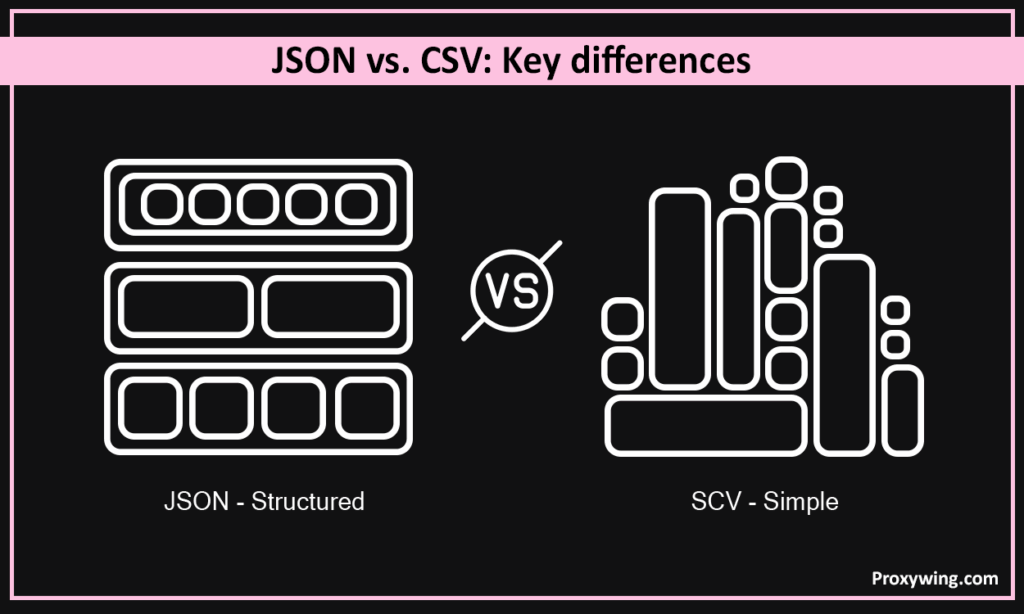
JSON and CSV serve different purposes, and choosing the right one depends on how your data is structured and how it will be used. In this section, we will discuss the key differences between these data formats using four major factors:
When it comes to compatibility, JSON and CSV can work together in many workflows, especially when data needs to move between systems that prefer different formats. You will often encounter scenarios where data may start in JSON, be converted to CSV for analysis, and then returned to JSON for storage or API use.
Both formats can be converted (from one to another) using common tools and programming libraries.
Python libraries such as pandas, json, and CSV make conversion simple. The code below shows how the pandas library is used to do the conversions.
JSON to CSV:
importpandas aspd
importjson
# Load JSON file
withopen("data.json") asf:
    data = json.load(f)
# Convert to DataFrame
df = pd.json_normalize(data)
# Save as CSV
df.to_csv("output.csv", index=False)
CSV to JSON:
importpandas aspd
# Load CSV file
df = pd.read_csv("data.csv")
# Convert to JSON
df.to_json("output.json", orient="records", indent=2)Online tools and command-line utilities can also handle quick conversions. The examples below show how command-line tools like jq and csvkit are used to do the conversions.
JSON to CSV using jq:
jq -r '.[] | [.name, .age, .active] | @csv'data.json > output.csvCSV to JSON using CSVkit:
csvjson data.csv > output.jsonNote: JSON data that contains nested objects (nests) or arrays may not fit cleanly into a flat CSV structure. This can lead to data loss or flattening, where complex datasets must be simplified into text. So, take this into context when doing the conversions.
There are some use cases and workflows that may require using both data types. Some of the common ones include:
| Feature / Aspect | JSON | CSV |
| Structure | Handles complex, nested data | Flat, simple rows and columns |
| Readability | Clear for structured data but harder for large files | Easy to read in spreadsheets. Harder to read without tools |
| File Size | Larger due to keys and formatting | Usually smaller and faster to process |
| Flexibility | Very flexible with arrays and objects | Limited to simple tabular data |
| Data Types | Supports multiple types, including string, number, boolean, array, object, and null | Everything is plain text |
| Common Uses | APIs, web apps, configs, integrations | Data analysis, reporting, ML preprocessing |
| Tool Support | Excellent across programming languages | Excellent across spreadsheet and BI tools |
| Conversion | May lose structure when flattened to CSV | Converts easily to JSON but lacks hierarchy |
Use it when your data has structure, nesting, or needs to move between systems through APIs. This makes this data format ideal for web applications, configurations, and anything that requires organized, multi-level data.
Use CSV when your data is simple, tabular, or meant for analysis in spreadsheets or machine learning workflows. CSV is lightweight, fast, and easy to process in tools like Excel or pandas. CSV is mainly ideal for storing tabular data.
JSON and CSV are two of the most popular data formats used for storing and storing data. Each of these formats has its strengths and weaknesses that you must consider choosing which one to use. JSON is ideal for structured, nested information and system-to-system communication.
On the other hand CSV is best for applications that involve handling flat datasets for analytics and reporting. It is also important to note that there are several scenarios (as we covered in this guide) that may require you to use both data formats—so be aware of these too.
Article written by:

Full Stack AI Engineer
Full-stack engineer at Proxywing working across backend architecture, performance optimization, and AI-driven workflows. Node.js, React, cloud infrastructure, and RAG pipelines.
All articles by author (61)CSV is generally faster to read and process because it is lightweight and has a simpler structure that doesn’t include nested elements. JSON on the other hand requires more parsing due to keys, brackets, and the hierarchical structuring of data that make it slower.
Choose between the two depending on your use case. Store data as JSON if you need structure, nesting, or compatibility with APIs and applications. Store data as CSV if your data is flat and primarily used for analysis, spreadsheets, or machine learning tasks.
Yes. You can convert JSON data to CSV using tools like Python’s pandas libraries. You can also do the conversion using command-line utilities such as jq. However, it is important to note that nested data may need flattening, which can cause some loss of structure.
CSV performs better for large datasets because of its smaller file size and simple layout. JSON offers more flexibility but may require more storage and computation resources. When comparing CSV vs JSON for big data, the two key factors to consider are performance and flexibility.

