


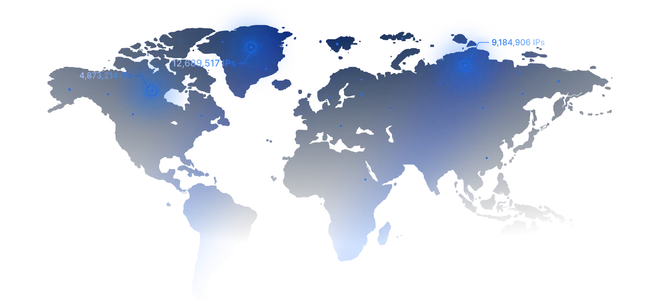
One IP, many real users
Carriers put hundreds of real subscribers behind a single public IP. A site that blocks it also blocks all those paying customers, so platforms keep carrier IPs trusted. That is why mobile IPs are the hardest to ban.
Connect through mobile carrier IPs with ProxyWing mobile proxies. Choose a country, operator and rental period, then control when your IP changes. Your mobile proxy provider offers 4G LTE and 5G access by configuration, from $4.00 for 1 day.

The pricing model for mobile proxies starts with your target country and operator. Select 1, 7, 15 or 30 days, then compare network generation, maximum speed, traffic allowance, IP pool and OS signature availability. Mobile carriers offer different configurations. Mobile proxy plans show the total for the selected period. Unlimited traffic is plan-specific.
A mobile proxy sends requests through mobile networks. The destination sees mobile proxy IPs from carrier networks. Mobile IP addresses describe the connection route, not a simulated phone.
Carriers put hundreds of real subscribers behind a single public IP. A site that blocks it also blocks all those paying customers, so platforms keep carrier IPs trusted. That is why mobile IPs are the hardest to ban.
Anti-bot systems read the TCP/IP fingerprint and compare it to your browser. Full p0f lets you set the OS signature so the network layer and the browser agree, across every protocol. One less thing that gives you away.
A mobile SOCKS5 proxy with UDP carries traffic plain HTTP proxies drop, like QUIC, WebRTC, and voice or game data. A downloadable oVPN config routes a whole device. More tools work natively, with fewer leaks.
Rotating mobile proxies let you choose when to request a different exit IP address. Match IP rotation to the way your task runs.
For rotating mobile proxies used in recurring checks, choose an interval that leaves connected steps together.
With rotating mobile proxies, request a new IP address after completing a connected sequence.
| Country | Operators | Max speed | Days |
|---|---|---|---|
 Canada |
| Up to 160 Mbps | 1, 7, 15, 30 |
 Germany |
| Up to 130 Mbps | 1, 7, 15, 30 |
 Spain | Up to 150 Mbps | 1, 7, 15, 30 | |
 France |
| Up to 180 Mbps | 1, 7, 15, 30 |
 United Kingdom | Up to 190 Mbps | 1, 7, 15, 30 | |
 Indonesia |
| Up to 30 Mbps | 1, 7, 15, 30 |
 Ireland |
| Up to 190 Mbps | 1, 7, 15, 30 |
 Italy | Up to 130 Mbps | 1, 7, 15, 30 | |
 Latvia |
| Up to 50 Mbps | 1, 7, 15, 30 |
 Moldova |
| Up to 45 Mbps | 1, 7, 15, 30 |
 Netherlands |
| Up to 150 Mbps | 1, 7, 15, 30 |
 Romania |
| Up to 140 Mbps | 1, 7, 15, 30 |
 Ukraine |
| Up to 95 Mbps | 1, 7, 15, 30 |
 United States | Up to 140 Mbps | 1, 7, 15, 30 | |
 Colombia |
| Up to 75 Mbps | 1, 7, 15, 30 |
Use mobile proxies when the carrier connection is part of the task. Match country and rotation settings to the workflow, and keep access within the relevant permissions.
Compare 4G LTE mobile proxies and 5G using the available operator configurations. Mobile networks vary between mobile carriers, so assess the actual workload alongside generation.
4G proxies offer stable speeds and a wide carrier footprint for predictable mobile sessions.
Pick 4G when reliability matters more than peak throughput.
Buy 4G proxies5G proxies provide maximum throughput and ultra-low latency for demanding mobile workloads. When a plan says 5G, it runs on 5G, not "up to 5G".
Pick 5G for the fastest response and heavy parallel workloads.
Buy 5G proxiesA quick rundown of what matters when you compare mobile proxy providers.
Genuine 4G and 5G IPs from real mobile operators, the same ranges millions of phones use every day.
Run bandwidth-heavy work without per-GB metering on unlimited plans.
Rotate by timer (1 to 30 minutes or hourly), by link, or by button. Or keep one IP for the session.
Full p0f lets you set the OS signature so the TCP/IP layer matches your browser, which cuts detection.
Carrier routing reads as real mobile traffic, so strict platforms flag it far less often.
Connect browsers, bots, apps, and scripts, with UDP supported over SOCKS5.
Use login and password or an IP whitelist with no IP limit, and both at once.
Reliable infrastructure with real human support whenever you need it.
Connect mobile proxies through a client that supports the selected protocol. Check the intended destination and workflow before extending the rental.
 Multilogin
 AdsPower
 Dolphin Anty
 GoLogin
 Octo Browser
 Selenium
 Puppeteer
 Playwright
 Scrapy
 Proxifier
Manage mobile proxies through the API when service controls belong in an automated workflow.
curl -X GET "https://api.proxywing.com/v1/mobile/services/{svc_id}" \
-H "Authorization: Bearer pk_live_XXXXXXXX"{
"id": "mob_100020",
"plan": "Germany O2",
"location": "Germany",
"status": "connected",
"exit_ip": "45.11.22.33",
"connection": {
"host": "mobileproxy.proxywing.com",
"port": 35725,
"protocol": "socks5",
"username": "proxy35725",
"password": "sample_password"
},
"traffic_remaining_gb": 18.5,
"expires_at": "2026-07-10T00:00:00Z",
"auto_reset_interval": 0
}After purchase, use the dashboard to manage mobile proxies and inspect the connection details supplied for your service.

Mobile proxies use cellular carrier IPs, residential proxies use home ISP networks, and datacenter proxies use server-hosted IPs. In each row, 1 marks the best fit, 2 the middle, and 3 the weakest.
| Mobile Proxies | Residential Proxies | Datacenter Proxies | |
|---|---|---|---|
| IP source | Mobile carriers and cellular networks | Home ISP networks and household devices | Hosting providers and server data centers |
| Trust score | Highest, helped by CGNAT and real carrier traffic | High and suitable for most websites | Lower on sites that flag hosting ranges |
| Block resistance | Strongest, even on strict anti-bot platforms | Good, but usually below mobile IPs | Weakest on strict anti-bot systems |
| Speed | Strong on 5G, but varies by carrier and location | Stable for browsing, scraping, and research | Fastest and most predictable for bulk tasks |
| Price | Highest per IP, but flat and unlimited here | Affordable for large-volume workloads | Lowest cost for high-volume automation |
| Session control | Rotation by timer, link, or button | Rotation and sticky sessions | Full Static |
| Best use cases | Social accounts, app testing, ad verification, strict anti-bot targets | Web scraping, SEO, market research, price monitoring | Bulk crawling, uptime checks, speed-heavy scraping |
| Mobile proxies | Residential proxies | Datacenter proxies |
Awards, which we received from our customers




ProxyWing runs through managed access controls and monitored infrastructure, with abuse prevention and account safeguards in place.
They are proxy servers that route your internet traffic through real mobile carrier IP addresses from 3G, 4G, or 5G networks. This makes them more trusted by websites, reducing the risk of blocks or bans during automation, scraping, or multi-account management.
Yes, when used for lawful purposes and within the terms of the sites you work with.
Real 4G and 5G IPs across 15 countries, and you pick the country and the operator on the product card. Choosing a specific mobile carrier is useful for geo-targeting, localized testing, and running region-specific automation tasks.
The speed of mobile IPs depends on the network (3G, 4G, or 5G) and current carrier load. In most cases, 4G and 5G mobile proxies provide stable speeds suitable for automation, scraping, and account management. Our infrastructure is optimized for: stable connections; low latency; high uptime; unlimited bandwidth usage.
Each product card shows the speed for that operator. If a plan says 5G, it runs on 5G, not "up to 5G".
Yes. Our system provides rotating mobile proxies that automatically change IP addresses at set intervals from 1 to 30 minutes or hourly, or you can turn rotation off to keep one IP. You can also change the IP manually from a dedicated link or the dashboard button, which has a one-minute cooldown. Reconnecting the device also gives a new IP.
After about two hours without traffic the connection goes to sleep to save network resources. Rotate the IP from the button or link to wake it. This is normal mobile network behavior.
Login and password or an IP whitelist. The whitelist has no limit on the number of IPs and works alongside login and password.
HTTPS and SOCKS5, with UDP over SOCKS5, plus a downloadable oVPN config.
Yes. A single proxy works across several devices, and an oVPN config can be used on multiple devices too. Heavy concurrent use may affect speed.
Yes, on supported operators. It is full p0f, so the user agent, TLS, and TTL are aligned, and it works across all protocols. Availability is shown on the product card.
No. We do not block sites or ports. Only the mobile operator may restrict some, and that is outside our control.


