


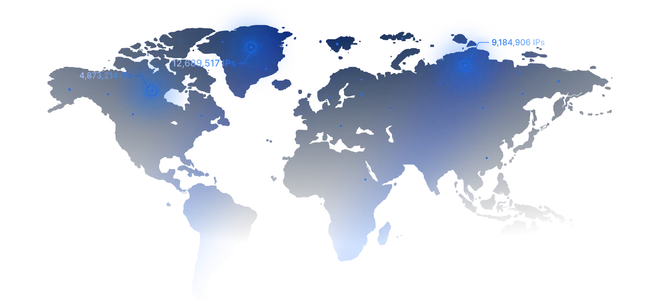
Datacenter
Built for maximum speed and performance. Perfect for large-scale scraping, automated testing, and real-time infrastructure monitoring where every millisecond matters
from
Buy now$0.87/ month
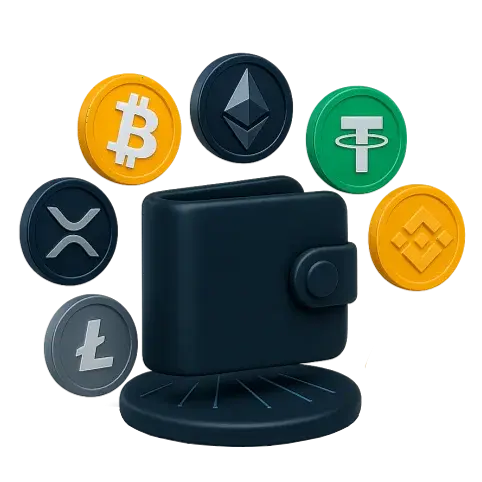
Buying proxies with Tether (USDT) has never been easier. ProxyWing lets you pay for any proxy type (residential, ISP, datacenter, or mobile) in USDT, with residential traffic starting at $1.00, datacenter and ISP IPs from $0.87 and $1.71 monthly, and mobile proxies from $4.00 per day.
Built for maximum speed and performance. Perfect for large-scale scraping, automated testing, and real-time infrastructure monitoring where every millisecond matters
$0.87/ month
Unlock real-user IPs for undetectable, high-volume data collection. Ideal for advanced web scraping, precise SEO tracking, and geo-targeted research at scale
$1.00/ GB
Access real mobile IPs for the highest level of trust and authenticity. Perfect for managing social media, app testing, and mobile-specific workflows
$4.00/ day
Combine the speed of datacenter proxies with the trust of residential IPs. Designed for ecommerce automation, ad verification, and stable long-duration sessions without interruptions
$1.71/ month
Here are some key reasons you should consider buying with crypto (USDT):
One USDT is designed to hold the value of one dollar. A $40 invoice is still $40 when it confirms, unlike Bitcoin and other coins, where the figure can drift between the moment the invoice opens and the moment the transfer lands.
Moving USDT over Tron costs roughly a dollar; over Polygon or Solana it's a fraction of a cent. That's lower than the fees for most mainstream payment methods, especially for international users.
You send USDT from your own crypto wallet to the invoice address, so no bank card is needed. This is convenient for international users who prefer not to pay by card.
After payment, proxies are provided almost instantly: as soon as the blockchain network confirms your transfer, your proxies are activated automatically and appear in your dashboard.
Note: Using USDT to pay is not equivalent to full anonymity. Every transfer is written to a public blockchain. What Tether gives you is a stable, borderless payment, not an invisible one.
This section covers all the key steps you should follow to buy proxies from ProxyWing using USDT
Sign up with your email address, or sign in with Google if you already have a Google account. You don't need to add a card: you pay with USDT from your own crypto wallet at checkout.
Now that you have created your account, choose your preferred proxy type, location, and quantity or bandwidth, then go to checkout.
Choose "Crypto" as the payment method and click “Check out." You'll land on Cryptomus, ProxyWing's crypto gateway. Pick USDT, then the chain of your choice.
Note: The chain you select here must match the chain you send from. USDT sent over a different network will not arrive at that address and cannot be recovered.
The figure shown is what ProxyWing needs to receive. Your wallet adds its network fee on top of that amount. So, don't subtract it from the total, or the invoice registers as underpaid, leading to payment processing failure.
The invoice page refreshes itself once the transaction appears on-chain. Activation follows automatically after, you don’t need to do any extra steps. After the payment is confirmed, your proxy credentials will appear under the matching product section of the dashboard.
If the status is still pending well past that window, copy the transaction hash and send it to support for further help.
Tether is a single token issued across several blockchain networks, and the one you select will have an effect on the fees and processing times. The table below shows a summary of their main differences.
Network | Sender fee (typical) | Confirmation time | Best suited for |
|---|---|---|---|
Tron (TRC20) | Around $1, less if you're holding TRX for energy | A few seconds up to ~2 minutes | The default choice for most proxy purchases, thanks to its broad exchange support |
Polygon | Sub-cent | Seconds | Smaller and mid-range orders |
BNB Chain (BEP20) | Roughly $0.20 | Seconds | Wallets that already hold USDT on Binance-side chains |
Solana | Sub-cent | ~1 second | Fast, low-value orders |
Ethereum (ERC20) | 1–20, depending on gas prices | 15 seconds to several minutes | Larger orders where the gas cost is negligible by comparison |
Fee and timing figures are typical for November 2026. You can always confirm the live estimate in your wallet before sending.
For a normal proxy order, we recommend going with TRC20 or Polygon since they offer the fastest processing times. ERC20 only makes sense when your USDT already sits in an Ethereum wallet and the order is large enough that gas fees don’t significantly affect the overall cost. Regardless of the network you choose, matching the invoice chain is what matters the most.
Once you get the blockchain network and the amount right, the payment completes as soon as the network confirms your transfer.
The table below shows how USDT compared with other common payment methods:
Card | PayPal | Bitcoin | USDT | |
|---|---|---|---|---|
Amount stability | Fixed in USD | Fixed in USD | Fluctuates with BTC price | Fixed, 1 USDT ≈ $1 |
Fees on your side | Possible FX or cross-border fee | Possible conversion fee | Network fee, often $1–5 | Cents to ~$1 on TRC20 or Polygon |
Activation | Instant | Instant | After confirmations | After confirmations |
Auto-renewal | Yes | Yes | Via site balance | Via site balance |
Reversible | Chargeback possible | Dispute possible | No | No |
One reason to choose cards and PayPal is that they keep the option of a dispute, which crypto doesn’t; choose these if that’s something that matters to you. If you'd rather pay in a different coin, the full list sits on the payments page.
Provisioning is automatic and runs as soon as the transfer reaches. The precessing times vary based on the chain you choose; a congested Ethereum network takes longer than Tron. If nothing appears after that window, send support your transaction hash.
TRC20 is the most widely supported by exchanges, and Polygon is the cheapest to send on. If your funds are currently on this network, it’s what we recommend choosing.
You can pay for any plan using USDT. This includes all the entry level plans for residential, mobile, and datacenter proxies.
 PayPal
 Visa
 Mastercard
 American Express
 Discover
 Apple Pay
 Google Pay
 Kakao Pay
 UPI
 Klarna
 Solana
 Bitcoin
 Avalanche
 Bitcoin Cash
 Shiba Inu
 Ethereum
 Mysterium
 Litecoin
 XRP
 Tron
 Dogecoin
 Binance
 Dai
 Polygon
 carVertical
 Binance USD
 USDC
 Travala
 Elrond
 Cardano
 Arbitrum
 Flow
 BitTorrent
 Cosmos
Create an account, choose a proxy type and pay the way that suits you. Your proxies are ready to use as soon as the payment is confirmed.
Create account