Proxy Authentication Methods Explained: Username/Password vs IP Whitelisting
06.10.2026 10 min
For network security, are you attempting to choose between a proxy server and a firewall? By describing the primary difference between firewall and proxy, when each is most effective, and how each one works, this article resolves the firewall vs. proxy debate. Continue reading to find out how to implement the best proxy or firewall to secure your company’s connections right now.
Key Takeaways
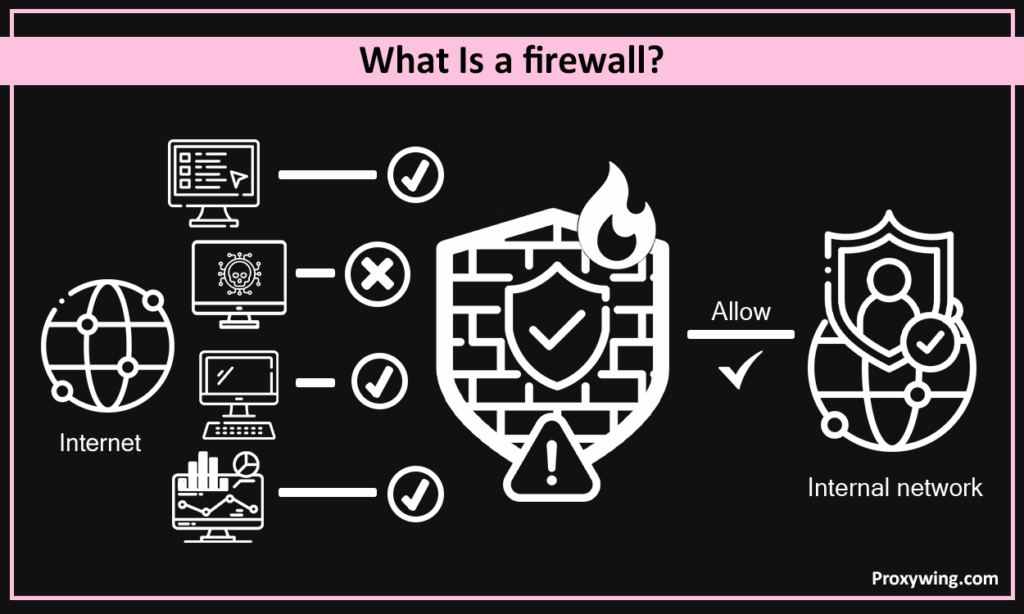
There are several kinds of firewalls. Some are lean, stateless **firewall** packet filters, judging traffic by port and address. Others are stateful and track whole conversations; each firewall maintains a table of active sessions. The newest ones can decrypt, sandbox, and check realtime threat feeds, addressing emerging threats before they spread. They break the network into trust zones, keep auditors happy with thorough logs, and provide admins one lever to pull when alarms go off. They can be on individual hosts, at the edge, or in the cloud—wherever a firewall can see traffic.
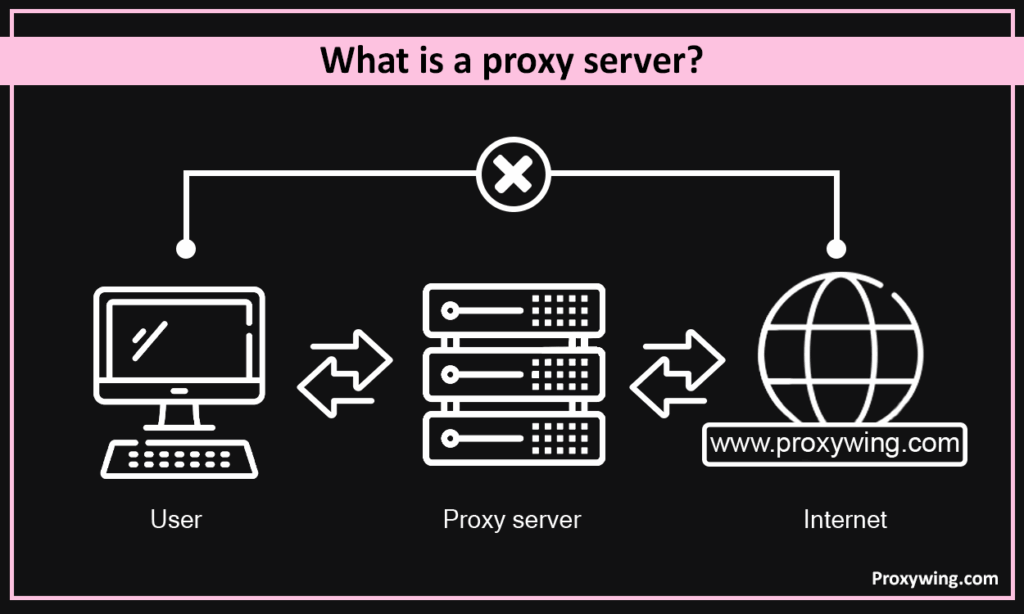
Proxies sit between a client and its destination and forwards requests when accessing external resources, while masking the address of the original host. Unlike a firewall, it operates on the application layer. Here, the proxy servers act as intermediaries, sending traffic on their behalf. When a browser asks for a page or web applications, the request goes to the proxy server first. it inspects web traffic patterns, sends the query onward, receives the reply, caching data for faster repeat requests, and hands it back. The proxy server then sends it on, gets the reply, and sends it back. On the way, it can modify headers, remove identifying information, and log the exchange, which adds privacy and visibility.
The firewall receives IP packets first. Through the application of security rules at every level, it protects traffic in groups. Simple packet filtering is the initial phase. It verifies each packet’s source, destination, port, and protocol against an access-control list before allowing or rejecting it in a matter of microseconds. By monitoring each active connection, stateful inspection provides context. This implies that unsolicited or erroneous packets are rejected and that only responses from a known session are permitted.
Between a client and its destination, proxies transmit all requests while hiding the originating host’s address. The upstream firewall is not communicated with by the client; only the proxy is. After establishing a fresh connection with the outside world, the proxy server sends back the response after rewriting headers if necessary and caching content as defined. With this additional step, administrators may monitor activities, examine application-layer data, and establish fine-grained access controls all from one location.
Pros
Cons
Pros
Cons
Firewalls can be very detailed in their decisions in the firewall vs. proxy argument since they analyse traffic at the packet or session level early on. They commonly block malicious headers, odd flags, or unconfigured payload that violates deep-packet inspection criteria before an application stack is even aware of it. They are initially decrypted and their contents examined in next-generation versions before being re-encrypted. This allows them to avoid vulnerabilities that are deeply ingrained in HTTPS.
Traditional firewalls operate at the transport and network layers. Their ability to read IP addresses, ports, and TCP flags is enough to identify scans or spoof packets, but not the actual content. Higher up, on the application layer, is a proxy. It can read content types, URLs, cookies, and HTTP headers. In other words, proxies open envelopes and read the letters inside while firewalls inspect them.
The most common locations for firewalls are on individual computers, in cloud gateways, or at the LAN’s edge. They are added by spinning up a virtual instance or racking a firewall appliance, then adding rules and NAT mappings. This is simple, but there is constant rule adjusting. HTTPS interception requires certificate administration and additional testing, although a single proxy server virtual machine (VM) can be sufficient. Proxies are where users access the web or where servers communicate with clients. Which tool teams use initially is frequently determined by the difference in deployment overhead.
Choosing comes down to what hurts most today:
In short, a proxy server modifies and conceals application traffic, whereas a firewall blocks undesired packets. You can choose the best solution for multilayer protection by knowing the difference between firewall and proxy. For added security, use both, or pick the one that poses the most threat to you. Are you prepared for system protection? Review your objectives, write down your guidelines, and begin testing right away.
Article written by:

CEO
Founder of Proxywing. Drives growth across EU, US, and Asian markets, combining B2B strategy with a hands-on focus on product quality, 99% uptime, and responsive support.
All articles by author (65)