How to Integrate ProxyWing’s Proxies with XLogin Antidetect Browser
Create secure profiles with unique fingerprints for managing unlimited accounts.
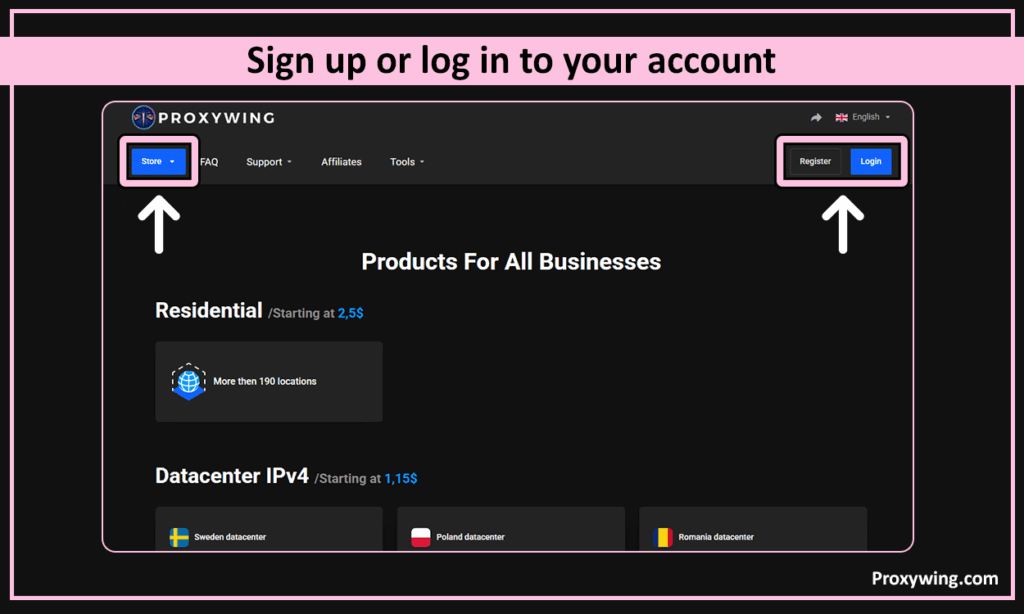
1. Open the website of Proxywing.
2. Sign up or log in to your account.

3. Click on “Store”, select the required proxy type (residential, datacenter, or ISP) and add it to the shopping cart.
After payment, the necessary proxies will immediately appear in your dashboard.
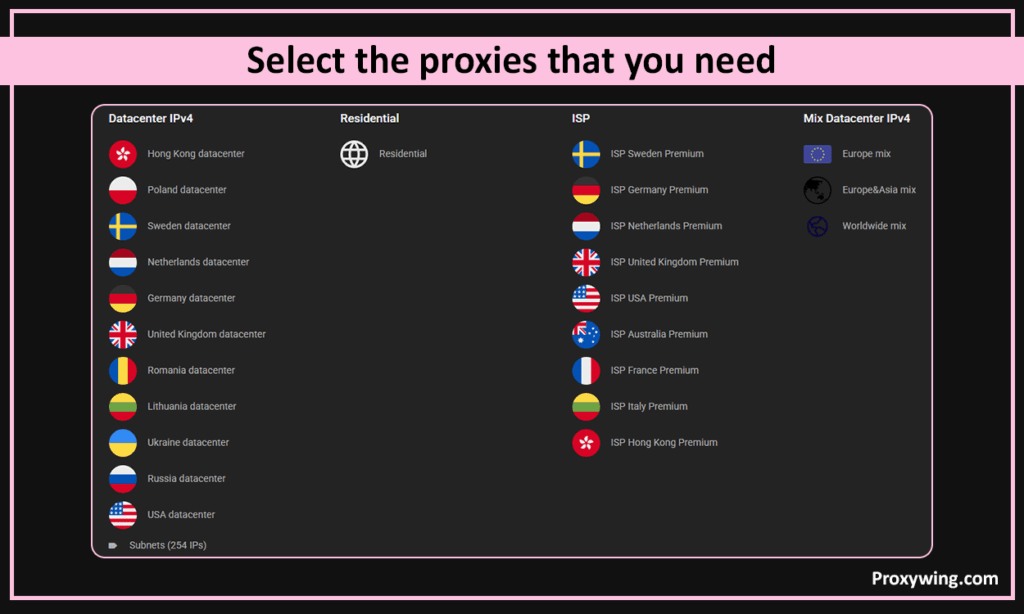
Residential traffic proxies: High-quality IP addresses from Internet service providers. In this category, proxies are provided using the pay-per-traffic model.
Datacenter proxies: hosted on data center servers. Such addresses are not linked to real providers but to data centers, so they are completely static and fast.
ISP proxy: а hybrid type that combines the advantages of residential and datacenter proxies. IP addresses are provided by Internet service providers (as with resident ones), but they are completely static.

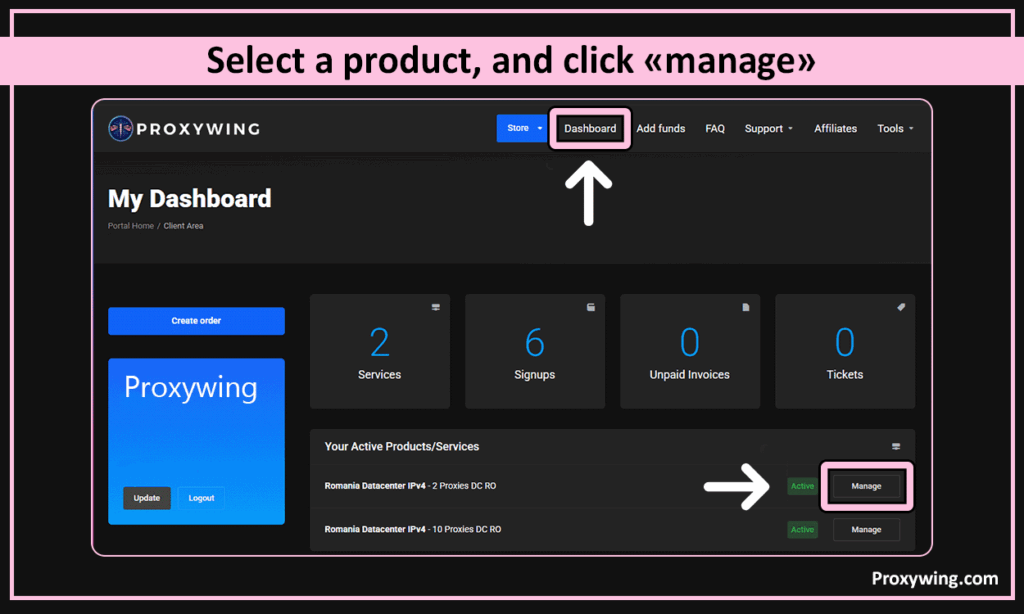
4. Open your dashboard, select a product, and click “manage”.

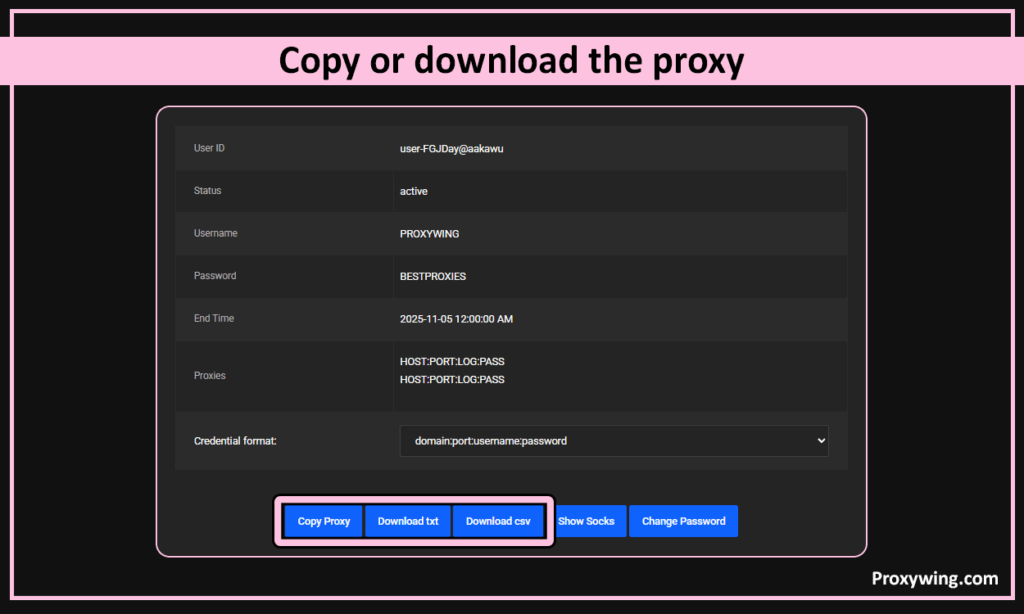
5. Copy or download the proxy using the buttons at the bottom.

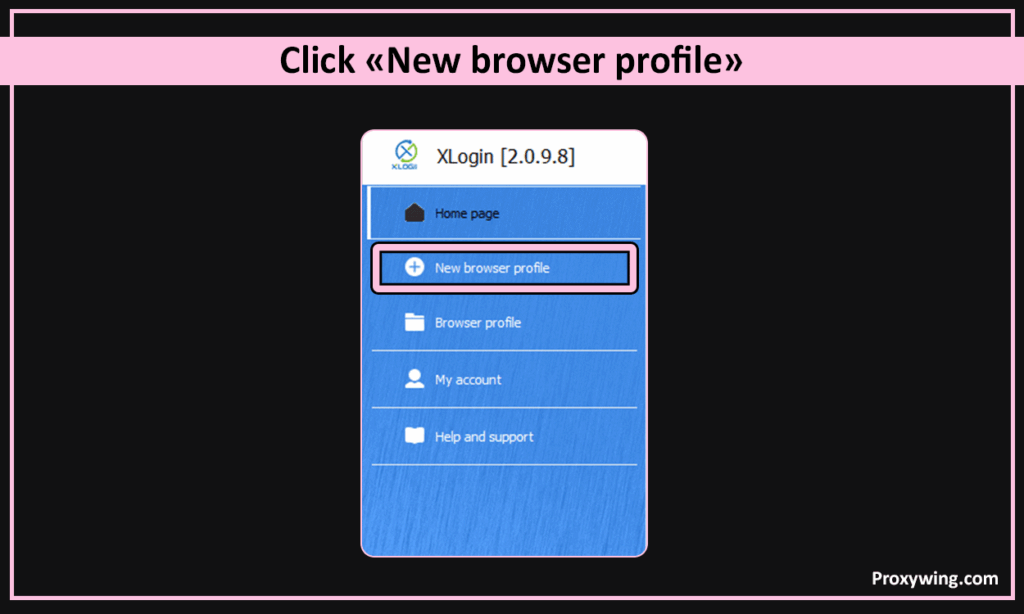
6. Open Xlogin antidetect browser, click “New browser profile”. (Support 3-day Free)

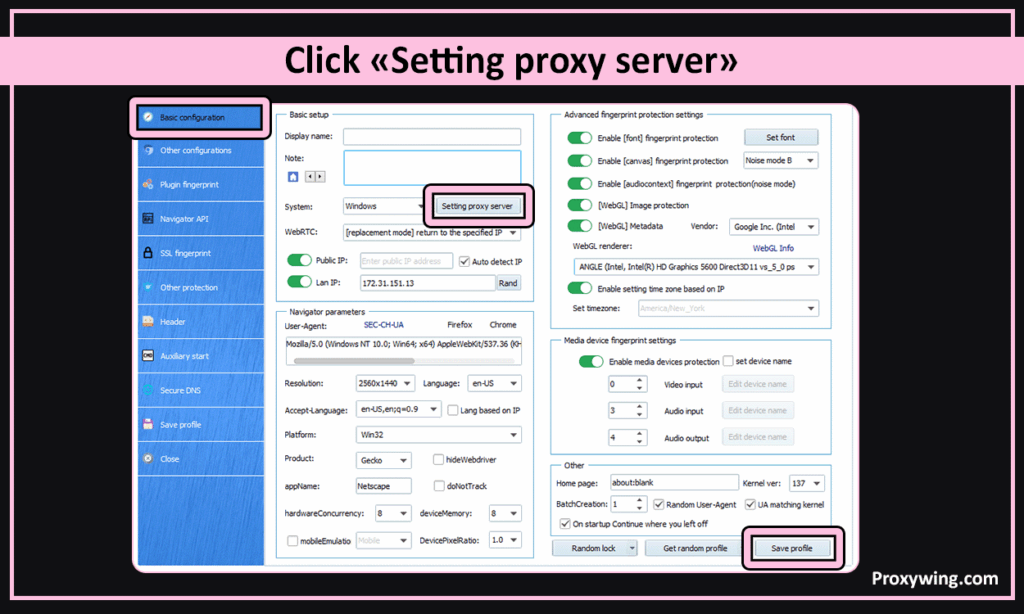
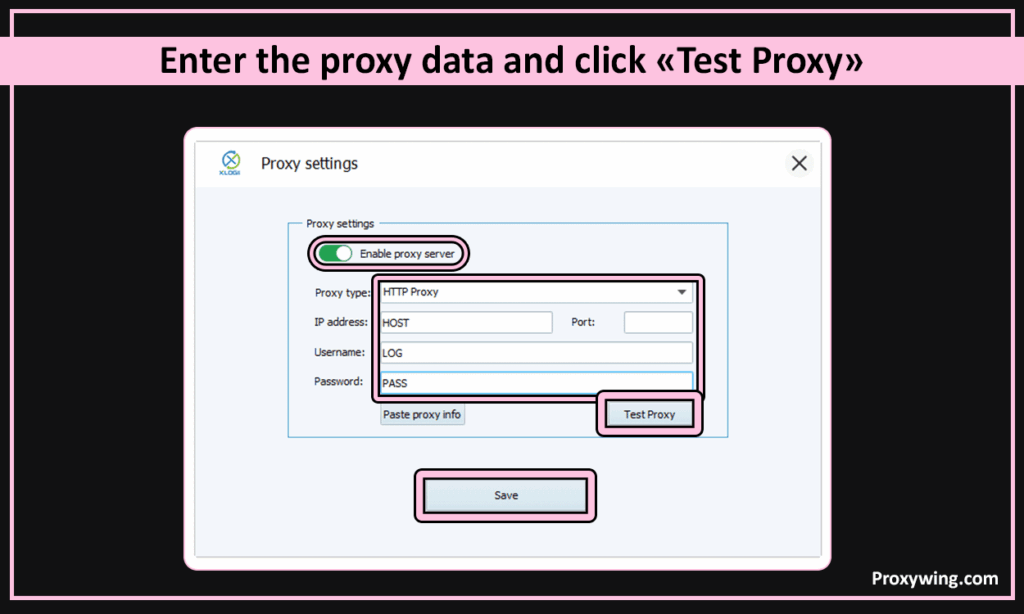
7. In the “Basic configuration” tab, click “Setting proxy server”

8. Select the proxy type.
Proxywing’s proxies support SOCKS5 and HTTP connection. Enter the proxy data in the appropriate fields and click “Test Proxy”
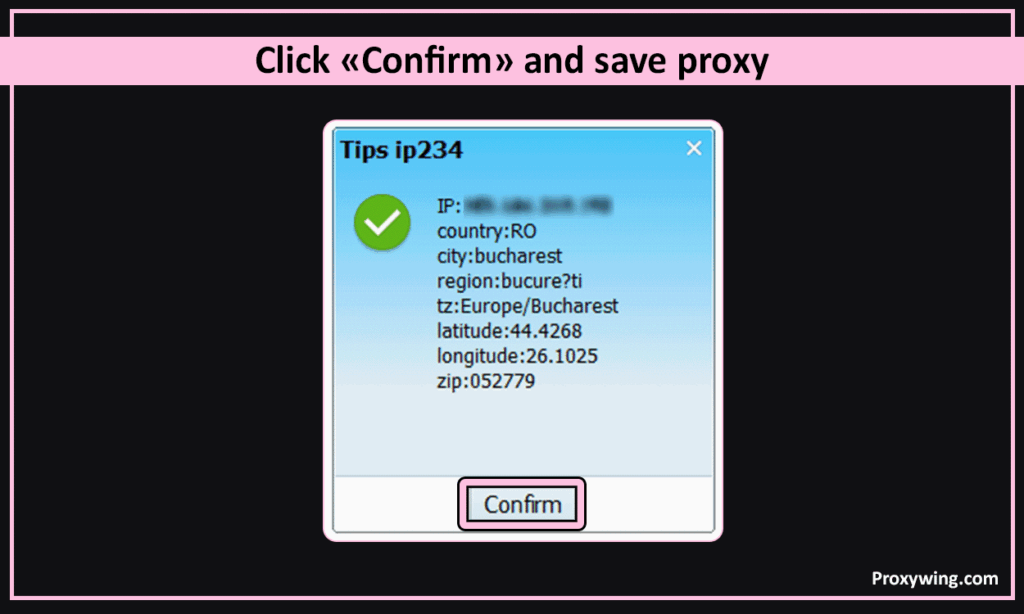
9. If you see a green check mark indicating the IP address, it means that the proxy is working. Click “Confirm” and save the proxy.