Best Proxies for OnlyFans in 2026
22.10.2026 12 min
IP bans and rate limits are among the common challenges proxy users face. These two issues often result from relying on IPs that have been blacklisted by platforms due to TOS violations. For the best experience, you choose providers that offer IPs that have never been overused or flagged by any platform. Such IPs guarantee higher success rates and minimal interruptions.
If you’re unsure where and how to buy fresh proxy services, this guide is for you. We will discuss the common proxy types, mistakes to avoid when purchasing proxies, where to find fresh proxies, and more. Our goal with this guide is to ensure you have all the information you need to acquire proxy services with reliable IP addresses. Let’s get started!
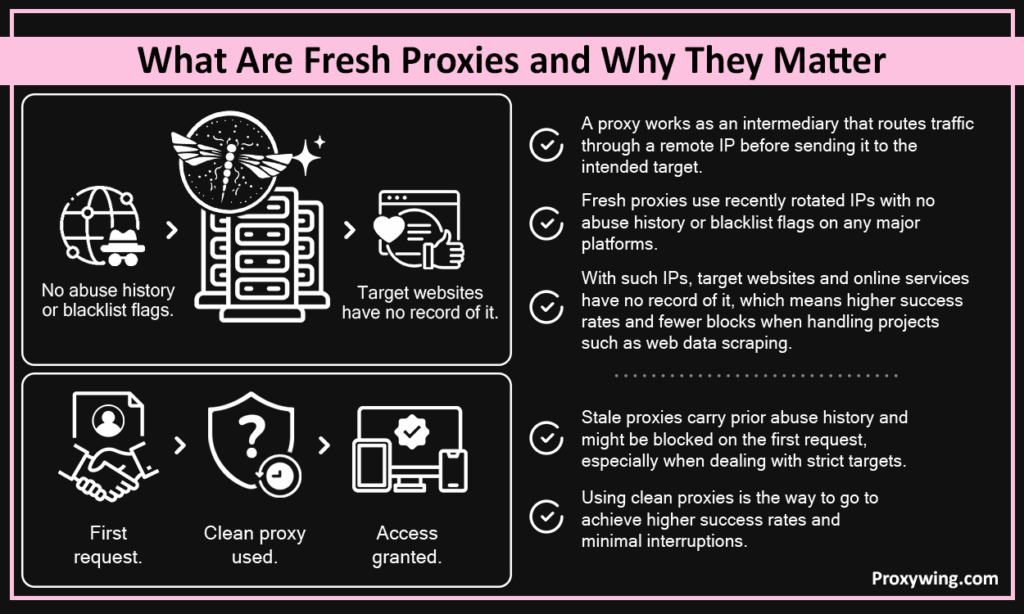
A proxy works as an intermediary that routes traffic through a remote IP before sending it to the intended target. Fresh proxies use recently rotated IPs with no abuse history or blacklist flags on any major platforms. With such IPs, target websites and online services have no record of it, which means higher success rates and fewer blocks when handling projects such as web data scraping.
Stale proxies carry prior abuse history and might be blocked on the first request, especially when dealing with strict targets. Using clean proxies is the way to go to achieve higher success rate and minimal interruptions.
Fresh proxies use IPs with no negative reputation with target sites or public blacklists, significantly lowering the probability of IP bans. Stale proxies on the other hand rely on IPs that have been overused across too many users, accumulating flags that get them blocked immediately, especially when dealing with platforms with strict user policies. The key difference between the two largely lies in their reliability and success rate.
Some of the common real world applications where using clean proxies real matters include:
ProxyWing offers all four types below with regularly rotated, clean IP pools across 190+ countries. Let’s explore each of them in detail:
A fresh residential proxy routes your traffic through clean ISP-assigned IPs that appear as genuine home users. Large pools spread rotation thinly across IPs, keeping individual addresses clean longer. ProxyWing offers 70M+, which significantly reduces the probability of reusing IPs.
A fresh mobile proxy redirects your traffic through clean 4G/5G carrier IPs rotated by carrier-grade NAT and shared across thousands of real users. Mobile proxies offer the freshest IPs among all proxy types. Target sites rarely block mobile IPs to avoid affecting real users on the same carrier. If you really care about success rate, mobile proxies are the best choice.
A fresh datacenter proxy redirects your traffic through IP addresses of servers running in datacenters. This type offers faster, cheaper, and clean IPs when sourced from newly allocated subnets. Datacenter ASNs are still recognizable to anti-bot systems, limiting the freshness advantage on heavily protected targets. IP pools for datacenter proxies are also typically smaller, which significantly increases the chances of reusing IPs.
Rotating residential or mobile proxies assign a new IP per request, making them ideal for tasks like scraping and automating that involve sending several requests to the same target within a short period. Static proxies on the hand hold a clean, fixed IP for an extended period. Static IPs are best account management and any task where session consistency matters more than constant IP turnover.
Now that you know the different types of clean proxies out there, let’s walk you through the five key steps you can follow to acquire them:
Identify your target site, its anti-bot aggressiveness, required geo-location, and concurrency needs. Your answers determine which proxy type is clean enough for the job. For strict targets, we recommend residential and mobile proxies. Yes, they are more expensive, but the extra cost is worth it if you value having a good experience.
Free proxies are shared publicly and mostly already flagged by most platforms. Paid providers rotate continuously and replace burned IPs automatically to ensure their pools predominantly have clean IPs. For any serious workflow, paid is the only reliable option. When choosing a paid provider, the IP source matters just as much as the pool size. Some providers offer free plans that you can take advantage of to test their experience before diving all in.
Consider these key factors when choosing a provider:
Based on all above, the right pick is ProxyWing’s fresh proxies. Check out our plans.
Some providers may promise certain capabilities that sometimes don’t materialize in practice. That’s why testing is important. These are some of the tools you can use to test:
Use per-request rotation for scraping and any other tasks that involve sending multiple requests to the same target within a short period. Sticky sessions for account management and all tasks that require maintaining the same IP address for an extended period. Configure retry logic to swap a blocked IP automatically rather than retrying the same address.
| Source | Freshness | Reliability | Cost |
| Free public lists | Very low | Unreliable | Free |
| Paid residential networks | High | Reliable | $1–$15/GB |
| Paid mobile networks | Highest | Reliable | $2–$10/GB |
| Self-hosted datacenter | Medium | Variable | Infrastructure cost |
ProxyWing offers clean 70M+ residential and mobile proxies with city-level targeting, automatic rotation, and clean IP pools across 190+ countries. This large IP pool allows users to use as many IPs as they need while encountering minimal IP blocks and rate limits. ProxyWing also guarantees a success rate of up to 99.47% for their residential IPs. It also offers HTTPS and SOCKS proxy servers, enabling a wide range of use cases.
Large pools of rotating IPs assigned to real devices with city-level targeting, SLA-backed uptime, and automatic IP replacement should be the standard for serious scraping or account management. Premium providers, including ProxyWing offer 10 to 20 times more IPs for their residential and mobile proxies when compared to datacenter proxies. This makes mobile and residential IPs the ideal choice for anyone needing clean IPs. However, you will acquire more flexibility and a better experience when you go for paid services.
Cloud-hosted proxies give a clean starting IP no one else has used, but require manual setup and rotation. Best suited for advanced users with specific infrastructure needs.
There are a couple of platforms that can help you verify this. Run your IPs through IPQualityScore, AbuseIPDB, and MXToolbox before use. A clean fresh IP should score below 75 on IPQualityScore and return no blacklist hits on AbuseIPDB or MXToolbox. Discard any IP scoring 85 or above and treat anything in the 75–84 range with caution depending on your target’s strictness.
Residential proxies should hit 100–400ms and datacenter proxies under 100ms for nearby server locations. Higher-than-expected latency signals an overloaded or misrepresented IP. Ensure to benchmark your IPs before committing to a live workflow as the response time will have a significant impact on the overall experience.
These are the common mistakes you must avoid:
Article written by:

Full Stack AI Engineer
Full-stack engineer at Proxywing working across backend architecture, performance optimization, and AI-driven workflows. Node.js, React, cloud infrastructure, and RAG pipelines.
All articles by author (62)A fresh proxy is an IP with no negative history on blacklists or with the target site. Such IPs are typically recently assigned, not overused, and not previously flagged. Clean IPs get through on the first request while stale ones may be blocked immediately.
No, they are usually not safe. Free proxies are publicly shared, accumulate abuse flags within hours, and often lack encryption. They are also not reliable for any serious workflow. You could maybe opt for them during experimentation workflows as long as they don’t involve sharing sensitive data.
Per request for scraping. For account management, holding the same IP for the full session as rotating mid-session can trigger re-authentication or account flags.
Mobile proxies have a slight edge. Carrier-grade NAT rotates them constantly across thousands of real users, making them very difficult to flag. Residential proxies are a close second though since they also rely on ISP-assigned IPs that are often rotated.
Public lists exist but IPs go stale within hours since they are used by lots of users. A provider’s trial tier is the only reliable free option we recommend. Most providers offer trial versions — take advantage of them.
Check pool size, rotation frequency, and IP replacement policy. Run a sample batch through IPQualityScore or AbuseIPDB. Providers offering trials or refunds signal confidence in their pool quality.