




Proxy Authentication Methods Explained: Username/Password vs IP Whitelisting
06.10.2026 10 min
When using proxies, one of the most common categories you will encounter is the HTTP proxy. An HTTP proxy server is designed to handle web traffic, allowing users to access websites and web apps without revealing their IP addresses or location. In today’s guide, we will discuss everything you need to know about HTTP proxies, including the common types, benefits, use cases, setup process, and more. Let’s dive in!
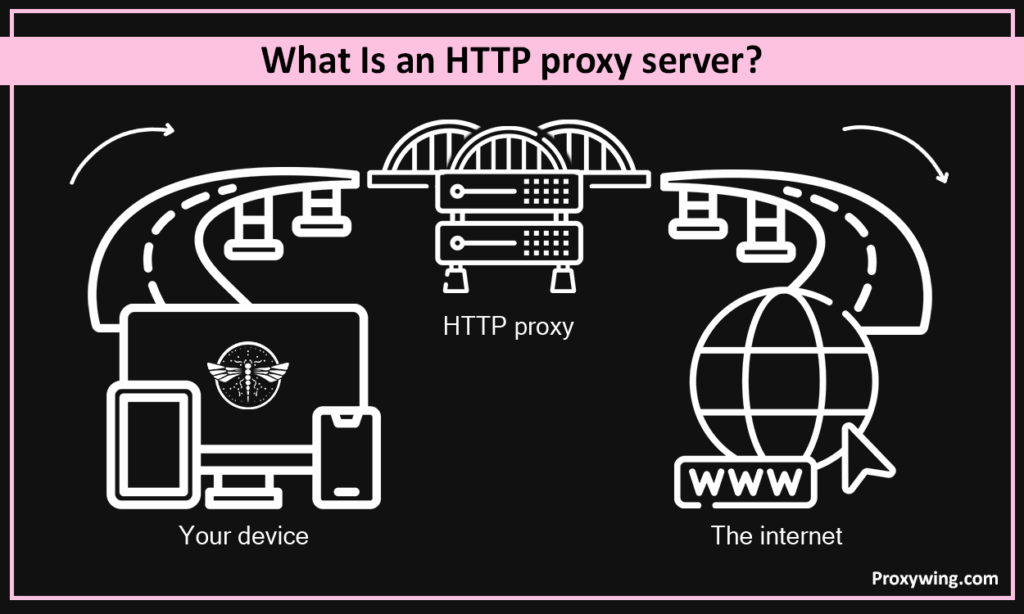
An HTTP proxy is an intermediary server between your devices and the internet. It is primarily designed to handle web traffic, and works specifically with the HTTP and HTTPS protocols, which are used for most websites and web applications. When using an HTTP proxy, your requests are first sent to the proxy server before being forwarded to the web app or website you intend to access. Using this setup hides your IP address from these websites and web apps.
If you connect to the internet with an HTTP proxy, your traffic goes through these five simple steps:
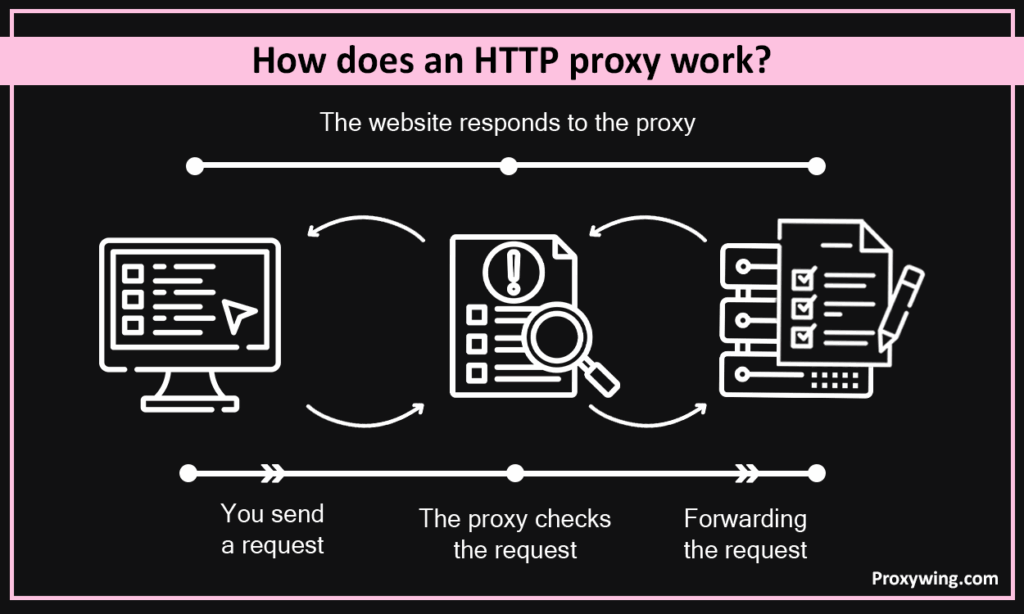
Some of the common features of HTTP proxies include:
Here are some common reasons you should condor using an HTTP proxy:
An HTTP proxy masks your IP address and replaces it with the proxy server IP. Hiding your IP also means the websites and web apps you are accessing won’t see your real locations, making your connection more anonymous and private. With such a setup, it is harder for any website or app to track your browsing habits.
Many websites and platforms such as Netflix, Apple TV, and even social media websites limit access based on your location. By using an HTTP proxy, you can switch to an IP address of a different location, allowing access to all the web contents that are only limited to certain region.
Organizations such as schools and companies use transparent proxy solutions to control what traffic leaves their network. When a client sends requests from client browsers, the proxy analyses these requests to ensure they meet the set security and browsing policies before forwarding them.
HTTP proxies can cache frequently visited web pages. So, when you or other users try accessing these pages, they will load significantly faster, improving the overall user experience.
Organizations can also use proxies to enforce various security policies to protect users from threats. For instance, the proxy can be configured to block requests going to or coming from known malicious websites.
Some of the most common proxy types in this category include:
A forward proxy sits between your web browsers or apps and the internet. These are designed to handle all output traffic, hiding the clients’ IP address, before forwarding the requests to the target website or web app. They are mainly used to bypass geo-restrictions and improve privacy.
A reverse proxy sits in front of a web server and manages incoming traffic. They are mainly designed to filter traffic to ensure it meets the set security policies and to ensure reliability performance by load balancing.
A transparent proxy intercepts requests and analyzes them without the user needing to configure anything. These are normally used by organizations for intercepting connections to implement security policies. Intercepting also helps organizations to block websites they deem unnecessary for their users.
A high-anonymity or elite proxy not only hides your real IP address, but also hides your proxy usage status. This makes them ideal for accessing websites that are known for blocking proxies and other similar solutions.
The set up process depends on your platform:
Chrome uses your computer’s system proxy settings. Use the set up process described above to browse the web securely with chrome using an HTTP proxy.
These mainly use transparent proxies to filter employees requests using set browsing and security policies before forwarding them to the internet.
CDNs use proxy-like caching techniques to store content closer to users. This allows users to get faster data loading speeds when someone tries to access the cached content.
A WAF acts like a specialized reverse proxy. It filters incoming HTTP traffic to block suspicious requests such as SQL injection, cross-site scripting, and malicious bots.
Privacy cautious users rely on proxies to hide their device IP address and location from the websites and other internet services they use.
Reverse proxies can be used to distribute incoming HTTP requests across multiple backend servers based on factors like server load and health.
This guide has covered everything you need to know about HTTP proxies. So, you’re now equipped with the information you need to determine if HTTP proxies are what you need. We also covered several types of HTTP proxies, so make sure you choose one that meets your needs and budget. For the best experience, we recommend sticking to premium proxy solutions as they usually offer dedicated IPs, do not log your usage, and also offer the fastest speeds.
Article written by:

Product & Support Operations Lead
Built Proxywing's support department from scratch — documented workflows, clear escalations, consistent quality. Now bridges the CEO and engineering, keeping infrastructure projects on track.
All articles by author (68)HTTPs proxies work just like HTTP proxies. The only difference is that HTTPS traffic ensures the traffic between your device and the proxy server is encrypted.
Yes. They are designed to hide your IP address and using HTTPS proxies adds an extra security layer by encrypting the traffic between your device and proxy server.
Both route your traffic through an intermediary server, but VPNs also encrypt all the data leaving your device, which ensures more privacy.
Yes. These proxies hide your IP address and also have IP rotation capabilities, allowing scrapers to send multiple requests without triggering IP blocks.
The simplest method is using an IP look up tool «IP Checker» . Make sure the IP address it displays doesn’t match your current device location.

