




Proxy Authentication Methods Explained: Username/Password vs IP Whitelisting
06.10.2026 10 min
ZoomInfo is one of the most popular platforms many businesses use to collect data about companies and individuals. This platform allows you to collect detailed information such as company profiles, employee lists and job titles, direct phone numbers and emails, company revenue, and more. One of the most effective ways to collect this data at scale is through web scraping.
ZoomInfo scraping can be done using a wide range of intelligence tools, including pre-built ones or by creating your own scripts from scratch. In this guide, we will discuss ZoomInfo scraping, including how to do it, why you may need to do it, common issues, and much more. If you’re in need of a pre-built or custom-built web scraping solution, this is the guide you have been searching for. So, without any further ado, let’s dive right in!
The main reason to scrap data from this platform is to get access to large amounts of information about companies and their employees. Data that you can collect from this platform includes detailed company profiles, firmographic information, employee lists, job titles, direct contact details (from contact databases), revenue estimates, technology stacks, and intent signals.
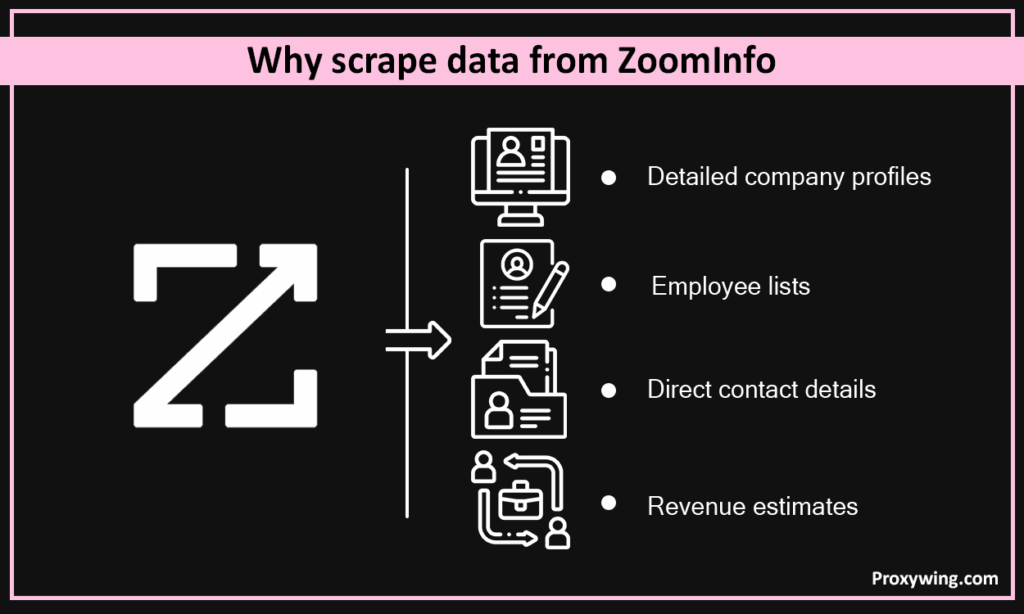
Businesses can later use this data to shape their strategy for sales, marketing, recruitment, and a lot more. For B2B companies, having this data helps sales teams run more effective B2B campaigns and other sales processes. Overall, businesses extract data from ZoomInfo to build targeted leads lists, enrich CRM systems, study market trends, improve outreach, business intelligence, and several other niche use cases.
To avoid potential legal penalties, here are the key things to keep in mind when Web scraping ZoomInfo:
Before getting started with ZoomInfo scraping, you need to have a few things set up to avoid any hiccups along the way. First of all, you need to have a clean Python workspace (virtualenv) to keep dependencies isolated.
Some of the key Python libraries you will need include Selenium (for JS-heavy pages), httpx (async HTTP client), and BeautifulSoup (for parsing).
Setting Up the Environment
These are some of the procedures you can follow when setting up your environment:
The key details you need to access ZoomInfo and scrape data include:
Before you start ZoomInfo scraping, it is important to understand the data structure of ZoomInfo, as it can help save time and reduce the resources needed. First of all, ZoomInfo pages are built with dynamic, JavaScript-driven content. Most company and people profiles load their information through embedded JSON blocks or structured HTML sections.
Understanding how this data is organized helps businesses know exactly what to target when web scraping and the right scraping tools to use. For instance, company pages usually include a main overview section, contact information panels, firmographics, and technology sections. On the other hand, people’s profiles usually include personal details, job roles, and company associations. Knowing the location of each section allows you to extract the data you need more accurately.
Here is a comprehensive list of the the kinds of company data your data scraping tools extracts from this platform
Here are the steps you need to follow to locate target elements and access the data you need to scrape:
Here is a high-level workflow for scraping data from ZoomInfo:
Here is the procedure to follow when extracting company information from ZoomInfo:
from playwright.sync_api import sync_playwright
from bs4 import BeautifulSoup

def scrape_all_text():
    with sync_playwright() as pw:
        browser = pw.chromium.launch(headless=True)
        page = browser.new_page()

        page.goto("https://zoominfo.com/company_name")
        page.wait_for_load_state("networkidle")

        html = page.content()
        browser.close()

        soup = BeautifulSoup(html, "html.parser")
        all_text = soup.get_text(separator=" ", strip=True)

        return all_text

result = scrape_all_text()
print(result)
This code extracts all visible text from the entire webpage (https://zoominfo.com/company_name)
When web scraping platforms like ZoomInfo that have sensitive and high value data, you may sometimes encounter strict anti-bot systems. Let’s explore how you can deal with such restrictions:
By using rotating residential proxies, your requests are spread across different IP addresses, making it seem like your connections are coming from more than one user. This reduces the chances of IP bans since each IP can be configured to stay within ZoomInfo’s rate limit. Also, residential proxies use IPs from real home devices, making it harder for ZoomInfo to detect and block them since they don’t appear as proxies.
Using stealth automation tools allows your browser to behave more like a real user by hiding indicators that reveal automated activity. These tools adjust features such as browser fingerprints, user-agent strings, and other subtle details that anti-bot systems look for. In scenarios where CAPTCHAs may appear to confirm that the visitor is human, using CAPTCHA-solving services can help your web scraping tool move past these challenges seamlessly.
For large web scraping projects, you will likely have to scrape data from hundreds or even thousands of pages. One of the ways to achieve this scalability is through running multiple browser instances or using asynchronous strategies for processing large datasets faster. To optimize, you can reuse browser sessions, handle pagination automatically, and rely on structured data endpoints when available.
Search pages and directories usually show results on more than one web page. To collect all the data for a given search query, your scraping tool must be configured to detect the “Next” button or pagination links and move through them one by one.
Each time you load a new results page, repeat the extraction process and store the records. This step-by-step movement ensures you capture the full dataset rather than only the first page of the search results..
Intelligence platforms like ZoomInfo usually provide internal links to partner companies, competitors, or related organizations. Your web scraping tools can follow these internal links to expand your dataset logically and gather additional profiles without manually having to search for each one of them.
This technique is called recursive crawling. Once it collects data from one profile, your web scraping tool can identify relevant links on the page and visit them as new targets. This creates a chain of connected pages that produces a much richer dataset while maintaining an organized structure.
We already shared earlier that ZoomInfo and other similar platforms can block your connection if they detect unusual behavior when web scraping ZoomInfo. To avoid getting your connection blocked when scraping, we recommend using proxies with rotating IP addresses.
When using rotating IP addresses, ZoomInfo will view these connections as though they are coming from different devices, allowing your tool to send many requests without triggering bot detectors.
Other techniques you can use to avoid getting blocked include adding short random delays between page loads and using realistic browser headers that match normal traffic. You should also maintain consistent browser fingerprints and avoid any behavior that looks automated during scraping.
from time import sleep
import random
import json
from pathlib import Path

from playwright.sync_api import sync_playwright
from bs4 import BeautifulSoup

START_URL = "https://zoominfo.com/company_name"  # replace with the exact URL you intend to scrap
NEXT_SELECTOR = "a.next"             # CSS selector for the site's "next" link
OUT_FILE = Path("playwright_results.jsonl")

def polite_sleep(min_s=0.8, max_s=1.8):
    sleep(random.uniform(min_s, max_s))

def extract_all_text(html: str) -> str:
    soup = BeautifulSoup(html, "html.parser")
    return soup.get_text(separator=" ", strip=True)

def save_record(record: dict):
    OUT_FILE.parent.mkdir(parents=True, exist_ok=True)
    with OUT_FILE.open("a", encoding="utf-8") as f:
        f.write(json.dumps(record, ensure_ascii=False) + "\n")

def run_simple_crawl(start_url: str, max_pages: int = 5, headless: bool = True):
    with sync_playwright() as pw:
        browser = pw.chromium.launch(headless=headless)
        page = browser.new_page(user_agent="EducationalScraper/1.0")
        url = start_url
        pages = 0

        try:
            while url and pages < max_pages:
                page.goto(url)
                # wait until network is idle so JS can finish
                page.wait_for_load_state("networkidle")
                polite_sleep()

                html = page.content()
                text = extract_all_text(html)
                save_record({"url": url, "text_preview": text[:1000], "_scraped_at": __import__("time").time()})

                pages += 1
                print(f"Saved page {pages}: {url}")

                # try to find and click a Next link (if present)
                next_el = page.query_selector(NEXT_SELECTOR)
                if next_el:
                    try:
                        next_el.click()
                        polite_sleep()
                        url = page.url
                        continue
                    except Exception:
                        break
                else:
                    break

        finally:
            browser.close()

if __name__ == "__main__":
    run_simple_crawl(START_URL)
The above Python script uses Playwright to render pages, BeautifulSoup to extract all visible text, follows a single “Next” link up to a page limit, and saves each page’s text preview to a JSONL file.
While web scraping ZoomInfo, you may encounter some errors. Let’s discuss the common ones and how to overcome them.
Final Thoughts
This article has explained in detail how you can scrape data from ZoomInfo, whether it is company information, employee details, or data about key figures in any industry. All the scraping tools shared throughout this guide, including Playwright, httpx, and BeautifulSoup, are open source and free to use.
However, remember to scrape data ethically and follow ZoomInfo’s terms of service to avoid legal issues. If you run into problems such as rate limits or IP blocks during scraping, using residential proxies with rotating IPs can help you bypass these restrictions. ProxyWing provides web scraping proxies that give you access to millions of IPs across more than 190 countries.
Article written by:

Product & Support Operations Lead
Built Proxywing's support department from scratch — documented workflows, clear escalations, consistent quality. Now bridges the CEO and engineering, keeping infrastructure projects on track.
All articles by author (68)
