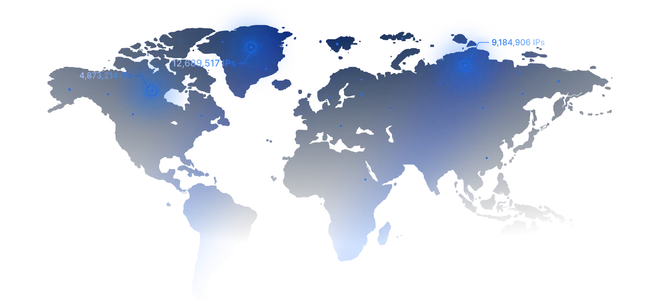

Datacenter
Speedy low-cost IPs for data work outside the client: pulling Grand Exchange prices and Hiscores for flipping tools, clan trackers and price alerts.
from
Buy now$0.87/ month
Runecape is a popular online multiplayer role-playing game that is currently available in almost any country. However, games like this are sometimes not available in countries like China and also some of their features are region-specific. To bypass these restrictions, using solutions like Runescape proxy servers is recommended. Runescape proxy servers hide your IP address and location, making your connection anonymous, allowing you to bypass most restrictions.

Old School or the modern game, one main or a set of alts: choose the proxy type by what your RuneScape account does each day.
Speedy low-cost IPs for data work outside the client: pulling Grand Exchange prices and Hiscores for flipping tools, clan trackers and price alerts.
$0.87/ month
Worlds sit in several countries, from the UK and the US to Germany and Australia, so pick a home IP near yours. Sticky sessions keep an ironman alt on its own address.
$1.00/ GB
Old School and the main game both have official mobile clients, and carrier IPs match that traffic. Good for skilling on a phone and for starting fresh accounts.
$4.00/ day
Years of levels sit on a main account, so give it an address that does not change. Long raids and boss trips hold one route, which matters most for a Hardcore Ironman.
$1.71/ month
| Gigabytes | Discount | Price per GB | Total Amount | Buy |
|---|---|---|---|---|
| 1 | - | $2.50 | $2.50 | Buy |
| 2 | 10% | $2.25 | Buy | |
| 10 | 15% | $2.13 | Buy | |
| 50 | 20% | $2.00 | Buy | |
| 100 | 25% | $1.88 | Buy | |
| 250 | 30% | $1.75 | Buy | |
| 500 | 35% | $1.63 | Buy | |
| 1000 | 40% | $1.50 | Buy | |
| 3000 | 45% | $1.38 | Buy | |
| 5000 | 50% | $1.25 | Buy | |
| 7500 | 55% | $1.13 | Buy | |
| 10000+ | 60% | $1.00 | Buy |
| Gigabytes | Discount | Price per GB | Total Amount | Buy |
|---|---|---|---|---|
| 1 | - | $6.00 | $6.00 | Buy |
| 2 | 5% | $5.70 | Buy | |
| 10 | 10% | $5.40 | Buy | |
| 50 | 15% | $5.10 | Buy | |
| 100 | 20% | $4.80 | Buy | |
| 250 | 30% | $4.20 | Buy | |
| 500 | 40% | $3.60 | Buy | |
| 1000 | 45% | $3.30 | Buy | |
| 3000 | 55% | $2.70 | Buy | |
| 5000 | 60% | $2.40 | Buy | |
| 7500 | 65% | $2.10 | Buy | |
| 10000+ | 70% | $1.80 | Buy |
Awards, which we received from our customers






Discover the wide-ranging applications of Proxywing's proxies across different industries and online activities. Maximize your business potential with our versatile and dependable proxy solutions, customized to meet your specific requirements.
We offer fast, secure and anonymous IP addresses around the world that provide access to the resources you need.
With around 250,000 players online at the same time in April 2026, RuneScape is easily one of the most popular games right now. However, it isn’t available in some regions, and using multiple accounts on the same device at the same time may be restricted.
A RuneScape proxy can help you get around these restrictions. ProxyWing provides ISP, residential, and datacenter proxies that you can use to access the game without restrictions. In this guide, we’ll discuss everything you need to know about RuneScape proxies to help you get the most out of them. Let’s get into it.
Most players who use RuneScape proxies want one of four things: separate accounts, isolated bots, a hidden home IP, or a connection that stays put during long sessions. Let’s explore each of these in more detail:
Jagex (RuneScape’s studio) lets you create as many RuneScape accounts as you like and play two at once. Accounts that share one home IP, though, are easy to link, so trouble on one can spill over to the rest.
A dedicated proxy IP for each account keeps them apart. Your accounts still can’t team up to rig a mini-game. However, using a proxy creates separation, which can be crucial to preventing having all your accounts banned or restricted in the event of an unintended rules violation.
RuneScape botters usually put each bot on its own IP, so one flagged account doesn’t expose the others through a shared address. Keep in mind that a proxy changes only the IP. Jagex’s rules ban macro software, and the company can spot bots by how they play and which client they use, whatever address they connect from.
When using proxy, avoid any form of automated behavior as these can easily be spotted by the platform and could cause your account to be blocked or restricted.
A DDoS attack needs your real device IP address to work. If your browser and voice apps run through a proxy, clan sites and voice servers see the proxy’s address instead of yours. Jagex made the same recommendation in a November 2017 update, advising RuneScape players to use a VPN or proxy on unfamiliar clan sites and voice servers.
By using a reliable proxy, you prevent your gaming sessions from being interrupted by DDOS attacks midway, ensuring a more seamless experience.
A static IP stays the same through long raids, skilling sessions, and scripts that run for hours. However, it may not necessarily lower your ping, though. A proxy adds an extra hop between you and the game, which can sometimes increase the latency instead.
Jagex recommends playing on worlds close to you, so pick a proxy location near both you and your RuneScape world. Using a proxy server whose IP is closer to the game’s server can help lower latency, so keep it in mind when choosing your next IP address for playing this game.
Before you pay for a RuneScape proxy, run through this list to ensure the best experience:
A badly configured proxy can expose your home IP, which is exactly what you’re trying to avoid. Before your first login, run these four checks:
No, a proxy alone can’t stop a ban. A proxy changes only the IP, while Jagex also tracks how an account plays and which client it runs. What a proxy does is stop accounts from sharing one address, so botters give each one its own static ISP or residential IP.
Yes, it does. Jagex’s rules let you create as many RuneScape accounts as you like and play two at the same time, including trading between them. What’s not allowed is using several accounts together to gain an unfair advantage, such as filling a mini-game with your own characters to fix the outcome.
Clients with built-in proxy settings usually ask for a SOCKS5 host, port, username, and password. You can find all four in your ProxyWing dashboard after making your proxy subscription. Field names and formats differ from one client to another, so check the client’s own documentation before you enter anything.
It means Jagex refused your RuneScape connection, not your account. Jagex doesn’t support VPNs, proxies, or hosting servers and says they often interfere with logins. Run the IP through ProxyWing’s IP Checker. If it shows a datacenter connection, switch to an ISP or residential IP, since these often have the highest trust scores.
ProxyWing doesn’t offer free trials, so the low-cost way to test is a small purchase. Buy a single ISP or datacenter IP for one month, a one-day mobile proxy, or the smallest residential package. Then try it with one RuneScape account before buying more. You can later go for the bigger packages once you are satisfied with the experience.