Datacenter
Built for maximum speed and performance. Perfect for large-scale scraping, automated testing, and real-time infrastructure monitoring where every millisecond matters
from
Buy now$0.87/ month
In 2026, Ticketmaster is still the go-to platform for buying tickets to concerts and other paid events. However, some ticket sales are region-locked, hence the need for proxies to access them. The platform also restricts the number of accounts one person can have, and Ticketmaster proxies can help bypass this and the location-based restrictions cited earlier. In this guide, we will walk you through the process of buying Ticketmaster proxies, including the key steps to follow, common mistakes to avoid, and more.

Our proxies are suitable for any purpose
Built for maximum speed and performance. Perfect for large-scale scraping, automated testing, and real-time infrastructure monitoring where every millisecond matters
$0.87/ month
Unlock real-user IPs for undetectable, high-volume data collection. Ideal for advanced web scraping, precise SEO tracking, and geo-targeted research at scale
$1.00/ GB
Access real mobile IPs for the highest level of trust and authenticity. Perfect for managing social media, app testing, and mobile-specific workflows
$4.00/ day
Combine the speed of datacenter proxies with the trust of residential IPs. Designed for ecommerce automation, ad verification, and stable long-duration sessions without interruptions
$1.71/ month
| Gigabytes | Discount | Price per GB | Total Amount | Buy |
|---|---|---|---|---|
| 1 | - | $2.50 | $2.50 | Buy |
| 2 | 10% | $2.25 | Buy | |
| 10 | 15% | $2.13 | Buy | |
| 50 | 20% | $2.00 | Buy | |
| 100 | 25% | $1.88 | Buy | |
| 250 | 30% | $1.75 | Buy | |
| 500 | 35% | $1.63 | Buy | |
| 1000 | 40% | $1.50 | Buy | |
| 3000 | 45% | $1.38 | Buy | |
| 5000 | 50% | $1.25 | Buy | |
| 7500 | 55% | $1.13 | Buy | |
| 10000+ | 60% | $1.00 | Buy |
| Gigabytes | Discount | Price per GB | Total Amount | Buy |
|---|---|---|---|---|
| 1 | - | $6.00 | $6.00 | Buy |
| 2 | 5% | $5.70 | Buy | |
| 10 | 10% | $5.40 | Buy | |
| 50 | 15% | $5.10 | Buy | |
| 100 | 20% | $4.80 | Buy | |
| 250 | 30% | $4.20 | Buy | |
| 500 | 40% | $3.60 | Buy | |
| 1000 | 45% | $3.30 | Buy | |
| 3000 | 55% | $2.70 | Buy | |
| 5000 | 60% | $2.40 | Buy | |
| 7500 | 65% | $2.10 | Buy | |
| 10000+ | 70% | $1.80 | Buy |
Awards, which we received from our customers





Discover the wide-ranging applications of Proxywing's proxies across different industries and online activities. Maximize your business potential with our versatile and dependable proxy solutions, customized to meet your specific requirements.
We offer fast, secure and anonymous IP addresses around the world that provide access to the resources you need.
Some of the key benefits of using a good Ticketmaster proxy include:
A Ticketmaster purchase moves through several stages, and an IP change midway can log you out or empty your cart. By using a static proxy, you can maintain the same IP address from the waiting room through seat selection and payment, so your session stays intact.
Ticketmaster looks more closely at traffic from hosting providers and known proxy ranges, which makes datacenter proxies the easiest to detect and block. ISP and residential IPs on the other hand are registered to consumer internet providers, so your connection carries the profile of a regular household. That makes them the better fit for browsing and checking out on. They also offer more region flexibility, allowing you to access region-locked sales.
On-sale moments put heavy load on Ticketmaster event pages, and a slow connection can cost you the seats you wanted. ProxyWing ISP proxies run on a 1 Gb/s+ network, and picking a location close to you trims latency further, enabling faster access. A proxy won’t directly improve your queue position, but it keeps pages responsive once it’s your turn.
Ticketmaster’s anti-abuse systems target scalpers and bots, but regular fans sometimes trigger them too. Some of these common triggers include:
Before buying, it helps to know the rules:
The table below shows how to avoid the most common Ticketmaster blocks:
| Why Ticketmaster may block you | What to do |
|---|---|
| Refreshing the page too often | Load the page once and let the queue update on its own |
| An ad blocker interfering with the site | Pause it for ticketmaster.com until your purchase is complete |
| Trying to buy more than the event limit | Check the limit during checkout and stay within it |
| Using bots or automated tools | Buy manually, since automated purchasing breaks Ticketmaster’s rules and can lead to potential account bans |
| Connecting through a datacenter or shared IP | Use a single dedicated ISP or residential IP for the whole session |
Setup takes only a few minutes. The guides below walk you through connecting a Ticketmaster proxy on three platforms: Chrome, Windows, and Android.
Before we get into the detailed setup steps, here is what you need to get started:
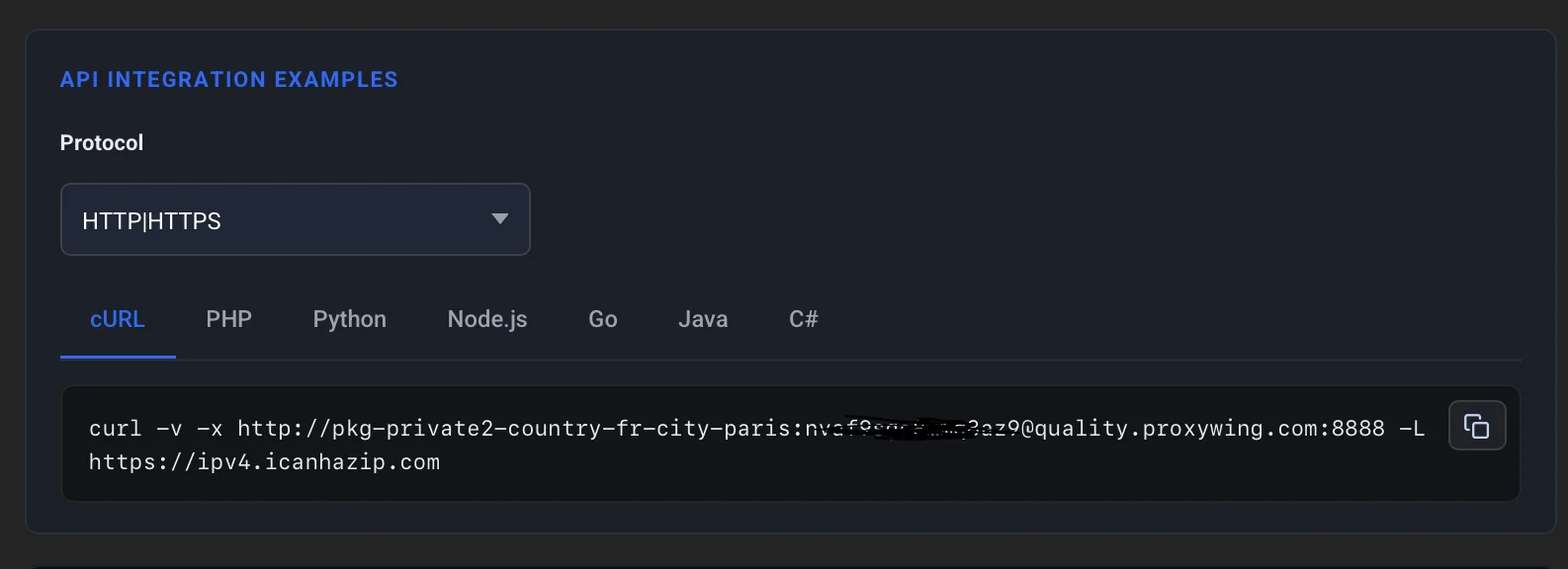
As shown in the screenshot above, the ProxyWing dashboard lists your proxy’s connection details, including the host, port, username, and password, with a copy button for quick pasting.
The free ProxyWing Proxy Manager extension lets you control your proxy from inside the browser, with no system settings to change. Follow these steps to set it up:
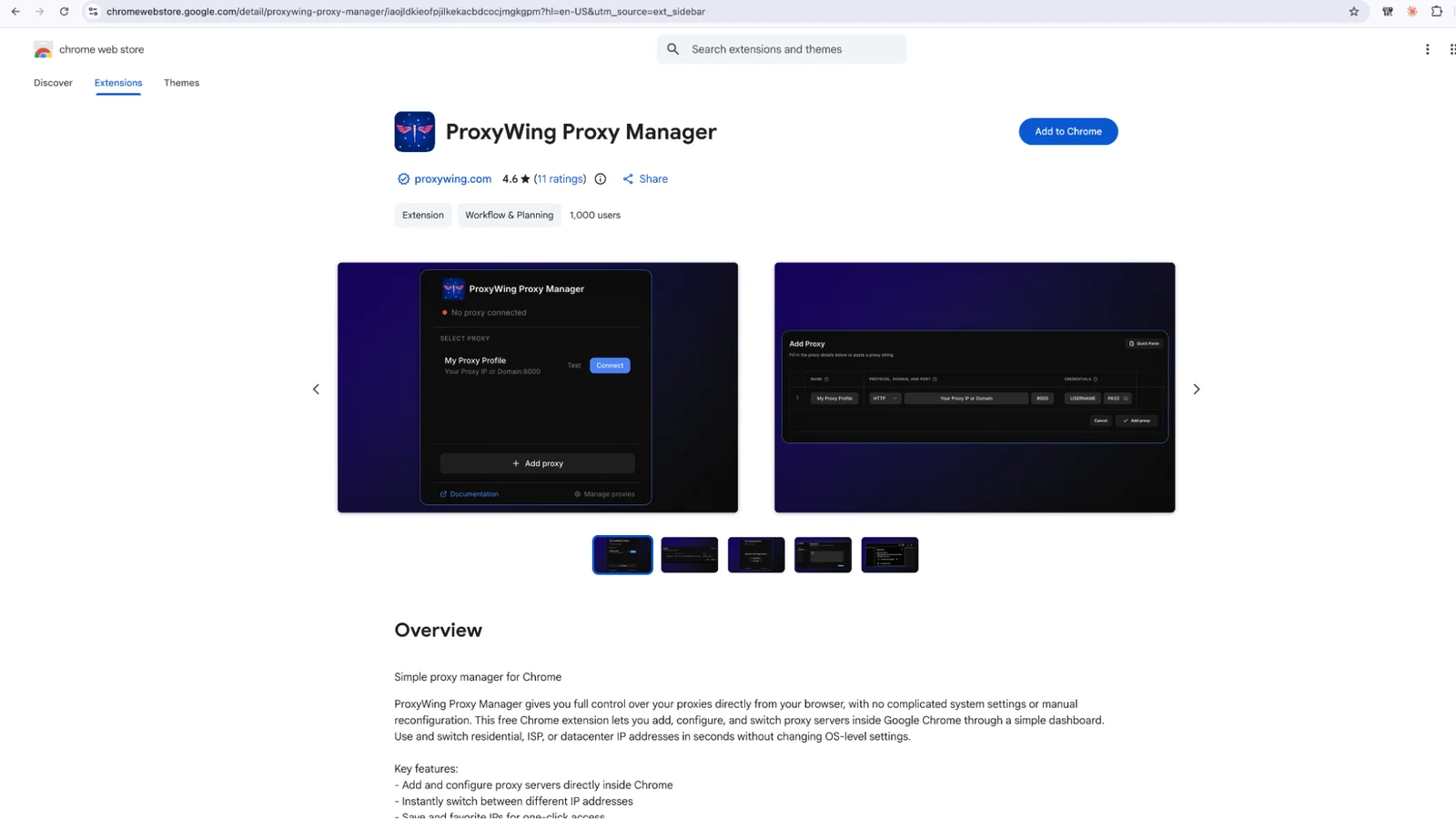
As shown in the screenshot above, the ProxyWing Proxy Manager listing on the Chrome Web Store has an Add to Chrome button that installs the extension in one click.
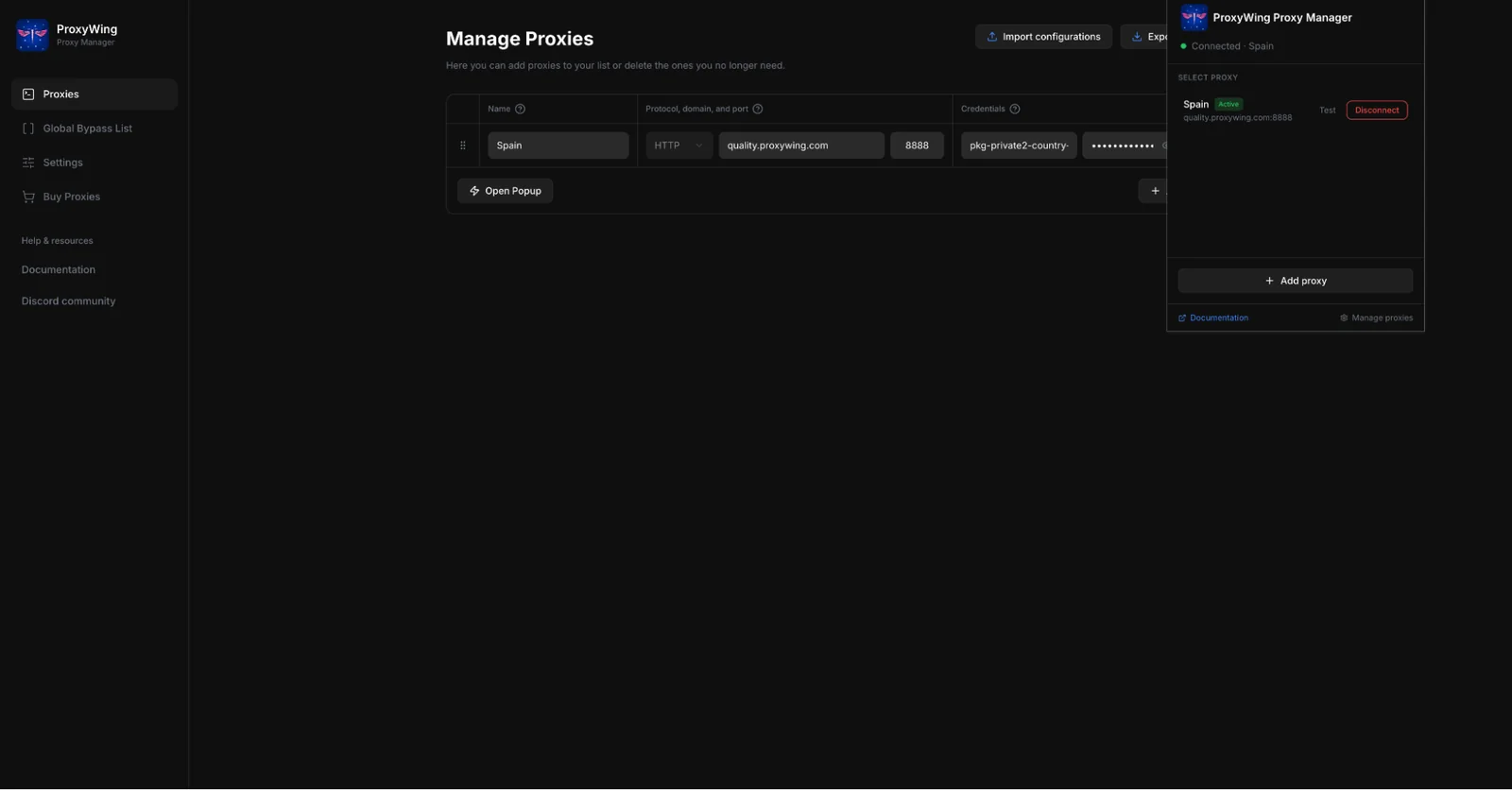
In the above screenshot, our proxy entry is saved in the extension and marked Active, and the status at the top confirms that Chrome is connected through it.
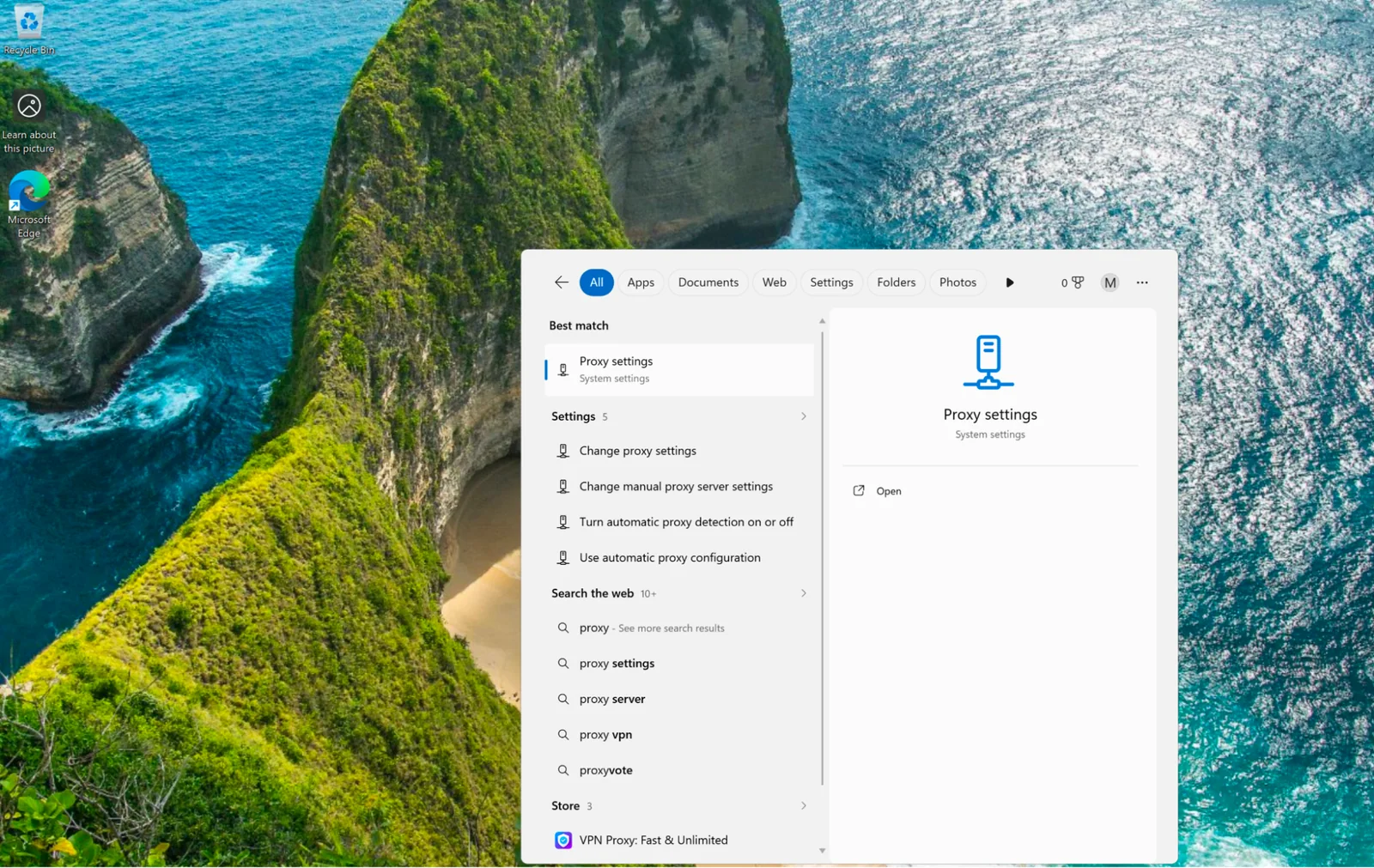
As shown in the screenshot above, typing “Proxy settings” in the Start menu brings up the Windows proxy settings page.
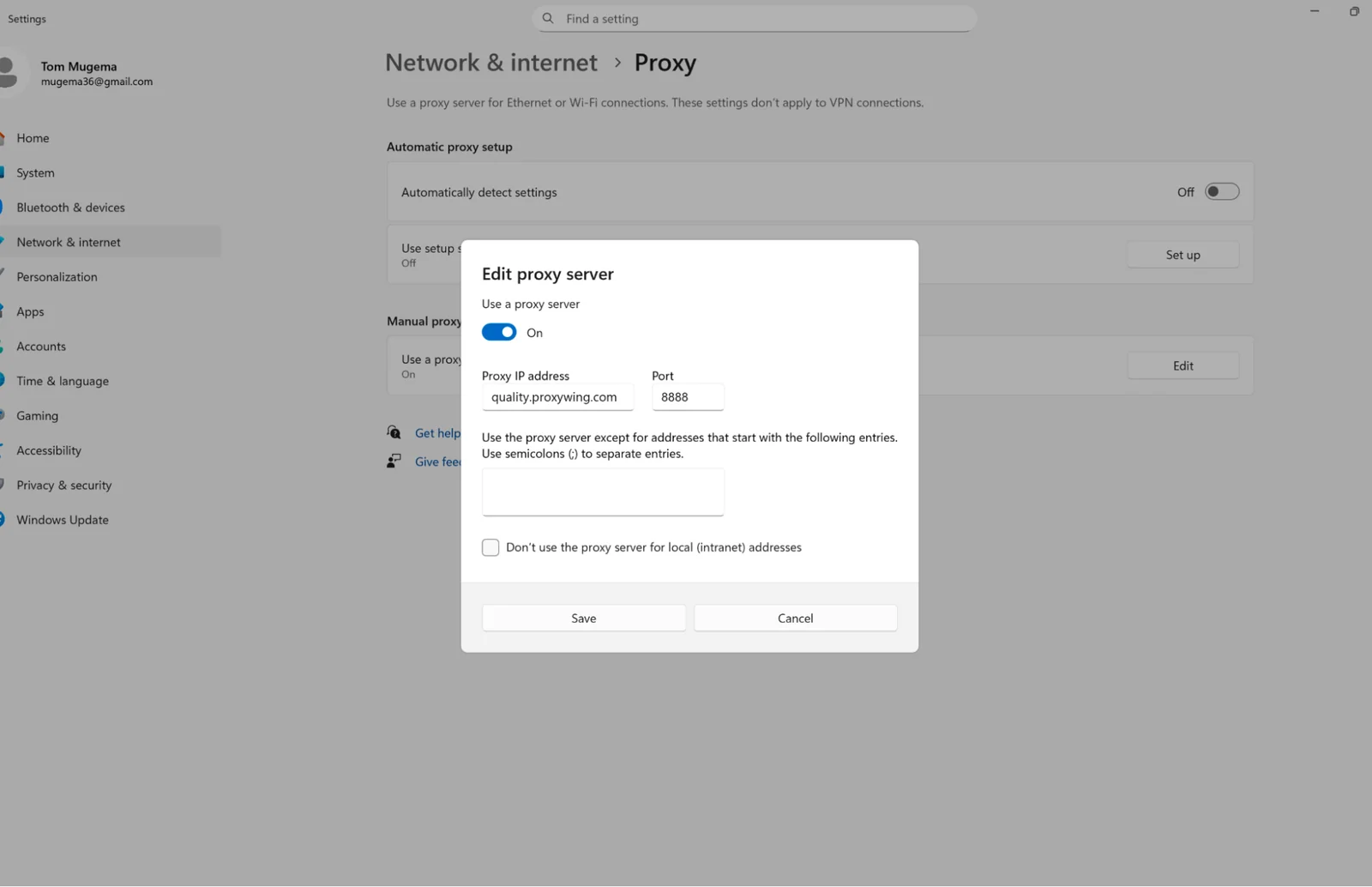
As shown in the screenshot above, we turned on Use a proxy server and entered the proxy address and port from the ProxyWing dashboard.
On iPhone and iPad, a proxy applies to one Wi-Fi network at a time, so set it up on the network you plan to use for the Ticketmaster sale. If you switch to another network, you’ll need to set up the proxy there too.
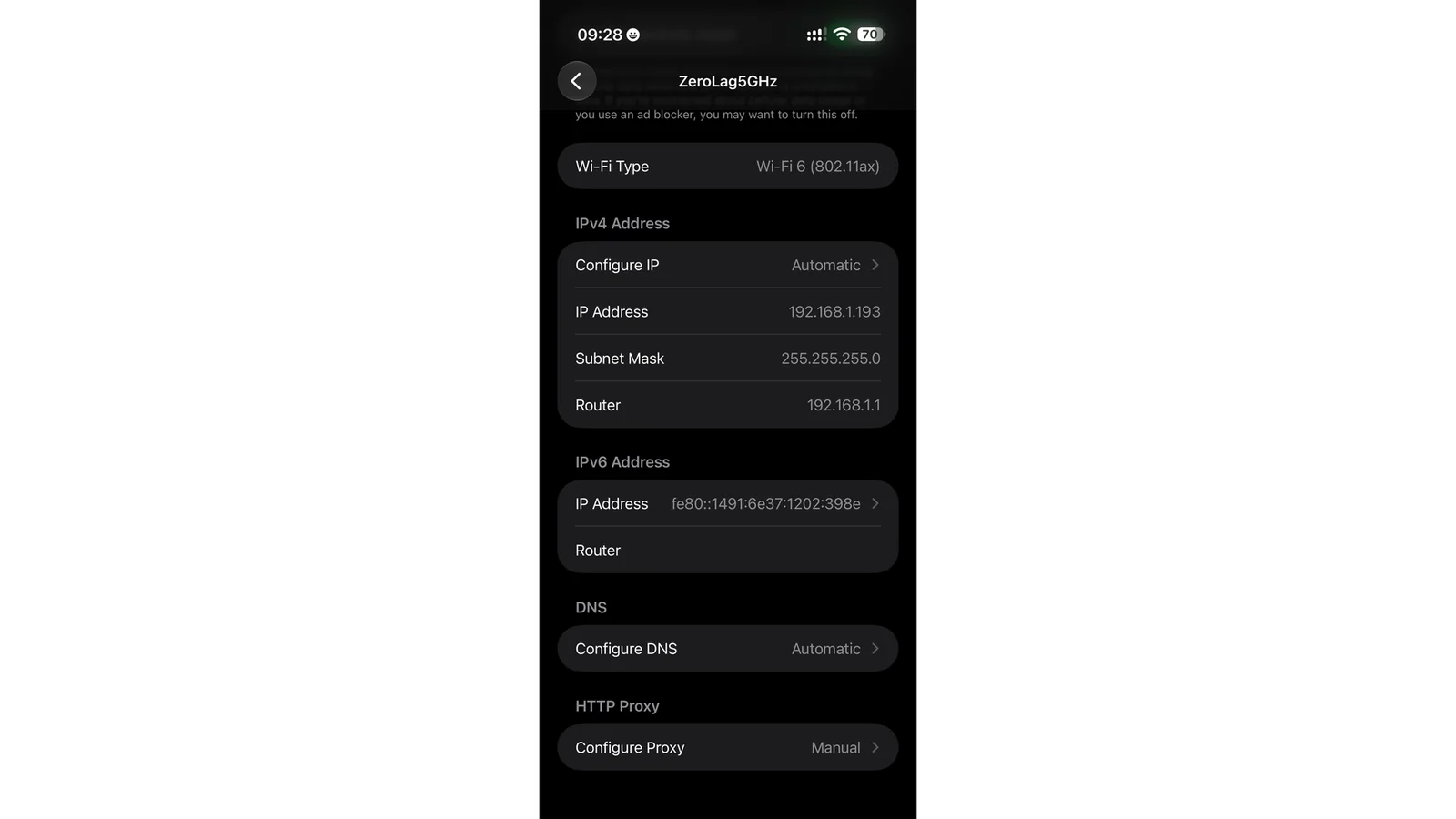
As shown in the screenshot above, the HTTP Proxy section sits at the bottom of your Wi-Fi network’s details page, under Configure Proxy.
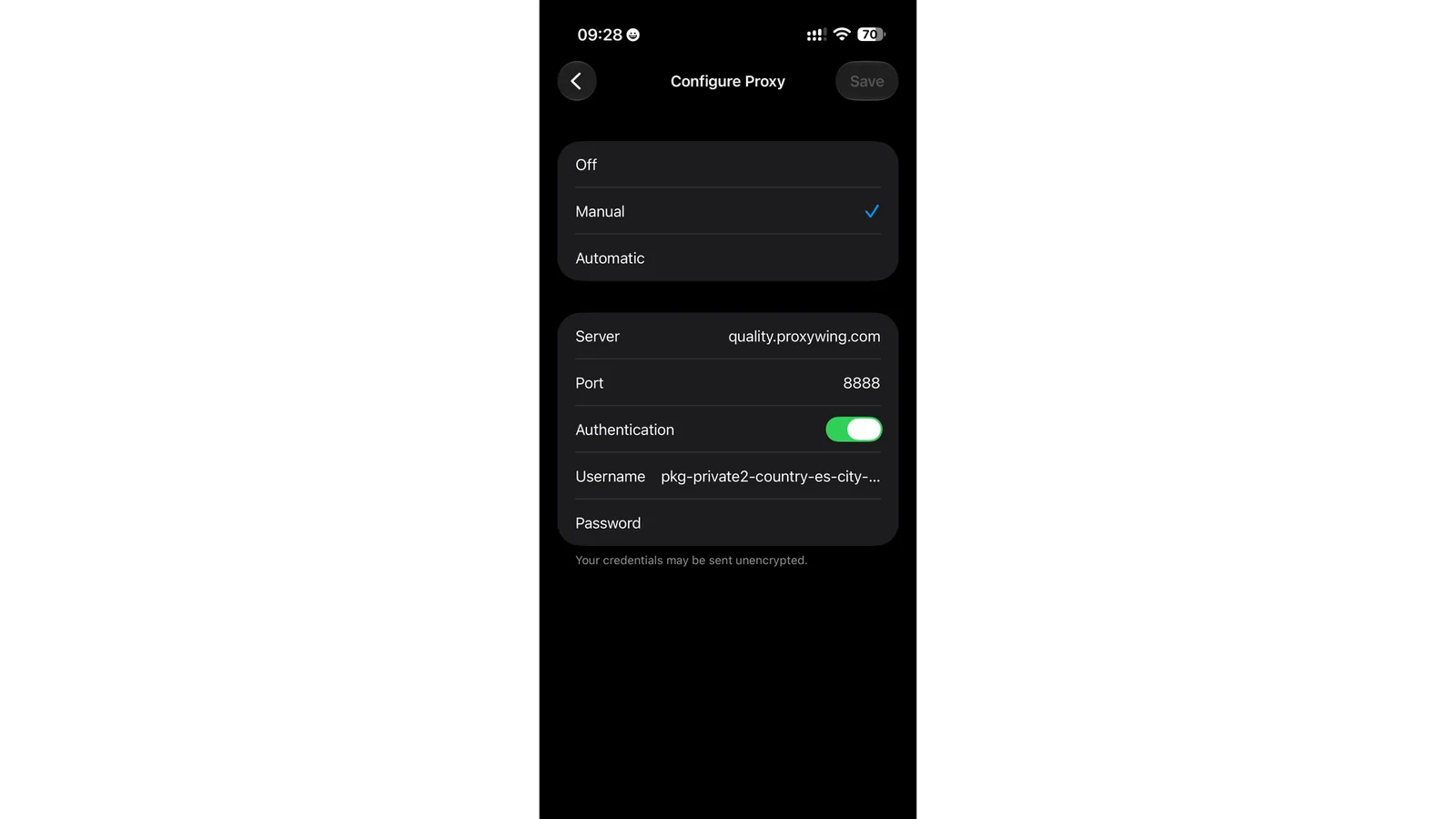
As shown in the screenshot above, we selected Manual, entered the ProxyWing server and port, and turned on Authentication to add our proxy username and password.
Before you browse Ticketmaster on sale day, test your proxy ahead of time so you aren’t troubleshooting when tickets go live. Here are the key checks to run.
With the proxy disabled, visit the ProxyWing IP Checker tool and note the IP and location shown. Enable the proxy and reload the page. If the IP and location now match your proxy, the connection is working. If your real IP address still appears after you turn on the proxy, something in your setup needs fixing.
A day or so before tickets go on sale, visit Ticketmaster with the proxy on. Log in to your Ticketmaster account and browse to your event and confirm that pages open quickly and your login holds.
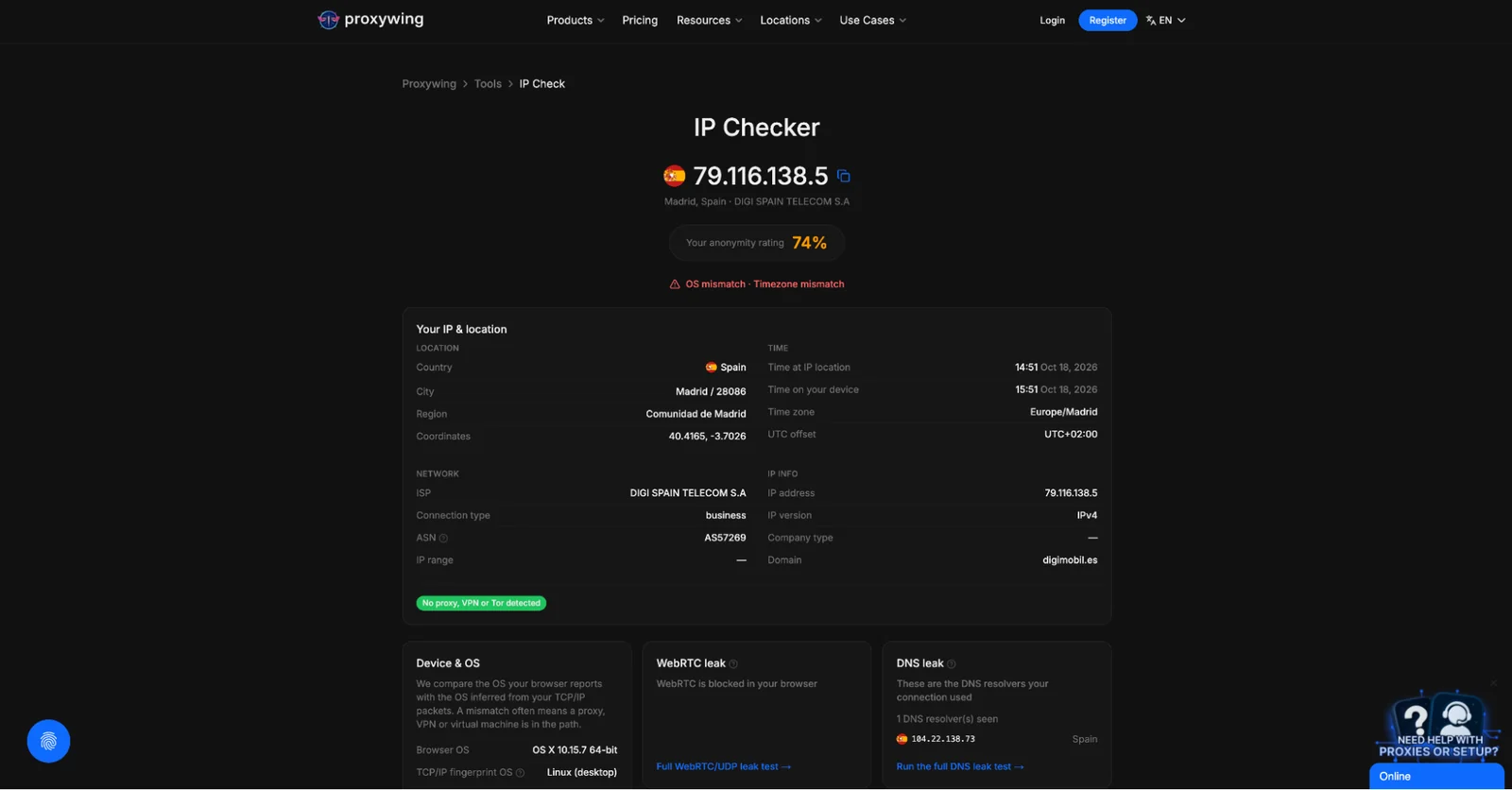
The IP Checker now displays our proxy’s IP address and location instead of our real ones, confirming that the proxy is working.
Disconnecting Your Ticketmaster Proxy After Your Purchase
After checkout, switch the proxy off so everyday browsing goes back to your normal connection.
Follow these steps:
Every ProxyWing plan activates automatically once payment clears, leaving plenty of time to configure and test your proxy before Ticketmaster tickets go live.
A proxy routes your requests through a remote server, so Ticketmaster receives the proxy’s IP address rather than your own. Static ISP IPs are the most common pick for Ticketmaster purchases since they maintain the same address through the session.
No. ProxyWing proxies are designed for manual browsing and purchases. Ticketmaster’s Terms of Use also forbid buying with bots, and the federal BOTS Act bans circumventing the systems that enforce ticket limits. We recommend respecting the terms of use when utilizing ProxyWing’s proxies.
Start by reviewing your own behavior, such as frequent refreshing or an active ad blocker. If an order or account is still blocked, reach out to Ticketmaster support directly. Trying to dodge a block with new IPs or new accounts violates Ticketmaster’s rules.
ISP and datacenter proxies keep a fixed address. Residential proxies can either rotate or hold one IP for a session length you set. When buying on Ticketmaster, keep one address from start to finish to avoid interruptions during your sessions.
ProxyWing doesn’t currently offer free trials. To test before a big sale, start with a single ISP IP on a one-month plan. Refunds are handled under ProxyWing’s Terms of Service, and support will look into any technical problems.