Best USA Proxy Providers in 2026
01.11.2026 12 min
Even though they are more expensive than the other types, mobile proxies are often chosen because of their high trust scores. For the best experience, the first and most important step is choosing the right provider. The leading mobile proxy providers prioritize performance, reliability (uptime), and offer 24/7 support for their users.
In today’s guide, we will discuss the best mobile proxy providers to help you choose one that suits your needs and budget. For each proxy provider, we will discuss their major features, performance, and pricing. By the end, you will have all the information you need to choose the right proxy provider based on your priorities. Let’s dive in!
| Provider | Price Model | Rotation | Sticky Sessions | Mobile IP Pool | Support | Best For | Rating |
| ProxyWing | Per Day/Week/Month From $4/day | Yes | Yes | 4.5M+ mobile IPs | 24/7 | Overall, SMM, ad verification | 4.8/5 |
| Bright Data | Pay-per-GB & Subscription | Yes | Yes | 7M+ IPs mobile | 24/7 Enterprise | Enterprise scale | 4.7/5 |
| Decodo | Pay-per-GB & PAYG | Yes | Yes | 10M+ mobile IPs | 24/7 Live chat | Budget, mid-scale scraping | 4.6/5 |
| Oxylabs | Subscription only | Yes | Yes | 20M+ mobile IPs | 24/7 | Global multi-country workflows | 4.6/5 |
| NetNut | Pay-per-GB & PAYG | Yes | Yes | 5M+ mobile IPs | 24/7 | Speed-critical automation | 4.5/5 |
| SOAX | Pay-per-GB & PAYG | Yes | Yes | 33M+ mobile IPs | 24/7 | Compliance, ad verification | 4.4/5 |
| IPRoyal | Per Day/Week/Month(non-expiring) | Yes | Yes | 4.5M+ mobile IPs | 24/7 | Budget, low-volume tasks | 4.2/5 |
These are the top proxy providers for mobile proxies in 2026:
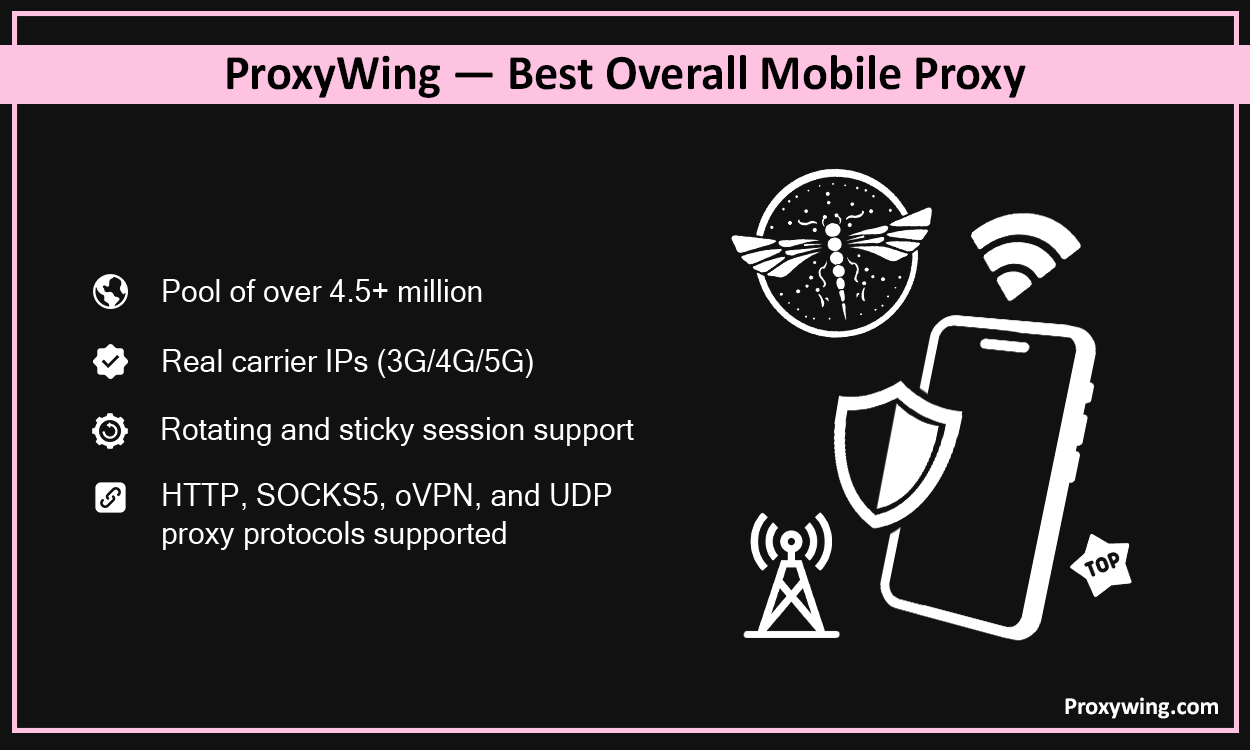
ProxyWing delivers stable mobile proxies with flexible rotation controls, real mobile carriers coverage, and affordable pricing without the enterprise complexity. ProxyWing also offers the perfect balance of all the crucial features that most proxy users care about while keeping the prices within the affordable range.
Social Media Management teams, e-commerce operations, ad verification, moderate-scale scraping, and mobile QA testing.
ProxyWing offers consistent session stability with low latency on 5G endpoints and 99% uptime, providing faster and stable connections. Performs reliably on platforms that block datacenter and residential IPs.
From $4/day, $15/week, $30/15 days, and $55/month. Rotation and sticky sessions included across proxy plans. Learn more about ProxyWing mobile proxies to get started.
Pros
Cons
To get started follow these simple steps
Bright Data offers the most comprehensive proxy server infrastructure on the market, built for teams that need scale, tooling, and compliance. It’s likely overkill for most smaller businesses or solo operators.
Bright Data offers Industry-leading success rates and uptime. It guarantees 99.99% uptime with a sub-0.4s response time on mobile endpoints..
Proxy plans start at $8/GB at entry level. However, prices drop significantly at higher volumes. Both pay-as-you-go and subscription plans available.
Pros
Cons
Decodo has been the same since 2018 and offers enterprise-level performance at a fraction of the cost, making it a good option for budget-conscious teams. However, its targeting depth and support tiers are more limited than premium proxy providers.
99.99% proxy uptime, 99.86% success rate and under 0.6s response time. Offers some of the fastest mobile IPs on the market.
Starts around $7.5 ($3.75/GB for 2GBs) with prices dropping significantly for more data packages ($2.75 /GB for 100GB). Pay-per-GB and pay-as-you-go models available. 3-day free trial available with 100MB.
Pros
Cons
Oxylabs has been in the industry since 2015 and operates one of the largest proxy networks globally, putting it among the most reliable options for multi-country workflows. It is ideal for enterprises and data-heavy teams.
Performance Highlights
Offers Fast response times (1.1 seconds) and 99.82% global success rate.
Their starter proxy plans start at $7.5/GB for 4GB ($30) bullied monthly. No pay-as-you-go option. Better value at high volumes ($3.50/GB for 715GB)
Pros
Cons
Founded in 2017, NetNut connects directly to internet service providers rather than using P2P networks, delivering lower latency and more stable sessions. It is best suited for workflows where throughput and consistency matter most.
It offers 99.99% uptime and a response time under 0.1 seconds on mobile IPs.
Starts at $99 for 13GB ($7.6/GB) billed monthly. Their high end proxy plans go all the way to $999/months for 163GB.
Pros
Cons
SOAX was founded in 2019 and maintains a carefully curated, clean proxy pool with strict ethical sourcing. It is one of the preferred choices for regulated teams and compliance-sensitive workflows.
High success rates, 0.5s and at guarantees at least 99.9% uptime
Proxy plans start at $90/month for 25GB. Prices are relatively lower at the extreme end — $2.00/GB for 800 GB.
Pros
Cons
IPRoyal offers affordable proxies with non-expiring traffic, which means unused bandwidth doesn’t disappear at month end. The non-expiring traffic is easily one of its main selling features, making it a solid pick for smaller workloads and flexible schedules.
Guarantees up to 99%, 100 Mbps speeds, and 0.8s response time for its mobile proxies. However, its pool size is smaller than enterprise proxy providers, which can affect IP freshness on heavy tasks.
Proxy plans start at $10.11/day. Non-expiring traffic is the standout pricing advantage.
Pros
Cons
Mobile proxies use real IPs from 4G/LTE and 5G carrier networks. When using these proxies, your traffic is routed through mobile IPs, making it seem like your connection is coming from real users on a mobile network. CGNAT (Carrier-Grade Network Address Translation) means thousands of real users share these IPs. Using real IPs from mobile networks makes them the hardest proxy type for platforms to block.
Most providers list their proxies as “4G/5G,” but the two are not the same. Knowing the difference helps you avoid paying for bandwidth you don’t actually need.
4G (LTE) proxies route your traffic through 4G carrier networks. They are the most common type, widely available across carriers, and good enough for most tasks like account management, ad verification, and moderate scraping.
5G proxies use newer 5G carrier connections. The main advantage is higher bandwidth and lower latency, which helps with data-heavy jobs, faster page loads, and tasks that send a lot of requests in a short time. True 5G coverage is still thinner than 4G, so real 5G endpoints are usually limited to specific cities and carriers.
For trust and unblocking there is little practical difference. Both use real carrier IPs behind CGNAT, so platforms treat them the same way. The choice mostly comes down to speed and budget.
One thing to check: whether a provider offers genuine 5G endpoints or just labels its pool “4G/5G.” Ask for the carrier and location of the 5G IPs before you commit to a plan.
Almost every provider prints “4G/5G” on the pricing page. Far fewer can tell you which carrier and which city a 5G IP comes from. The label is cheap, the infrastructure is not, and the difference matters once you start paying per gigabyte.
A 5G mobile proxy routes your traffic through a 5G carrier connection instead of an LTE one. You get more bandwidth and a lower round trip, which shows up on heavy jobs: large pages, media files, long crawl runs, hundreds of parallel requests. On a login, a checkout or an ad check, the difference is close to invisible.
Trust is identical. Both sit behind carrier-grade NAT and both look like ordinary phone traffic to the target site. Nobody gets unblocked by moving from 4G to 5G.
For account work, ad verification and light scraping, no. LTE endpoints do the same job at a lower price, and your bottleneck is the target site’s rate limit, not your connection.
For high-volume scraping, media-heavy pages and anything with a tight time window, yes. Cutting a few hundred milliseconds off every request adds up fast when you are running tens of thousands of them.
If you are not sure which side you are on, run a week on 4G, log your average request time, and check whether the connection is what is slowing you down. Most of the time it isn’t.
Mobile proxies come in two shapes, and the wrong choice costs you either money or accounts.
A shared mobile proxy puts you into a pool. You pull an IP, use it, and it goes back. Other customers pull from the same pool. You pay per gigabyte, and you have no idea what the previous user did with that IP.
A dedicated mobile proxy reserves a port or a SIM for you alone. Nobody else touches it. You usually pay by day, week or month instead of by traffic, and the IP history is yours.
Platforms aggressively flag datacenter and sometimes residential/ISP proxy server connections since they are relatively easier to detect. Mobile proxies avoid this core problem thanks to their IP trust, geo-accuracy, and scale. This makes them a good option for the following use cases:
Mobile IPs let you see ads exactly as real mobile users do in specific regions. When using these proxies, no fraud filters triggered and no skewed results, thanks to their high trust score. Since most people connect to the internet via mobile devices, using mobile proxies gives a better picture of the real user ad experience .
When managing several social media or e-commerce accounts, each account is assigned a separate mobile IP. This approach makes it looks like each account is being run by an independent user. Sticky sessions maintain per-account consistency to reduce linkage detection and frequent re-captcha and authentication triggers.
Some apps, SERPs, and geo-restricted content serve different results to carrier traffic. Using mobile proxies allows you to view these platforms as mobile users in different regions. This can be crucial for tasks like SEO monitoring.
Mobile IPs hold up on targets that block datacenter and residential proxies, which makes them useful for scraping search results, social feeds, app data, and mobile-only pages. Because the traffic looks like normal mobile activity, you run into fewer CAPTCHAs and lower block rates on strict sites. The same applies to price and e-commerce monitoring, where you need clean access without skewed results.
For large jobs, rotate per request to spread load across the pool, and track your success rate rather than raw speed. A steady request rate on clean carrier IPs usually returns more usable data than hammering a target and getting challenged.
Instagram and TikTok are built mobile first. Their sign-up flows expect a phone on a carrier network, and everything else looks unusual by default. That is the whole reason mobile proxies exist as a product category.
A datacenter IP is flagged before you finish the form. A residential IP passes more often, but it belongs to one household, and creating five accounts from it in an afternoon is not something a household does. A 4G or 5G carrier IP sits behind CGNAT with thousands of real phone users on it, so the same pattern reads as normal.
That is the “why”. The “how” is where most people lose accounts.
| Platform | Session Type | Rotation | Notes |
|---|---|---|---|
| Sticky | 10–30 min | Keep one IP per account through the first 7–14 days | |
| TikTok | Sticky | 15–30 min | Geo of the IP should match the account’s declared region |
| Sticky | 30 min | The strictest on IP changes during login | |
| Twitter / X | Sticky | 10–20 min | More tolerant, but linking is still IP based |
| Scraping public profiles | Rotating | Per request | No session to protect, so rotate freely |
Account creation and scraping pull in opposite directions. Scraping wants the biggest possible pool and per-request rotation. Account work wants a small number of stable IPs you can hold for weeks.
Providers built around per-GB billing are optimised for the first case. If you are running accounts, look at per-day or per-port plans instead, check the maximum sticky session length, and confirm you can hold the same IP across days rather than just within one session.
The US is the most requested location for mobile proxies and the one where carrier choice matters most. Four networks carry almost all mobile traffic in the country, and sites treat their IP ranges differently.
| Provider | US Carrier Targeting | City / State Targeting | US 5G |
|---|---|---|---|
| ProxyWing | Yes | Both | Yes |
| Bright Data | Yes | City level | City level |
| Decodo | City and ASN level | Yes | City level |
| Oxylabs | State, city, ASN, coordinates | Yes | Yes |
| NetNut | Higher tiers | City and state | Yes |
| SOAX | Carrier, city and ASN | Yes | Yes |
| IPRoyal | Country level | Limited | Yes |
If your work is US-only, carrier-level targeting is worth more than pool size. A provider with two million US IPs you cannot filter is less useful than one with two hundred thousand you can point at T-Mobile in a specific state.
The proxy provider you choose will have a significant impact on your overall experience with these proxies. Some of the key factors to consider include when choosing a provider include:
Mobile proxies are the most expensive proxy type, because the IPs come from real SIM cards and carrier connections. What you pay depends on the provider’s model:
As a rough guide for 2026, entry plans start around $4 a day or $7–$10 per GB, while high-volume and enterprise deals can drop below $2.50 per GB. Non-expiring traffic, where unused data carries over, is worth looking for if your usage is uneven.
Providers quote prices in different units, which makes them hard to compare. Here is the same information in one place, normalised to price per gigabyte where the model allows it.
| Provider | Billing Model | Entry Price | Entry $/GB | Best $/GB at Volume | Trial |
|---|---|---|---|---|---|
| ProxyWing | Per day / week / month | $4 / day | Time based | $55 / month | __ |
| IPRoyal | Per day, non-expiring traffic | $10.11 / day | Time based | — | No |
| Decodo | Pay-per-GB and PAYG | $7.50 for 2 GB | $3.75 | $2.75 at 100 GB | 3 days, 100 MB |
| SOAX | Pay-per-GB and PAYG | $90 for 25 GB | $3.60 | $2.00 at 800 GB | Paid trial |
| Oxylabs | Subscription only | $30 for 4 GB | $7.50 | $3.50 at 715 GB | No PAYG |
| NetNut | Pay-per-GB and PAYG | $99 for 13 GB | $7.60 | __ | 7-day business trial |
| Bright Data | Pay-per-GB and subscription | From $8 / GB | $8.00 | Drops at volume | No |
Two things stand out. First, the headline entry price and the real cost at your volume are different numbers, and the gap can be three times over. Second, time-based plans and per-GB plans are not comparable until you know roughly how much traffic your job uses. Run a small test first, measure the gigabytes, then do the maths.
A rough conversion: a per-day plan at $4 beats $3.75 per gigabyte as soon as you push more than about one gigabyte a day. Below that, pay-per-GB wins.
Free trials on mobile proxies are rare, because every gigabyte costs the provider real carrier money. Most offer a short trial, a small paid trial, or a refund window instead. Decodo runs a three-day trial with 100 MB, NetNut offers a business trial, and several providers will give you a low-cost test package if you ask support.
A trial only helps if you test the right things. Thirty minutes is enough:
Write down the numbers. Success rate and session stability on your own target are worth more than any figure on a pricing page, including ours.
Proxy providers were scored on these key factors:
Here is a summary of the difference tests and what each measures
| Test | What It Measures |
| Latency | Average response time per request on 4G endpoints |
| Block Rate | How often IPs are rejected on strict targets |
| CAPTCHA Rate | Frequency of CAPTCHA challenges triggered |
| Session Stability | How consistently sticky sessions hold without drops |
| Geo Accuracy | Whether the IP matches the selected city and carrier |
Article written by:

Product & Support Operations Lead
Built Proxywing's support department from scratch — documented workflows, clear escalations, consistent quality. Now bridges the CEO and engineering, keeping infrastructure projects on track.
All articles by author (70)Mobile proxy servers source IPs from carrier networks shared via CGNAT, making them the most trusted type. Residential proxy services rely on real residential IPs from real devices in homes while datacenter proxy servers use IPs sourced from servers in datacenters. Datacenter IPs are the least trusted followed by residential IPs. All these proxy types have pros and cons — choose based on your needs and budget.
Rotating proxies change IPs per request or on a timer and are best for data scraping and any other tasks that benefit from changing IPs randomly. Sticky proxies maintain one IP for a set duration, which makes them best for logins and account management.
They significantly reduce CAPTCHA frequency due to high IP trust. However, aggressive request patterns will still trigger challenges regardless of proxy type.
Yes, in most jurisdictions you can use these proxies as long as they are utilized for ethical tasks. Users must also always follow platform terms of service and local laws.
Look for providers with real 4G/5G carrier IPs, sticky sessions, and per-account IP assignment. ProxyWing, Decodo, and SOAX all work well for social media. The key is keeping one stable IP per account during warm-up and not sharing IPs across many accounts.
Both use real carrier IPs and get the same trust from platforms. 5G proxies offer higher bandwidth and lower latency, which helps with data-heavy tasks, but true 5G coverage is thinner and usually limited to certain cities and carriers. 4G is enough for most account and verification work.
Most providers charge $2–$10 per GB, or offer monthly and per-day plans. Entry plans often start around $4 a day, and high-volume deals can fall below $2.50 per GB. Dedicated mobile IPs cost more than shared pools.
Some do. Decodo offers a short free trial, NetNut has a business trial, and several providers run low-cost paid trials. Testing on your own targets before committing is the safest way to judge a provider.
Yes. Mobile proxies add some latency compared to datacenter IPs, but providers like NetNut and Bright Data deliver sub-second response times. For most scraping and automation, success rate matters more than raw speed.