Best Multi Accounting Proxy Providers in 2026
30.10.2026 12 min
Proxies for Chromebooks are basically contacts between the computer and the web, sending your connection through another server. So they maintain privacy, testing, and access to resources. It is the case when your learning institute allows you to. This guide helps when deciding the best proxy for school Chromebook use. Read this article on what you should search for to select a provider that fits your needs.
Here’s a quick side-by-side look at seven popular options:
| Provider | Proxy Type | Location Targeting | Geo-Rotation Options | Compatibility | Starting Price |
|---|---|---|---|---|---|
| ProxyWing.com | Residential, ISP, Mobile, Datacenter | Country, State, City | Rotating, Sticky sessions | Good | $0.87/IP per month (datacenter) |
| Bright Data | Residential, ISP, Mobile, Datacenter | Country, State, City, ZIP | Rotating, Sticky sessions | Good | $0.9/IP |
| Webshare | Residential, Datacenter | Country, Selected locations | Rotating, Static options | Good | $0.029/proxy |
| Decodo | Residential, ISP, Mobile, Datacenter | Country, State, City | Rotating, Sticky sessions | Good | $0.02/IP |
| SOAX | Residential, ISP, Mobile | Country, State, City | Rotating, Sticky sessions | Good | $0.85/GB |
| IPRoyal | Residential, ISP, Mobile, Datacenter | Country, State, City | Rotating, Sticky sessions | Good | $1.39/proxy |
| CroxyProxy | Web proxy | Limited | Not for advanced rotation | Very easy | Free |
These are a middleman IP address between your Google laptop computer and the Web. They hide the device’s real IP. They can be used by both students and educators. It allows you to access educational materials impacted by content filters. Also, you can find region-locked academic material or maintain anonymity. Especially when using a shared network.
This can be achieved in networks through DNS filtering. IP blacklists, user-agent detection, and protocol blocking also play a main part. Such layers may block you from connecting through Wi-Fi and to specific websites. You can move the traffic through another IP if you know how to set up a server with valid authentication. But you need to understand that it is limited by policies and controls on the network.
School filters can sometimes block educational resources, including YouTube lectures and tutorials. If a video you need for class is unavailable, our guide to accessing YouTube on a school Chromebook explains the available options and how school restrictions affect them. And understand that geo-specific content access needs more privacy on shared devices. Educators can use servers to see the classroom tools’ view in different parts of the world.
Residential intermediary solutions use the IP of a home ISP. They usually appear more typical of student traffic. Rotating IPs are great for surfing the internet. But sticky sessions keep one address on logins. ProxyWing is the solution that can work for this concern.
Datacenter options are often the quickest and most affordable solution. However, filters can identify ASNs owning hosting accounts in a matter of moments. They might work for a little while before they face blockage. As a result, you need to stay clear of them for constant access. Or anything account-login-related, because sudden IP changes can cause issues.
Mobile solutions are based on carrier-provided IPs. The ones that mimic smartphone traffic. It makes them challenging to tell apart from normal student traffic. They are more expensive, so it makes sense for long-term or high-value content. Then there are dedicated mobile IPs. They remain the same, and rotating ones change their addresses periodically.
Web intermediary servers are only inside a browser. They are easier to get into for some web resources. Because ChromeOS system-level intermediary gateways can apply to larger parts of the network. They may require more setup and be used for authentication. Browser-level options are more transparent for basic research. At the same time, intermediate servers better provide controlled learning environments. These are needed for a wider scope.
We scored each provider on how well it integrates into ChromeOS proxy options. Also, we checked pool size, residential and mobile IP coverage, and geo-targeting precision. We also assessed trustworthy unblocking on university networks. Also, checked the uptime guarantee and a great value free trial for students. It differentiates the providers that merely look good online from practical providers. Thus, students can make the best everyday use of a Google Chromebook for school.

ProxyWing is the best option for Google laptop computers. It offers residential, mobile, and ISP intermediaries with country- and city-level targeting. You can select sticky sessions to ensure consistent access. And, rotating ones when you want new connections to your service. The educational pricing enables teachers and students to use it for classroom projects. The disadvantage is that the premium version is needed for advanced server features.

Bright Data provides enterprise, residential, and mobile support. It features one of the largest IP pools in the industry. It helps teachers and students reach the right educational content in specific regions. You can use its granular city and ASN targeting. Flexible server options also make it adaptable for larger research projects and institutions. But its complex pricing structure and comparatively high entry cost can be an issue. It can be prohibitive for individual students.

Webshare is a cheap option. It is especially for students wanting to try the server without paying upfront. It offers datacenter facilities with a smaller residential pool. It is available on a free trial or paid plans. The low cost allows for more classroom experimenting. Its datacenter IPs are often less successful on heavily filtered protected networks.

Decodo operates as a mid-market residential intermediary server network. It has flexible pay-per-GB pricing and non-expiring traffic. This makes it an ideal option for medium-term teaching projects. The ones that require students to repeatedly access sites across weeks or months. However, its network is not as big as the top-tier providers. So, coverage and IP variety may fall short of enterprise services. This can obviously become more feasible for student groups if costs are shared.

SOAX is a rotating residential intermediary server network. It can be set up to work like real humans. It is possible even when switching geolocation (target area) for educational/genuine content. You can run targeting at the city and ASN level and modify sessions based on your project’s needs. The flexible controls are good for teachers overseeing structured research tasks. Also, helpful for students juggling a few projects. The biggest downside is it can be a bit pricey for really small individual budgets.

IPRoyal offers cheaper residential and mobile intermediaries. It includes a pay-as-you-go system, ideal for students wanting small amounts of traffic. For simple work on your own projects, its small pool relative to industry leaders is fine. Working in groups also helps to offset the cost. The drawback is that it has limited geographic coverage and a number of IP addresses. They are probably more limited than larger providers.

CroxyProxy is a no-install free web intermediary. It makes public content easy to access in a browser. Students simply access the service and get to work. They can browse without needing to worry about managing intermediary server pools. Also, authentication and technical settings stay managed. That convenience makes it ideal for casual, legitimate research. However, it is not intended for persistent sessions and advanced targeting. Its utilities fall short of more demanding educational work.
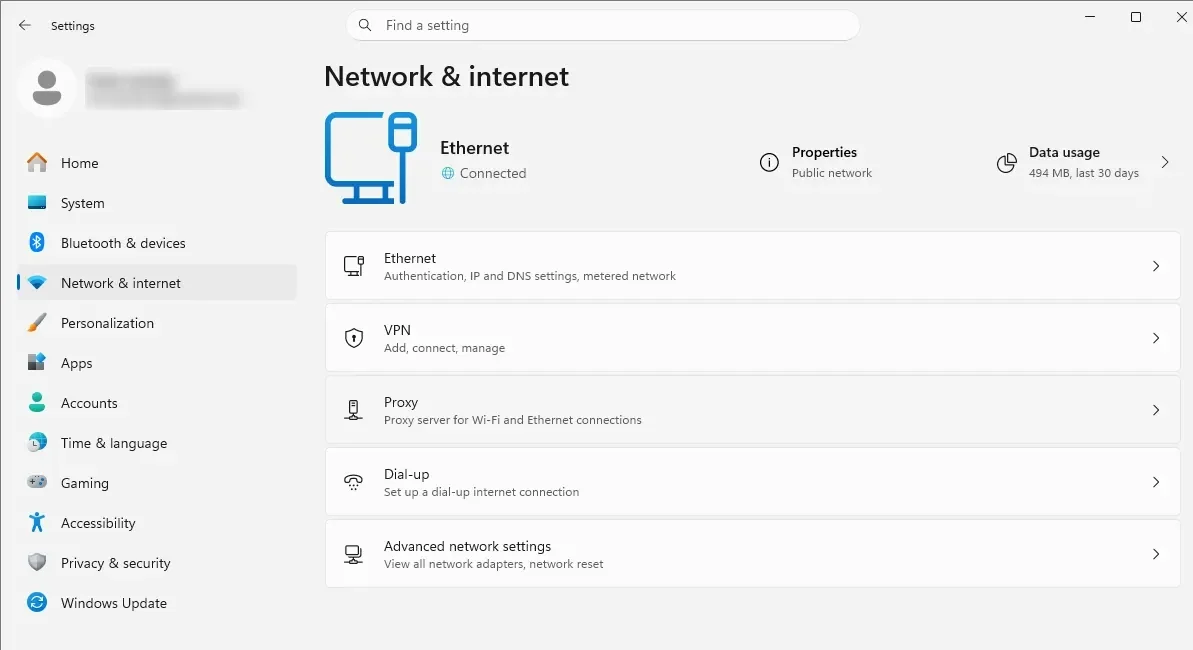
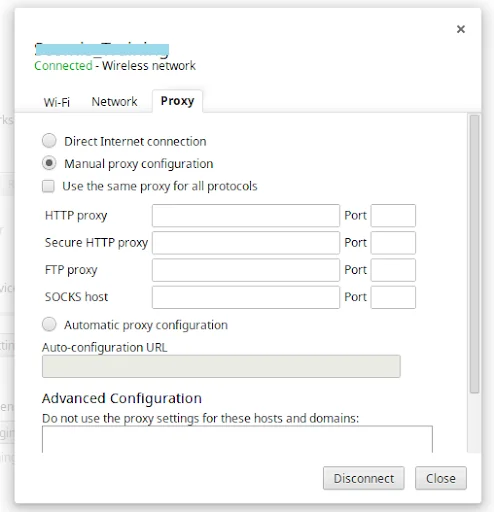
Navigate to Settings > Advanced > Network > Proxy Settings. Choose manual configuration for fixed credentials. Auto must be used if admins push config from a single management point to managed Google devices.
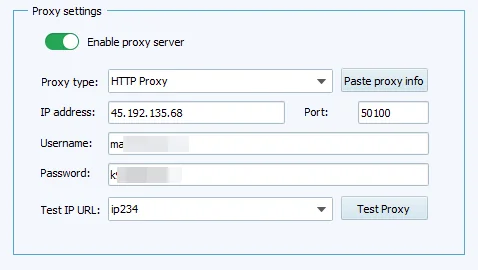
Fill the form with the provider host, port, username, and password. This means that IP whitelisting authenticates specific allowed networks. Whereas login credentials can work from anywhere. Therefore, the learning institute must follow the authentication method and network security policy. It will be decided by their unique administrator.
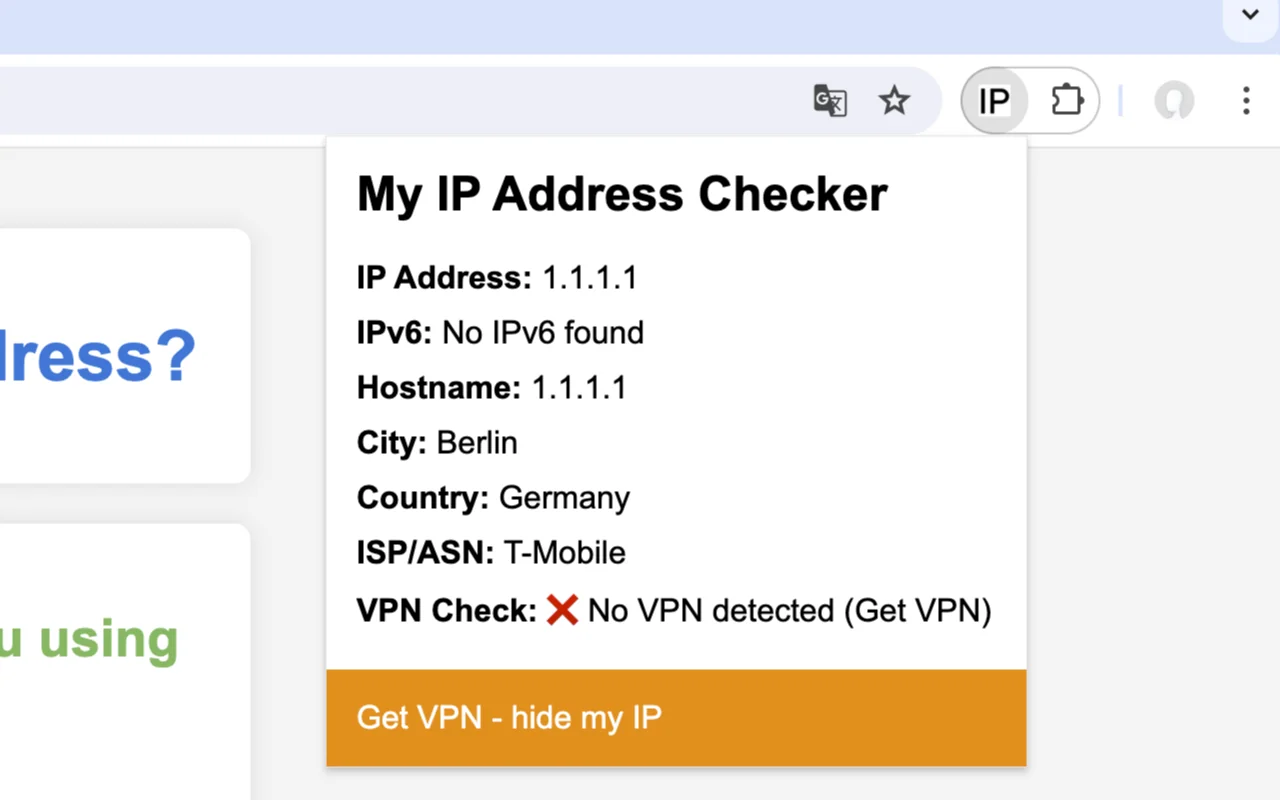
Go to a monitored IP-lookup site. Ensure your visible address corresponds to the intermediary server country and ASN. A mismatch generally indicates wrong settings or credentials. It may also reflect problems with routing or DNS configuration. You must also learn how to unblock websites on school Chromebook.
Reapply the approved configuration for multiple Google laptop computers. A reliable intermediary server is good for load balancing. Use rotating IPs to replace the blocked address. It saves you from always retrying connections on devices.
Several research papers, journals, and news sites are region-blocked. If you use an intermediary server in that specific region, you become able to open the same sites. Also, you can confirm the original source. It makes the citations more powerful and easier to validate.
A server adds privacy by hiding your final destination traffic. This is because Wi-Fi may log all of the network activity. Now, privacy has nothing to do with bypassing restrictions. Be aware of your learning institute’s acceptable use policy. And never use intermediaries to bypass filters without permission.
Teachers use intermediate gateways when they prepare lessons for international students. They check classroom tools, country-specific websites, and educational materials. It allows them to identify regional variances. They can verify accessibility and clarifications. Thus, they can see that lessons are comprehensible across students around the world.
Free intermediary servers may seem like the easy solution to avoid restrictions. But they almost always break quickly on networks. They have a bad IP reputation. This is because sessions disappear suddenly without any warning. And they rarely offer tech support when you need it. Even worse, many shady sites hijack browsers and steal login credentials. Buying professional services for only one month is well worth the cost for students.
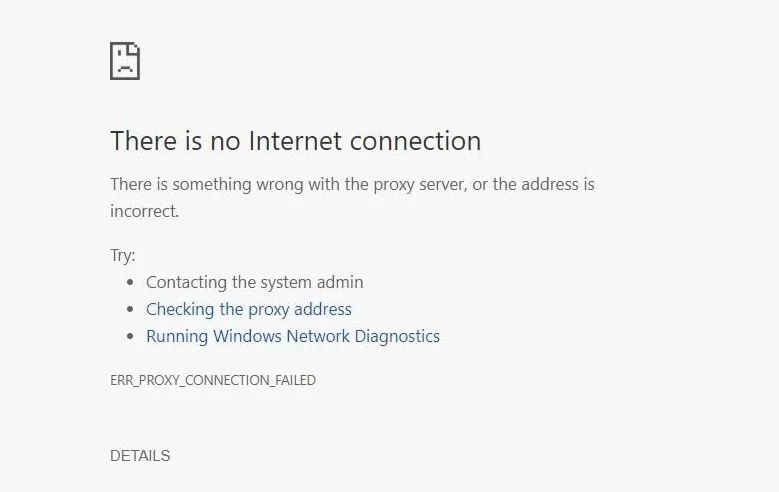
First, make sure that the server is up and running by connecting to a different connection. If it works on other machines, you might be getting blacklisted by your IP. Or, you might be given a limit of data transfer by the network. Test out a different server or provider. And then compare speeds before choosing an alternative.
Your IP may have been flagged if a server suddenly stops working. Change to a clean IP and do not reuse the blocked address for 24 hours or save it. If blocks persist, change intermediary gateways from datacenter to residential ones.
Check for typing errors in username, password, host, and port. An expired IP whitelist is not a logout. Refresh the whitelist when the address changes. Or reset credentials when the authentications have expired or stop working properly.
Use different IPs regularly. But always use a browser fingerprint identical to your country. Do not log into personal accounts using intermediary servers, and do not reuse a banned IP. But most importantly, obey rules. And use facilities in a responsible manner to protect privacy.
Article written by:

CEO
Founder of Proxywing. Drives growth across EU, US, and Asian markets, combining B2B strategy with a hands-on focus on product quality, 99% uptime, and responsive support.
All articles by author (66)Each intermediary server is the best depending on your needs and rules. You must pick a trustworthy supplier. The one with reliable US IPs, transparent uptime, and privacy.
You can technically get your hands on a free intermediary server. But then there are issues about privacy, security, reliability, and speed as well. Their use may also contradict policies for managed devices.
There will probably never be a way for you to change server proxy settings on your own Google Chromebook. The settings are administered through device management. So check with your IT department for approved configuration options.
There is nothing illegal about using an intermediary server at school. But activities through them may lead to legal problems or violations of policy. But under some acceptable-use rules, an institution can permit or ban intermediary servers. It can happen even when it is otherwise lawful to use one.
An intermediary server may take information about your browsing from the website you visit. But it doesn’t make you truly invisible to the network. Administrators may still display connections, activity on devices, or use of the server.
There is no fixed timeframe. Some IPs can remain open for days or even weeks, whereas others are blocked. It happens especially with those originating from heavily used addresses. And with previously flagged IPs. This may also be blocked within hours to less than a day, depending on the filtering scheme of the network. Look for unblocked sites for school Chromebooks.