Best USA Proxy Providers in 2026
01.11.2026 12 min
To get private proxies, choose a plan that reserves the exit IPs you need, confirm compatibility with your application, then buy, configure and test the connection. This guide explains how to check exclusivity, select a proxy type and avoid confusing a dedicated IP with a sticky session or a password-protected shared pool.
This guide shows you exactly how to find, buy, and set up a private proxy in simple steps.
A private proxy usually means an exit IP reserved for one customer while the order is active. Providers may use product labels differently, so confirm whether exclusivity applies to the public exit IP, a device, credentials or access to a pool. A username and password alone do not prove that other customers cannot use the same exit IP.
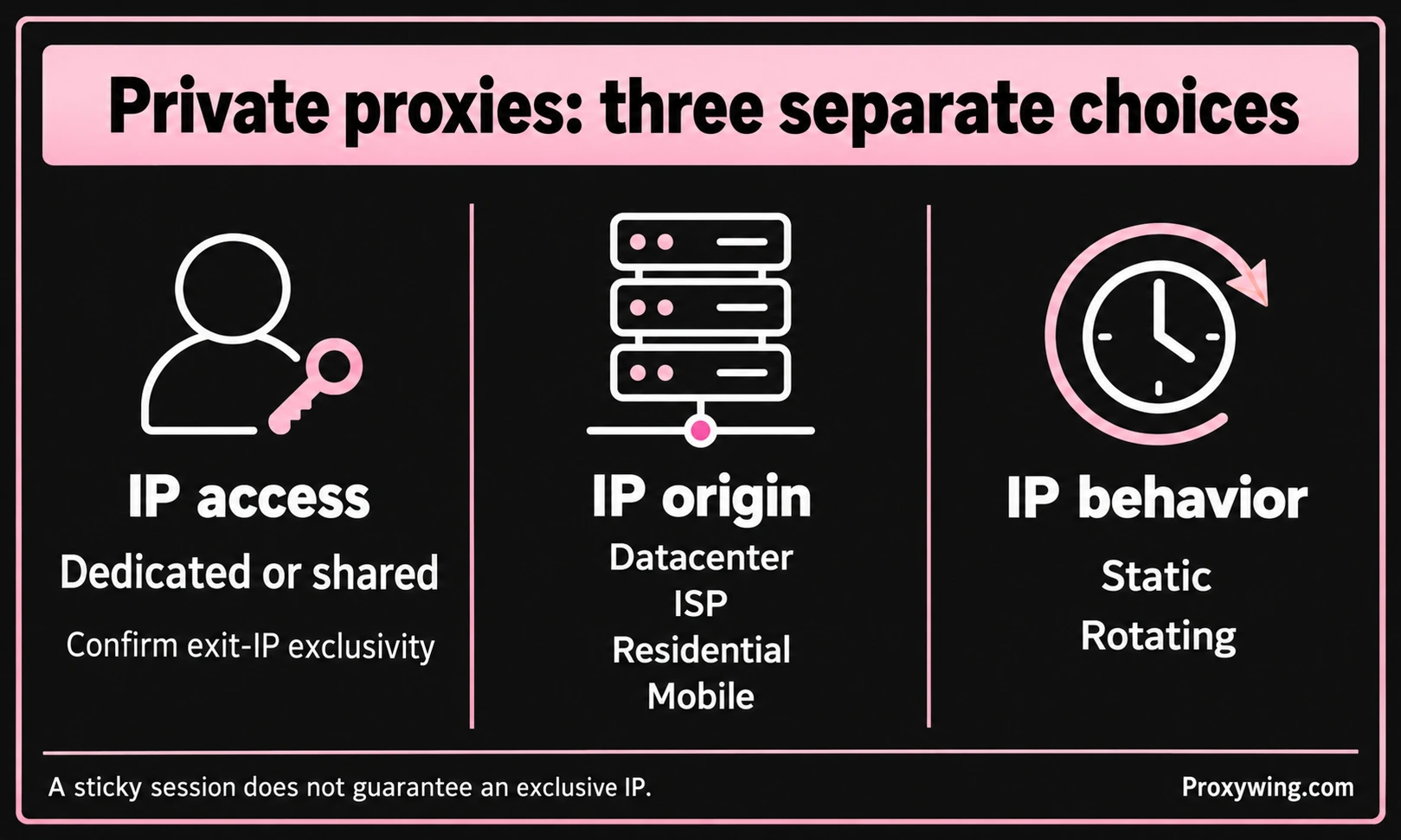
A dedicated exit IP separates your usage from other customers using that address at the same time. It does not erase the IP's previous reputation or prevent a destination from blocking it. Dedicated IP access also does not mean that you own the underlying server or have exclusive server hardware.
Shared proxies allow multiple customers to use the same exit IP or pool. They may suit workloads that do not require an exclusive address. Performance depends on capacity, routing, limits and the target, not just the private or shared label.
These labels answer different questions:
| Property | What to confirm |
|---|---|
| Access | Is the exit IP reserved for your account or shared? |
| IP origin | Is it datacenter, ISP, residential or mobile? |
| IP behavior | Is the IP static, rotated or retained for a session? |
A residential or mobile IP is not automatically private. Likewise, a sticky session only describes an attempt to retain an IP for a period; it does not establish exclusive access.
A proxy usually routes the traffic of configured applications. A VPN often routes a wider set of device traffic, depending on its routing rules. Neither product label alone proves anonymity or complete traffic coverage. Choose based on the applications, protocols and IP behavior your workflow needs.
Start with ProxyWing private proxies. Choose the product that matches your application, location and required IP behavior, and confirm dedicated exit-IP access for the selected plan before ordering.
For a stable address, review the available ProxyWing ISP proxies and the exact access terms. A product category is not a substitute for checking what the chosen order includes.
Before paying, confirm:
A Buy now button may open registration before an order can be placed. Follow the selected product through the account flow and check the order details before payment. Do not assume that a shared residential pool, a dedicated IP and a dedicated mobile device are interchangeable products.
Write down the application, target services, required country or city, number of exit IPs, expected traffic and simultaneous connections. Decide whether you need exclusive IPs, a stable address or an IP pool. These are separate requirements.
Use the product links in the buying section above. Confirm exit-IP exclusivity and the required location for the actual plan. Check the billing unit and renewal terms rather than comparing prices from different proxy types.
Check what both the provider and application support. HTTP proxies can carry HTTPS destinations through tunneling. SOCKS5 support, including UDP when needed, must be available at both ends; it does not make every application proxy-compatible.
Use username and password authentication or an authorized source-IP list only when offered for that product. Source-IP authorization is tied to the address the provider sees, which may be shared by multiple devices behind the same router.
Review the chosen product, location, quantity, term and total before payment. After activation, record the proxy host or IP, port, protocol and authentication details from your account. Keep credentials in a secure location and out of shared screenshots.
Enter the host, port and credentials in the application's proxy settings. If it expects an import string, use the required order of fields; IP:PORT:LOGIN:PASSWORD and a proxy URL are different formats. If needed, use the ProxyWing proxy formatter to match a supported format.
Apply the profile to the intended application. Proxy settings do not necessarily cover every application, DNS request or WebRTC connection on the device.
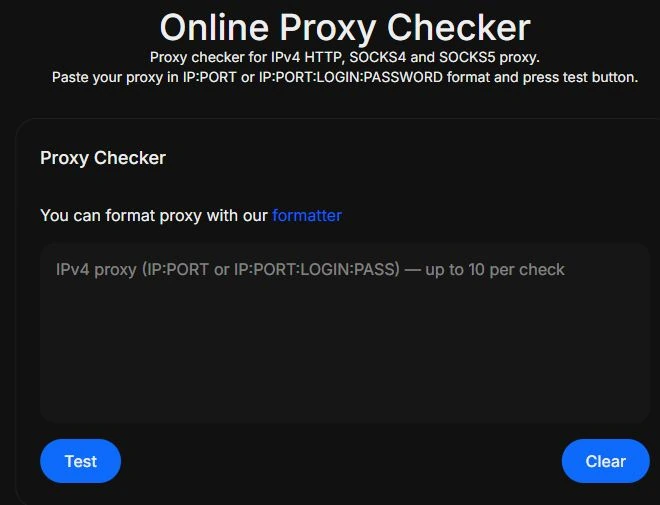
Save the time, endpoint, application and error details if you need support. A successful generic checker result is not a guarantee that a specific website will accept the IP.
For a dedicated static IP, verify that reconnecting keeps the assigned address under the plan's terms. For a rotating pool, check when rotation occurs and how a session identifier affects it. A sticky session can end when its lifetime expires or the exit becomes unavailable. Confirm the actual behavior before depending on a persistent IP.
| IP type | What it describes | What to check before buying |
|---|---|---|
| Datacenter | An IP associated with datacenter infrastructure | Exclusive assignment, target compatibility, bandwidth and connection limits |
| ISP | An ISP-registered address offered for proxy use | Whether the selected IP is dedicated, static and available in the required location |
| Residential | Access through residential internet addresses | Whether access is to a shared or exclusive pool, and how sessions and traffic billing work |
| Mobile | An exit through a mobile network | What is exclusive: the device, connection or public exit IP; also check rotation and data limits |
No category guarantees access to a website. A residential or mobile label does not make an IP impossible to block, and a private plan does not guarantee a particular speed. Compare the actual product terms and test your permitted workflow.
A reserved static exit IP can help when an authorized workflow expects a consistent network identity. IP separation alone does not prevent accounts from being associated through login details, cookies, device fingerprints or behavior. Follow the destination's account rules.
Dedicated addresses can make it easier to assign traffic and investigate errors. Check the destination's access conditions, rate limits and the provider's acceptable-use rules. An exclusive IP does not remove those limits.
Select a product with the required geographic coverage for regional testing. IP geolocation databases can disagree, so test the actual target rather than assuming that every service will detect the same city.
Separate endpoints or credentials can help organize team workflows when the product supports them. Confirm how access can be revoked and whether changing a credential affects other users before deploying a shared team configuration.
Check the application's supported protocol, authentication method and proxy scope. Not every application supports proxy authentication or UDP through SOCKS5. Source-IP authorization is an option only when the provider offers it for that product.
Check the host, port, protocol, username and password for extra spaces or an incorrect import format. If you use source-IP authorization, confirm the current public source IP seen by the provider. Do not publish real credentials when asking for help.
Measure response time and throughput separately. Check the route, concurrency, traffic allowance and the target's response. Retry with a small representative workload, record the failure and contact support if it persists. A different proxy category is not an automatic fix.
Review the destination's rules, request rate and application behavior. Previous IP reputation and account signals may matter even with an exclusive address. Do not assume that switching to residential or mobile IPs will remove restrictions.
Compare the full exit IP and test the service where location matters. Different geolocation databases can report different cities for the same address. Send the endpoint and observed results to support; a city mismatch by itself does not prove a DNS or WebRTC leak.
To get private proxies, define what must be exclusive, choose a compatible product, review its terms and test the connection in the application you will use. Keep IP origin, authentication and session behavior separate when comparing plans.
Start with the product links in the buying section, verify the selected order before payment and scale the workload after the required checks pass. A dedicated address gives you a defined access arrangement; it does not guarantee anonymity, speed or access to every website.
Article written by:

CEO
Founder of Proxywing. Drives growth across EU, US, and Asian markets, combining B2B strategy with a hands-on focus on product quality, 99% uptime, and responsive support.
All articles by author (66)Providers often use private and dedicated to describe an exit IP reserved for one customer. Confirm the selected product's definition: exclusive credentials, an exclusive device and an exclusive public IP are different arrangements. Neither term by itself means that you own a physical server.
A forward proxy normally changes the public IP seen by a destination, but it does not guarantee anonymity. Logins, cookies, browser fingerprints and application behavior can still identify a user. What the provider can see also depends on transport encryption, the application protocol and its configuration.
It may be technically possible, but it depends on the provider's limits and the destination's rules. Multiple accounts can still be associated through IPs, cookies, fingerprints or behavior. Giving each authorized account a separate IP does not guarantee that the accounts remain unrelated or unblocked.
Choose SOCKS5 when both the provider and your application support the features you need. Confirm authentication and UDP support separately. SOCKS5 is not automatically better for every task, and basic username/password authentication is not an encryption layer.
Compare your full public IP before and after enabling the proxy, using the same browser profile. Run a WebRTC test and check whether it exposes your baseline public IP. For DNS, inspect the resolver behavior expected from the application and its proxy settings. A city or ISP name alone is not enough to establish a leak.