




Proxy Authentication Methods Explained: Username/Password vs IP Whitelisting
06.10.2026 10 min
With close to 1 billion users, ChatGPT is easily one of the fastest-growing tech products of all time. Even though it has gotten very popular, this OpenAI platform is not available in Russia and Iran, making it impossible for residents in these countries to use the platform without walkarounds.
In addition to Russia and Iran, there are several other countries where the use of this OpenAI app is heavily regulated, affecting the overall user experience. Accessing ChatGPT in such countries requires using tools like proxies.
Using ChatGPT proxy, sends traffic through an IP address sourced from a country where this platform is not restricted, allowing you to use it with no limitations. In addition to providing unrestricted access, proxies hide your real location, making your connection more private and anonymous. In today’s guide, we will explore how to set up and use a proxy to access this AI platform. Let’s delve in!
Using a ChatGPT proxy allows you to route your traffic through a remote IP address from unrestricted regions. This allows you to maintain separate sessions when managing multiple accounts, keep your real IP private, or control which location your requests appear to come from. For users in regions that restrict or ban these platforms, using remote IPs is the main reason you need to use ChatGPT proxy.
A browser proxy or extension is enough when you need to access this AI platform from a different location or maintain a consistent IP for everyday use. Mozilla is one of the few browsers that has built settings for routing traffic. Most popular browsers, including Chrome rely on browser extensions and system network settings for routing network traffic.
Useful when managing multiple accounts, routing sessions through specific regions, or keeping client workflows isolated. Using private proxies gives you access to a large pool of IPs that you allocate to different accounts, allowing you to separate your workflows and prevent potential account restrictions.
If you are implementing any code-based workflow, your bots, automation scripts, or API calls will need ChatGPT proxy routing configured at the request level.
Select IPs from specific countries or cities and switch them as your workflow requires. This is more important for users in countries where this platform is restricted. IP flexibility allows users to switch to another location to get access to region-specific features. Access to a large pool of remote IPs can also allow you to bypass network restrictions on your school or work networks.
This AI platform might require re-authentication or trigger re-captchas if it detects any random IP address changes. By using sticky IPs, you can keep your IP consistent throughout a session, reducing interruptions and unexpected logouts.
Different ChatGPT proxy endpoints per browser profile or script keep sessions isolated and prevent cross-contamination. This is crucial for users that need to run several accounts on one device. Running many accounts on one IP address could trigger OpenAI’s security systems, leading to potential restrictions.
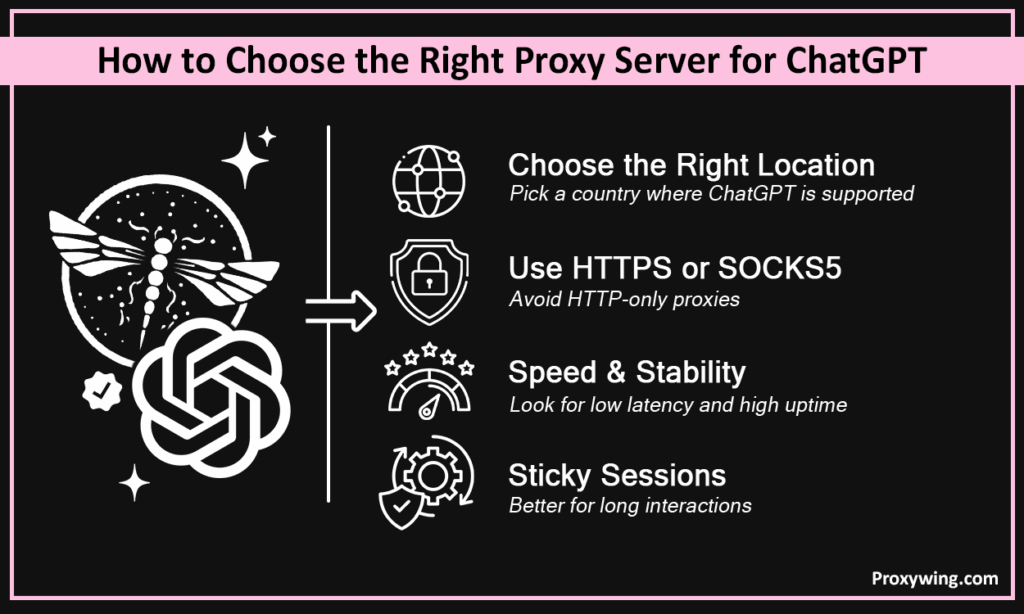
We offer ISP, datacenter, and residential proxy solutions with HTTP/S and SOCKS5 support. ProxyWing also provides sticky and rotating sessions, and 190+ country coverage — starting at $0.90/month.
Some key factors to consider when choosing a ChatGPT proxy server include:
Always pick an IP from a country where this AI platform is fully supported. City-level targeting adds precision for region-specific workflows. If you need this platform’s features limited to specific regions, ensure to choose an IP address for that region.
HTTPS is the minimum requirement. SOCKS5 adds flexibility for script-level routing. Avoid
HTTP-only proxies for data security purposes.
Look for service providers that offer sub-1-second latency, high uptime, and sticky session support for longer interactions. This will significantly have an impact on your experience.
Free and shared IPs are overused and frequently flagged since their IPs are known by most web platforms. They also fail more often than they work on this AI platform since you need to share your IP with others, leading to more traffic congestion. Such free services are also a privacy nightmare since they often log data and sell it to data brokers to generate revenue.
In this section, we will explore the set up process of major platforms:
Install ProxyWing Proxy Manager, enter your server IP, port, and credentials if needed. You should then activate the profile and open this AI platform normally. If you’re managing several accounts, this extension allows you to create a profile for each.
On your Windows PC, go to Settings > Network & Internet > Proxy > Manual proxy setup. Toggle on and enter the server IP address and port. You can then open this AI platform’s website in your browser.
On your Android device, Launch settings >WiFi > and long-press your Wi-Fi network > Modify Network > Advanced > Proxy and choose the Manual option. Enter hostname (server IP address) and port. You can then open this AI platform’s website in your mobile browser.
| // Playwright const browser = await chromium.launch({ proxy: { server: ‘http://<proxy-ip>:<port>’, username: ‘user’, password: ‘pass’ } }); // Puppeteer const browser = await puppeteer.launch({ args: [‘–proxy-server=http://<proxy-ip>:<port>’] }); |
The above commands launch a headless browser instance in Playwright and Puppeteer respectively. They are both configured to route all traffic through a specified ChatGPT proxy server before making any requests.
| import openai import httpx openai.http_client = httpx.Client( proxies={“https://”: “http://user:pass@<proxy-ip>:<port>”} ) |
The above command configures the OpenAI Python client to route all API requests through a specified proxy server by replacing its default HTTP client with a proxy-enabled one.
Use sticky sessions to hold the same IP across a full workflow. Switching IPs mid-task triggers re-authentication or session drops. This is common with all platforms, including ChaGPT. Random IP changes can sometimes be detected as security incidents, triggering re-authentication.
After making the server configurations shared earlier, you can now test if they work as expected:
Visit an IP checker and confirm the visible IP and location match the remote server IP address you configured before opening GPT.
Open chat.openai.com and confirm the page loads fully and sign-in works without errors. Most connection issues are caused by typos in the server information — double check to ensure every detail is correct.
After connecting, you also need to ensure connections are as fast enough. To ensure reliable connections, watch for delayed responses, failed loads, or disconnects. Such issues usually point to a ChatGPT proxy issue, not GPT itself.
These are some configurations mistakes that you always need to be aware of:
IPs from countries where OpenAI is blocked won’t help. Always use IPs from fully supported regions. For instance, IPs from Russia and Iran won’t work since this app is banned in those countries. Double checking the IP source helps ensure you’re using one in a non-restricted region.
A slow connection makes every chat response feel sluggish, degrading your overall experience. Aim for sub-1-second response times. We also recommend choosing dedicated IPs to avoid having to share bandwidth with multiple users, which could slow down your speed.
GPT access requires both. Missing support breaks page loading or streaming responses. HTTPS in particular is privacy-focused protocols, which most modern web apps require for a seamless experience.
Changing IP mid-session can force re-authentication or trigger security checks like re-captchas. Use sticky sessions to ensure your IP stays the same throughout the entire session. IP rotation has its best use cases but accessing platforms that require signing in is not one of them.
Free IPs are shared, frequently flagged, and unreliable. They also typically log user data and sell it to data brokers as their primary source of income.
Follow these steps depending on the platforms you’re using
| Feature | Proxy | VPN |
| Scope | Per app or request | System-wide |
| Encryption | Partial (HTTPS) | Full |
| Speed | Faster | Slightly slower |
| Session control | Sticky/rotating | Fixed IP |
| Best for | Automation, multi-account | Personal privacy |
| Cost | Cheaper (From $0.90/month) | More expensive (Typically $3–15/month) |
Article written by:

Head of Partnerships
Leads partnerships at Proxywing with hands-on knowledge of residential, ISP, datacenter, and mobile proxies. Works with affiliates, bloggers, and tech communities, bridging tech and partner needs.
All articles by author (23)Yes, you can use them, but this choice comes with several risks. Free remote server routing services often lack HTTPS support and are frequently blocked. They also log user web data and could sell it to data brokers, putting your privacy at risk.
Yes, VPNs also route traffic for basic access. Proxies on the other hand offer more flexibility and are better for automation, session control, API routing, and are way cheaper than VPNs. So, choose a tool that suits your needs.
Confirm HTTPS and WebSocket support, verify the IP region, and double-check credentials and port. If everything seems well configured on your side, consider using a new IP address to bypass any IP-based network blocks.
The risks depend on the choices you make. Low-quality IPs can expose traffic or cause session instability since their IPs are often flagged by most platforms. Use a trusted paid provider with HTTPS or SOCKS5.
Yes, on Android via Wi-Fi proxy settings. iOS requires per-app config or a proxy-compatible web browser.
Residential or ISP proxy servers offer the best trust score and stability. Datacenter proxy servers are faster and cheaper, but more easily flagged. If you need more reliable access, we recommend choosing residential IPs. Mobile proxy solutions offer mobile IPs that also have high trust scores, but are more expensive than the other types.
No. System-level proxy settings work too. Extensions just make switching faster without changing system settings.

