




Proxy Authentication Methods Explained: Username/Password vs IP Whitelisting
06.10.2026 10 min
Amazon is by far the most popular e-commerce platform in the world—millions of people use its services every day. Over 200 million of those users worldwide are Amazon Prime subscribers. If you need to access this platform without regional limitations, using a proxy is one of the most effective solutions.
Use proxy with Amazon to eliminate any regional restrictions, allowing you to access the platform like users in any country of your choice. The platform’s recommendation algorithms also factor in location, so when using an IP of a different country, your browsing experience will be tailored to that region.
In this guide, we will share everything you need to know about using an Amazon proxy, including prerequisites before you get started, set-up steps, the best types, and more. Let’s dive in!
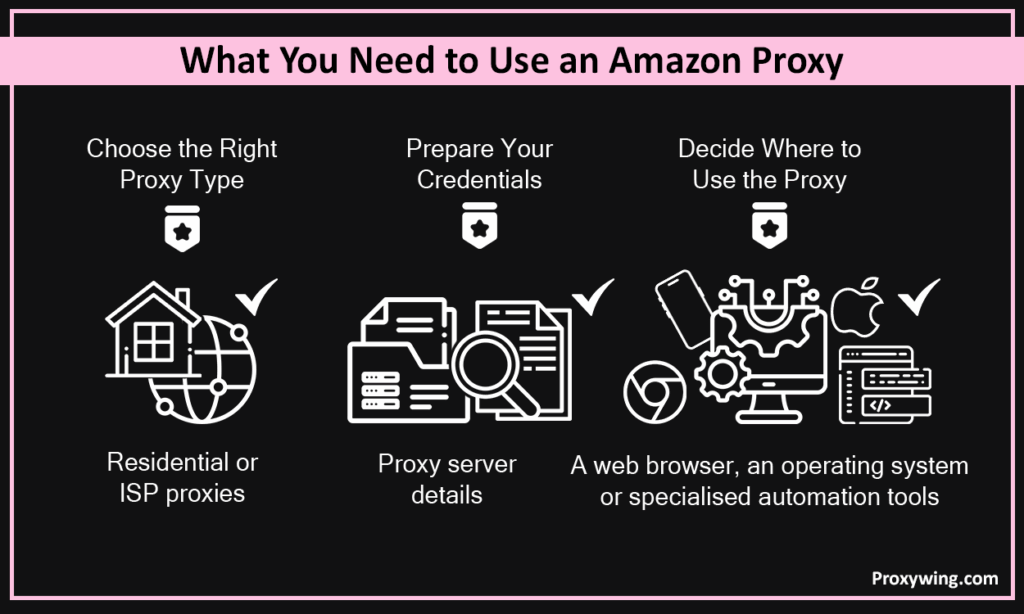
With different types to choose from, it’s pretty easy for users, especially those new to this to get confused. For the best experience, we recommend residential and ISP proxies. These two use legitimate IPs assigned by local ISPs, which ensures they blend in with organic traffic, providing access to the e-commerce with minimal interruptions.
You can always choose a type based on your needs and priorities. ProxyWing’s Amazon proxies are also built for e-commerce use cases like scraping thanks to the large pool of clean residential and ISP IPs across this platform’s key markets.
After making your subscription to any of the Amazon proxy plans offered by your provider, they will supply you with server details including a proxy host, port number, username, and password. Have these ready before starting any configuration.
Proxy settings can be integrated into your browser, operating system settings, or into automation tools. The choice between these depends on convenience and use case. Browser-level proxies only route traffic from that browser while OS-level setup routes all device traffic. Choose based on whether you need single website coverage or a device-wide setup.
Some proxy and VPN providers offer browser extensions for their proxies, making the setup process much easier.
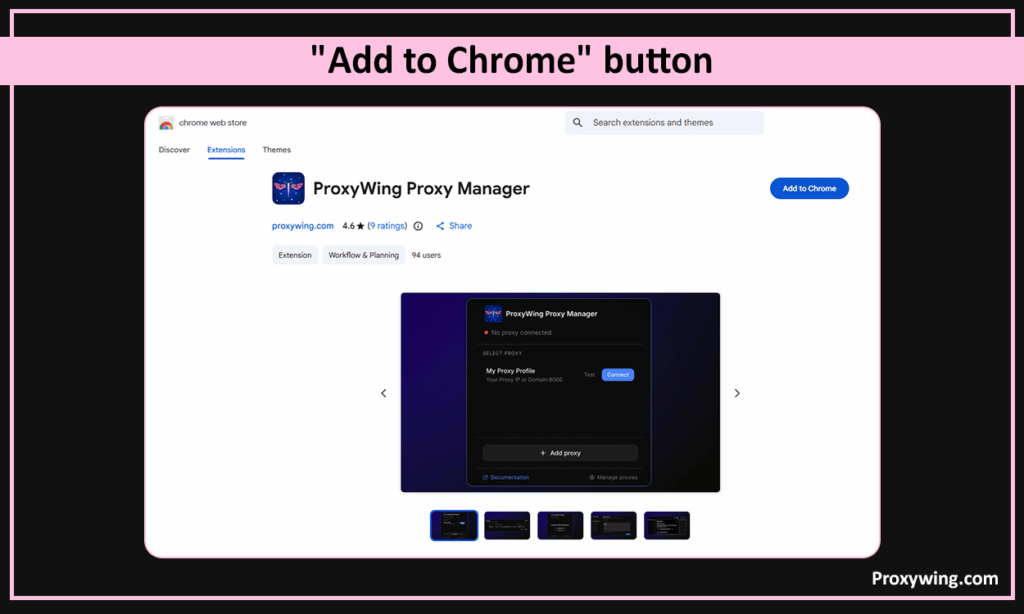
Open the Chrome Web Store, search for ProxyWing Proxy Manager, and click Add to Chrome. As noted earlier in this guide, this extension can also be found in most of the Chromium-based browsers, including Microsoft Edge, Brave, Opera, Vivaldi, and Arc.
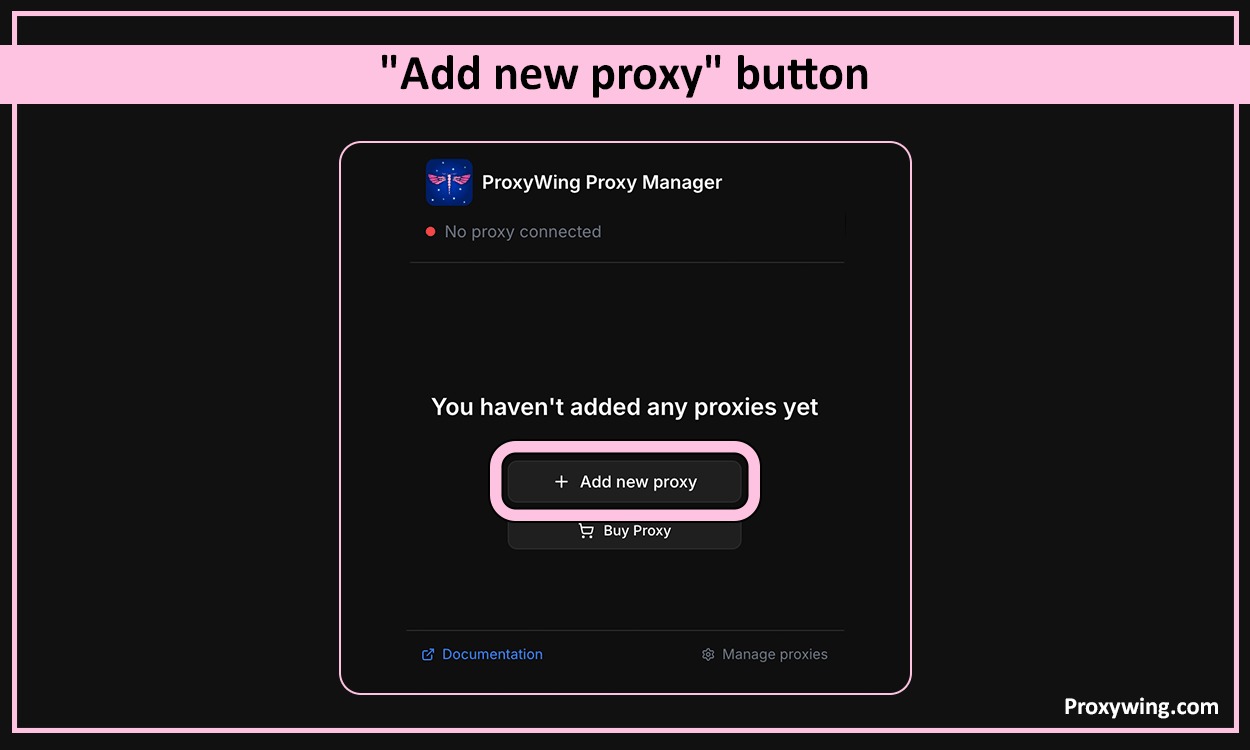
Once the extension installation is complete, click the ProxyWing icon in your toolbar to open the configuration panel. Click the “Add new proxy” button. This launches an interface that you can use to configure the extension, including inputting the proxy settings.
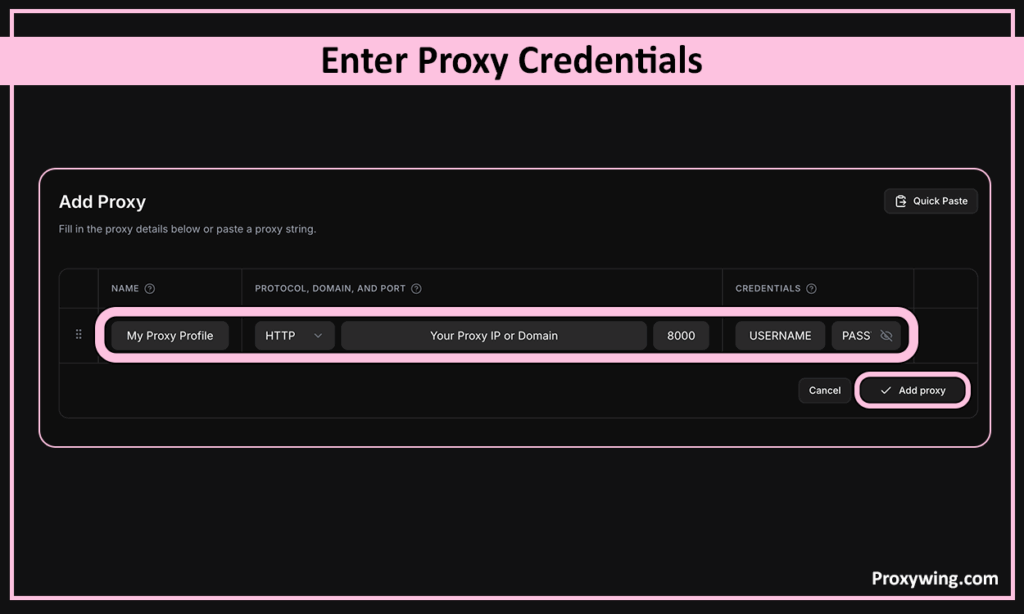
Create a new proxy profile and enter your proxy details—host (IP address), port, username, password, and protocol (HTTP, HTTPS, or SOCKS5). Make sure to double check these details to avoid having issues connecting to the proxy endpoints.
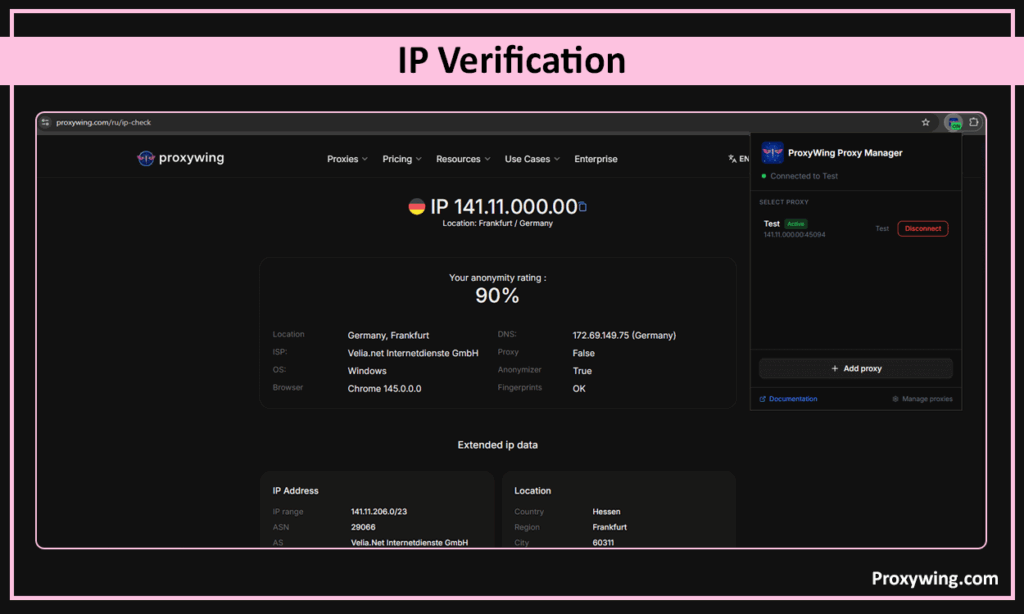
Save the profile and toggle the connection on. Chrome will now route traffic through the proxy IP. You can visit a look up websites like Proxywing IP-checker to confirm if your traffic is being routed via a new IP address instead of the real one. This quick set up process is the reason many users find using a browser extension a better option.
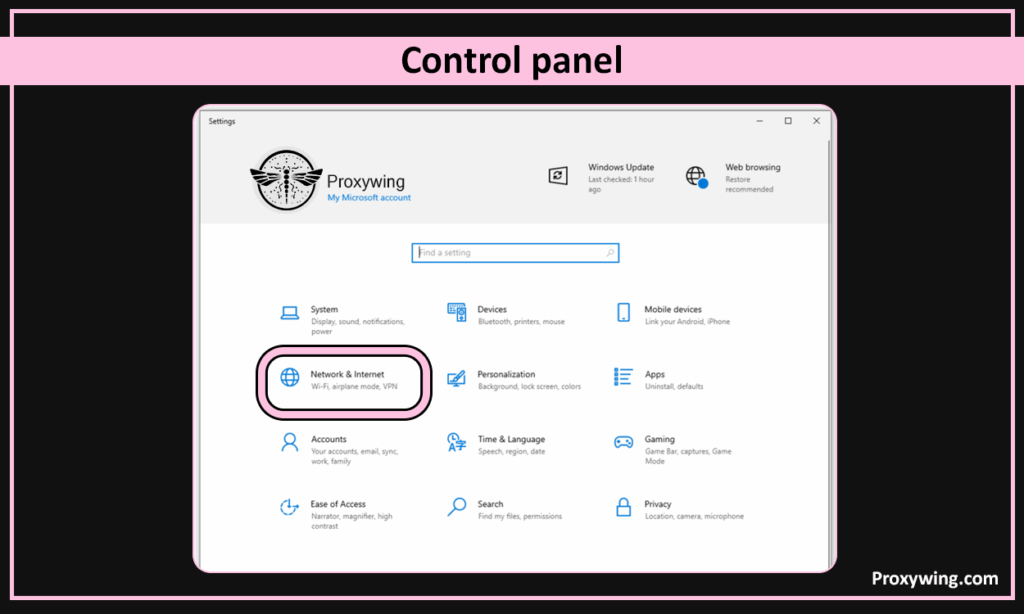
On your Windows desktop, go to Settings > Network & Internet > Proxy. This launches the proxy settings of the selected network.
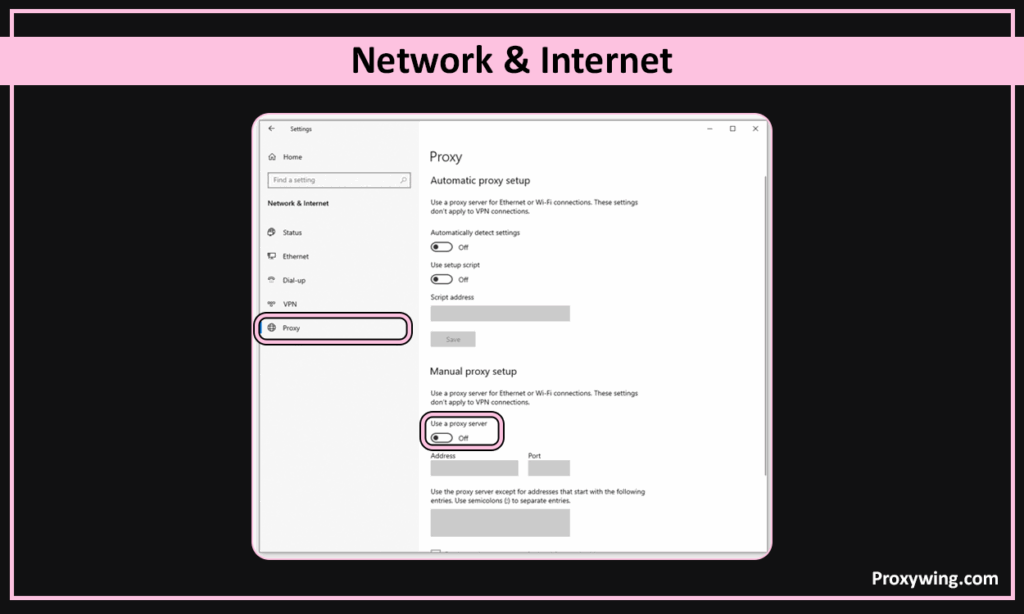
Toggle the “Use a proxy server” under the Manual proxy setup section. When this option is enabled, you can now enter the proxy details you acquired from your provider manually.
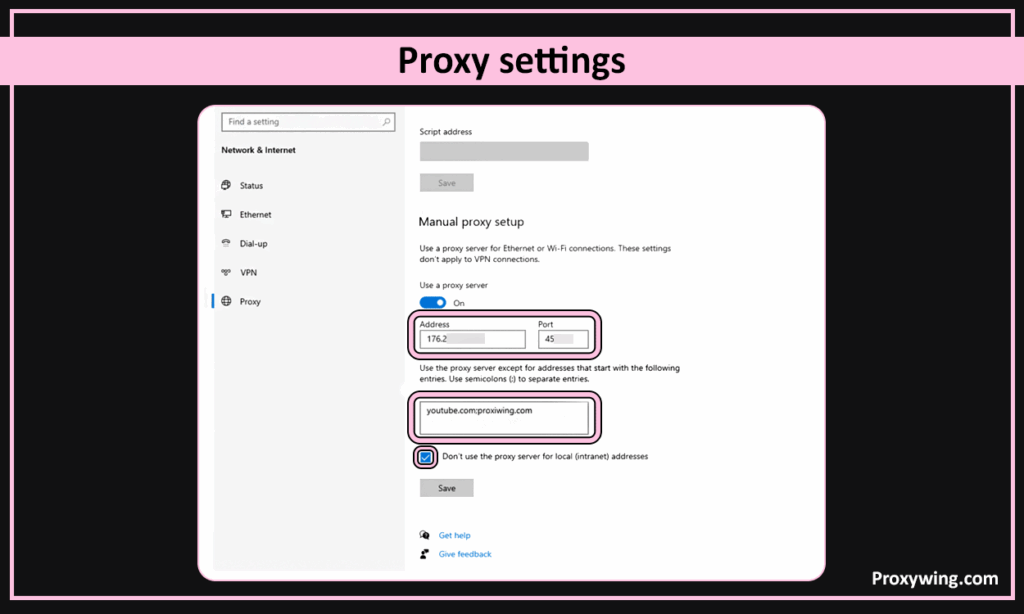
Input the IP address and port number provided by your service. If required, you also need to enter a username and password for authentication. However, we recommend using IP whitelisting instead if your provider offers the option. With IP whitelisting, you won’t have to use any login credentials before connecting to the proxy server.
Once you confirm that all the entered details are correct, Click Save. Windows will now route all traffic through the proxy. That means traffic for your browsers and every other application on your device will be routed through the proxy server.
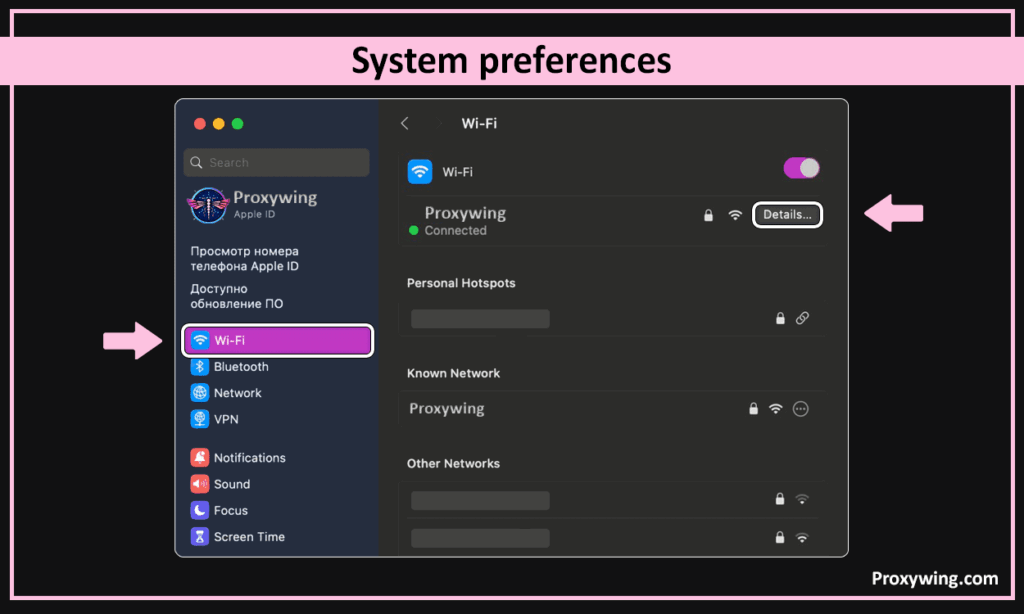
On your Mac, go to the Apple menu (top left corner) > System Settings (System Preferences) > Network, select one of your active connections, and click Details. This will open the configuration page for the settings of your endpoint network.
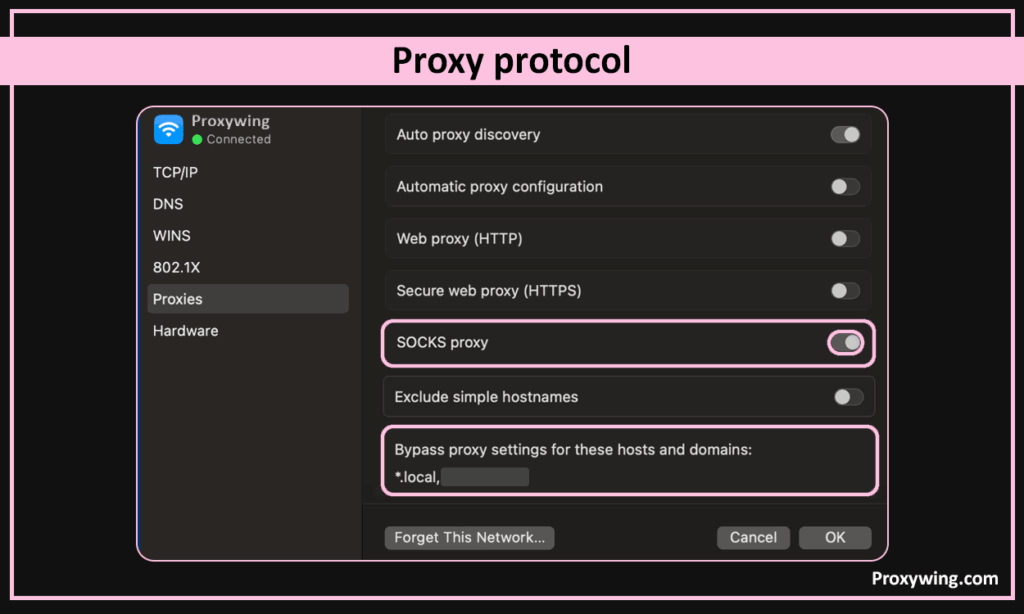
Click Proxies and select your protocol —SOCKS5 HTTPS or HTTP proxy. The protocol you choose should depend on the kind of tasks you intend to do. If you intend to only access the web, HTTP(S) is good enough. However, anything more than accessing web servers requires using SOCKS5. This protocol allows users to handle all kinds of traffic, including web and UDP traffic.
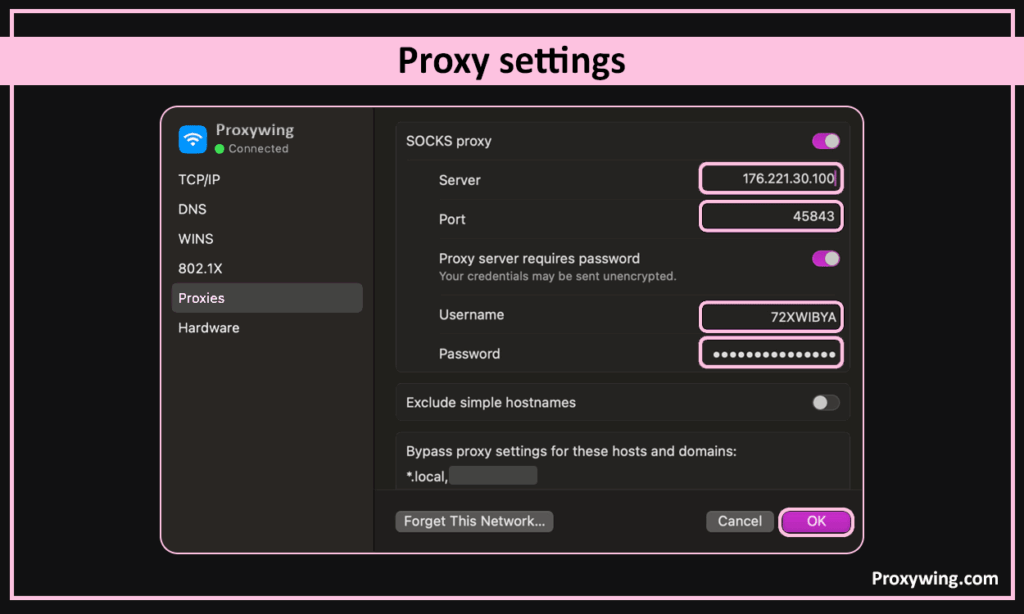
Input the proxy hostname (IP address), port, and authentication credentials. The credential details are needed depending on the authentication method you choose when purchasing the proxies from your provider.
After confirming that the details shared in the previous step are correct, click OK then Apply to activate the configuration.
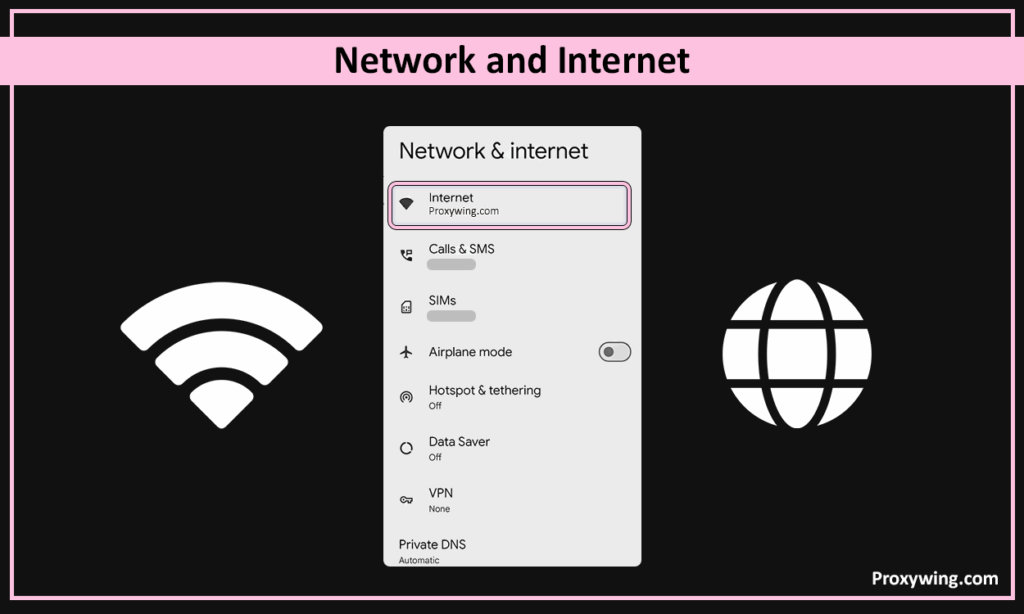
Open Settings on your Android device, go to Wi-Fi, and then tap your active network. Please note, you can only configure these settings when the WiFI network is active. This also means that these settings will only apply when your device connects to that network.
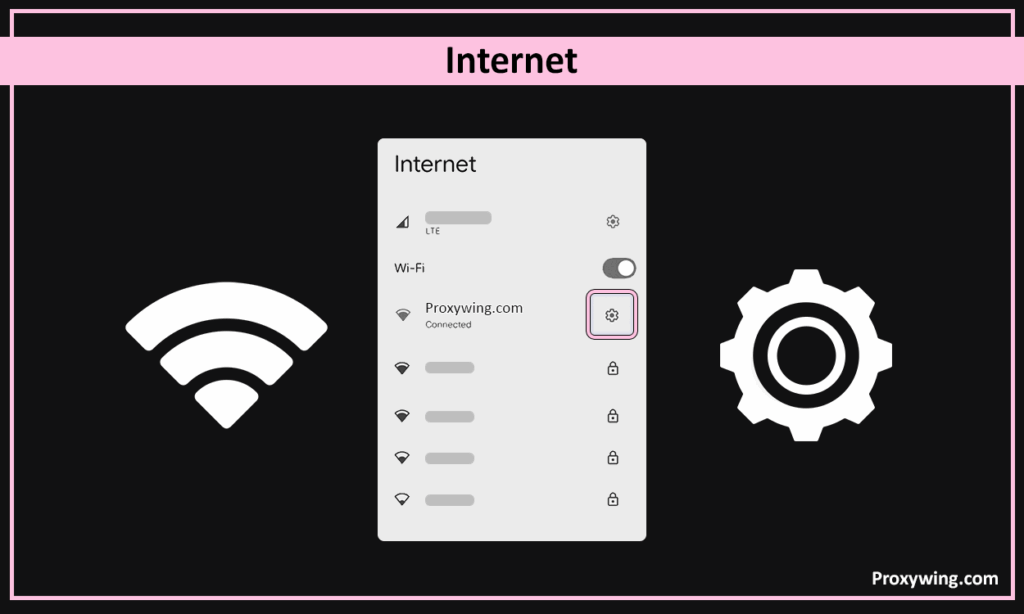
Tap the edit icon and expand Advanced options. This will open a new page where you can input more advanced network configurations, including your proxy setups.
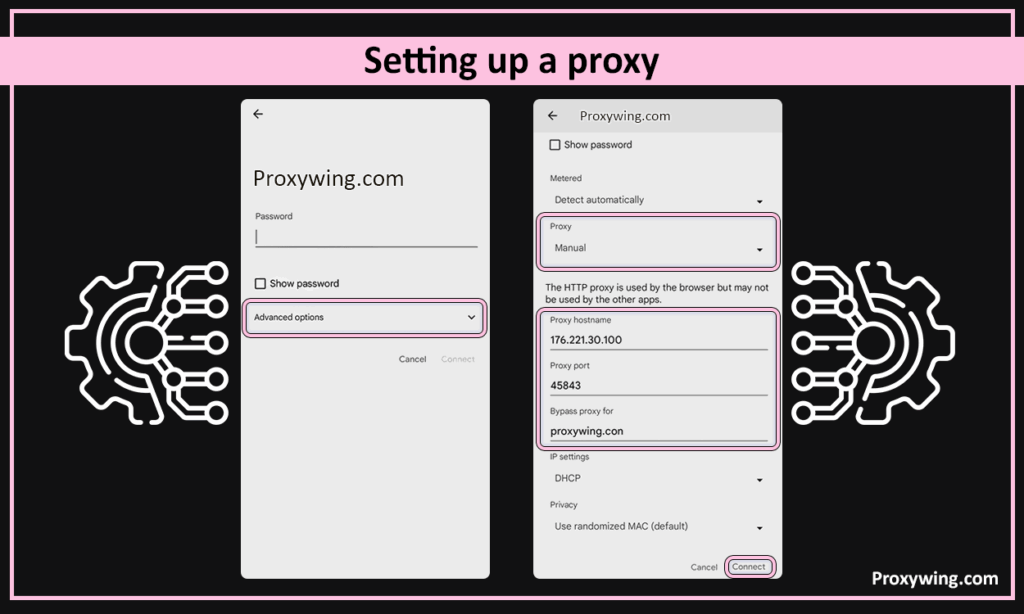
Set Proxy to Manual and enter the server network address (IP address) and port. You may also be required to input your password and username depending on the authentication method you chose when subscribing for the proxies.
After confirming that all your details in the previous steps are correct, tap Save to apply. Android will now route traffic for all your apps through the proxy.
Use tools like Proxywing IP-checker and confirm the IP shown matches your proxy, not your real network. Some of the other alternatives include IPinfo.io, ipchicken.com, ipleak.net, and browserleaks.com. Then open Amazon to verify the correct regional storefront loads. These steps are necessary regardless of the device or Operating System you’re using.
One benefit of using proxies is that you can turn them on and off with a few clicks. To disable the proxy, return to the same settings used during setup and toggle the proxy off. Your device will revert to your normal connection immediately, which means your real IP address is now exposed to the internet.
With different types of Amazon proxy services such as datacenter proxy, residential proxy, ISP proxy, and mobile proxy, users have the freedom to choose a type that suits their needs and budget. However, Residential and ISP proxies are the most reliable options. Choosing one of these types allows you to use ISP-assigned IP addresses. These IPs are trusted, which reduces the chances of encountering connection blocks.
For automation and scraping, rotating residential proxies are the most reliable choice as they cycle IPs automatically, reducing the risk of rate limits and IP bans. Datacenter proxies are the least reliable since they rely on publicly known datacenter IPs.
These are some of the common issues and proxy errors you may encounter and how to fix them:
Article written by:

Product & Support Operations Lead
Built Proxywing's support department from scratch — documented workflows, clear escalations, consistent quality. Now bridges the CEO and engineering, keeping infrastructure projects on track.
All articles by author (68)Datacenter and free proxies are easier to flag. Residential and ISP proxies are far harder to detect since they rely on ISP-assigned IP addresses. If you think Amazon has detected your IP address and blocked the connection, switching to a residential or ISP IP can resolve the issue.
Just like VPN servers, using proxies is also legal in most countries. You simply need to use them without violating the platform’s terms of service.
Free proxies use flagged IPs and are unreliable. We recommend using premium proxy solutions for a great experience. If a provider offers free proxies, they likely generate revenue by selling your data, putting user privacy at stake.
Quality proxies add minimal latency. For the fastest speeds, choose a server closer to your target region. Proxies generally offer faster speeds than VPN services.
Yes, you do. Rotating proxies are designed to cycle IPs automatically to prevent anti-bot systems from triggering.

