




Proxy Authentication Methods Explained: Username/Password vs IP Whitelisting
06.10.2026 10 min
If you need to access the internet without restrictions while keeping your connection private, using proxies is one of the most effective ways to do so. The two common options available are HTTP and SOCKS5 proxies. However, SOCKS5 proxies offer the advantage of handling all kinds of traffic, unlike HTTP proxies that can only handle web traffic.
In today’s article, our focus will be on SOCKS proxies. This article will cover the SOCKS5 proxy configuration steps, why you may need to use SOCKS5 proxies, how they work, and more. By the end, you will have all the information you need to quickly configure and use these proxies.
It is a proxy that routes your traffic through a server before forwarding it to the website you intend to visit. This proxy also replaces your device IP address with the server’s, making your connection more private and anonymous.
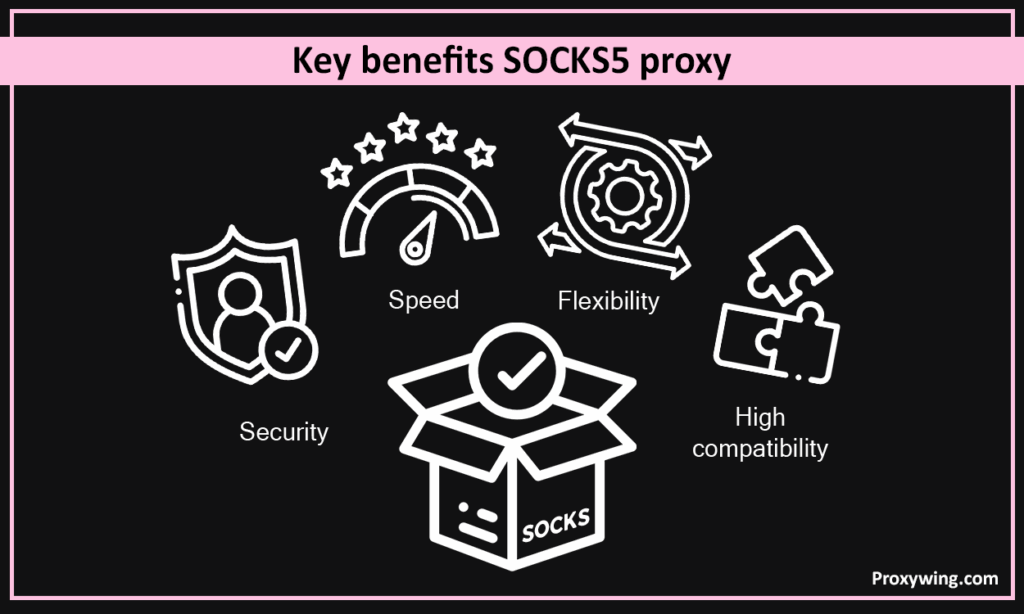
One of the major benefits of this proxy type is it can handle several types of traffic, including web browsing, torrents, streaming apps, games, emails, and more. This makes them useful in more use cases than HTTP options.
A SOCKS5 proxy is defined by four values: host (IP or domain), port, username and password. Most tools accept one of these formats:
ip:port – open proxy without authenticationip:port:username:password – the format used by most proxy providersusername:password@ip:port – common in browsers and command-line toolssocks5://username:password@ip:port – full URI formThe default SOCKS5 port is 1080, but providers often use a custom port, so always use the exact port from your dashboard.
One detail matters for privacy: socks5:// resolves domain names on your device, while socks5h:// sends DNS resolution through the proxy. If you want to avoid DNS leaks, use the socks5h:// form (or enable “proxy DNS” in your client).
Their usage is ideal when you need unrestricted access to the internet while maintaining a private and secure connection. Since they support most traffic types, you can use them for basic tasks like accessing the web as well as more complex tasks that use protocols like UPD.
To start using SOCKS5 proxies, you first all need to pay a subscription fee at your provider’s website. At ProxyWing we offer several types, including mobile, residential, ISP, and datacenter proxies. After successfully subscribing, you will be given the relevant server details.
These details should include:
Once you have these details, you can use them in the network settings of your device or browser. More about this in the next section. For a fast, secure, and reliable experience, our SOCKS5 proxy servers are a great choice. They are affordable, reliable, fast, and come with trusted 24/7 support that can always help if you run into issues during usage.
The steps for configuring your SOCKS5 proxy will depend on your device operating system and browser you intend to use. Fortunately, they all need a few clicks to get started. Let’s walk you through configure processes on some of the most popular platforms:
With Windows, you can configure SOCKS5 through Windows settings, individual browsers, or tools such as Proxifier. In this section will cover the set up steps in Windows settings:
You can configure SOCKS5 through System Settings or the Terminal. We will cover SOCKS5 set up steps when using System Settings:
You can configure SOCKS5 using a tool called ProxyChains as shown in these simple steps:
You can also configure SOCKS5 proxies on android using an app like ProxyDroid. This will require rooting your device first. When you launch these socks5 configurators, you simply need to input the server details to get started. However, we recommend this method to only advanced users since it requires more complex steps like rooting your device.
Some VPN apps on iOS also support proxies. If you are already using a VPN, find out whether it offers this option. This seems simpler, but some users may prefer proxies since they don’t require downloading and installing any files.
If you prefer to only proxy browser traffic, here’s how to set it up:
Firefox
Chrome / Edge (via System Proxy)
For Chrome and Edge, use the system proxy, so configure the proxy in Windows or macOS settings.
If you are an advanced user or someone that needs more control, security, and flexibility SOCKS5 proxies offer more options that you can utilize. Let’s explore some of these advanced option:
One of the common use cases for SOCK5 proxies is web scraping and automation. Some of the common automation tasks include collecting product prices, tracking competitor data, SEO monitoring, and testing geo-targeted content.
Why developers choose SOCKS5 for scraping:
In this section, we will explore some of the common issues you may encounter when using SOCKS5 proxies:
If you have a VPS or a spare Linux machine, you can run your own SOCKS5 server instead of buying one.
Quick method (any OS with SSH). If you already have SSH access to a remote server, you can open a SOCKS5 tunnel without installing anything:
ssh -D 1080 -N user@your-server-ip
This starts a SOCKS5 proxy on 127.0.0.1:1080 on your machine, tunnelled through the server. Point any app at 127.0.0.1:1080 to use it.
Permanent method (Linux, Dante). For a standalone server with username and password:
sudo apt install dante-server/etc/danted.conf, set the listening interface, port 1080, and enable socksmethod: username.1080 in your firewall.Windows. Windows has no built-in SOCKS5 server, so use a small tool such as 3proxy: define a socks line with a port and user credentials in the config, then run it as a service.
Running your own server gives you full control, but it uses a single static IP. For rotating IPs or large-scale use, a managed proxy service is usually the better option.
SOCKS5 proxies are a reliable solution for bypassing internet restrictions while keeping your connection secure. This makes them a great tool for handling sensitive tasks like data scraping or accessing geo-restricted content on platforms like Netflix. As covered throughout this article, SOCKS5 proxies can handle all kinds of traffic, not just HTTPS.
Advanced users also have options like DNS over SOCKS, authentication support, and proxy chaining, which offer greater control over how their connection works. For the best experience, follow the steps provided to properly configure your proxies. If you haven’t subscribed yet, remember to check out our SOCKS5 proxies and choose a plan that suits your needs and budget.
Article written by:

Product & Support Operations Lead
Built Proxywing's support department from scratch — documented workflows, clear escalations, consistent quality. Now bridges the CEO and engineering, keeping infrastructure projects on track.
All articles by author (68)The default SOCKS5 port is 1080, but many providers assign a custom port. Always use the exact port shown in your provider’s dashboard.
An HTTP proxy understands web traffic and works at the application level, while SOCKS5 works at a lower level and forwards any kind of traffic — web, torrents, games, email and more. SOCKS5 is the better choice when you need to proxy non-browser apps.
No. A SOCKS5 proxy reroutes traffic for the apps you configure, but it does not encrypt that traffic on its own. A VPN encrypts everything system-wide. SOCKS5 is faster and more flexible per app; a VPN gives full-device encryption.
By itself, no. SOCKS5 hides your IP and routes traffic, but encryption depends on the protocol on top of it (for example HTTPS). For sensitive data, rely on application-level encryption or combine the proxy with a secure connection.
The most common causes are a wrong port, missing or incorrect username/password, the wrong protocol selected (HTTP instead of SOCKS5), or a firewall blocking the port. Re-check the four values: host, port, username, password, and confirm the proxy is active in your dashboard.
Use the `socks5h://` form or enable “proxy DNS / remote DNS” in your client so domain names are resolved through the proxy instead of your local network.

