




Proxy Authentication Methods Explained: Username/Password vs IP Whitelisting
06.10.2026 10 min
You’re not the only one who is facing the struggle to unblock Instagram with proxies. When Instagram (IG) is blocked by network regulations, a plethora of users have problems. Here, we will guide you on how to securely as well as successfully unlock access with the help of a proxy.
Proxy is nothing but a layer that sits between your device and the web. Its basic role is to alter how servers perceive your IP. This eventually helps bypass blocks. It works effectively in unblocking Instagram as well as unblocking websites, no matter whether you are in school, work, or elsewhere.
Read this blog post till the end to check out the best ways to prevent getting blocked again and again by Instagram by using proxies.
There are many reasons because of which Insta could ban access. This could be because of problems with your IP address, suspicious behaviour, or geographical constraints. These rules are in place to keep users safe as well as to stop others from abusing them across social networks.
A proxy transmits traffic across a plethora of server locations to do its job. It alters how web platforms analyse your connection. This lets you unblock Instagram even on restricted networks while bypassing network limitations.
When IG geo-blocks, it simply means that access is limited in certain locations. This heavily relies on the rules of the service or the legislation in your area. Using a proxy from a location that is authorised aids in getting around these constraints. It gives out fresh, genuine IP addresses and assists unblock websites efficiently.
A plethora of school networks and business networks put a ban on websites like Insta. These are also known as network barriers. A web proxy may aid you bypass filters. It sends data via servers outside of the network, which eventually lets you accessing Instagram again without relying fully on VPN services or VPN apps.
Daily actions, including over liking, commenting, or following, can lead to blocks. On IG, these things often seem to happen automatically.
Insta sometimes observes strange behaviours when people log in. This generally results in verification processes like checking SMS or email. Investing in dependable proxy solutions, including using service providers, makes sure that your identity does not vary and stays the same. It ultimately alleviates the chances of repeated challenges.
Several IP addresses are often flagged because they have been misused in the past. This problem is often seen with a datacenter proxy. A clean mobile or residential proxy is more trustworthy and, at the same time, faces fewer bans across a number of sites.
The time period generally depends on the kind of block. Some persist for hours, while others may take a few days; it depends on usage needs.
It is imperative to note that temporary blocks generally don’t stop you from opening IG completely; instead, they just limit what you can do on the platform. Remember, with a temporary block, you can still log in to Insta and scroll through content, as well as see posts. But unfortunately, you might not be able to post, like, comment, or follow for some specific period of time. This is usually because of weird activity patterns or repeated actions analysed by Insta.
Talking about full access blocks; they are more serious since Instagram might ban you from logging in entirely. Furthermore, it may also pop up several verification steps or security checks. This usually happens when there are concerns about your IP address, login behaviour, or overall account safety.
A proxy can have a significant impact on the way your device connects to Insta. It works by assigning you a new IP address as well as concealing your old one. This strategy is a good way to keep things pretty smooth and unblocks Instagram, providing solutions for blocked access. A plethora of people rely on these services to keep their performance. Also, a modern type of setup offers good flexibility.
A proxy works by changing the IP address, locations, and communication pathways between your device as well as internet servers. It works just like a middleman, whose role is to process requests before they go to IG or any other sites. This setup assists in bypassing restrictions and, at the same time, accessing blocked sites. It is pretty useful when it comes to addressing connectivity issues.
It also makes traffic flow better across networks, which eventually alleviates errors that often happen when people connect directly. In a myriad of situations, it lets individuals have a hand on the content that they wouldn’t be able to get to because of network restrictions or geographically restricted websites.
When the issue is related to networks, geographic constraints, or IP-based bans, a proxy may assist bypass such restrictions. It works effectively for accessing Instagram on restricted networks, such as schools or public Wi-Fi, where the system generally has restricted access. It’s also pretty helpful when you want to open blocked sites or have trouble with simple access and general unblocking websites tasks. But it won’t aid with account suspensions, major bans, or policy breaches on IG.
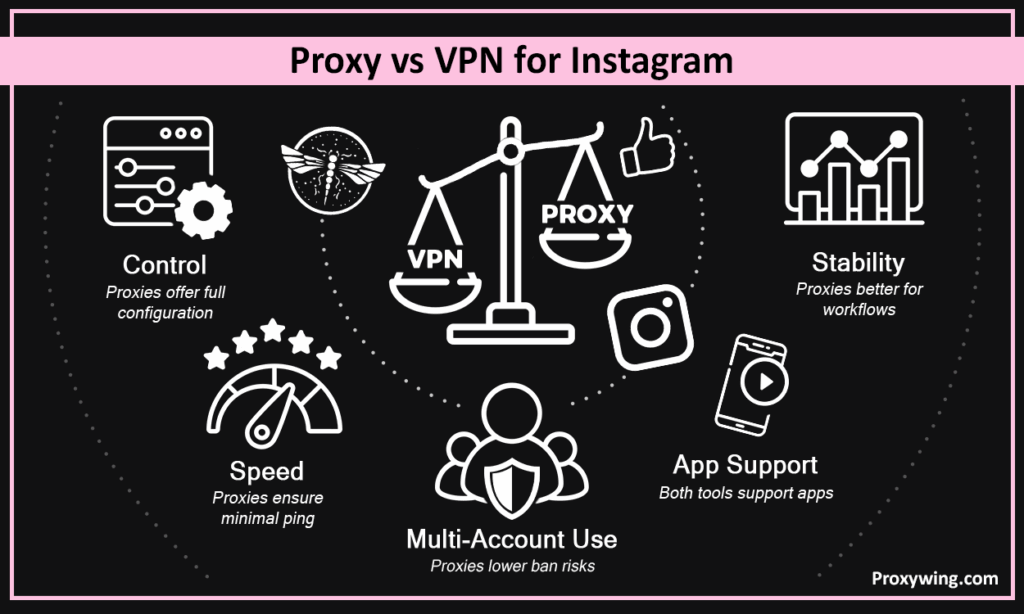
| S. No | Feature | Proxy | VPN |
| 1. | Control | High | Medium |
| 2. | Speed | Faster | Little slower |
| 3. | Use with multiple accounts | Yes | Limited |
| 4. | App support | Full device | Full device |
| 5. | Stability | Better for workflows | General use |
| S.No | Proxy Type | Description | Best Use |
| 1. | Residential | IP addresses of real users | Browsing safely |
| 2. | Mobile | Uses mobile data | Highly trustworthy |
| 3. | ISP | Static ISP IP | Stability |
| 4. | Datacenter | Fast but a bit risky | Low-security tasks |
Sticky sessions hold the same IP address for a very long period. This is useful in maintaining reliability and preventing verification checks from happening. In case you rotate IPs too much, you may have trouble using Insta. Therefore, it’s imperative to find a balance.
The safest way is to have one proxy for every account. However, some premium quality services may work with small groups also. This keeps IP use smooth as well as alleviates the chances of getting banned. Also, don’t add too many accounts to the same proxy at once.
Here is how to use a proxy to access Insta without any issues.
First, add an extension to your web browsers. Then, enter the host as well as port information for the proxy. Thereafter, pick a specific location and make sure to test it out before you log in to your Instagram accounts.
To install a proxy on Windows or macOS platforms, you first need to go to the “network settings”. Then enter all proxy details to run it.
First, set up Wi-Fi on mobile devices. Then, open “advanced options” and add the correct details of the proxy. It is imperative to note that this may or may not work on mobile data networks.
In the beginning, do only a few activities on the platform, then slowly increase. This will prevent getting banned as Insta will get enough time to cope with the increased levels of activity. Don’t forget that a sudden increase in activity may cause blocks.
Don’t change your devices or locations, as well as IP addresses, again and again. Remember, trust on Insta is built via consistency. IG may think something wrong is happening in case you change networks a plethora of times. Also, using the platform every day alleviates the possibility of blocks.
Take time to do things; don’t be in a hurry. Stay away from those bursts that result in blockages. Moreover, your action on IG should look absolutely natural. To show yourself as a genuine user, you can use general scheduling. Remember, gradual actions might aid you in avoiding unforeseen barriers on Instagram.
Stay aware of common spam patterns as well as avoid them. These include things like sending the same message again and again or sending a plethora of messages at once. Instagram systems typically keep an eye on this kind of weird behaviour and may swiftly get you blocked.
Make sure your account is safe by doing the verification process carefully. It is vital to note that verified information makes Instagram accounts more credible. It also makes it pretty easy for users to get back on track in case blockages happen due to XYZ reasons.
Try to use a rotating proxy while doing scraping as well as sticky sessions for logging into Insta accounts. Rotation is pretty helpful in spreading requests across multiple IP addresses and, at the same time, alleviates blockages. On the other hand, sticky sessions keep your identity stable as you use Insta, which eventually alleviates the probability of barriers while handling digital goods traffic patterns.
Keep request-sending speed pretty slow on Insta. Also, put lags between sending requests. This way, you will prevent yourself from getting banned from IG networks. Remember, slow as well as steady seems normal on Instagram.
When you can, use official ways. It alleviates the danger as well as makes things more stable. These approaches meet Instagram’s regulations and, at the same time, assist in avoiding unnecessary barriers. They also aid in keeping access to web content pretty safe over time.
Check the port numbers as well as the login information. Apart from this, make certain there are no DNS leaks.
Don’t change your IP address myriad times. Moreover, finish the verification and wait for a while.
Stop doing activities immediately in case problems keep happening again and again. This aids you in resetting the limitations on IG.
Article written by:

Head of Partnerships
Leads partnerships at Proxywing with hands-on knowledge of residential, ISP, datacenter, and mobile proxies. Works with affiliates, bloggers, and tech communities, bridging tech and partner needs.
All articles by author (23)In most regions, yes, it is allowed to use a proxy. But it is imperative to follow the platform’s rules correctly.
Yes, a residential proxy is a dependable solution for using Insta, but a mobile one is more trustworthy.

