Proxy Authentication Methods Explained: Username/Password vs IP Whitelisting
06.10.2026 10 min
Node Unblocker is one of the common tools that helps bypass network restrictions such as content filters implemented by schools and workplaces. It does this by routing traffic through a remote server, which allows users’ traffic to appear not to be coming from the original IP address. It’s essentially a lightweight, self-hosted proxy tool for casual circumvention.
It does the job for casual everyday tasks like bypassing network restrictions or accessing content and websites in regions they are restricted. However, if you intend to handle more complex routing tasks and bypass complex IP blocks, Node Unblocker might fall short since it is not designed to handle such tasks.
Such tasks require more robust routing tools like proxies. Using a proxy also helps keep connections more private and anonymous. In this guide, we will explore Node Unblocker, its key use cases, limitations, and why using proxies is the most viable choice for most users. Let’s dive right in!
Node Unblocker is an open-source Node.js middleware package that acts as a web proxy. So, how do unblockers work? When using this tool, it intercepts browser requests, forwards them to the target site, and rewrites the response so it renders correctly through the proxy URL. Node Unblocker exposes your real IP address to the targets, which makes it less useful for users seeking anonymity.
It’s built on Express.js, installed via npm, and runs on any Node-capable server. Unlike VPNs or traditional proxy solutions, it operates at the application layer — rewriting HTML, CSS, and JavaScript links so all subsequent requests continue routing through the proxy.
When you use Node Unblocker, it extracts the target URL from the request path, rewrites outbound headers, fetches the contents, then rewrites all internal links in the response before delivery. It runs as Express.js middleware, attaching to an existing app with a single app.use() call.
This ensures the entire page, including embedded scripts and links, keeps routing through the proxy, so browsing works correctly without requests leaking back to the original domain.
Traditional unblockers simply tunnel traffic. Node Unblocker goes further by rewriting page content, including links, scripts, and form actions, so everything keeps routing through the proxy. This adds functionality but also increases processing overhead, making it more costly for use cases that only require traffic tunneling.
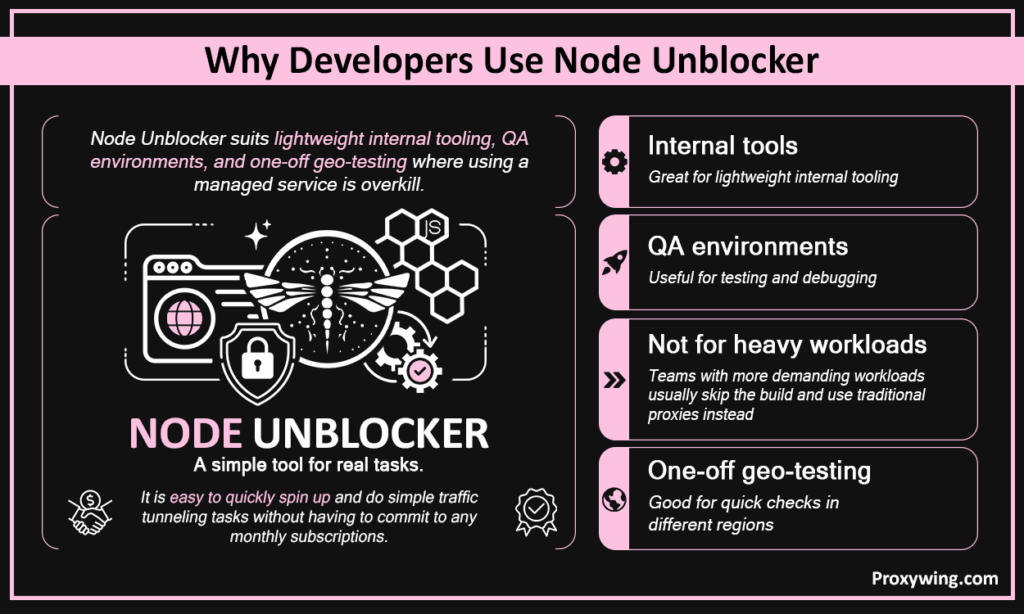
Node Unblocker suits lightweight internal tooling, QA environments, and one-off geo-testing where using a managed service is overkill. Node Unblocker is easy to quickly spin and do simple traffic tunneling tasks without having to commit to any monthly subscriptions. However, teams with more demanding workloads typically skip the build and use traditional proxies instead.
One of the key reasons why many still use this tool despite the existence of more functional proxies is its flexibility. This tool is available on npm under an open-source licence and costs nothing to install and integrates cleanly into any Express app. You can extend it with custom middleware, modify headers, and filter URLs without vendor lock-in.
Let’s explore all the key steps you must follow to correctly set up this tool:
Start by downloading and installing the Node.js LTS release from nodejs.org. After installation, verify with:
| node -v npm -v |
Both commands should return version numbers. Then create your project folder and initialize it using the commands below:
| mkdir node-unblocker-proxy cd node-unblocker-proxy npm init -y |
npm install express unblocker
express provides the HTTP server and routing layer and Unblocker handles URL extraction, header rewriting, and content rewriting. Both are required — Unblocker doesn’t run alone. It attaches to Express and doesn’t run standalone.
Create index.js in your project root:
| const express = require(‘express’); const Unblocker = require(‘unblocker’); const app = express(); const unblocker = new Unblocker({ prefix: ‘/proxy/’ }); app.use(unblocker); const server = app.listen(8080, () => { console.log(‘Proxy running at http://localhost:8080’); }); server.on(‘upgrade’, unblocker.onUpgrade); |
The prefix defines the route all proxied URLs pass through. .on(‘upgrade’) enables WebSocket support.
Start the server using this command:
| node index.js |
Then visit http://localhost:8080/proxy/https://example.com to test if the proxy is running in the terminal. Open DevTools and confirm all requests route through localhost:8080/proxy/ rather than hitting the target domain directly. This verifies your routing path is working as expected.
Push to GitHub and connect to Render, Heroku, or a VPS. Add a start script to package.json:
| “scripts”: { “start”: “node index.js” } |
Most websites and platforms detect it automatically. Set your port via the PORT environment variable if required by the host. For AWS or bare VPS, use PM2 to keep the process alive.
Node Unblocker accepts a configuration object with the following options:
This can be implemented using this script:
| const unblocker = new Unblocker({ prefix: ‘/proxy/’, requestMiddleware: [ function(data) { data.headers[‘user-agent’] = ‘Mozilla/5.0 (compatible; MyBot/1.0)’; } ], responseMiddleware: [ function(data) { console.log(‘Response from:’, data.url); } ] }); |
Use requestMiddleware to modify headers or block domains. Use responseMiddleware to inspect or transform responses.
Node Unblocker has no built-in caching or rate limiting. Add node-cache or Redis for caching, and express-rate-limit before the unblocker middleware for throttling. For rotation, load-balance across multiple instances on different ports. But at this point, using a managed proxy service is the simpler and more cost effective option.
Despite this tool being open source, free, and easy to set up, it has several limitations that makes it less ideal for certain use cases. Some of these limitations include:
The target site sees your host server’s IP, not the end user’s. Most of these server IPs are publicly known and easy to detect and block. One blocked IP shuts down the entire operation, which makes Node Unblocker impractical for any web scraping processes or automation at scale.
Cloudflare, DataDome, PerimeterX, and Akamai detect single cloud-hosted IPs sending high request volumes almost immediately. No amount of User-Agent spoofing reliably bypasses them. If you intend to handle tasks that involve sending large amounts of traffic to a target, using Node Unblocker should not be an option.
Node Unblocker has no built-in OAuth support, breaking many modern login flows. Some HTTPS-heavy websites with strict CSP headers also render incorrectly. Keeping middleware compatible with Node.js updates is an ongoing maintenance burden that most developers may not be ready to deal with.
Node.js single-threaded event loop combined with per-request content rewriting causes memory pressure to build quickly under concurrent load. It’s not built for parallel web scraping workloads since they typically require sending concurrent traffic to the target.
Once Node Unblocker hits its ceiling with blocked IPs, no rotation, and poor scale, managed proxy services are the natural next step. With proxies, you get access to IPs, automatic IP rotation, geo-targeting, and anti-bot bypass with zero infrastructure to maintain. For tasks that require using multiple IPs to bypass blocking or rotating IP, using proxies is the more practical solution.
There are several types you can choose from. Let’s explore how they compare.
| Type | Best For | Trust Score | Speed |
| Residential | Web scraping, account management | High | Moderate |
| Datacenter | Bulk tasks, low-risk websites | Low | Fast |
| ISP | Speed + trust combined | High | Fast |
| Mobile | Mobile-first websites and platforms | Highest | Moderate |
ProxyWing offers over 70 million IPs for its residential, ISP, and datacenter proxies across 190+ countries. This makes it a direct upgrade for any use case that outgrows Node Unblocker. We offer automated IP addressing for IP rotation and reliable 24/7 support, providing users with help whenever they need it. ProxyWing also supports different proxy types, allowing you to choose one that suits your needs and budget.
A public Node Unblocker instance without authentication exposes your server to abuse. When implementing this solution, remember to add basic auth or IP whitelisting, enforce HTTPS, and log all outbound requests. You’re also legally responsible for all traffic your proxy handles. That means web scraping sites that prohibit proxy usage or violating local laws creates real liability.
| Tool | Best For | Setup Effort | Scale | Anti-Bot Bypass | Cost |
| Node Unblocker | Filter bypass, QA | Low | Poor | Poor | Free (+ hosting) |
| Dedicated proxies | Web scraping, automation | Low | Excellent | High | Paid |
| Puppeteer/Playwright | JS-heavy sites | Medium | Moderate | Moderate | Free (+ hosting) |
| Web scraper APIs | Managed extraction | Very low | Excellent | High | Paid |
Article written by:

CEO
Founder of Proxywing. Drives growth across EU, US, and Asian markets, combining B2B strategy with a hands-on focus on product quality, 99% uptime, and responsive support.
All articles by author (64)The package works but sees minimal active development. It handles basic use cases but hasn’t kept pace with modern anti-bot systems or complex HTTPS sites. This makes it less reliable for complex use cases.
Self-hosting is legal in most jurisdictions. What matters is how you use it. For instance, bypassing paywalls or web scraping prohibited sites may violate terms of service or local law. It is crucial to take time to understand the legal requirements in your context to avoid violating any laws.
Not effectively. The target site sees your server’s IP, which is easily flagged. These IPs are sourced from common cloud hosting providers, so most target websites can easily detect them.
In most cases it can’t. Both detect cloud-hosted single-IP traffic almost immediately. Remember, Node Unblocker provides no fingerprint randomization, TLS mimicry, or IP rotation.
Residential or ISP proxies from a reliable managed proxy provider. Proxies offer real IP rotation, geo-targeting, and high success rates against anti-bot systems, making them a more reliable option.
The software is free, but hosting costs $5–$20/month for a basic VPS. At scale, multiple instances push costs higher and often more than an equivalent managed proxy plan. So, assess these costs before choosing whether to use Node Unblocker or a traditional proxy.