




Proxy Authentication Methods Explained: Username/Password vs IP Whitelisting
06.10.2026 10 min
If you want to find jobs or grow your professional networks, LinkedIn is undoubtedly a great place. But it shows content based on your location. If you want to access geo-restricted content, using LinkedIn proxies is a good option. But it’s not that easy. LinkedIn is very strict about using scrapers and proxies. It checks IPs, logins, and suspicious activity. Fortunately, a reliable proxy server is difficult to detect.
In this article, we’ll show you how to use LinkedIn proxies correctly without risking your account/accounts.
A LinkedIn proxy basically replaces your real IP with an IP from a different region. This way, the platform doesn’t see your actual IP and location. When you use a proxy, your browser doesn’t talk to the platform directly because the proxy is in the middle.
Proxies can make you appear to be browsing from a different region, even though you’re sitting in the same place. This allows you to view localized job listings, test campaigns, or use multiple accounts without worrying about bans.
When you open LinkedIn using a proxy, your browser isn’t sending requests to the platform directly. The proxy sits in the middle, sending requests to the platform and sending you the response back. The platform sees the requests coming from another IP and not your real IP.
But hiding your actual IP isn’t enough to prevent restrictions. LinkedIn doesn’t just look at IPs. It also checks how consistent your activity is over time. If your IP says “London” but your activity suddenly jumps to “Singapore” five minutes later, you can get flagged.
Both proxies and VPNs hide your IP, but they behave very differently.
A VPN works system-wide. Once it’s on, all your traffic goes through it. That’s great for privacy, but not ideal if you’re using multiple LinkedIn accounts.
Proxies are more flexible. You can assign them per browser or per profile. This makes them great for LinkedIn-related tasks.
Another downside of using a VPN is that it is usually easier to detect. If you’re doing anything at scale, proxies are usually the safer choice.
If you’ve used proxies before, you must have heard of sticky IP sessions and rotating IPs.
A sticky session means your LinkedIn proxy server keeps the same IP address for a fixed amount of time. This means all your activity is from the same IP and location. And that’s exactly what the platform expects from a normal user. So, sticky sessions decrease the chances of bans.
A rotating IP setup changes your IP address frequently, such as on every request or every few minutes, so your requests are from different IP addresses, and your location also keeps changing. Using rotating proxies isn’t recommended because the platform can flag sudden and quick IP changes as suspicious.
However, rotating residential IPs are helpful for collecting data and scraping.
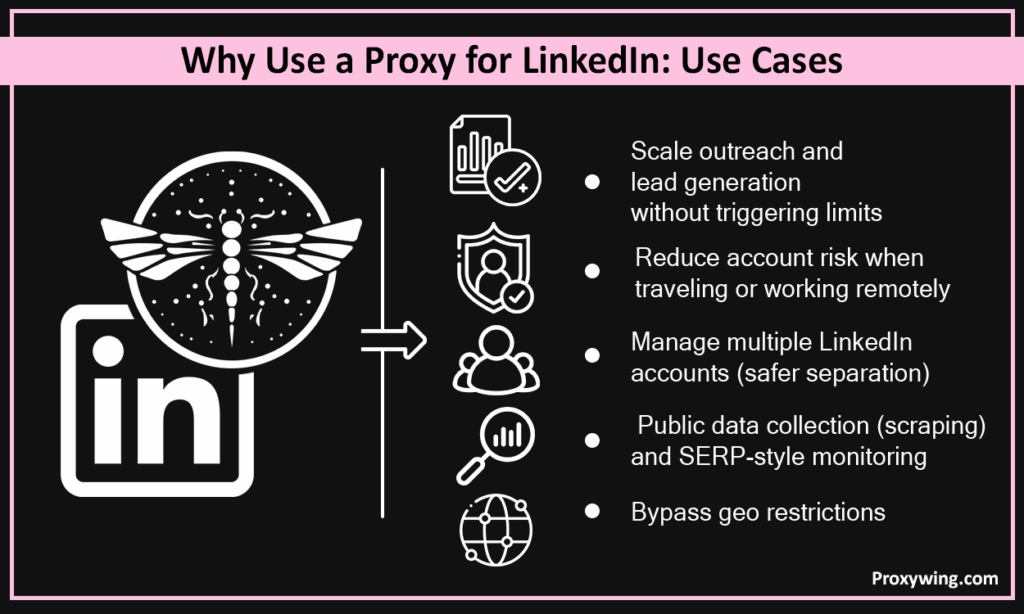
LinkedIn personalizes content based on your location. When you use LinkedIn proxy, it changes your IP address, which makes you appear as if you’re browsing from another country or city.
Using LinkedIn proxies allows you to:
LinkedIn keeps a strict check on login behavior. If you’re travelling and you log in from different locations, it can make your activity look suspicious. LinkedIn proxies maintain an IP and login location.
LinkedIn only allows one account per person. But businesses, such as agencies, sometimes need multiple profiles. To prevent your accounts from getting flagged, it’s important to use one IP for one account.
If you use the same IP for managing multiple accounts, the platform can link them together and implement restrictions or IP bans. It’s best to use a private proxy or a dedicated IP for each account.
LinkedIn is an important lead-generation platform. But it limits connection requests and the number of messages per day.
Proxies can be super useful here because they distribute activity across different IP addresses and reduce the chance of hitting IP-based limits. You should also use sticky sessions for consistency
Proxies are super helpful in collecting publicly available LinkedIn data, such as company information and job listings. You can also use them for:
Proxies help prevent IP blocks during repeated requests. And they also help you collect location-based data.
Before using LinkedIn proxies, it’s important to know the risks and the platform’s compliance rules.
Yes, the platform can detect proxies. It can not just detect them through your IP address, but it uses different ways. It looks at:
For example, IPs from cloud providers, such as Amazon Web Services or Google Cloud, are usually flagged as datacenter traffic. And even with a proxy, unnatural activity can trigger flags.
Here are common things that usually trigger blocks:
Scraping public data is usually safe, but scraping private or restricted data isn’t allowed. LinkedIn also doesn’t allow automation, bots, or scraping activity, and violations can lead to account restrictions and permanent bans.
If you collect user data, you should comply with local laws. Misusing personal data can cause legal trouble.
Below are the main proxy solutions and types:
These use real IP addresses assigned by real Internet Service Providers (ISPs) to actual homes and devices. When you use residential IPs, they make you appear as a genuine user browsing from home. This reduces the risk of detection.
Residential LinkedIn proxies are the most reliable option for multiple account management, outreach, or accessing localized content. But these solutions are a bit slower and more expensive because they rely on real devices.
ISP proxy servers are also called static residential proxies. They offer a mix of residential and datacenter IPs in terms of behavior and performance. They use IP addresses registered with ISPs, but are hosted on servers instead of real user devices.
This way, they look like residential IPs while offering the speed and stability of datacenter IPs. These LinkedIn proxies are best for long sessions and consistent sessions.
However, ISP proxies usually have a smaller pool of IPs, and they are more expensive than datacenter solutions.
These are hosted in cloud servers, and they are not tied to any real ISP or household. Because of this, they are detected more easily. The key benefits of datacenter LinkedIn proxies are that they are super fast and affordable.
You can use datacenter IPs for basic data collection or testing. They are not recommended for account logins or outreach.
Static proxies keep the same IP address for a long time, whereas rotating proxies change IPs at set intervals or after every request.
For LinkedIn, a static or sticky setup is a better option. They don’t switch locations constantly during a session, which makes them a good option to maintain consistency.
Rotating residential LinkedIn proxies, on the other hand, use multiple IPs. These LinkedIn proxies are useful for collecting information, but frequent IP changes can look suspicious if you don’t use them carefully.
This is the most important rule when you’re using multiple LinkedIn accounts. Never forget to assign a dedicated IP address and a separate browser profile for every account.
One thing many people don’t know is that the platform maintains a history of IP activity. So when two or more accounts share an IP, the platform can easily detect it.
LinkedIn doesn’t only check IPs, but it also looks at browser fingerprints and session patterns. If your IP keeps changing or you’re jumping between devices without any consistency, your activity gets flagged.
The best approach is to pick a proxy, use it for that account, and log in from the same browser profile every time.
LinkedIn keeps an eye on new accounts to confirm they are from genuine users and not fake or bots. A fresh account that starts sending lots of connection requests right from the start is suspicious because that’s what bots do.
Complete your profile and connect with a few real contacts. You can then gradually increase outreach activity.
You should avoid sending lots of connection requests at once to avoid getting flagged. It’s best to send 20-50 connection requests per day. You should also increase your message activity gradually.
It’s best to enable two-factor authentication and add a backup email to prevent lockouts and make your account more secure.
When you use LinkedIn with proxies, it’s important to select a reliable LinkedIn proxy provider that provides secure proxy solutions. A cheap or unreliable proxy can cause more problems than it solves.
Choosing the right LinkedIn proxy type for your needs is equally important. For LinkedIn-related tasks, residential or ISP proxies are better than free or shared datacenter proxies. They make your traffic look like it’s coming from a real person browsing at home, which unarguably reduces detection risk. These proxies are great for those who want to use more than one account without getting banned.
You can use rotating IPs if you want to scrape information.
You need certain details to use a proxy. You can get your username/password and proxy IP by signing up with the proxy provider.
How to set up a proxy depends on which browser you are using. For Chrome and Edge, the proxy settings from your operating system are used, but Firefox has its own proxy configuration. This means you have to configure the proxy manually and enter your LinkedIn proxy IP details.
An anti‑detect browser lets you assign the proxy directly to a browser profile.
For Windows, you can enable manual proxy setup through Settings (Network & Internet). You can then enter the LinkedIn proxy IP details and save the settings.
For Mac, first, go to Settings, click the Network tab, and select your connection. Then go to Details/Advanced and click on Proxies. Select the relevant LinkedIn proxy type, and enter your proxy details.
With this step, you can confirm that your real IP and network data are hidden. To check your IP, you can use a site like whatismyip.com and see if your visible IP matches the proxy IP. You can also use DNS leak test sites.
When using a proxy, you should also visit a WebRTC leak test site. If it shows your real IP or ISP address, your proxy isn’t protecting you for all traffic.
Once your LinkedIn proxy is configured, open the site in your browser and use it as you normally would, but monitor the first few sessions for security checkpoints.
When you’re using a CRM, you should have a separate proxy and IP for every account so that the platform sees a unique IP. Assigning a dedicated residential or ISP LinkedIn proxy server makes your traffic look genuine.
Using a shared IP for more than one account can quickly trigger security flags.
Tools that scrape public data should rotate IPs carefully and avoid login scraping.
Some automation and scraping tools use headless or anti‑detection browsers that automate web interactions without a traditional browser window. When you use proxies with such setups, you should focus on:
Here are the key LinkedIn proxy issues:
You can fix these by using residential/ISP proxies and keeping IP consistent.
Free proxies are usually not safe to use. They are mostly unstable, and many don’t even work properly. Another problem is that some proxy providers offering free proxies collect your information. These proxies are shared by thousands of users.
Using a LinkedIn proxy server can be helpful, but you should use it correctly. It’s best to use residential or ISP proxies and use one IP per account.
Article written by:

Full Stack AI Engineer
Full-stack engineer at Proxywing working across backend architecture, performance optimization, and AI-driven workflows. Node.js, React, cloud infrastructure, and RAG pipelines.
All articles by author (61)LinkedIn proxies hide your real IP address and replace it with another IP address. They send your traffic through a proxy server and hide your actual location. You can use proxy for LinkedIn to access region-specific content.
Residential IPs, mobile proxy servers (mobile IPs), and ISP proxies are the best options because they make your activity look genuine.
Yes. The platform always sees an IP, but if you use a proxy server, it sees the proxy IP instead of your real one.
Proxies are safer than VPNs as they are more difficult to detect.

