




Proxy Authentication Methods Explained: Username/Password vs IP Whitelisting
06.10.2026 10 min
An IP address is the identifier that internet services and other connected systems use to communicate with each other. IPv6 and IPv4 are the two primary standards available today. The creation of IP version 6 was mainly intended to address the shortcomings of IP version 4. IPv4’s limitation was primarily its limited number of addresses, which could not accommodate the ever increasing number of internet devices.
But how does the IP address version affect gaming? In this IPv6 vs IPv4 gaming guide, we will compare these two standards to help you choose the one that meets your needs. So, without wasting any more of your time, let’s get started with the comparison.
Both IPv4 and IPv6 have pros and cons that you need to know before making the choice. Overall, IP version 6 is technically superior, but this doesn’t necessarily mean it results in better gaming performance at all costs. Improving performance requires making several other right choices besides network protocol.
The primary benefit of IP version 6 is the elimination of NAT (Network Address Translation), which often resolves “Strict NAT” issues that prevent you from joining lobbies or voice chats. However, many ISPs still optimize their infrastructure for IP version 4 since that is what the majority of networks and devices support. So, overall, you might not see massive speed variation between the two protocols.
For a better experience in 2026, you should keep both enabled (Dual-Stack). This approach allows your system to use IP version 6 when available while maintaining compatibility with older IP version 4-only games. The good news is that most of the modern devices handle this for you in the background by default. But you can also choose to use only one standard if you have a specific use case that benefits from it.
| Criteria | IPv4 | IPv6 |
| Compatibility | Universal. Works with all legacy games, routers, and ISPs. | May require modern hardware, but depends on “native” ISP support. |
| NAT Type | Dependent on NAT. Often results in “Strict” or “Moderate” types. | NAT-free. Typically provides “Open” NAT status automatically. |
| Ping (Latency) | Standard. Can be affected by “hops” and router processing of headers. | Potentially lower. Simplified headers reduce router overhead. |
| Jitter & Stability | Generally stable, but prone to bufferbloat in congested networks. | Superior. Cleaner routing paths, provided the ISP deployment is native. |
| Matchmaking / Voice | Can be problematic due to “Strict NAT” often blocking lobbies and chats. | Seamless. Allows for direct connections, fixing most party issues. |
| Port Forwarding | Often required manually to bypass NAT and host matches. | Unnecessary. Devices have unique IDs, removing the need for UPnP. |
| Security Basics | Hidden behind NAT/Firewall (Security through obscurity). | Direct visibility; relies heavily on the router’s IPv6 Firewall. |
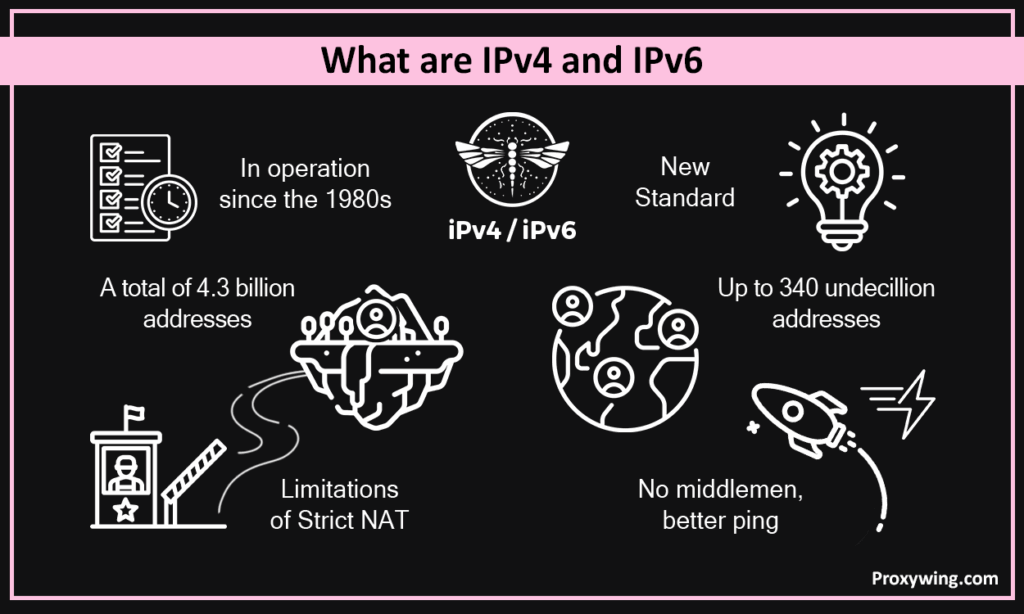
These protocols are the language your device uses to communicate with other devices on the internet, including gaming servers. Let’s explore some of the reasons why the IP version could affect your gaming experience.
IPv4 has been the standard since the 80s, and it has truly been reliable for more than five decades. However, its main limitation is that it only offers a maximum of 4.3 billion addresses. Because of this limitation, ISPs use NAT or CGNAT to share one address among many users. This is the root cause of Strict NAT and the reason you often have to manually open ports to play with friends.
As earlier stated, the main reason behind the creation of IP version 6 was to resolve the IP address limitation of IP version 4. IP version 6 offers a virtually infinite number of addresses (340 undecillion). This allows every device in your network, including your PC, Xbox, or phone to have its own unique, public ID. With devices having a unique public IP address, the “middleman” (NAT) layer is removed, which drastically simplifies how multiplayer packets reach your device.
This section explores some of the main variations that will actually affect your gaming experience based on the IP version you choose to use.
NAT acts like a gatekeeper to determine internet traffic that can connect to your gaming device. If you have a “Strict” NAT on IP version 4, you can only play with “Open” NAT players. However, with IP version 6, the whole NAT layer is entirely bypassed. IP version 6 gives you an open NAT status, allowing you to connect to anyone and host matches without major technical hurdles.
For online games with dedicated servers (such as Valorant or Apex Legends), the protocol matters less because both devices connecting with each other are attached to a central hub. However, for P2P (peer to peer) games, IP version 6 is a game-changer since it allows two players’ consoles to talk directly to each other without being blocked by the router’s firewall. So, in such a use case, IP version 6 significantly improves the experience.
Your experience on IPv4 vs IPv6 also depends on compatibility with your ISP, router, gaming device, and the specific game you intend to play. If your ISP or routers doesn’t support native IP version 6, you won’t see the benefits of using this newer protocol. The good news is that modern games support IP version 6, but they will fall back to IP version 4 if they detect any instability. But overall, IP version 4 offers better compatibility.
IPv6 enhances security, but it isn’t “automatically” safer as many might assume. While it has more advanced built-in encryption (IPsec), both protocols have several similar security features such as making your device directly visible on the web. You must ensure your router’s IP version 6 firewall is active to prevent unauthorized pings to your device.
The answer to this is yes and no since it depends on the specific situation. Let’s explain this:
IPv6 gaming traffic can sometimes move faster because it has a simplified header structure and your router also doesn’t have to translate the addresses. This means your router spends less CPU power on deciding where to send each packet. In some regions, IPv6 traffic also follows “cleaner,” less congested routes through the internet, which significantly leads to improved connectivity.
If your ISP’s IP version 6 deployment is half-baked or not there yet, they might route your IPv6 traffic through a distant “tunnel” or gateway, which can increase latency. If you are experiencing low latency when IP version 6 is on, your ISP’s routing is likely at fault. In such cases, using IPv4 is usually more ideal.
Yes, if it’s stable and your ISP has well-optimized infrastructure for it. If your connection is native (not tunneled) and your device supports it, keep it on. However, if you experience frequent disconnects or matchmaking errors when using IP version 6, disabling it and falling back to a pure IPv4/NAT setup is a reliable fix.
Like we shared earlier, modern systems usually do turn on IP version 6 automatically when conditions are ideal, so you may not have to do this manually on your device. It is important to note that if your router doesn’t support IPv6, your system will always default to IPv4.
Let’s explore how IP addressing is handled by the different gaming platforms:
Microsoft explicitly recommends using IPv6 to resolve NAT issues that are common with IP version 4. If your console says “IPv4 & IPv6” in network settings, you’re in the best position for stable multiplayer. By default, these consoles use the dual stack model, and will automatically switch between the two depending on the condition. We recommend maintaining these default settings.
The PS5 supports IPv6 for downloads and some game traffic. However, the console still requires a working IPv4 address for many core services. Sony also doesn’t give you the option to set your networking environment settings to IP version 6-only as this could easily make users lose access to the PS Store.
Like all modern Operating Systems, Windows handles Dual-Stack effectively and will always choose the more efficient protocol depending on the condition. Most Steam games will also prioritize the fastest path available. For PC gaming, the bottleneck to connection speeds is rarely the protocol. It is usually the many background apps that could be taking up your.
Choosing between IPv4 and IPv6 for gaming requires making a couple of considerations. Below is a simple checklist that you can use to decide whether to use IPv4 or IPv6:
As started earlier, most systems will switch between IPv4 and IP version 6 depending on the circumstances. So, keeping IP version 6 on is always a good idea since the system will automatically fall back to IPv4 if it detects any downsides to using the newer IPv6 protocol. If you have specific use cases for IPv4, you can then turn off IPv6.
Regardless of whether you are using IPv4 or IPv6, these are some of the tips you can use to get faster connections and more stable internet connections when gaming.
A cable is always a better option than Wi-Fi since they maintain relatively low latency. You will also often get slightly higher bandwidth when using a cable over WiFi
Enable Smart Queue Management (SQM) to prioritize gaming packets over any other online activity like streaming Netflix or watching online videos. This setting tells your router to always prioritize gaming packets over the rest of the traffic, which can significantly improve the experience, especially when using the network with other users and multiple devices.
If you’re gaming on a PC, ensure to close other redundant activities like cloud backups while gaming.
Use optimizing tools like NoPing only if your ISP’s default routing to a specific game server is demonstrably bad. This can improve speeds.
macOS and Windows both have the “game mode” feature. When turned on, your systems will prioritize your hardware resources to gaming over the other tasks on your machine.
Another method for boosting online gaming experience by using a VPN. A VPN can help if your ISP is “throttling” gaming traffic or using a bad route. However, VPNs usually increase ping since they add an extra route along the way. So, they are only viable tools when you detect that your ISP is throttling packets (when processing traffic) going to gaming sites or using bad routes.
Proxies can also boost performance if your ISP is throttling your gaming traffic. If you choose to use proxies, it is always best to use reputable providers to avoid account flags. For high-performance needs like region checks or dedicated endpoints, consider the gaming proxies offered by ProxyWing. ProxyWing has datacenters and a strong network of internet protocols in 190+ countries, providing better online gaming experiences.
IP version 6 is the newer network protocol, but it will not magically improve your gaming experience if other factors, like your ISP’s bandwidth allocation and router configurations, are not addressed. As covered through this IPv6 vs IPv4 gaming guide, the main benefit of IP version 6 is that it removes the NAT layer, which can reduce latency.
For a great gaming experience, we recommend prioritizing a wired connection, enabling SQM on your router, and limiting background activities on your gaming device.
Article written by:

Full Stack AI Engineer
Full-stack engineer at Proxywing working across backend architecture, performance optimization, and AI-driven workflows. Node.js, React, cloud infrastructure, and RAG pipelines.
All articles by author (61)Turning off IPv6 is not necessary. Your system automatically uses both protocols (IP version 4 and 6). You should only consider turning off IP version 6, if you have measurable lag or matchmaking bugs.
Usually, yes, because it removes the need for NAT entirely, reducing latency hence a smooth overall gaming experience.
Key factors causing this include, a long physical distance to the server and unreliable or slow network connection
Improving security is one benefit of using IP version 6. This protocol also includes built-in support for IPsec and an almost infinite address space that eliminates the need for NAT and makes network scanning significantly harder, which may lead to better security.

