




Proxy Authentication Methods Explained: Username/Password vs IP Whitelisting
06.10.2026 10 min
With over 2.1 billion daily active users, Facebook remains the most popular social media platform even in 2026. This is why many businesses and researchers view it as a crucial source of data, which is often collected through web scraping. Web scraping helps businesses collect this data at scale. Businesses can also scrape Facebook ads to optimize theirs.
Large scale collection of Facebook data, such as posts, pages, groups, and ads, must be done carefully to avoid connection blocks or incurring unnecessary costs. In today’s post, we discuss how to scrape Facebook effectively and securely. Whether you need to scrape Facebook groups, and pages or scrape individual profiles, this guide is for you. So, without wasting any more of your time, let’s get into the discussion.
Facebook scraping is the automated collection of publicly available data from Facebook, such as posts, pages, groups, events, and Marketplace listings. Instead of copying information by hand, a script loads the page, reads the fields you care about, and saves them in a structured format like JSON or CSV.
Businesses use Facebook web scraping for market research, sentiment analysis, competitor monitoring, and lead generation. The key rule throughout this guide stays the same: stick to public data, and treat private profiles and members-only groups as off-limits.
There are four practical ways to get Facebook data, and they differ in how much they cover, how often they break, and how much setup they need. Pick one before you write a line of code.
| Method | Login needed | Coverage | Breaks often? | Best for |
|---|---|---|---|---|
| Meta Graph API | App review | Only pages you own or have permissions for | No | Owned assets and approved apps |
| Open-source libraries | Optional cookies | Posts and pages | Yes, layout changes break them | Quick tests and small runs |
| Browser automation (Playwright) | Optional | All public surfaces | Sometimes, if you use CSS classes | Custom fields and full control |
| Managed scraper API | No | All public surfaces | No, the vendor maintains it | Large runs without infrastructure |
A few things worth knowing before you commit:
Whichever method you pick, the network layer stays the same. Facebook scores IP reputation before it scores anything else, so datacenter IPs get flagged quickly regardless of how good your code is.
Short answer: collecting publicly available data is generally legal in the US, but it is not the same thing as being allowed by Meta. Those are two separate questions, and you need to answer both before you start.
What the courts have said. In hiQ Labs v. LinkedIn (2022), the Ninth Circuit held that scraping publicly available data does not violate the Computer Fraud and Abuse Act. That ruling is about criminal liability under the CFAA. It does not make you immune to a civil claim.
What Meta’s terms say. Meta’s Platform Terms and its Automated Data Collection Terms prohibit automated collection without written permission, whether the data is public or not. Breaking terms is a contract matter, not a criminal one, but Meta does enforce it, mostly through rate limits, IP blocks, and account restrictions, and occasionally through lawsuits.
Where personal data changes everything. If your dataset contains information about identifiable people, GDPR applies in the EU and CCPA/CPRA applies in California, no matter how public the source was. That means a lawful basis, a retention limit, and a way for people to opt out.
Here is how we would frame the practical rules:
We are not lawyers and this is not legal advice. If your project involves EU residents, resale of data, or anything at scale, talk to one before you run it.
Before you start web scraping Facebook, there are some of the key components that you need to have in place. This section will explore these components for web scraping Facebook in detail:
The data you scrape from Facebook should be publicly available data. Such data includes all available information that any guest user can see without logged in accounts such as public Facebook posts and insights, business page details, and public event info. The data you should avoid to scrape includes private Facebook user profiles, “friends-only” posts, and private Facebook groups information such as group names and other details.
While web scraping, each Facebook section will require a different strategy. Here is what we mean:
So, depending on any of the sections you intend to scrape, you need to pick one target per web scraping script. This is because the HTML structure and pagination methods vary significantly between these sections, so using the same scraping script will be less effective.
Finally, you also need to ensure you have a stable network for effective web scraping. To ensure connection stability, you need to use stable IPs to prevent “session flapping” where Facebook logs you out.
You also need to use proxies and implement “human-like” delays (randomized 2–10 second pauses) between actions to avoid triggering Facebook’s anti-scraping systems. ProxyWing’s proxies for Web Scraping provide the rotating residential IPs needed to maintain high success rates without triggering blocks.
If you have used Facebook, you should already know that viewing most Facebook posts will require logging in. To access more Facebook data when web scraping, you need to login first using valid user names. However, logging in increases the complexity of session management since you must handle cookies and session persistence to avoid having to log in manually for every run, which is a major red flag for bot detection. We will discuss more about this in the next sections.
Facebook uses some of the world’s most advanced anti-bot systems to block any automation activities from being implemented on their platform. Sending multiple scrape requests from one IP in a short window when web scraping can often trigger Facebook’s anti-bot systems.
Facebook’s systems also check for patterns such as whether the browser identifies itself as automated and moving between Facebook pages too fast or clicking elements with mathematical precision. Overall, adhering to slow, steady, and targeted web scraping is the most effective way to avoid triggering their anti-bot systems as you scrape data on Facebook.
Facebook rarely uses traditional “Next Page” buttons like we see on most traditional websites. Instead, Facebook data loads as you scroll down the posts feed. It also often uses obfuscated or randomized CSS classes, making it necessary to select elements based on text content or relative positioning rather than static ID names. Your web scraping tools need to be capable of handling these data patterns.
A Facebook posts scraper is a specialized automation tool designed to navigate public profiles, pages, or groups on Facebook to scrape data posted on these sections. Unlike a general web crawler, a scraper is tuned to identify the boundaries of a post and capture all nested data within that specific block.
Some of the common Facebook data that can be collected includes:
Some of the common reasons from web scraping Facebook include market research, sentiment analysis, trend monitoring, content audits and competitor observation.
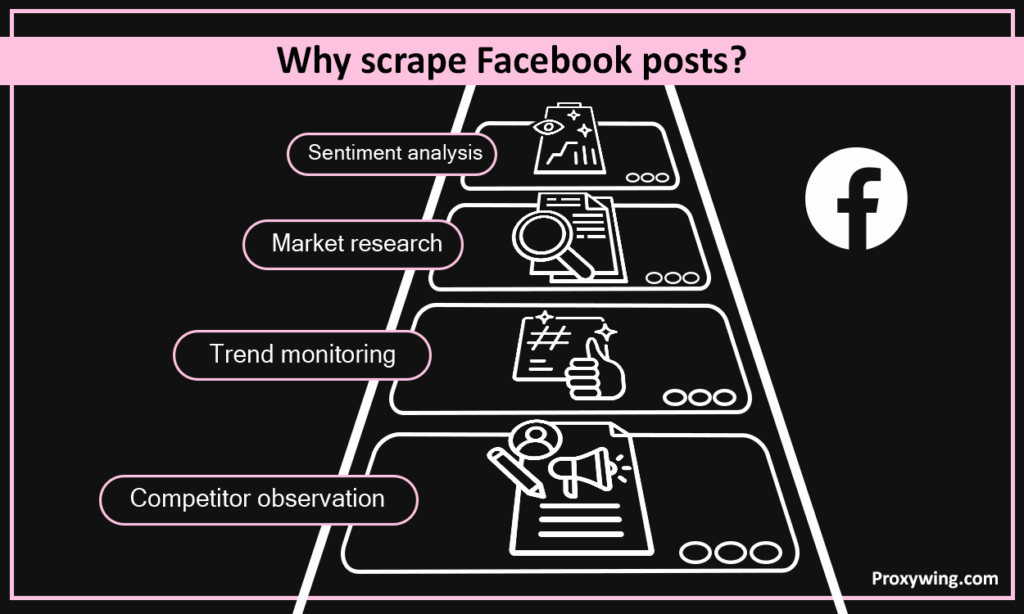
By scraping data from thousands of Facebook posts, researchers can identify shifts in public opinion or consumer pain points that aren’t visible through traditional surveys. Also, many people share a lot of random thoughts on Facebook that target surveys may not be able to effectively capture.
The short answer is yes, and the difference determines your success rate. We discuss these differences using three key parameters; visibility, consistency, and structure:
Groups are one of the richest sources of data on Facebook, but they’re also where access matters most. Before you scrape Facebook groups, check whether the group is public or private.
When you scrape Facebook group posts, the fields are close to what you’d pull from a page: post content, author, timestamp, and engagement counts. The main difference is volume. Active groups can post hundreds of times a day, so set a clear cap and a date range before you start, or your run will never finish.
Group feeds use the same infinite scroll as the rest of Facebook, so the navigation plan from the Playwright section applies here too. Keep your delays human-like and rotate IPs with residential proxies to scrape groups at scale without getting flagged.
The workflow is close to the posts scraper, with three group-specific adjustments.
https://www.facebook.com/groups/{slug}, and the post cards use the same div[role='article'] container as page posts, so the same selector works.What about private groups? Content in a private group is visible only to members, which means scraping it requires a logged-in session and, in most cases, a group you joined under false pretences. That is where the legal and account risk stops being theoretical, and it is why we do not cover it. If you need data from a private community, ask the admins. Plenty of them will export it for you if the purpose is reasonable.
In this section, we will discuss the system workflow that you can use to scrape data from on Facebook posts. This includes individual, Facebook page, and group posts
Some of the common inputs for a professional-grade scraper include:
A “good” output is structured and clean, making it easier for both humans and automated tools to read. Typically, you’ll see a JSON or CSV schema like this:
json
{
  "post_url": "https://www.facebook.com/page-name/posts/123456789",
  "page_name": "Example Page",
  "author": "Example Page",
  "timestamp": "2026-02-07T19:00:00Z",
  "content": "We just launched our spring collection. Tap the link to shop.",
  "media": ["https://scontent.example/image1.jpg"],
  "reactions": { "like": 482, "love": 96, "wow": 12 },
  "comments_count": 57,
  "shares_count": 23
}
Notice that every field is flat and predictable. Keeping reactions in their own object (instead of one “likes” number) lets you track sentiment later without re-scraping. Always store the post_url and timestamp first, since these are what you’ll use to de-duplicate records across runs.
For Single Page Application (SPA) like Facebook, Playwright is one of the essential tools that will make your web scraping more effective. Simple HTTP requests (like curl) only see the initial loading screen. So, you will need to use Playwright to handle the following:
Here is how you need to execute your navigation plan when using Playwright:
Since Facebook doesn’t have “Next” buttons, you need to be able to deal with its infinite scroll. Use these steps
Don’t rely on randomized CSS classes (like .x1lliihq). Instead, use Data Test IDs (e.g., [data-testid=”post_message”]) or Role-based selectors (e.g., role=”article”) which are more stable across most Facebook updates.
Here is the smallest scraper that actually runs. It opens a public page, closes the sign-in overlay, scrolls until it has enough posts, and writes them to JSON. Everything else in this guide is a variation on this loop.
Install the dependencies first:
pip install playwright
playwright install chromium
Then the scraper itself:
import json, random, time
from playwright.sync_api import sync_playwright

PROXY = {
    "server": "http://gate.proxywing.com:8000",
    "username": "YOUR_USERNAME",
    "password": "YOUR_PASSWORD",
}

def scrape_page_posts(page_url, max_posts=50):
    posts, seen, stale = [], set(), 0

    with sync_playwright() as p:
        browser = p.chromium.launch(headless=True, proxy=PROXY)
        context = browser.new_context(
            locale="en-US",
            timezone_id="America/New_York",
            viewport={"width": 1366, "height": 900},
        )
        page = context.new_page()
        page.goto(page_url, wait_until="domcontentloaded", timeout=60000)

        # Facebook shows a promotional sign-in overlay to logged-out visitors
        close_button = page.locator("div[aria-label='Close']").first
        if close_button.count():
            close_button.click()

        page.wait_for_selector("div[role='article']", timeout=30000)

        while len(posts) < max_posts and stale < 3:
            cards = page.locator("div[role='article']")
            for i in range(cards.count()):
                text = cards.nth(i).inner_text()
                key = text[:200]
                if key in seen:
                    continue
                seen.add(key)
                posts.append({"content": text})
                if len(posts) >= max_posts:
                    break

            height_before = page.evaluate("document.body.scrollHeight")
            page.mouse.wheel(0, 4000)
            time.sleep(random.uniform(2, 6))
            if page.evaluate("document.body.scrollHeight") == height_before:
                stale += 1
            else:
                stale = 0

        browser.close()
    return posts

if __name__ == "__main__":
    data = scrape_page_posts("https://www.facebook.com/nasa", max_posts=30)
    with open("facebook_posts.json", "w", encoding="utf-8") as f:
        json.dump(data, f, ensure_ascii=False, indent=2)
    print(f"Saved {len(data)} posts")
Four details in this script matter more than the rest:
div[role='article'] instead of a CSS class. Role-based selectors survive Facebook’s redesigns. Class names like x1lliihq do not.stale counter. Facebook’s infinite scroll returns the same page height when you hit the end or when you get soft-blocked. Three identical heights in a row means stop, not retry harder.time.sleep(3) is a fingerprint in itself. Real users do not scroll on a metronome.launch(). Every request from the browser, including images and XHR calls, goes through the proxy. Setting it at the context level only is a common way to leak your real IP.Run this against a page you are allowed to collect from, keep max_posts low on the first run, and check the output before you scale anything.
Not everyone wants to write a scraper from scratch. Depending on your skills, budget, and how much data you need, there are three common ways to scrape Facebook. Here is how they compare.
This is the approach we covered above. You write the scraper yourself, usually in Python with Playwright handling the browser. It gives you full control over what you scrape and how, and it’s the cheapest option at small scale.
Browser extensions and point-and-click tools let you scrape a Facebook page or group without writing any code. You load the page, select the fields you want, and export to CSV.
A managed Facebook data scraper handles the browser, retries, and scaling for you. You send a target URL and get structured data back.
Whichever route you take, the network layer is what makes or breaks a run. Whether you build your own scraper or use a managed API, routing requests through ProxyWing’s rotating residential proxies is what keeps your success rate high and your IPs off Facebook’s radar.
Sometimes the fastest route is not a scraper. Meta publishes four data sources that need no proxies and no maintenance, and between them they cover more ground than most people expect.
Where these fall short is exactly where scraping earns its place: competitor pages you do not own, Marketplace inventory, event calendars across a city, and public group discussion. None of that is available through an official channel, which is why the rest of this guide exists.
Facebook marketplaces data is highly localized and grid-based, making it perfect for local businesses that need to do competitor price monitoring. This allows businesses to scrape very specific data. However, the approach for scraping marketplace data needs to be different from web scraping regular Facebook posts on profile and pages. Let’s explore more on this:
Your marketplace scraper collects these key details:
Filters such as distance, price, and category are often part of the URL query string. It is crucial to always capture the filter settings in your dataset so you know if a “low price” was due to a specific filter or a genuine market trend.
Marketplace works the same way events do: index first, then fetch details. The difference is that search results give you less than you expect.
https://www.facebook.com/marketplace/search/?query={term} returns the same results every run. The /marketplace homepage is personalised by location and browsing history, so two runs will not match.https://www.facebook.com/marketplace/item/{id}/ link.Is scraping Marketplace legal? The same rules from the legal section apply: the listings are public, so collection is generally lawful in the US, but seller names and profile links are personal data, and Meta’s terms still prohibit automated collection without permission. For price monitoring you almost never need the seller identity, so drop that field and most of the risk goes with it.
Events are scraped in two stages. First, you need to index the list of events available and then capture the details of each. Let’s now discuss in a little more detail how events on Facebook are scraped:
Facebook displays dates relatively in a format like this; ”This Saturday at 7 PM.” Your scraper needs to convert this date/time into the standard ISO 8601timestamps that look something like: 2026-02-07T19:00:00. Most databases read dates/time in this format. The web scraping script of the scraper that extracts data related to events needs to have code that converts the data/time into ISO 8601.
Most people want two things from a Facebook event scraper: a list of events that match a search, and the full details of each one. That’s why events are scraped in two passes.
If you only need upcoming events, capture the date on the listing card and skip anything in the past before you open the detail page. This alone can cut a large run in half.
Facebook exposes a public events search at https://www.facebook.com/events/search?q={query}, and it renders results without a login. That URL is your entry point for pass one:
from urllib.parse import quote

def event_search_url(query, city=None):
    term = f"{query} {city}" if city else query
    return f"https://www.facebook.com/events/search?q={quote(term)}"

# https://www.facebook.com/events/search?q=jazz%20Austin%2C%20TX
print(event_search_url("jazz", "Austin, TX"))
Feed that URL into the same Playwright loop from the posts section, collect every /events/{id}/ link you find, then run pass two over the collected IDs. Keep a set of IDs you have already seen: Facebook re-renders the same cards as you scroll, and without deduplication a 200-event calendar will look like 800 rows.
Beyond the basics we covered above, a complete event record usually includes:
Because event pages are public-facing, they’re one of the safer targets to scrape. Pair a Facebook events scraper with ProxyWing’s rotating residential proxies and a small delay between event pages, and you can index large calendars without tripping the anti-bot systems.
If you would rather not maintain your own code, there are ready-made options. They split into three groups, and the right one depends on how many events you need and how often.
| Option | Type | Best for | Trade-off |
|---|---|---|---|
| Browser extensions | No-code | One-off exports of a single calendar | Manual, breaks on long lists |
| Apify event actors | Hosted, pay per run | A few thousand events a month | Per-run pricing adds up |
| Bright Data event templates | Managed API | Large recurring pulls | Enterprise pricing and onboarding |
| Your own Playwright scraper | DIY | Custom fields, full control | You maintain it when Facebook changes |
A few things to check before you pay for anything:
Is there a free Facebook events scraper? Free tiers exist, and they are fine for a handful of events. They stop being fine the moment you need a whole city’s calendar, because free tiers run on shared IPs that Facebook has already seen thousands of times. If you are testing an idea, start free. If the data feeds anything real, budget for residential IPs from the start.
For a DIY setup, the two-pass approach above plus ProxyWing’s rotating residential proxies covers most event workloads at a fraction of the per-record cost of a managed API.
There are no hard limits to the number of Facebook posts you can scrape. However, you need to keep in mind that Facebook has very strict anti-scraping policies, so your scrapers should still maintain human-like traits as it collects data from posts. Here is what recommend:
Pro Tip: Before you start to scrape Facebook groups, pages, or profiles, we recommend that you always set an explicit cap (e.g. stop after 200 Facebook posts per run) to avoid triggering Facebook’s anti-scraping algorithms.
There are no fixed costs that every scraper will incur when scraping Facebook data. However, there are few cost drivers that you can use to estimate how much this could cost. Some of the key costs drivers include browser automation time, retries, Facebook data volume, and storage.
Below is an estimate of the costs based on the size of your workload:
These are “Level 2” web scraping search and comments since they involve nested loading. Here is how it is done:
Standardize your query URLs. This is because Facebook’s search results often change based on the logged-in user, so guest-access searching is more reproducible for research.
Comments load progressively. You must decide:
Scraping Facebook is generally not as complicated as many may assume if you have the right tools and know the procedure to use. Here is key steps for how to scrape facebook:
Article written by:

Full Stack AI Engineer
Full-stack engineer at Proxywing working across backend architecture, performance optimization, and AI-driven workflows. Node.js, React, cloud infrastructure, and RAG pipelines.
All articles by author (61)Connection blocks usually result from high request frequency or using a “blacklisted” IP addresses often sourced from datacenters proxies. Consider switching to residential proxies to achieve higher success rates for your scrapers.
Yes. Like most modern platforms, Facebook has dynamic contents. Without JS rendering, your scrapers will see a blank page or a login prompt.
Scraping publicly available Facebook data is generally legal in most countries, including the US. However, scraping private data or violating Terms of Service can lead to account bans or legal notices.
Yes, if you keep your behavior human-like. The most common reasons for a block are too many requests from one IP and missing browser rendering. Use rotating residential proxies, add randomized delays between actions, and cap each run, and your success rate stays high.
There’s no single best tool, it depends on scale. For small, custom jobs, a Python and Playwright scraper is the most flexible. For quick one-off exports, a no-code browser scraper is fine. For large volumes, a managed scraper API saves the most time.
Scrape events in two passes: first index the event listings to collect their URLs, then visit each one to capture the name, venue, start time, ticket link, and the “Interested” and “Going” counts. Convert the dates to ISO 8601 so they’re easy to store.
Yes. Marketplace listings are public and structured, which makes them well suited to scraping for price and competitor monitoring. Capture the filters in the URL along with each listing so you know whether a low price came from a filter or a real market shift.
Not always. Public pages, public groups, events, and Marketplace can usually be scraped as a guest. Logging in unlocks more data but adds session management and a higher detection risk, so only do it when guest access isn’t enough.
It depends on volume. For a single calendar, a browser extension is enough. For a few thousand events a month, a hosted actor on a platform like Apify is the fastest route. For anything recurring or large, a Playwright scraper of your own plus rotating residential proxies costs less per record and gives you every field, including RSVP counts that many tools skip.
Mostly, yes, if you stay within three limits: keep each IP under about 10 requests per minute, randomise your delays instead of using a fixed interval, and cap each run. Blocks are almost always caused by request rate or datacenter IPs, not by the scraping itself.

