




Proxy Authentication Methods Explained: Username/Password vs IP Whitelisting
06.10.2026 10 min
With close to 2 billion monthly active users, TikTok has easily become the go-to platform for both businesses and individuals to reach broad audiences. However, your experience on this social media site, including the content in your feed, is largely determined by your region. By using a proxy, you can switch to different IP addresses, allowing the algorithm to recommend content from other regions.
Using a TikTok proxy server has several other benefits, including greater anonymity, which enables the management of multiple accounts on one device. To help you effectively take advantage of these benefits, this guide discusses the setup and use of TikTok proxies on different devices. Without wasting any more of your time, let’s dive right in!
A TikTok proxy is an intermediary server that routes your connection through a different IP address before it reaches TikTok. Instead of the app seeing your real home or office IP, it sees the proxy’s address, which can sit in almost any country you choose.
That one change covers most of what people come here for. You can appear to browse from another region, run several accounts without TikTok linking them to a single device, and keep your real location private. The type of proxy you pick (mobile, residential, ISP, or datacenter) decides how trusted that IP looks to the platform, and we break those down further below.
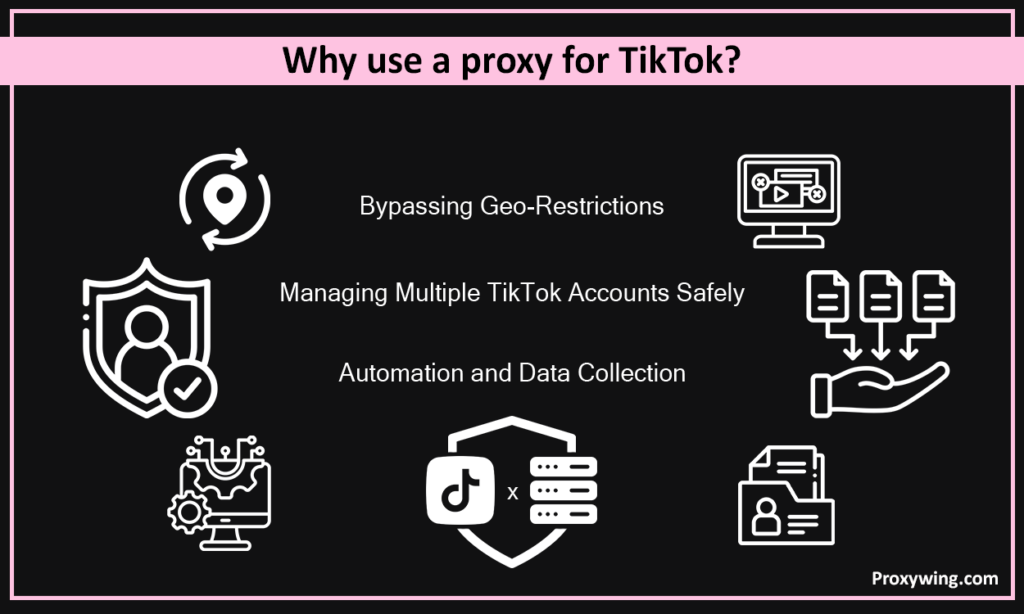
The platform’s security systems flag devices if it detects several accounts from a single network address. This can sometimes lead to “shadow bans” or total account suspension. By using TikTok proxy servers, you can assign a unique IP to each account to make it seem like traffic for each is coming from a different device. This reduces the risk of account linking, ensuring a seamless browsing experience.
TikTok’s “For You Page” is shaped almost entirely by where it thinks you are. A proxy lets you appear in a target market like the US or UK, so you can see local trends, sounds, and creators early. That is useful for social media managers planning region-specific content.
The same trick works in reverse. If you are on a school or office network that blocks the app, or you are travelling somewhere TikTok is restricted, routing through a proxy in a region where it works restores access. Choosing an IP in your home country also keeps your feed consistent while you are abroad, instead of flipping to local content you don’t follow. The key is matching the proxy location to the audience or feed you actually want.
If you are using bots to automate posting or scraping public data for market research, using proxies with dedicated network addresses is very important. Proxies allow you to scale these actions by spreading the traffic across multiple IP addresses. Using rotating proxies or using a different IP for each request mimics human behavior and lowers the risk of triggering anti-automation defenses.
If you need reliable proxies for managing multiple accounts or bypassing location restrictions, ProxyWing offers TikTok proxies with reliable pools of network addresses in 190+ countries running on some of the fastest datacenter and network infrastructure.
TikTok cross-references your network address against a database of Autonomous System Numbers (ASN). For instance, if your address belongs to a known datacenter, it is often flagged or restricted because legitimate users typically use network addresses assigned to them by their residential or mobile networks ISPs.
The platform’s systems also look at sudden geographic jumps such as logging in from New York and then London ten minutes later. Such cases trigger their security alerts and you may sometimes be required to perform an MFA task before proceeding to access your account. It also monitors for session stability, which is why maintaining the same IP for the duration of a session is important.
IP rotation can sometimes be necessary, but rotating your network address too rapidly can look automated. Effective proxy use involves mimicking natural patterns such as switching network addresses only between sessions or after long intervals. Your account could be restricted if the platform detects unrealistic changes in your network address, especially if they are based in different locations.
Here is how the main options compare at a glance before we go into detail:
| Proxy type | Best for | Detection risk on TikTok | Relative cost |
|---|---|---|---|
| Mobile (4G/5G) | Multiple accounts, posting, highest trust | Very low | Highest |
| Rotating residential | Bulk actions, bypassing regional filters | Low | Medium |
| ISP / static residential | Long-term, single-account management | Low | Medium |
| Datacenter | Budget scraping of public profiles | High | Lowest |
These are fast and inexpensive but usually carry the highest risk of detection. A datacenter proxy is best for basic web scraping of public profiles rather than managing sensitive accounts or posting content. If you’re on a budget, these are a great option to start with.
These are great middle ground—they provide the speed of a datacenter proxy with the reputation of a residential proxy. They are ideal for long-term account management because the network address remains the same.
These tap into a pool of millions of real home devices, making them the most reliable choice. They are harder to detect because they are indistinguishable from normal users. This makes residential proxies the perfect choice for bulk actions and bypassing strict regional filters.
As earlier stated, TikTok is a mobile-first app, which is why mobile IPs (4G/5G) are the most trusted by the platform. Mobile proxies also share IP addresses with thousands of real mobile users, making it nearly impossible for most mobile apps to ban them without affecting legitimate traffic.
If you have searched for a “free TikTok proxy” or an “online TikTok proxy,” you have probably seen web tools that promise instant access with no setup. They can load a TikTok page in a pinch, but they are a poor fit for anything beyond a quick look.
Free and public web proxies share one address across thousands of strangers, so those IPs are usually already flagged or blacklisted by TikTok. They rarely handle the app’s video traffic well, often inject ads, and many fund themselves by logging and selling your data. For watching a single clip from a blocked network they might do the job. For logging in, posting, or running more than one account, they will get you rate-limited or shadow-banned fast.
If you need TikTok to actually trust your connection, a paid mobile or residential proxy is the only reliable route. The short version: a clean, private IP is what keeps your account safe, which is why the proxy types above matter.
Let’s now explore the different method you can use to set up proxies on different platforms:
Search the Chrome Web Store for a reputable manager – ProxyWing Proxy Manager.
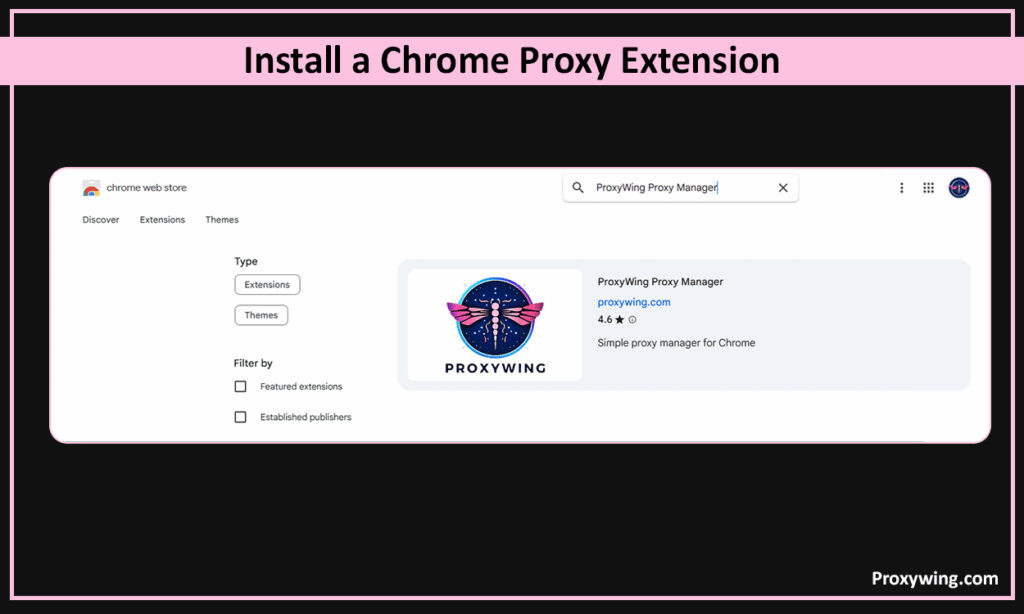
After choosing one, click “Add to Chrome.”
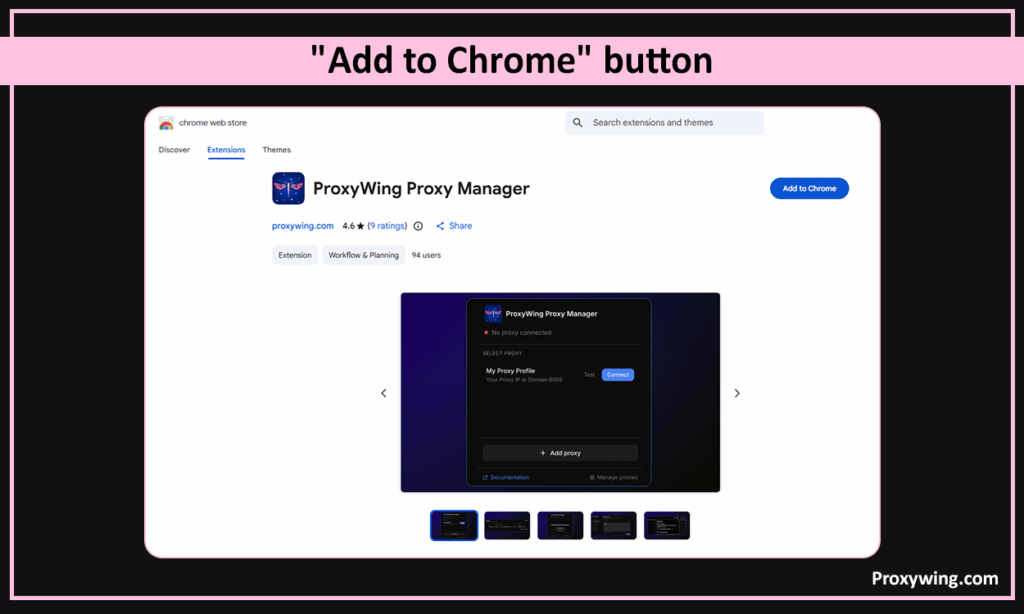
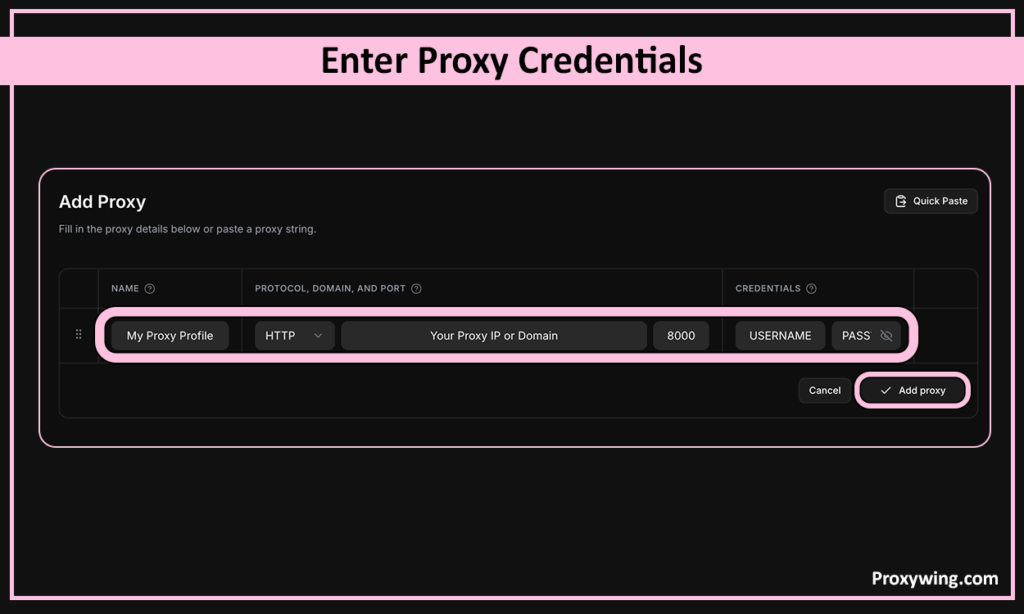
After the installation is complete, open the extension settings and create a new profile.
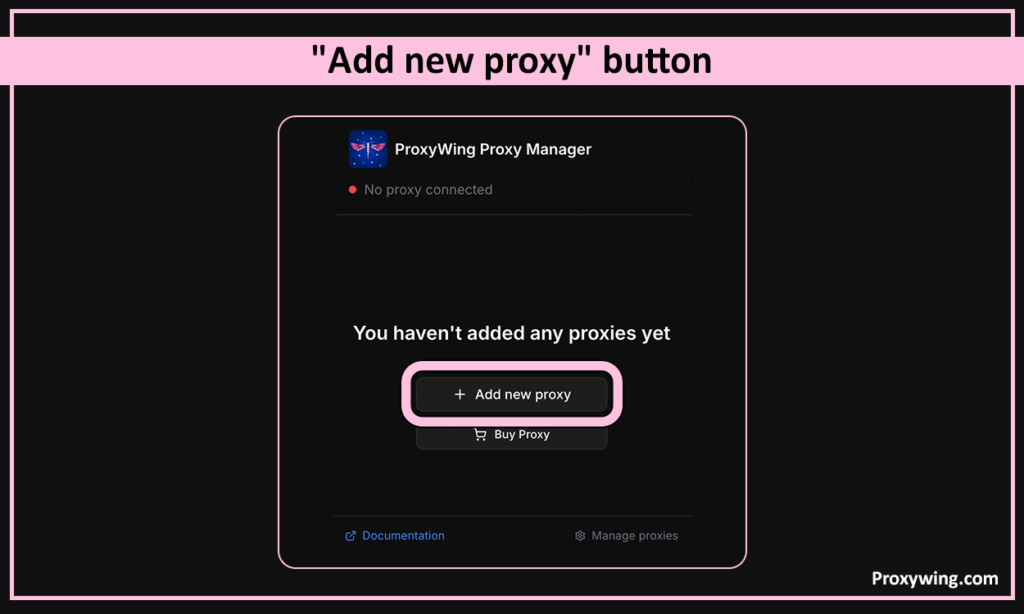
You should then input the proxy IP address and Port. You may also provide your Username and Password if they’re required. ProxyWing provides all these details after you have made your purchase.
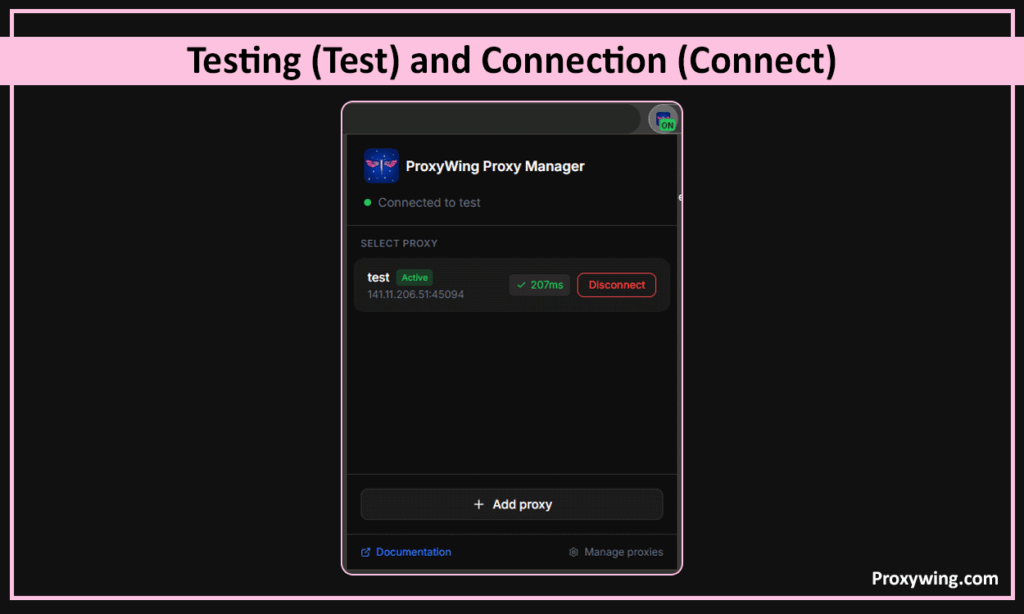
Click the extension icon in your browser toolbar, select your newly created profile, and ensure the location matches your target market. You also need to ensure that the network address you choose when pushing a proxy subscription is of the location you intend to target.
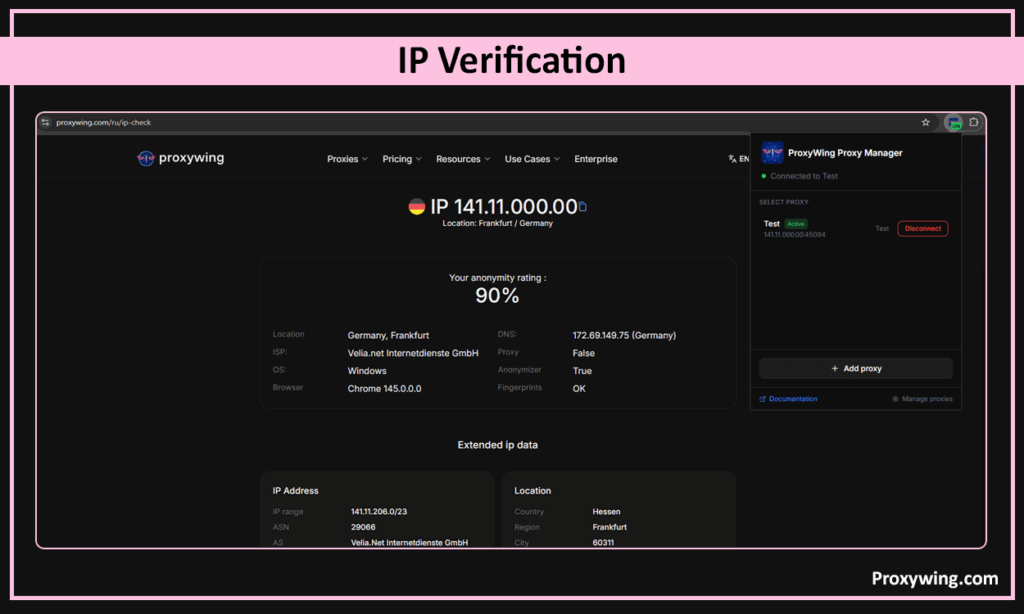
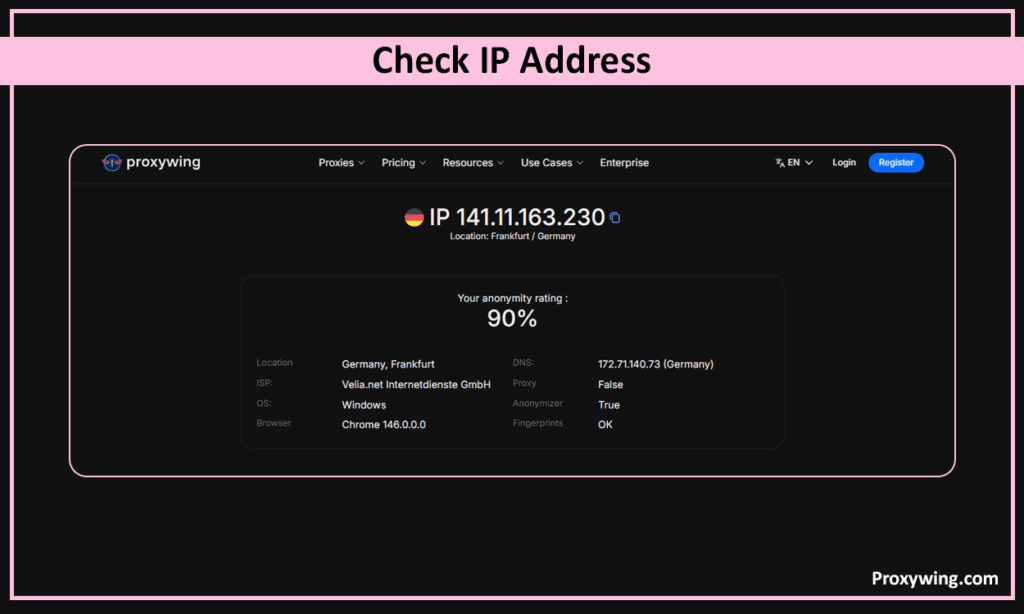
Before you start using TikTok, we recommend that you first visit platforms like IP Checker Proxyving to confirm your browser is showing the proxy network address.
Detailed documentation on the ProxyWing Proxy Manager extension.
On your Windows desktop, click the Start menu, select Settings, and go to Network & Internet. From the left-hand sidebar, select Proxy.
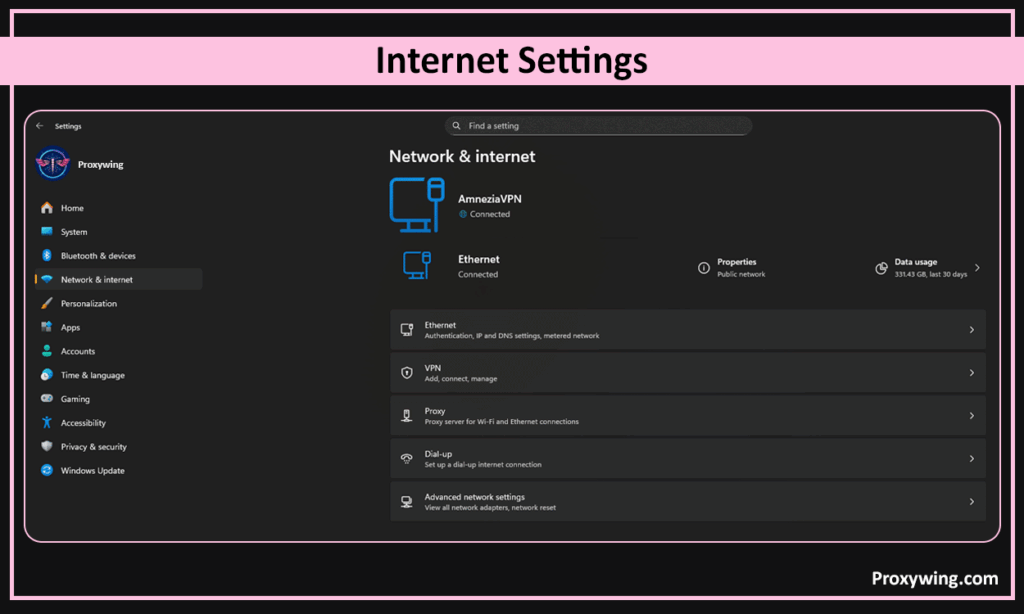
Scroll down to the Manual proxy setup section. Toggle the “Use a proxy server” switch to On. You should now enter the proxy details, including the Proxy network address and Port provided by ProxyWing.
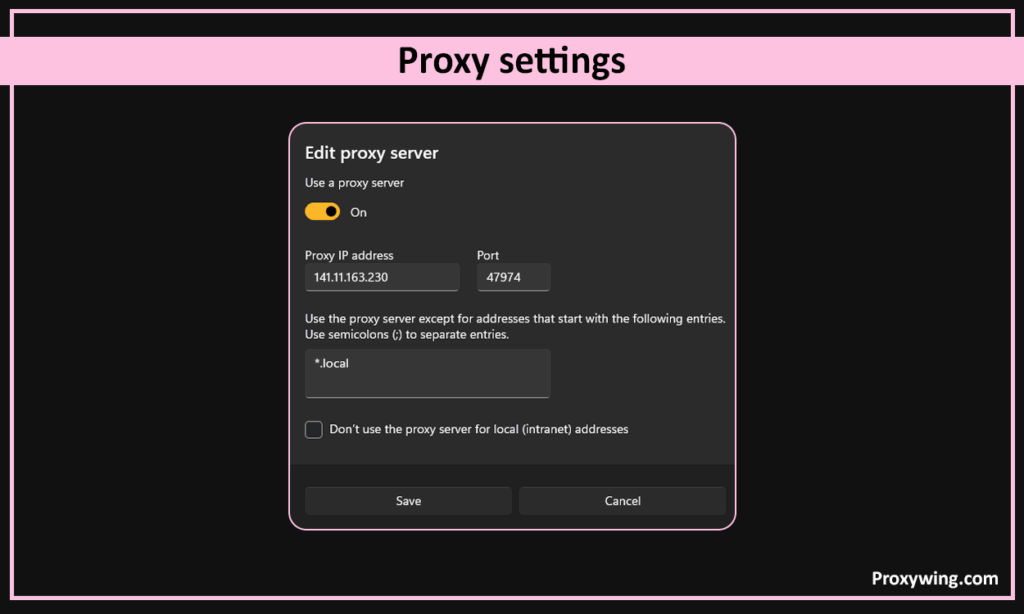
Remember to save the proxy settings in the previous step before closing the Settings app. To verify the connection, open your browser and visit whoer.net and ensure the network address shown is the same as the address you used in step 2.
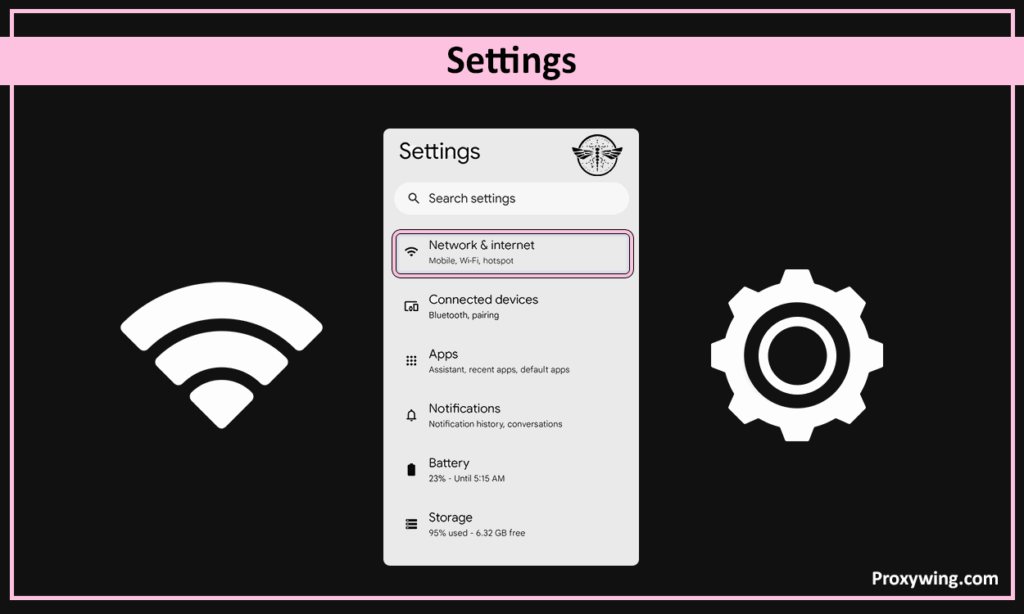
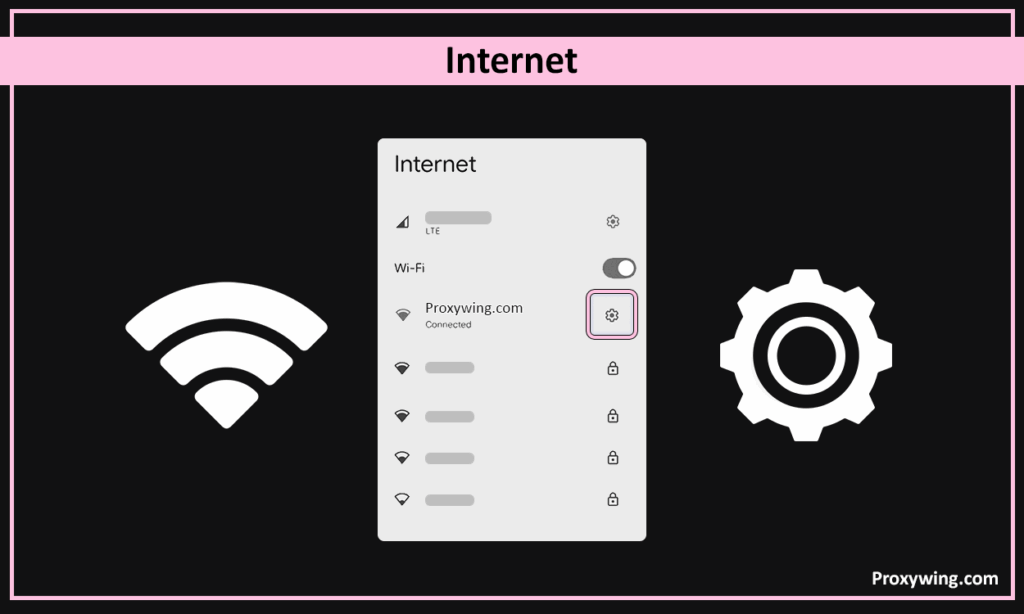
On your Android mobile devices, go to «Settings» > «Wi-Fi».
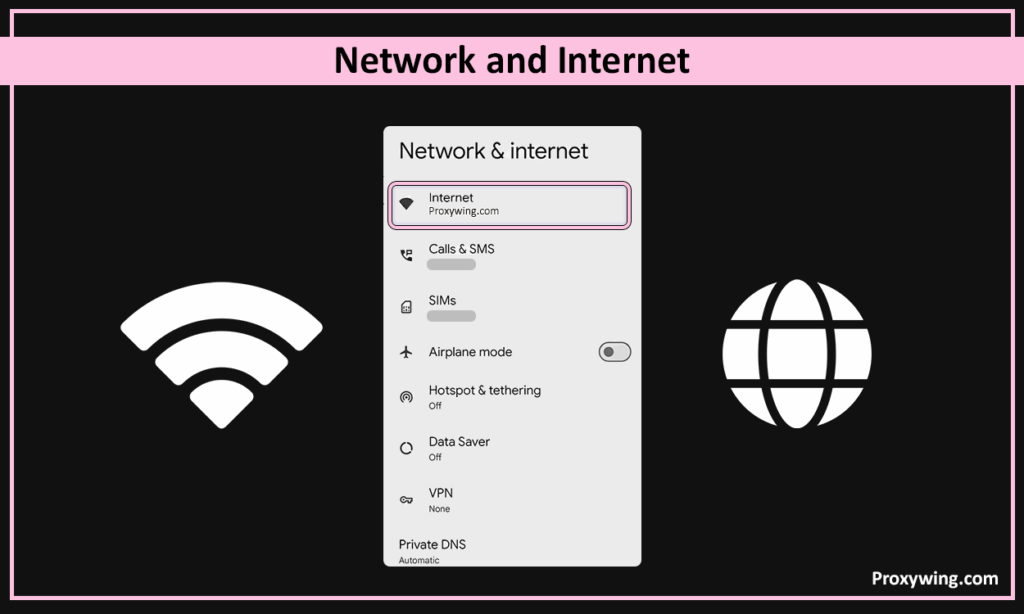
Go to the Wi-Fi section. Make sure you are connected to the network you want to configure.
Tap the gear icon or press and hold the name of the connected network, then select “Change Network” or “Network Info”.
Tap on Advanced Options and find the Proxy dropdown menu. Change it from “None” to “Manual.” You can now enter your Proxy Hostname and Proxy Port. Typing in the correct details is crucial to avoid errors down the road.
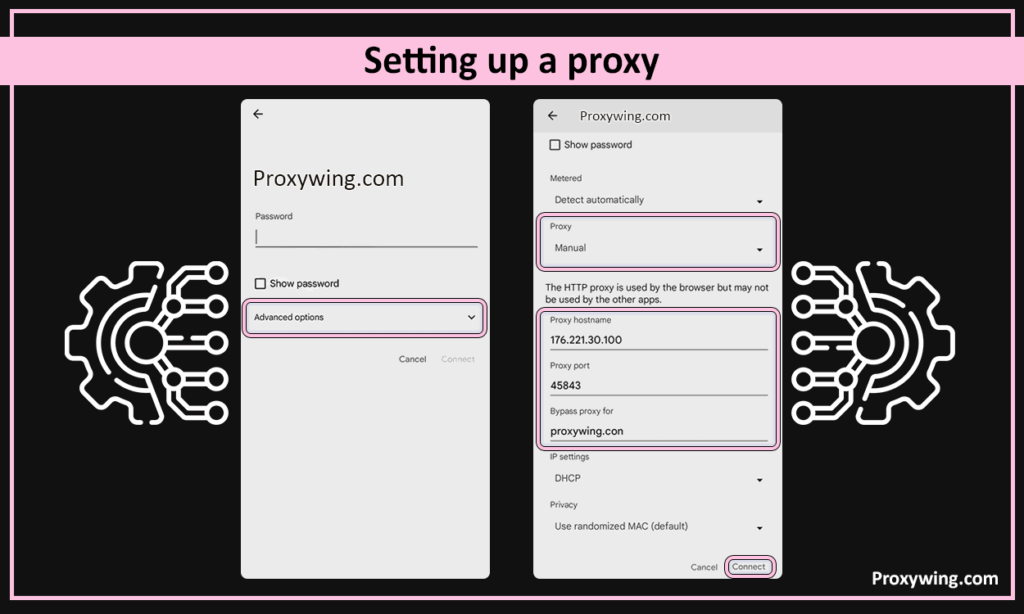
If your proxy for TikTok requires a username and password, you may be prompted to enter them when you first open a browser or the app. After saving your settings, remember to restart the app to refresh the feed.
iPhones let you route Wi-Fi traffic through a proxy straight from the system settings, so you don’t need a separate app to get started.
Go to «Settings» > «Wi-Fi» and make sure you are connected to the network you want to configure. Tap the blue «i» (info) icon next to that network’s name.
Scroll down to the «HTTP Proxy» section and tap «Configure Proxy». Switch it from «Off» to «Manual». Enter the Server (your proxy IP address) and Port provided by ProxyWing. If your proxy requires a username and password, turn on «Authentication» and type in your credentials.
Tap «Save» in the top-right corner, open Safari, and visit our IP Checker to confirm the address shown matches your proxy. Restart the TikTok app so it picks up the new connection before you log in.
Keep in mind that this only covers Wi-Fi. If you want the TikTok app to use a proxy over mobile data, a 4G/5G mobile proxy with a per-app routing tool is the cleaner option, which we cover next.
The Wi-Fi proxy settings on Android and iPhone catch most browser and app traffic, but the TikTok app sometimes ignores the system proxy or falls back to mobile data. If that happens, you have two reliable options.
On a phone, the cleanest fix is a mobile proxy paired with a per-app proxy (“proxifier”) tool that forces only the TikTok app through the proxy tunnel. On Windows, a SOCKS5 setup through a tool like Proxifier does the same job at the system level. It routes the app’s traffic through a static ISP or residential proxy instead of relying on the basic Windows proxy toggle, which some apps skip.
Whichever route you take, run an IP and DNS leak test afterwards to confirm the app is using the proxy address and not leaking your real one.
Before you log into your multiple accounts, you must ensure your proxy is “leak-proof.” First, we recommend using a network address checker to verify your geo-location. You should also check for DNS Leaks using tools like dnsleaktest.com. If your DNS shows your real ISP while your address shows the proxy, the platform may still detect your real location. Always ensure the proxy is active and stable before scaling your activity.
This section explores some of the common issues you may face when using proxy solutions to access TikTok videos and how you can resolve them:
This error usually happens when the platform identifies your network address as having a “poor reputation” or when too many accounts have logged in from that specific network address. To fix this, switch to premium residential or Mobile proxies. You should also clear your app or browser cache.
A shadow ban often happens if there is a mismatch between your network address and your SIM card’s region. It can also be caused by requests and unrealistic network address changes. Always ensure that your location matches the target audience you are trying to reach and keep the address consistent for that account throughout a given session.
Frequent captchas usually indicate that you are using low-quality Datacenter IPs. Such network addresses are not trusted, so TikTok may trigger constant verification to confirm that you’re indeed a human. If you’re experiencing performance bottlenecks and captchas, switching to Static Residential proxy typically resolves them.
Using proxies for TikTok is necessary when managing multiple accounts or if you need to bypass geo-restrictions. However, there are some situations when using a proxy is not necessary. For instance, if you’re managing a single account, there is no need to use proxies. Proxies will also not magically boost your engagement if you are not posting high quality content.
To return to your normal connections, simply reverse the setup steps:
If you take one recommendation from this guide, make it this: match the proxy type to how heavily you use TikTok.
ProxyWing’s TikTok proxies cover every one of these types across 190+ countries, including US IPs, so you can start small and scale without switching providers.
Article written by:

CEO
Founder of Proxywing. Drives growth across EU, US, and Asian markets, combining B2B strategy with a hands-on focus on product quality, 99% uptime, and responsive support.
All articles by author (64)Mobile Proxies (4G/5G) offer mobile IPs, making them the most trusted choice since TikTok is a mobile-first platform.
When it comes to mobile platforms, mobile proxies offer a better service. Mobile network addresses are shared by thousands of real users, making it much harder to block them without risking blocking legitimate traffic.
We don’t recommend using free proxies for two reasons. The network addresses of proxies are usually blacklisted and they also rely on selling user data to generate revenue, which is an online privacy nightmare.
It usually happens if the network address was blacklisted by the platform. This is often common with datacenter IPs that have a history of spam. They may also block your proxy if the device’s “fingerprint” (timezone, language, SIM info) doesn’t match the proxy address.
The rule of thumb is 1:1. Make sure each account is assigned a unique network address to prevent cross account linking that could lead to network blocks.
Yes. If TikTok is blocked on your school, office, or country’s network, connecting through a proxy located where the app works restores access. For logging in or posting, use a mobile or residential proxy rather than a free web proxy, which TikTok usually detects.
Mobile (4G/5G) proxies are still the top pick, because TikTok is a mobile-first app and trusts carrier IPs the most. ISP or static residential proxies are the best value for long-term single accounts.
They do, but the app sometimes ignores the basic Wi-Fi proxy setting. A mobile proxy paired with a per-app routing tool, or a SOCKS5 setup, forces the app’s traffic through the proxy reliably.
Yes. Pick a proxy IP in the country whose content or trends you want, and TikTok’s “For You” feed will start showing you that region’s videos.
Open Settings > Wi-Fi, tap the «i» next to your network, scroll to HTTP Proxy, set it to Manual, and enter your proxy IP, port, and credentials.

