



USAGE AND TOOLS
ProxyWing Proxy Manager
Integration Guide for Chrome Extension
Proxywing Proxy Manager is a free Chrome extension that allows you to set up and manage proxies from your browser.
This guide explains how to install the extension and configure a proxy, setting up a bypass list, and common errors and troubleshooting.
Setup
1. Download the extension from the Chrome Web Store, and click the extension icon to get started.
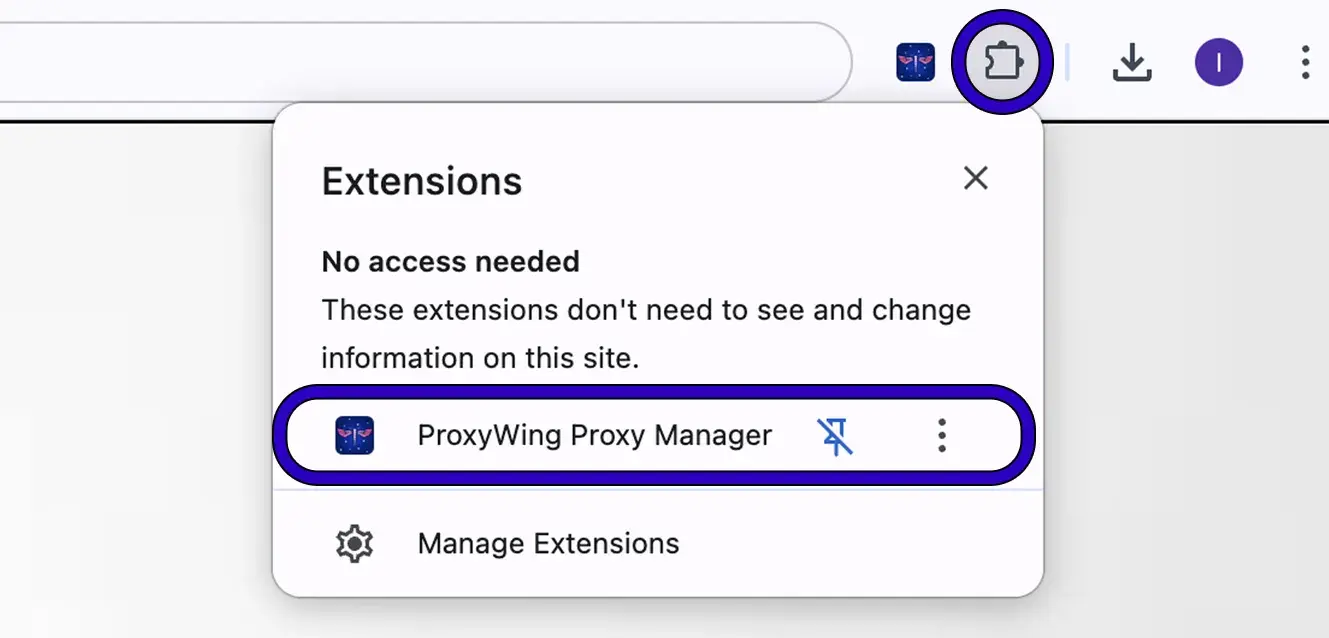
2. Click + Add New Proxy.
In the popup, click the + Add New Proxy button. A new configuration tab will open.
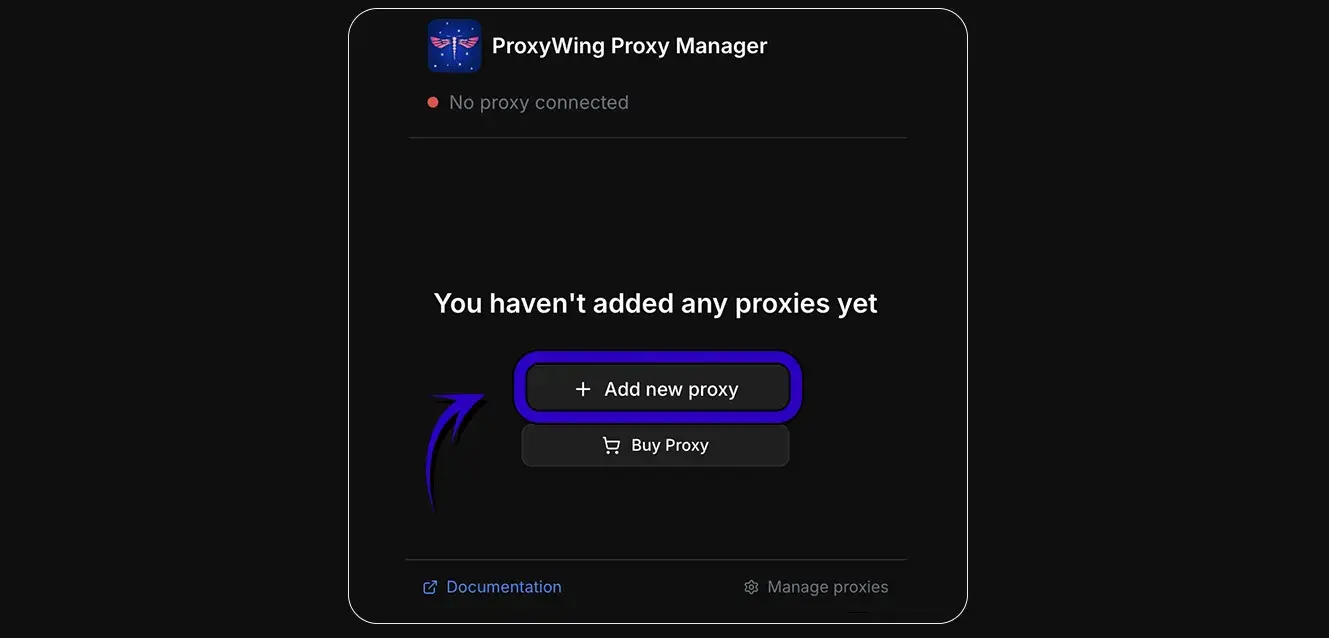
3. Fill in proxy details
Enter the following information in the proxy profile form:
| Field | Value | Description |
|---|---|---|
| Name | My Proxy Profile | A label to identify this profile |
| Protocol | HTTP or HTTPS | Choose the proxy protocol |
| Host | Your Proxy IP or Domain | Proxy server domain or IP |
| Port | 8000 | Proxy server port number |
| Username | Your Username | Proxy authentication username |
| Password | Your Password | Proxy authentication password |
Note: Only Mozilla Firefox browser supports SOCKS5 protocol. For Chrome, please use HTTP or HTTPS protocols.
4. Save the profile
Click Add Proxy. The new proxy profile will show up in the extension popup.
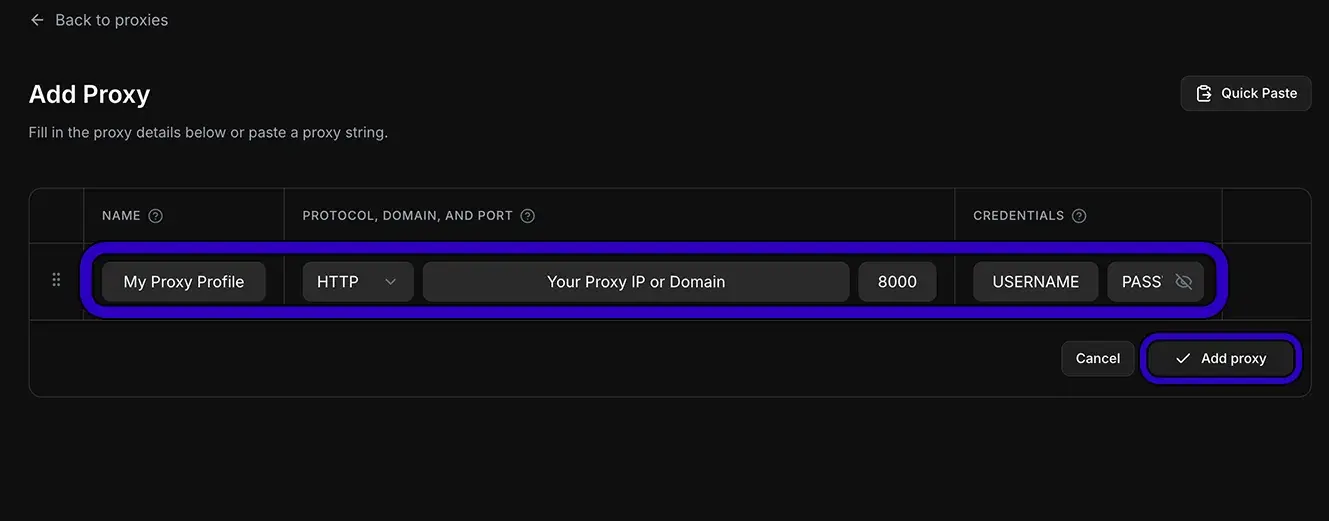
Make sure you use the exact credentials provided in your ProxyWing dashboard.
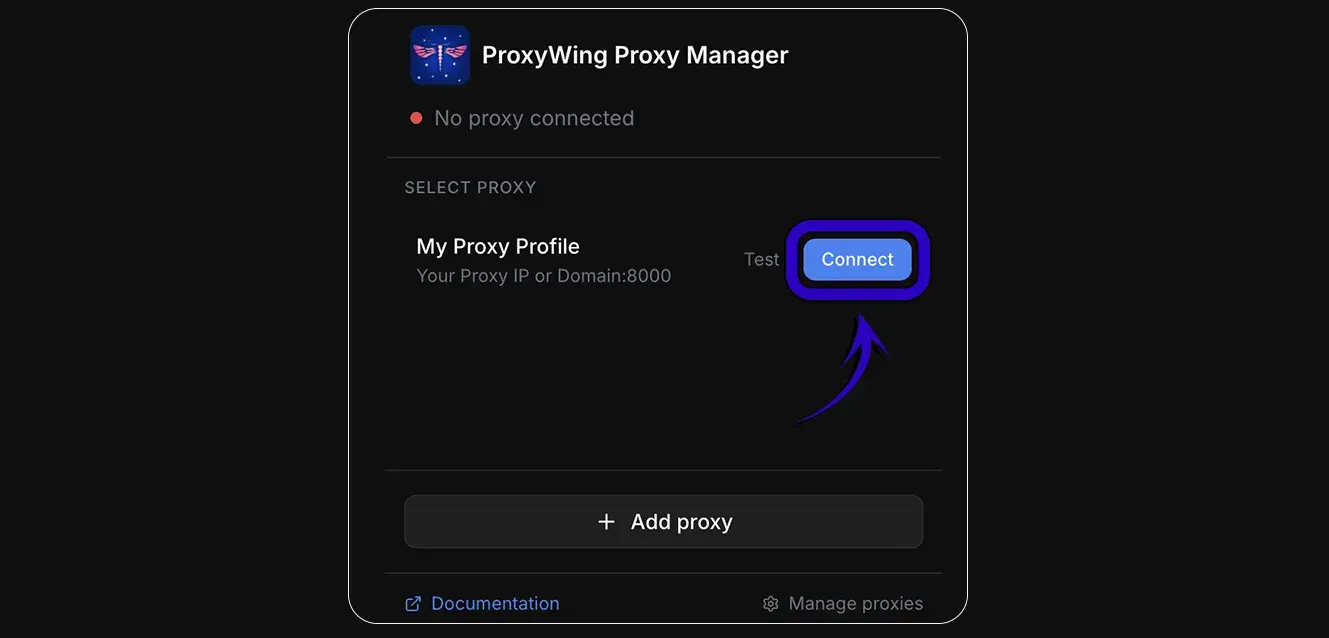
5. Open the extension and Click Connect.
Once connected, all browser traffic will be routed through the selected ProxyWing proxy.
Global Bypass List
The bypass list allows you to specify domains and URLs that should be accessed directly, bypassing the proxy. This is useful when you want to use the proxy for most traffic but need direct access for specific services.
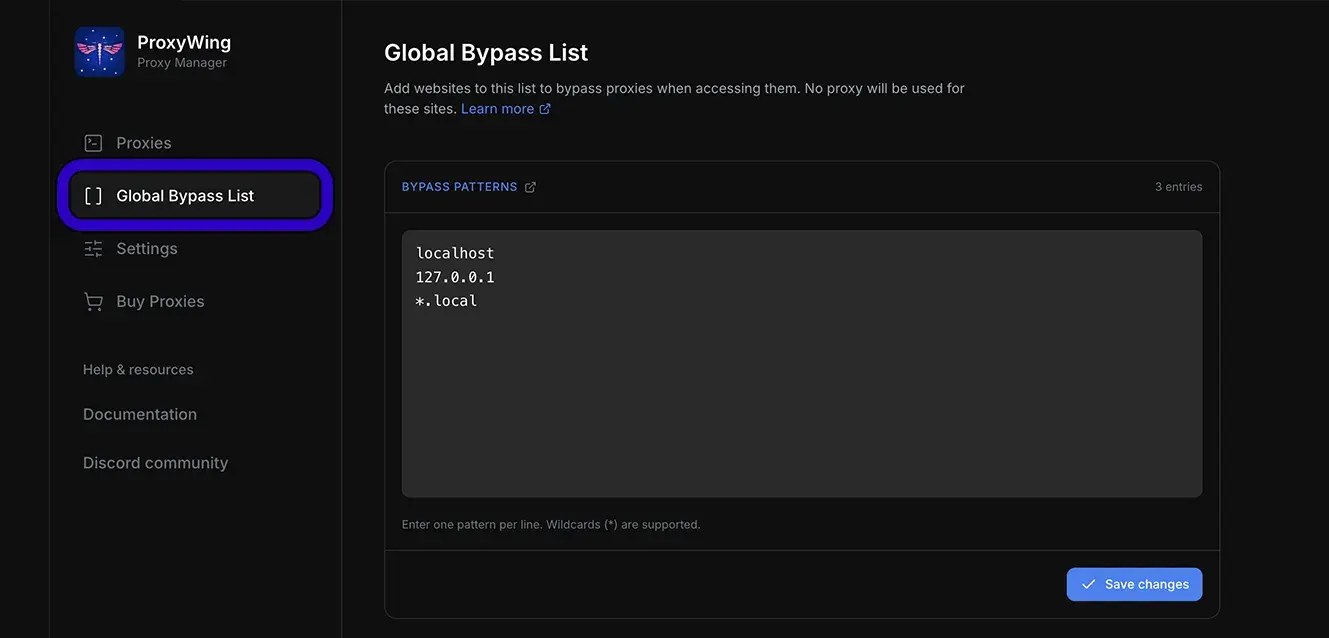
Basic Usage
For example, if you want to skip using proxies for https://example.com/, you should enter the address like this: https://example.com or example.com.
Once you visit this site, you should see your regular IP address instead of a proxy IP.
The bypass list supports wildcard patterns to block entire domains and all their subdomains. Understanding the difference is important here:
| Pattern | What It Does |
|---|---|
proxywing.com | Skips only the main domain proxywing.com, NOT subdomains like api.proxywing.com or dashboard.proxywing.com |
*.proxywing.com | Skips ALL subdomains like api.proxywing.com, dashboard.proxywing.com, auth.proxywing.com, etc. This is the recommended approach for blocking an entire website. |
Bypassing Third-Party APIs
Important: Many websites use external APIs and services hosted on different domains. To ensure proper functionality when bypassing a site, you may need to add these third-party domains as well.
For example:
If you're bypassing example.com, but it uses authentication from auth.example-cdn.com or payment processing from payments.stripe.com, you'll need to add these to your bypass list as well:
*.example.com
*.example-cdn.com
*.stripe.com
How to find third-party domains:
- Open your browser's Developer Tools (F12)
- Click on the Network tab
- Refresh the page while connected to the proxy
- Look for requests that are failing, or requests to third-party domains
Important: After saving, disconnect and reconnect the proxy to enable the bypass list.
Troubleshooting
If you run into any issues while using ProxyWing Proxy Manager, refer to the table below to identify and fix the most common problems.
| Error / Issue | Solution |
|---|---|
| Proxy not connecting | Click Disconnect then Connect again in the popup. If the issue persists, verify that your host, port, username, and password are correct. |
| Authentication failed | Double-check the username and password in your proxy profile. Some providers require a specific prefix (e.g., user-) as part of the username. |
| Invalid domain or port | Make sure the proxy host and port are entered exactly as provided by your proxy service. Do not include http:// in the host field. |
| Extension not responding | Try disabling and re-enabling the extension from chrome://extensions. If problems persist, uninstall and reinstall from the Chrome Web Store. |
| VPN conflict | If you have a VPN extension or application active, disable it while using ProxyWing. VPNs can conflict with browser proxy routing. |
| Bypass list not working | After editing the bypass list, you must disconnect and reconnect the proxy for changes to take effect. |
Updated recently