



Account settings are located in the user menu in the top right corner.
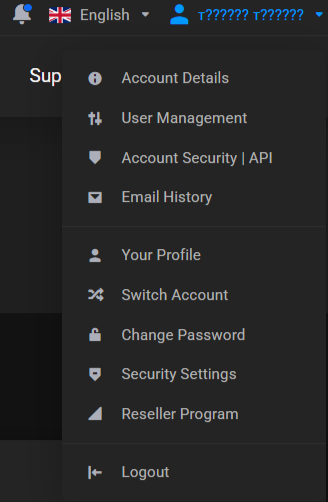
This section contains account details, user management, security settings, API keys, email history, and other account settings.
Account Details
On the page, you can change:
- First name.
- Last name.
- Email.
- Phone number.
- Billing address.
- Email notification settings.
In the mail settings, you can choose which categories of system messages should be sent to your email.
Change Password
To change the password, open Change Password.
Specify:
- Current password.
- New password.
- New password confirmation.
If necessary, you can use the built-in password generation button.
Security Settings
The security settings include:
- Linked Accounts.
- Two-Factor Authentication.
For additional account protection, you can enable two-factor authentication.
Account Security | API
The Account Security | API page is used to manage API keys.
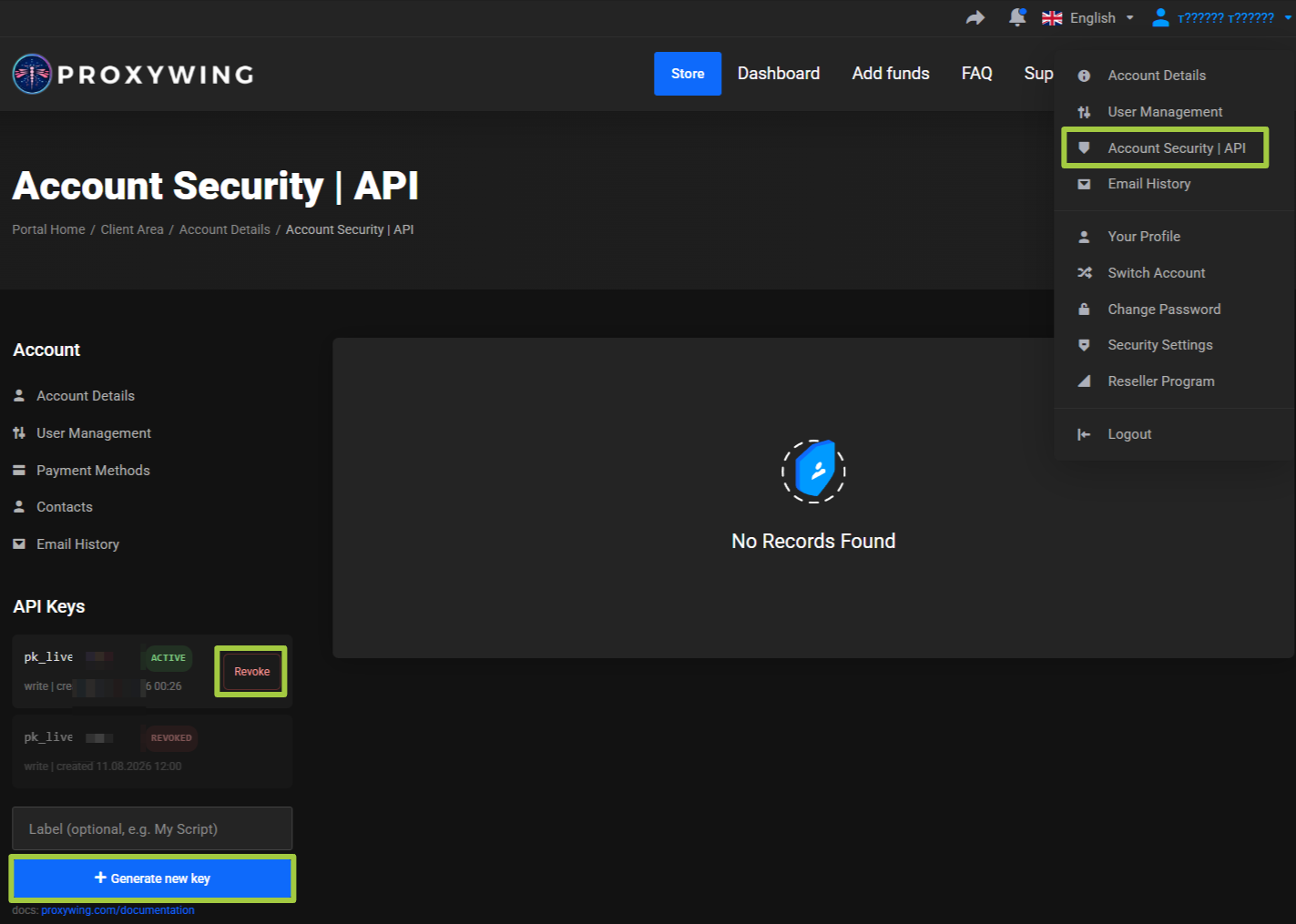
On the page, you can:
- View existing keys.
- Check their status.
- Create a new key.
- Add an optional label.
- Revoke an existing key.
Learn more: API Documentation