



The product card contains connection details, service parameters, and the main ISP proxy management functions.
To open the card, find the required service in your account and click the product management button.
Product details
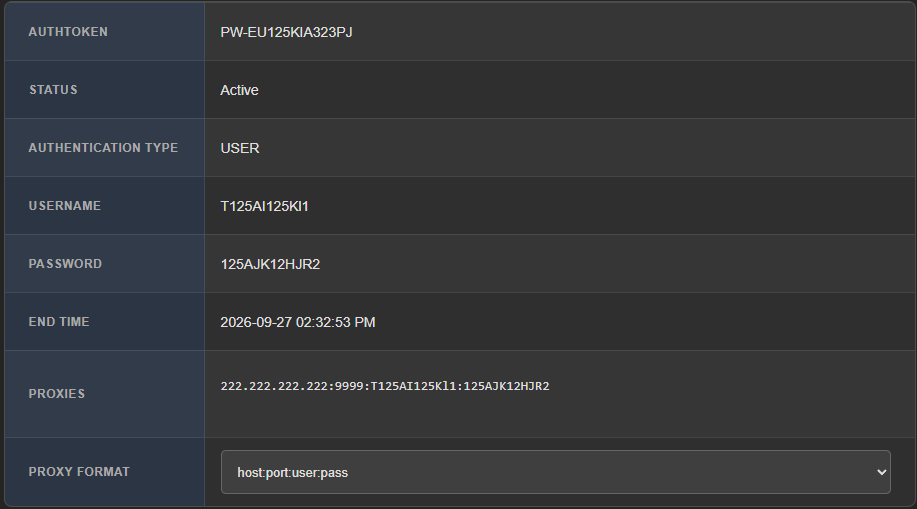
Field | Meaning |
|---|---|
AUTHTOKEN | Unique service identifier |
Status | Product status |
Authentication Type | USER = HTTP protocol. SOCKS = SOCKS5 protocol. |
Username | Login for connection |
Password | Password for connection |
Proxies | Proxy list in the selected format |
Proxy Format | Display format for connection details |
ISP OLD uses AUTHTOKEN, unlike the User ID used in the new architecture.
Proxy actions
The following actions are available in the product card:

Copy Proxy- copies the proxy.Download txt- downloads the proxy list in txt format.Download csv- downloads the proxy list in csv format.Change protocol- changes the protocol and password for all proxies in the package.
Change protocol
ISP OLD supports HTTP and SOCKS5, but only one selected protocol works at a time.
To change the protocol, click the Change protocol button.
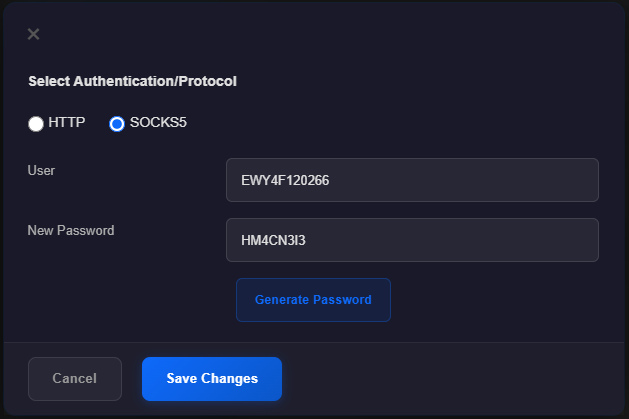
Select the protocol and click Generate Password. Then click Save Changes.
When changing the protocol, a new password must be created. The old password cannot be used after the protocol change.
Sweden: ISP OLD in Sweden supports HTTP only. Switching to SOCKS5 is not available for this location.
Tag
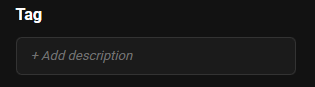
The Tag field allows you to add a description or label to the service for easier product organization.
ISP OLD limitations
ISP OLD does not support:
- UDP;
- IP whitelist;
- OS Signature (p0f).
To use these features, select an ISP NEW location.