



The ProxyWing credit balance is used to pay for products and invoices when the corresponding feature is supported by the product.
Adding funds to the credit balance
You can open the page using:
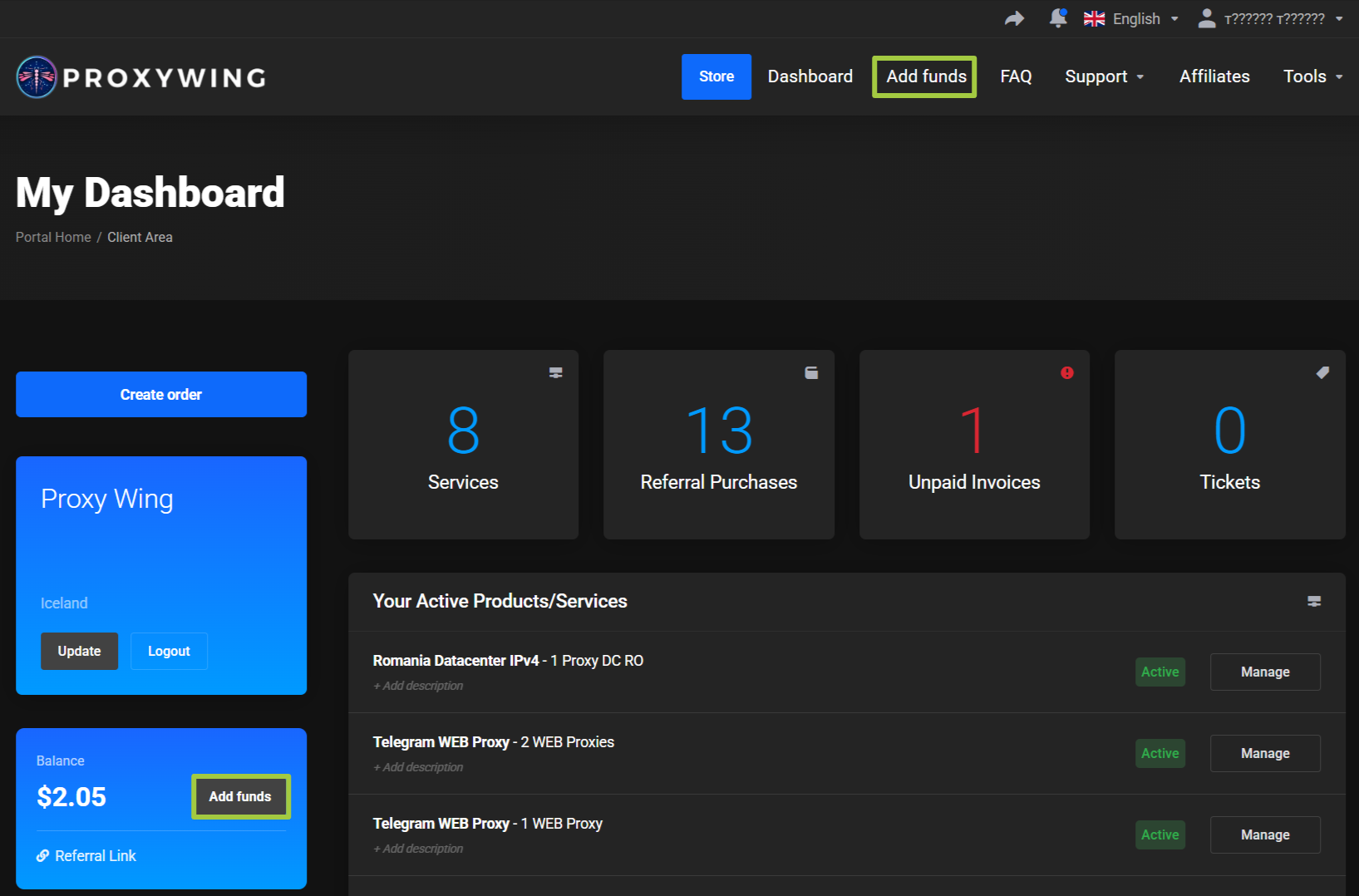
- The
Add fundsbutton in the top menu. - The
Add fundsbutton next to the balance on the main page.
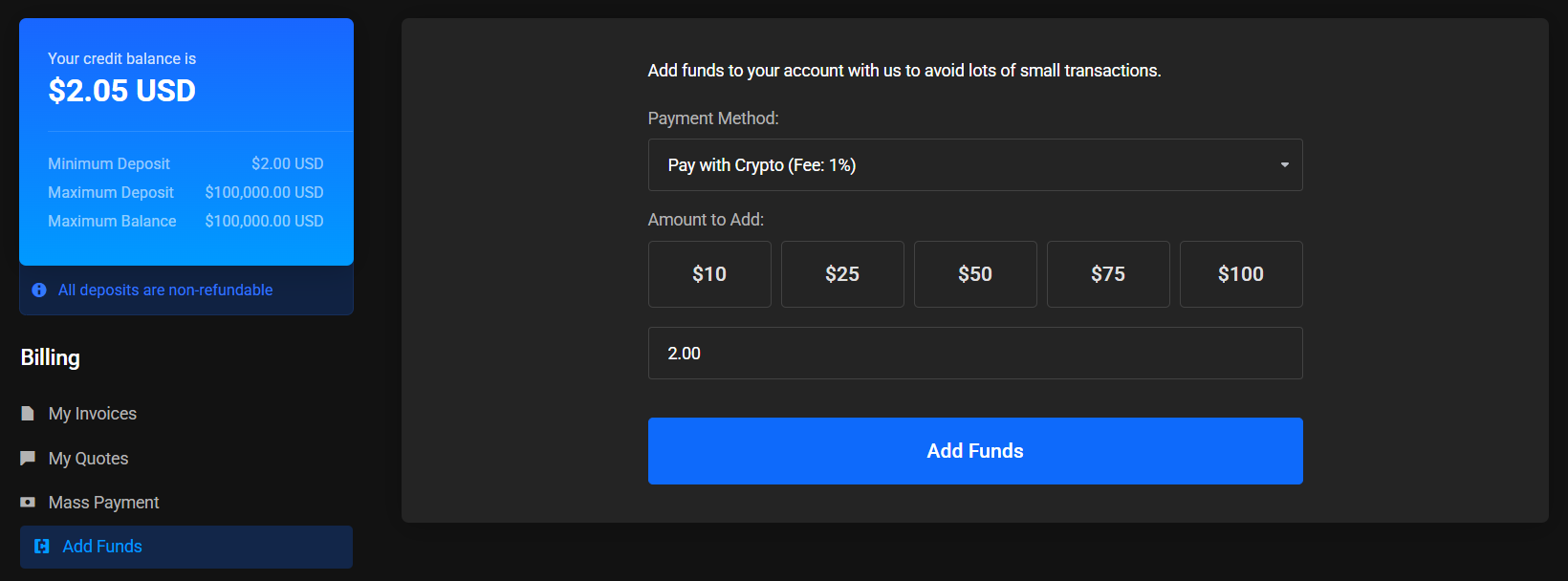
The page shows:
- Current credit balance.
- Selected payment method.
- Preset amount options.
- Field for a custom amount.
Add fundsbutton.
After choosing a payment method and amount, click Add funds. The system will create an invoice to top up the credit balance.
My invoices
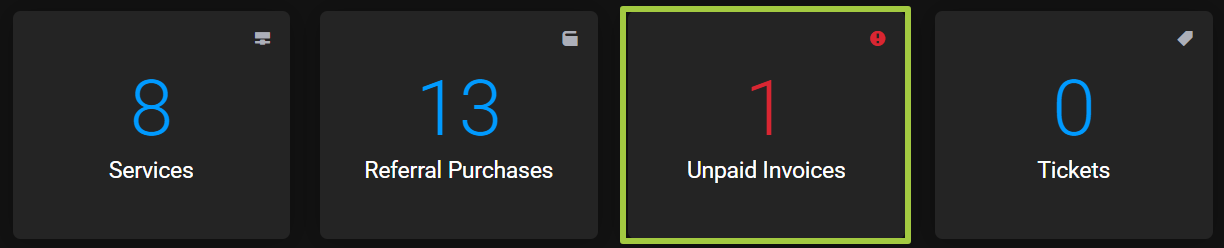
The Unpaid Invoices card on the main page opens the My Invoices section.
Despite the card name, the My Invoices page shows the history of all account invoices.
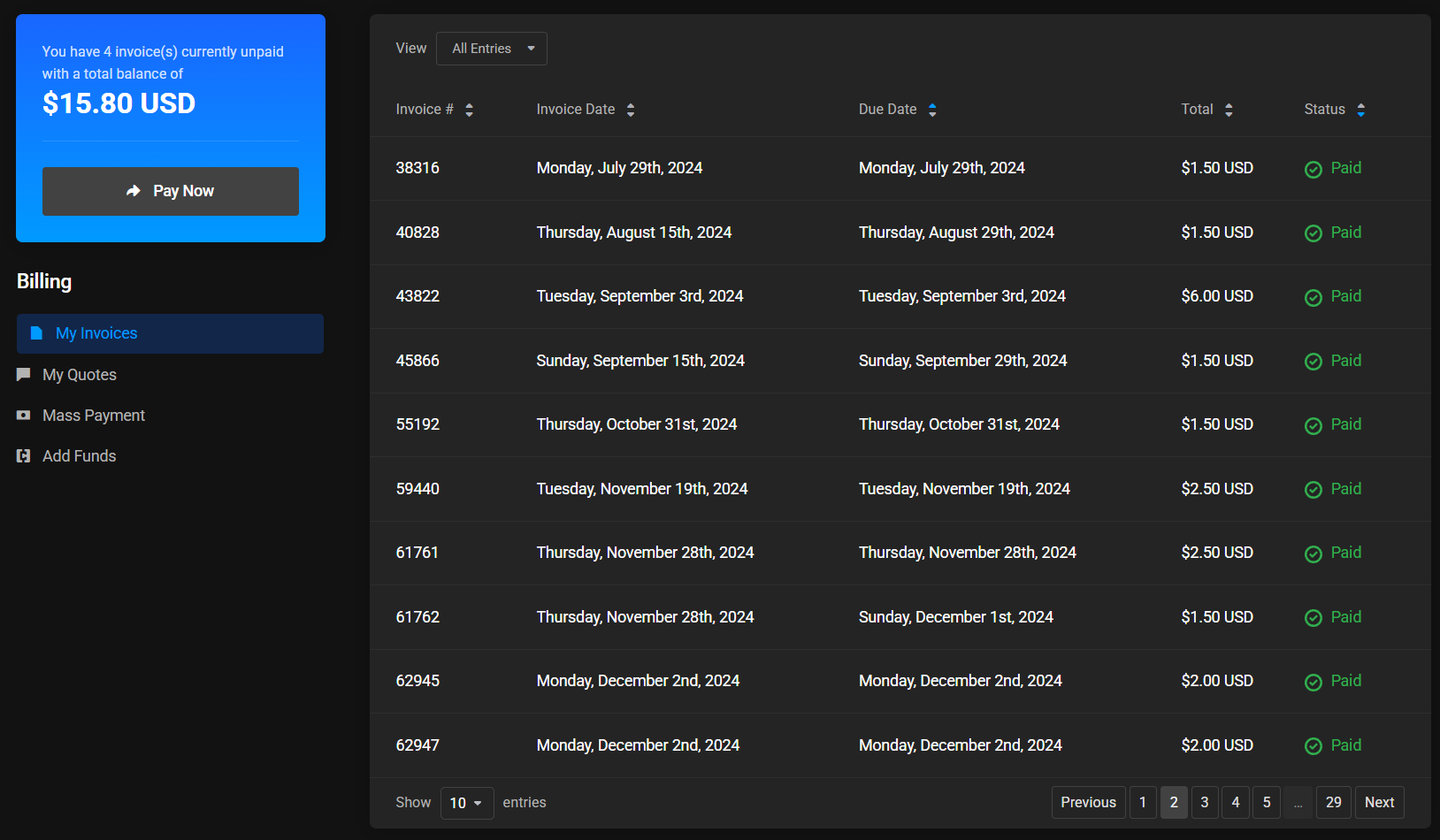
For each invoice, the following are shown:
- Invoice number.
- Creation date.
- Due date.
- Amount.
- Status.
The list may contain paid, unpaid, refunded, and other invoices depending on their current status. Search, sorting, and page navigation are available.