



The mobile IP can be changed in three ways:
- Manually with a button.
- Through a dedicated URL.
- Automatically at a set interval.
Manual IP rotation
In the Actions block, click Rotate IP.

After the command is executed, the mobile proxy changes its current exit IP.
IP rotation URL
The product card displays a personal IP rotation URL.

Copy it using the Copy button.
The URL can be used from a browser, application, or script to initiate an IP change without opening the product card.
Important: Do not share the IP rotation URL with third parties because it allows them to control your proxy rotation.
Auto-Rotate IP
In the Auto-Rotate IP block, you can configure automatic IP changes at a set interval.
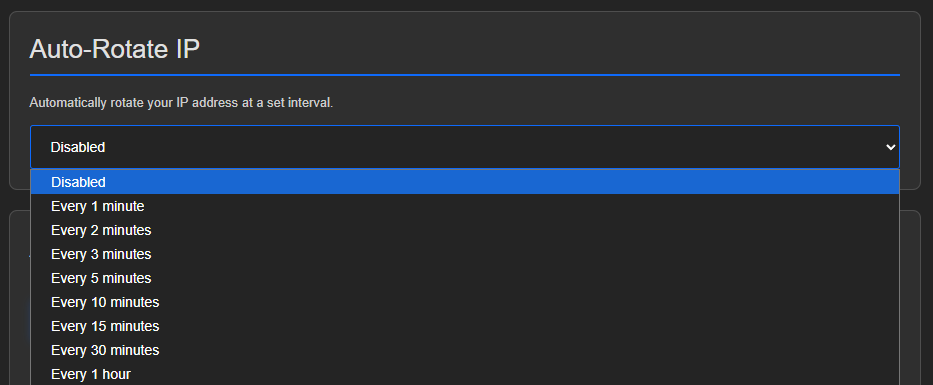
- Open the interval list.
- Select the required interval.
You can also select Disabled to prevent automatic IP changes.
Which method to use
- Button is suitable for manually changing the IP from the product card.
- URL is suitable for external automation and applications.
- Auto-rotation is suitable when the IP should change at a fixed interval.