



Auto top-up allows you to automatically purchase additional traffic when the remaining balance drops below the configured threshold.
Auto top-up is not a subscription. It is triggered only when the configured remaining traffic level is reached.
How to enable auto top-up
- In the product card, find the
Auto top-upblock.

- Click
Set Up.
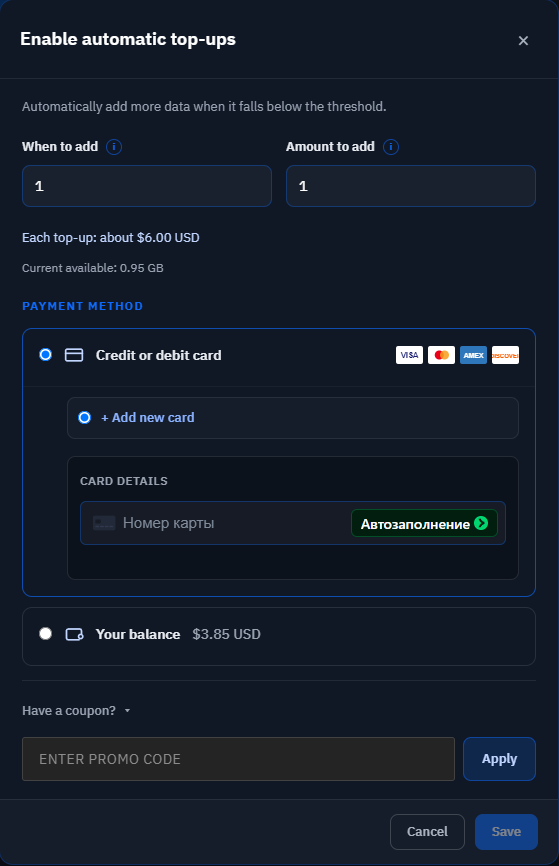
- Enter the
When to addvalue. - Enter the
Amount to addvalue. - Select a payment method.
- Enter a promo code if needed.
- Click
Save.
When to add
This parameter determines the remaining traffic level at which the system should perform an auto top-up.
How much to add
This parameter determines the amount of traffic that will be purchased when auto top-up is triggered.
Payment method
Available:
- Credit or debit card.
- Internal account balance.
When using the internal balance, it must contain enough funds to purchase the selected amount of traffic.