



The IP whitelist provides a second authentication method. After adding an external IPv4 address, you can connect to the proxy without sending a username and password.
Username and password authentication continues to work, so both methods can be used at the same time.
The whitelist supports IPv4 addresses only. IPv6 addresses cannot be added.
This feature is especially useful for applications and devices that do not support proxies with username and password authentication.
The IP Whitelist block is located in the side panel.
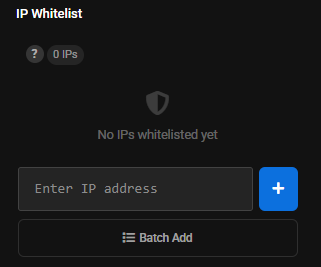
Adding one IP address
- Find the
IP Whitelistblock. - Enter the IP address in the
Enter IP addressfield. - Click the
+button. - After the address is added, the IP counter in the block is updated and the added address appears in the list.
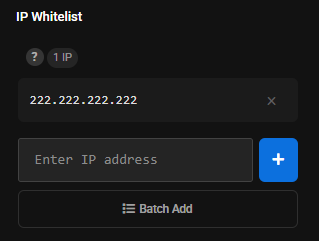
To remove an IP address from the whitelist, click the x button next to the address you no longer need.
Batch adding
If you need to add several IP addresses:
- Click
Batch Add. - Enter the IP addresses in the list field.
- Place each IP address on a new line.
- Click
Add All.
When to use it
The whitelist is useful when:
- an application or device does not support username and password authentication.
- the proxy is used on a server with a static external IPv4 address.
If the external IP address changes, it must be updated in the whitelist.