



To connect to a mobile proxy, use:
- Proxy IP address.
- Port.
- Username.
- Password.
Two authentication methods are available:
- username and password;
- IP whitelist.
Both methods can be used at the same time. Learn more about the second method in IP whitelist
Format
In the product card, you can select the connection details format.
Basic format: ip:port:login:password
Select the required format from the dropdown list:
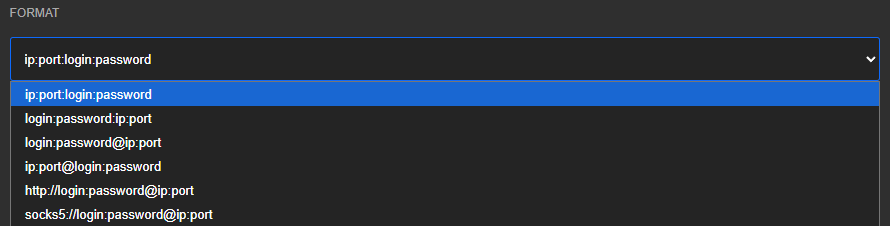
ip:port:login:passwordlogin:password:ip:portlogin:password@ip:portip:port@login:passwordhttp://login:password@ip:portsocks5://login:password@ip:port
If the application requires a different format, you can convert the details using the free Proxy Formatter.
HTTP and SOCKS5
Mobile proxies support HTTP and SOCKS5 simultaneously without requiring changes to the authentication details.
To use UDP, use SOCKS5 and an application that supports SOCKS5 UDP ASSOCIATE.
Proxy check
To verify that the proxy is working, you can use the free Proxy Checker