



User Management allows you to give another person access to your ProxyWing account.
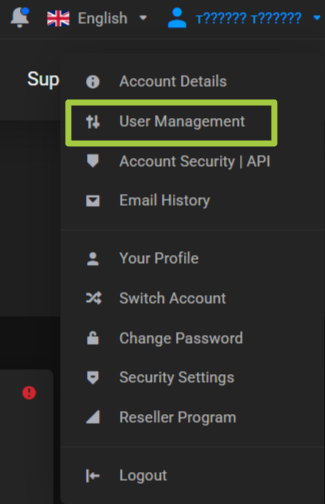
This is not the same as additional residential proxy users. Additional residential proxy users are used only for distributing residential traffic and have separate connection details.
User list
The page shows users who have access to the account.
For the account owner, the Owner status is displayed.
The owner always has the full set of permissions.
Invite a new user
Click Invite New User.

Enter the user's email.
If the invited user already has an account, they will be able to access your account using their existing login details.
If they do not have an account yet, they will be able to create one after receiving the invitation.
Access permissions
When inviting a user, you can choose:
All Access.Choose Access.
When selecting individual permissions, you can allow only the actions you need.
Available categories include:
Access | Capabilities |
|---|---|
Edit Main Account Profile | Edit the customer's profile data |
View and Manage Contacts | Work with account contacts |
Products and Services | View products, services, and add-ons |
View and Change Product and Service Passwords | Work with passwords and product data |
Perform Single Sign-On | Use SSO for available services |
View Domains | View registered domains |
Manage Domain Settings | Manage NS, WHOIS, and transfers |
View and Pay Invoices | View and pay invoices |
View and Accept Quotes/Estimates | Work with commercial quotes |
View and Open Tickets | Create, view, and reply to tickets |
View and Manage Affiliate Program | View the affiliate program and request payouts |
View Mail | View the account email notification history |
New Order/Modify/Cancellations | Place new orders and manage them |
After selecting the permissions, click Send Invitation.