



The product card contains basic information about Premium residential proxies, remaining traffic, auto top-up, the generator, and usage statistics.
Tag

The Tag field allows you to add a description or label to the product.
API
The product card includes the Open API documentation link.
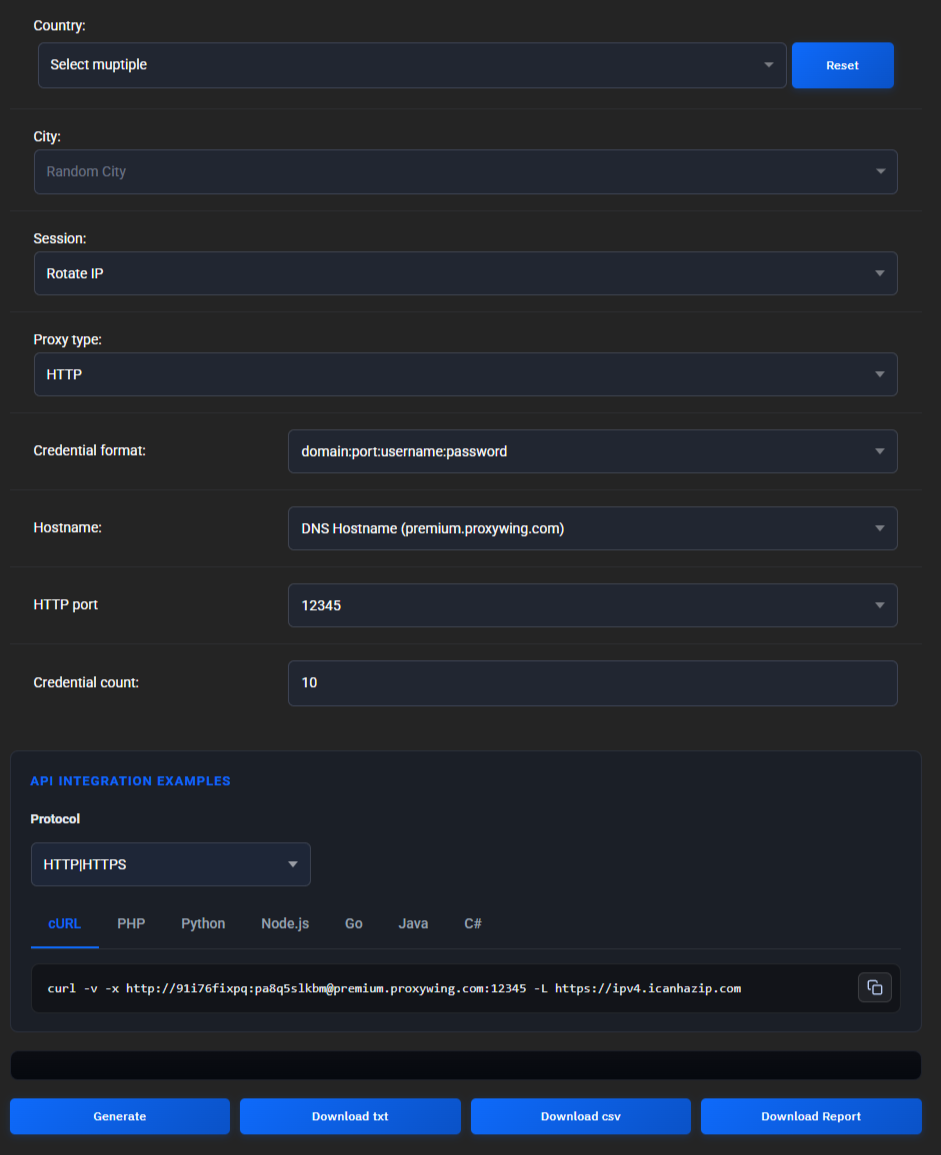
Programmatic integration examples displayed inside the generator are not duplicated in this section. For programmatic management, use the public API.
Traffic auto top-up
Auto top-up allows you to automatically purchase additional traffic when the remaining balance drops below the configured threshold.

Learn more: Auto top-up
Additional users
Additional residential proxy users allow you to allocate part of a specific product's traffic to a separate user and track their usage separately.

This is a separate residential proxy feature and is not related to ProxyWing account users.
Learn more: Additional users
Proxy generation
The generator allows you to configure residential proxy parameters and obtain ready-to-use connection details.
Learn more: Proxy generation
Remaining traffic
The product card displays the current remaining traffic.

Purchased traffic does not expire and remains available until fully used.
Purchasing additional traffic
To purchase additional traffic, click Buy Bandwidth.
On the Upgrade/Downgrade page, you can select the amount of additional traffic.
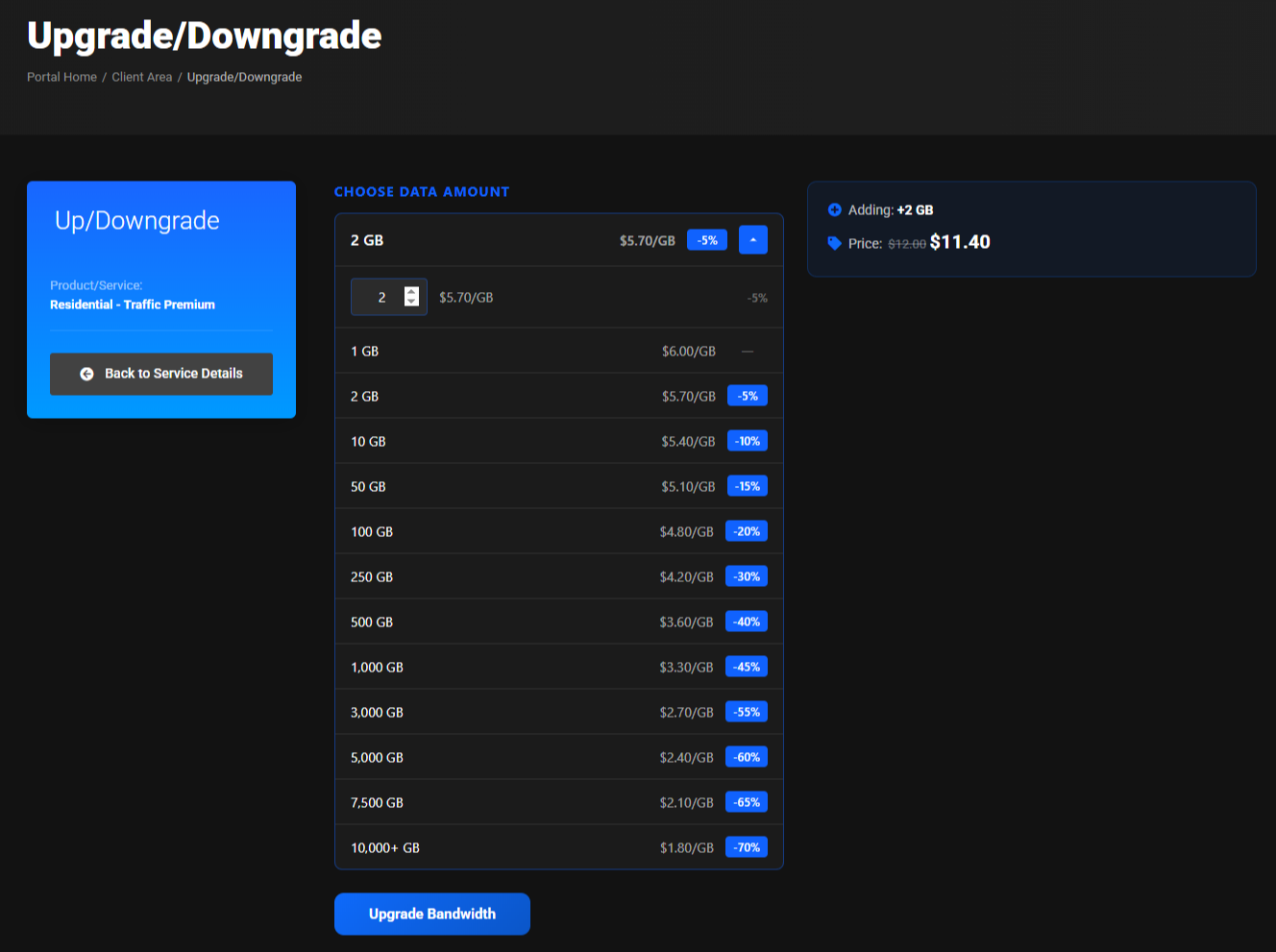
The following are displayed:
- Selected amount.
- Price per GB for the current amount.
- How much traffic will be added.
- Total price.
To create an invoice, click Upgrade Bandwidth.
Statistics and reports
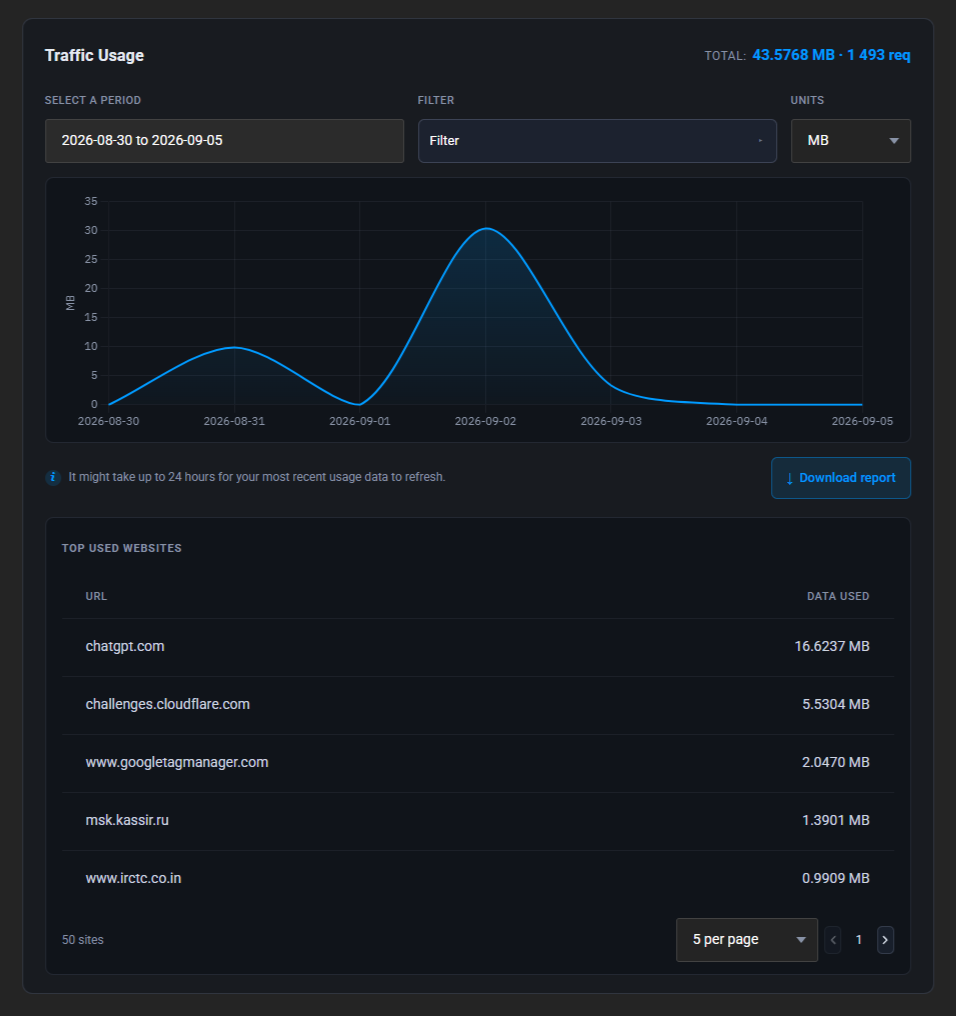
Detailed traffic usage, full statistics, and the option to download a report for a selected period are located at the bottom of the product card.
Learn more: Statistics and reports