



Additional residential proxy users allow you to allocate part of a specific product's traffic to a separate user and track their usage separately.
This is a separate residential proxy feature and is not related to ProxyWing account users.
Sub-Users page
Open the Sub-Users page.
Link: Sub-Users
Or use the button in the product card:
Premium traffic:

Standard traffic:

The interface displays:
- Remaining traffic for the selected product.
- Amount available to allocate.
- Additional user ID.
- Username.
- Password.
- Traffic Left.
- Traffic Used.
- Actions.
Also available:
+ Create new Sub-User;Download Usage Report.
Creating an additional user
- Open the
Sub-Userspage. - Select the
StandardorPremiumtab.
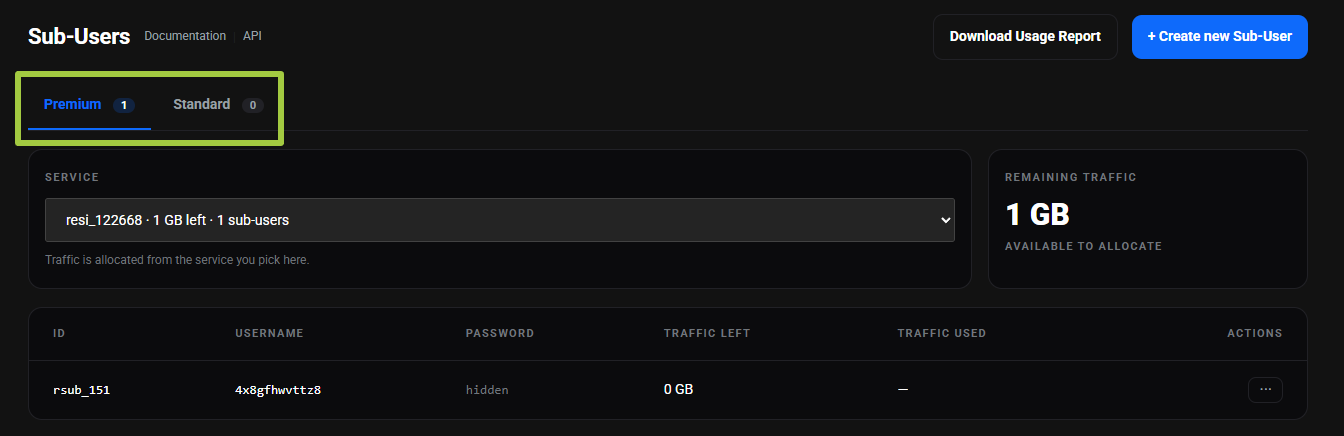
- Select the product from which traffic will be allocated.
- Click
+ Create new Sub-User.
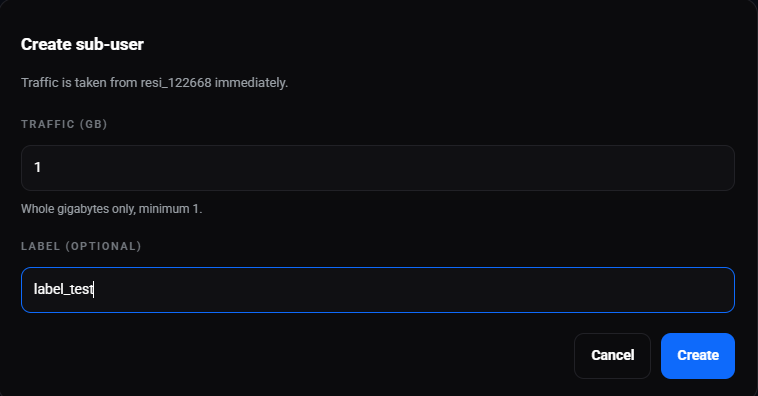
- Enter the traffic amount.
- Enter a
Labelif needed. - Click
Create.
Only whole gigabytes can be allocated when creating a user: 1 GB, 2 GB, 3 GB, and so on.
The minimum amount is 1 GB.
The username and password are generated automatically.
Allocated traffic is immediately deducted from the selected product's remaining traffic.
Label
Label is an optional note used to identify an additional user more easily.
If a Label is specified, it is displayed under the user ID in the Sub-Users table.
Actions
The Actions menu includes:
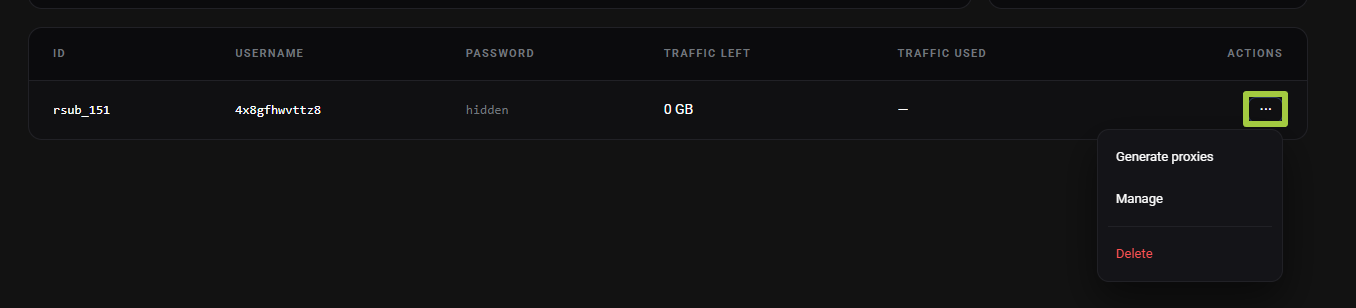
Generate proxies.Manage.Delete.
Generate proxies
Generate proxies opens the proxy generator for the selected additional user.
The generator interface contains the same Standard parameters as the main product generator.
Generated proxies use the traffic allocated to this additional user.
Manage
Manage opens the management page for the selected user.
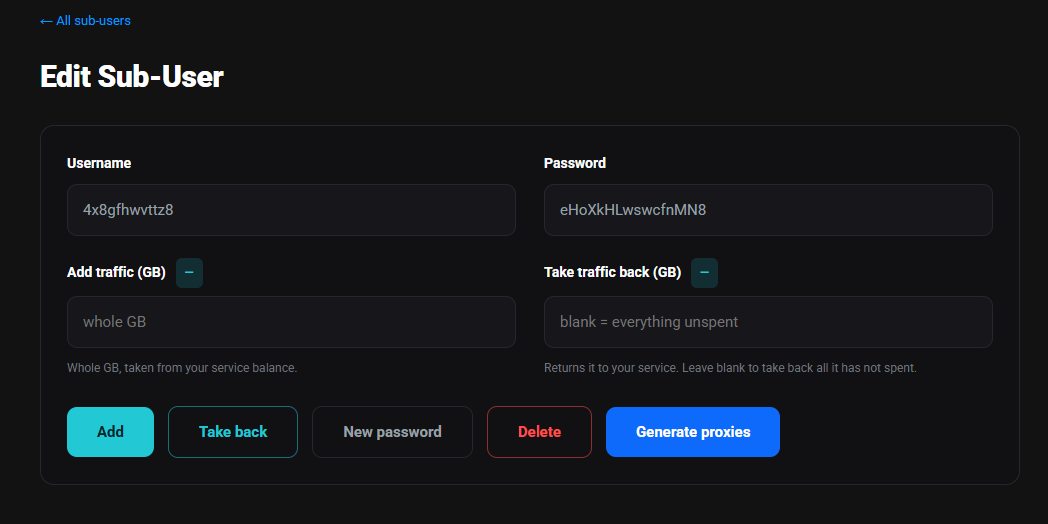
The page includes:
- Username.
- Password.
- Add traffic (GB).
- Take traffic back (GB).
- New password.
- Delete.
- Generate proxies.
Adding traffic
In the Add traffic (GB) field, you can add additional traffic to the user.
Traffic can be added only in whole gigabytes: 1, 2, 3, 4, and so on.
Traffic is deducted from the selected main product balance.
Returning traffic
In the Take traffic back (GB) field, you can return unused traffic to the main product.
A fractional amount can also be returned, for example 0.9 GB, if that amount is available.
If the field is left blank, all unused traffic for the user will be returned to the main product.
New password
The New password button creates a new password for the additional user.
After changing the password, use the new connection details.
Delete
When an additional user is deleted:
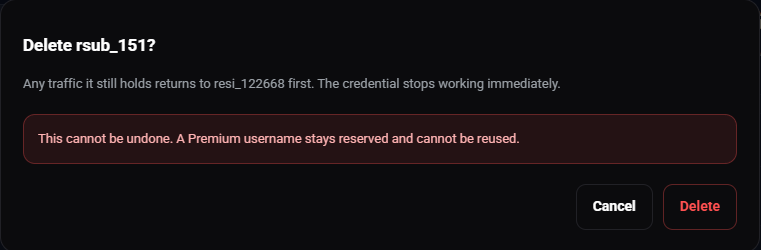
- Their connection details stop working immediately.
- All remaining unused traffic is automatically returned to the main product.
- Deletion cannot be undone.
- The deleted user's username remains reserved and cannot be reused.
Usage report
The Download Usage Report button allows you to generate a report for a specific additional user.
For the report, select:
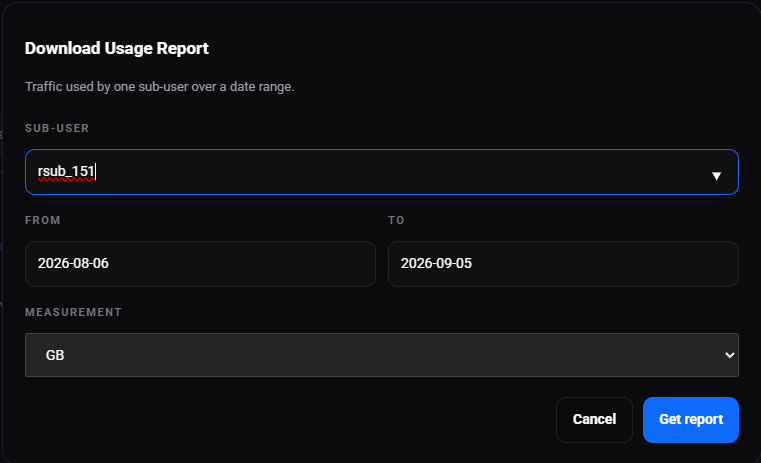
- Sub-User.
- From.
- To.
- Measurement (GB, MB, KB, Bytes).
After selecting the parameters, click Get report.