



Standard residential proxies support two session types:
- Rotating.
- Static.
Rotating
In Rotate IP mode, the exit IP address changes on every request.
The connection details remain the same. The user connects using the same proxy string, while ProxyWing provides a different exit IP for every new request.
Static session without TTL
When Static IP is selected without specifying TTL, the system selects a random IP address and tries to keep it within the session.
Static session with TTL
TTL (Time to live), the proxy lifetime, defines the desired retention time for one exit IP address.
The system tries to keep the selected IP for the specified TTL. For the Standard plan, the maximum TTL is 1000 minutes.
How to specify TTL
- Select the
Static IPsession type.
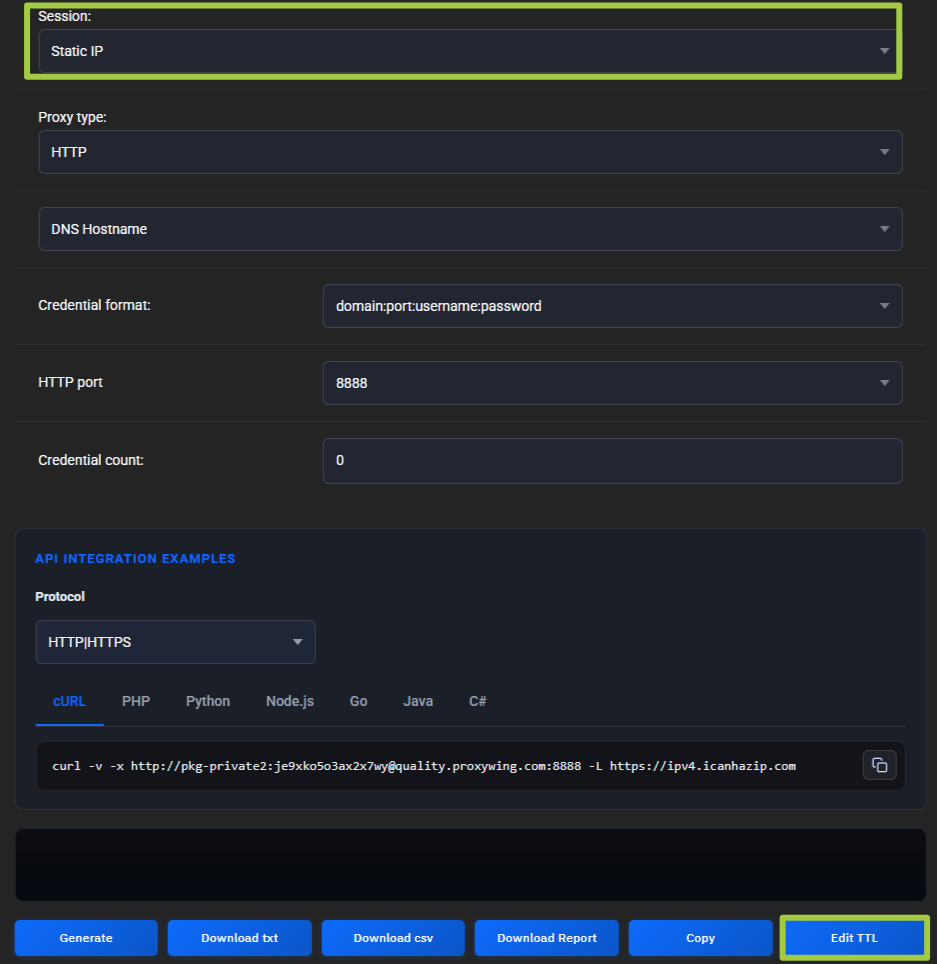
- Click
Edit TTL.
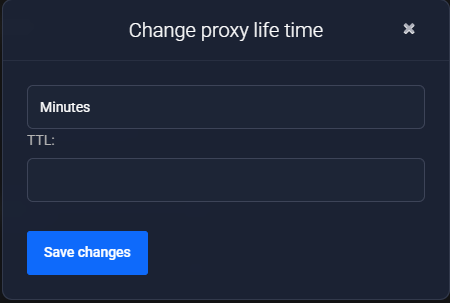
- Enter the TTL value (up to 1000 minutes).
- Click
Save Changes. - Generate new connection details.
TTL is part of the generated connection parameters. If you change TTL after generation, the old details will not update automatically. To apply the new TTL value, generate the proxies again and use the updated details.