



To connect to ISP OLD proxies, use:
- proxy IP address
- port
- username
- password
Basic format
ISP proxies are displayed as a string containing the address, port, username, and password.
By default, the PROXY FORMAT field uses:host:port:username:password
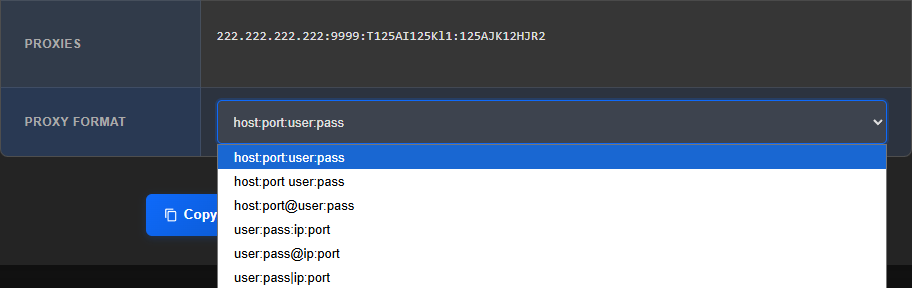
The connection details format can be changed through the PROXY FORMAT list.
Commonly used options are available:host:port:user:passhost:port user:passhost:port@user:passuser:pass:ip:portuser:pass@ip:portuser:pass|ip:port
Some format names use host, but for ISP proxies an IP address is displayed in its place. For connection purposes, this is the same part of the string: the proxy server address can be specified as a domain name or an IP address.
If you need a different proxy format, you can use the free Proxy Formatter
Proxy check
To verify that the proxy is working, you can use the free Proxy Checker