




Proxy Authentication Methods Explained: Username/Password vs IP Whitelisting
06.10.2026 10 min
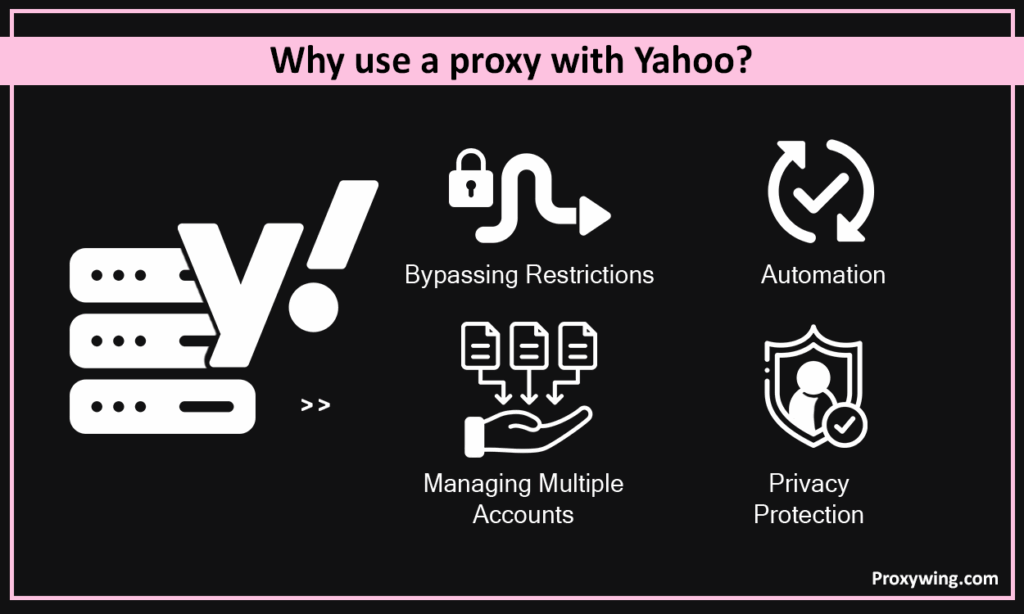
Unlike what many people assume, Yahoo is still one of the few online platforms with over one billion users across all its services, including email services, finance news, and more. That’s why it has remained one of the go-to websites for businesses and professionals that need to scrape data or monitor trends in different industries.
Like most online platforms, you may encounter restrictions when accessing Yahoo, and using a Yahoo proxy might be necessary to bypass them. If you’re keen to learn how to set up and use Yahoo proxies, this guide is for you. We will discuss everything from proxy types and the setup process to common issues faced during setup and how to fix them. Without further ado, let’s jump right in.
These are the three major types you can choose from based on your needs and budget:
Residential proxies rely on IPs assigned to real home devices, which are nearly impossible for the platform to detect. Residential IPs are a great choice for scrapping data, since their traffic is almost indistinguishable from real home users.
ISP proxies combine the speed of datacenter proxies with the legitimacy of residential proxies. Since they mainly use static IPs, static proxies are the best lengthy account management sessions.
Datacenter proxies offer the fastest speeds, which makes them a good choice for large scale scraping tasks or rapid testing. They are also much cheaper than residential and ISP proxies. However, they are easier to detect since most of these datacenter proxies are known.
The easiest method for setting up proxy servers is by using extensions. Let’s explore the steps in detail:
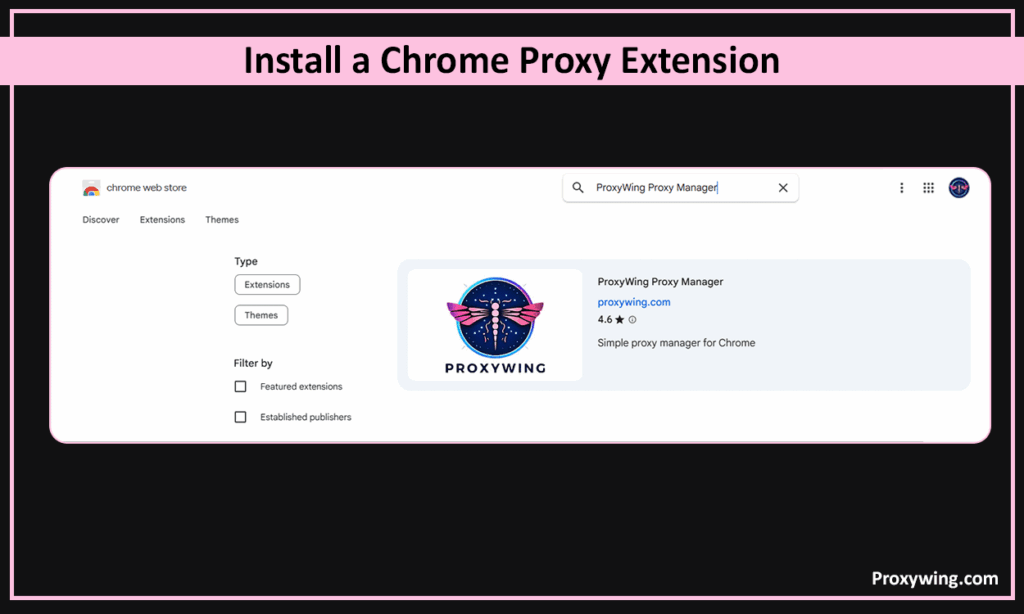
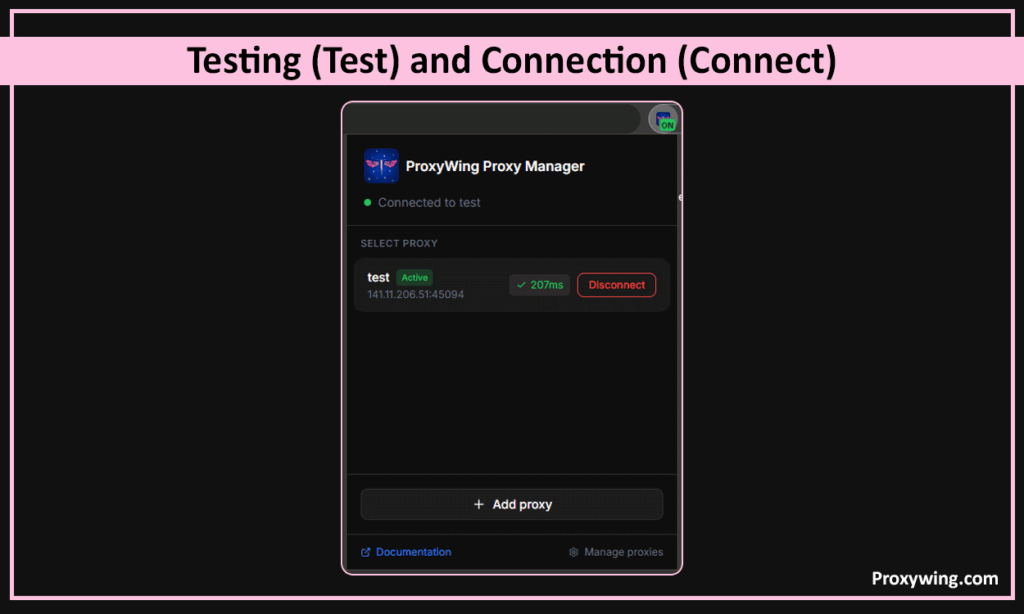
Download a trusted proxy extension such as ProxyWing Proxy Manager. or a provider-specific plugin from the Chrome Web Store.
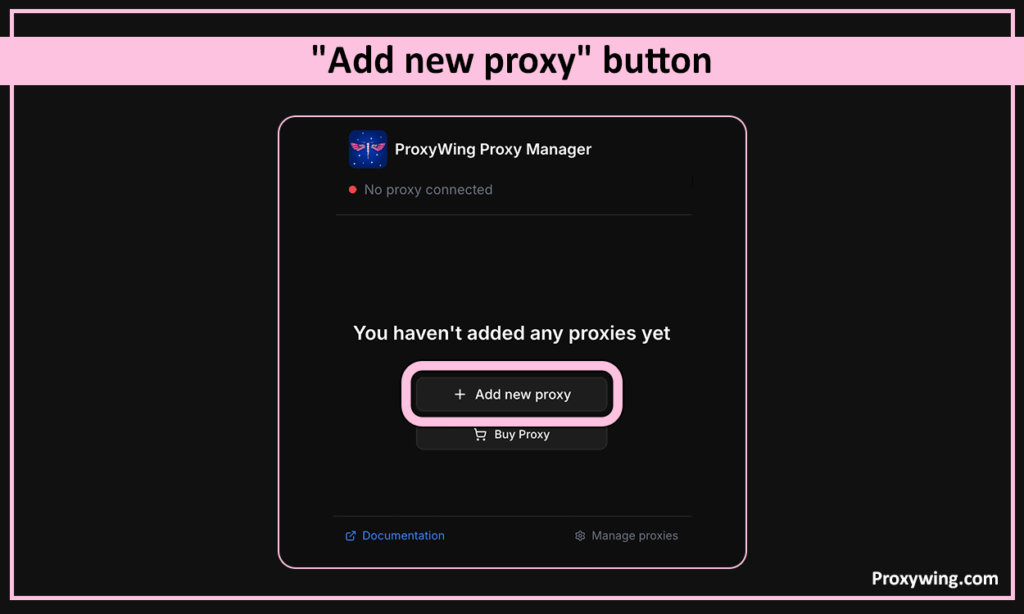
To access the extension settings, launch the extension and select “Add new proxy”
You should now fill in the proxy details, including the server name, Port, and the login credentials provided by your proxy service. Depending on your services provider requirements, you may sometimes not need to input any login credentials.
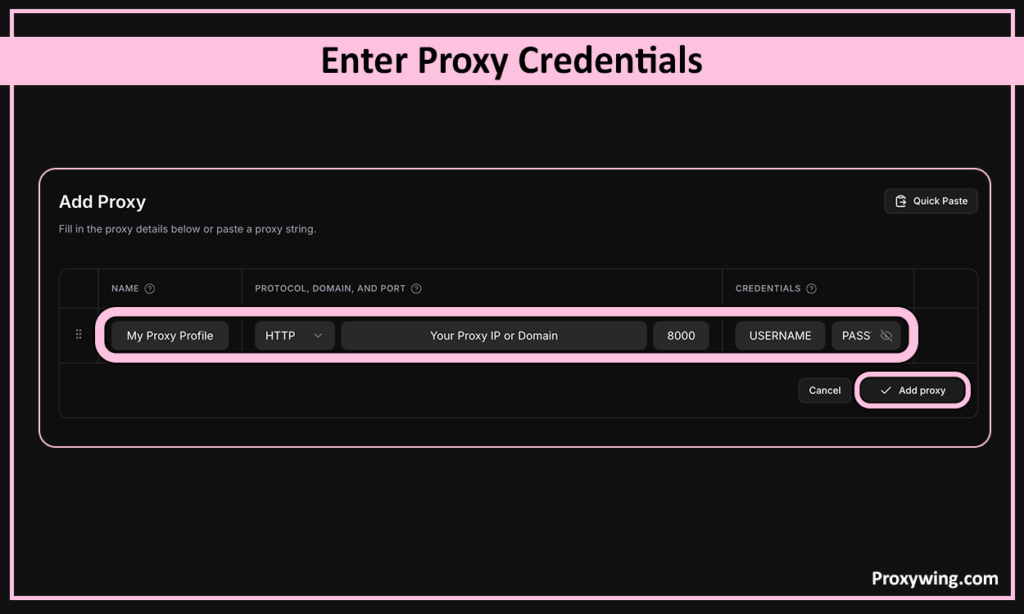
After manually configuring the server details, toggle the extension to “On” and visit mail.yahoo.com to verify your new network address is active.
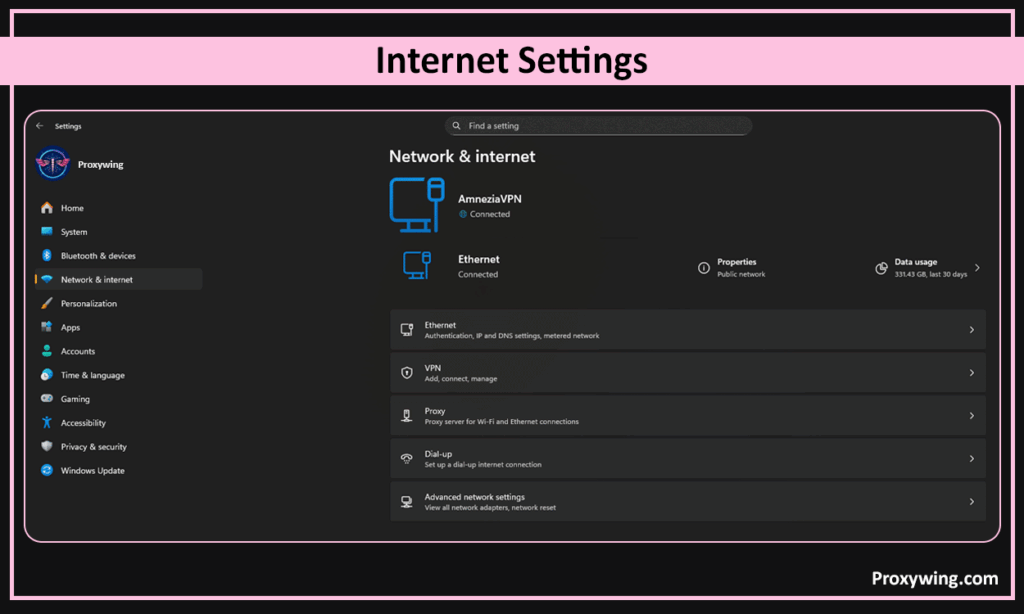
On your Windows machine, go to Settings > Network & internet > Proxy. Scroll to the Manual proxy setup section and click the Set up button next to “Use a proxy server.” This will allow you to input your proxy details manually.
Toggle the “Use a proxy server” switch to On and enter your proxy’s network address and port number into the designated fields. You can also enter the username and password if your provider requires them for security purposes.
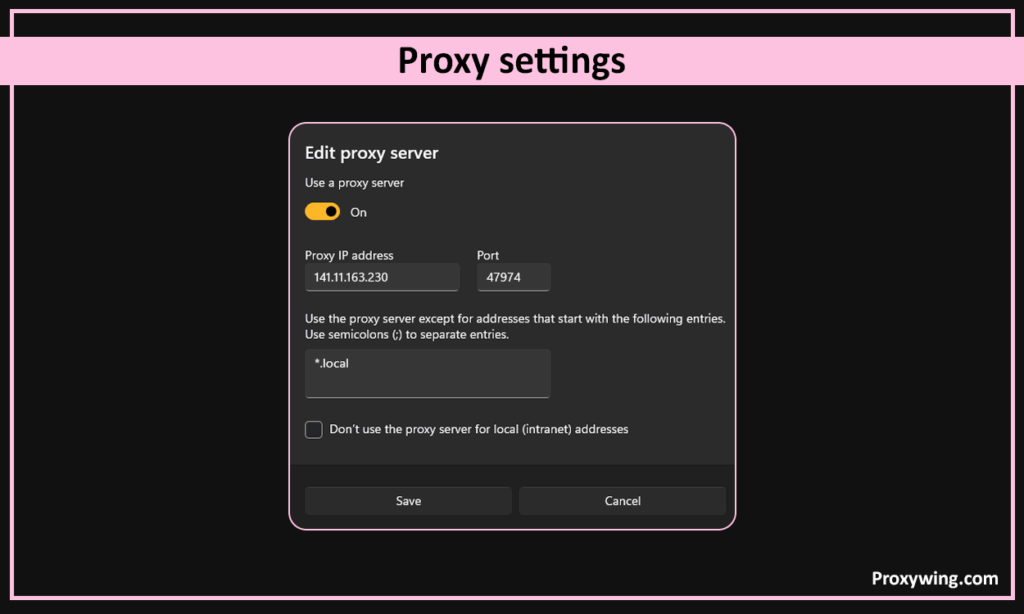
Click Save and refresh your browser to ensure Yahoo reloads through the proxy. You may also restart your device to ensure every application, including your mail app and browser reconnect through the proxy.
On your Mac, click the Apple Menu (top left corner of your desktop)
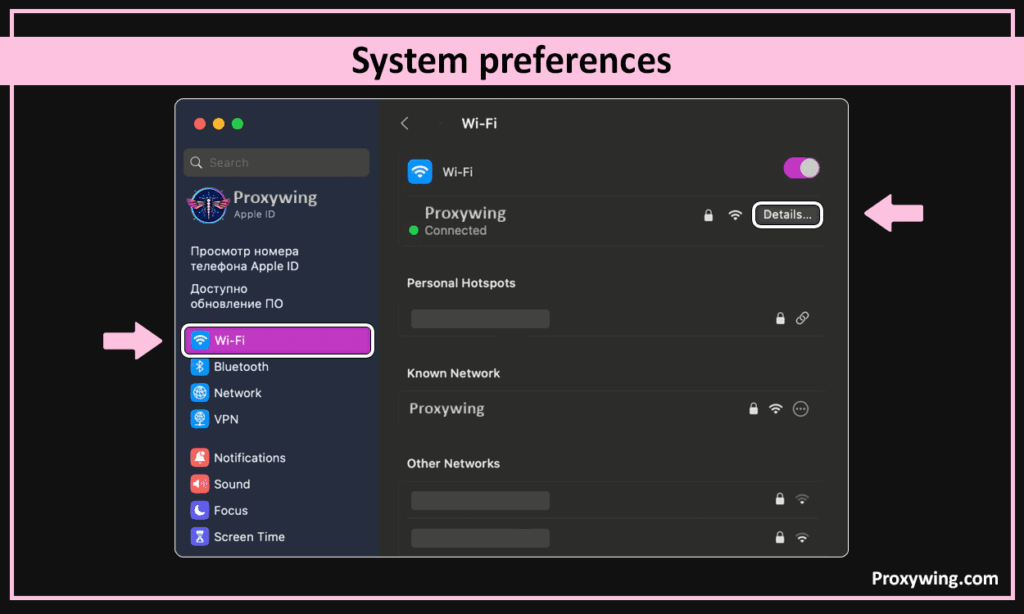
System Settings (System Preferences for older Macs) > Network and select your active connection (Wi-Fi or Ethernet).
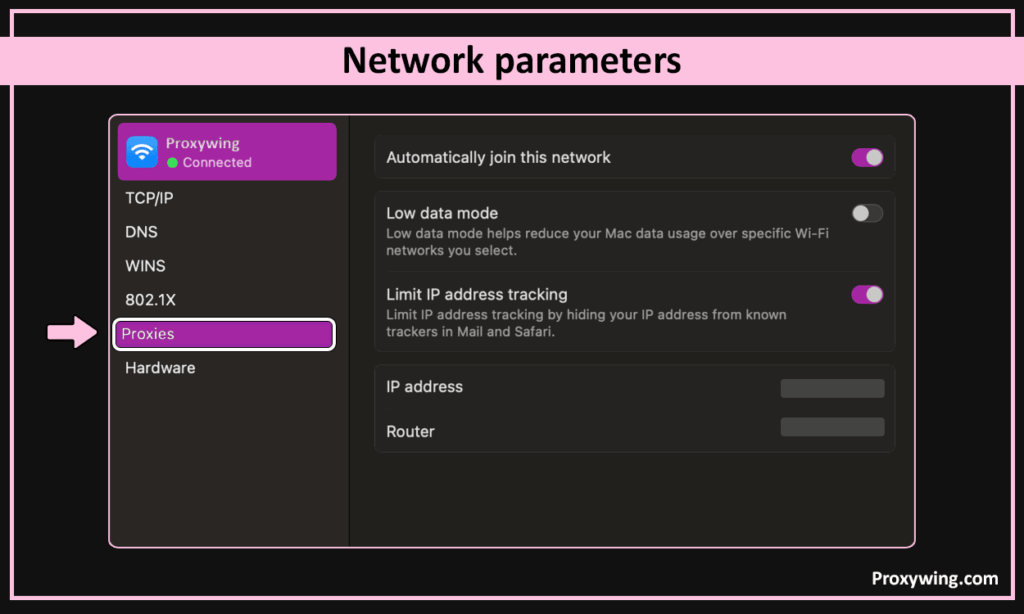
Click Details > Proxies and toggle the switches for Web Proxy (HTTP) or Secure Web Proxy (HTTPS).
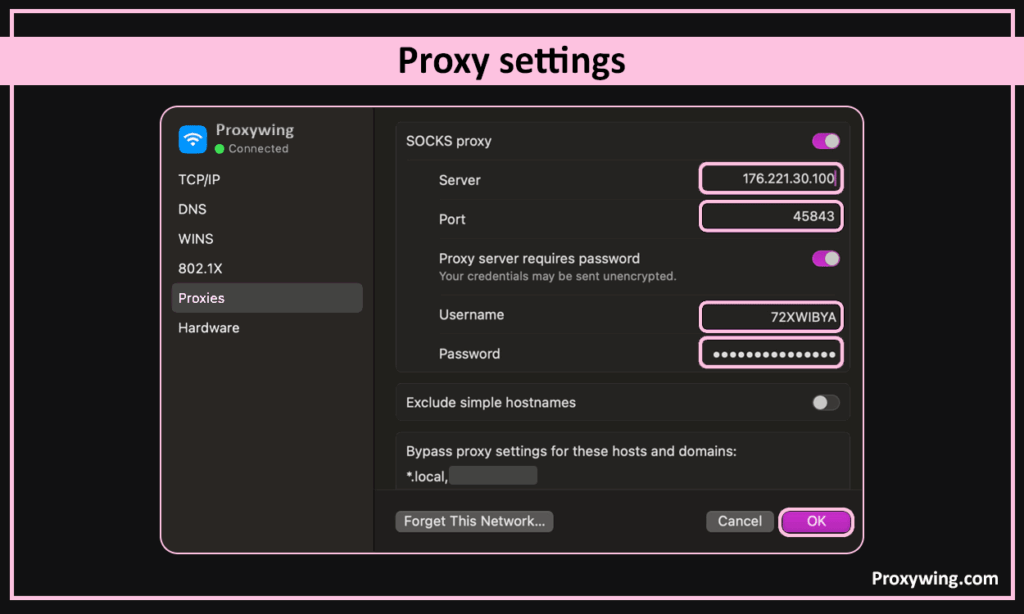
Input the server address and port. You should also enable the “Proxy server requires password” toggle and enter your login if your provider requires that.
Click OK then Apply, and visit this mail service’s website to confirm the connection is successful.
Open the Settings app on your Android device and go to Network & Internet > Wi-Fi.
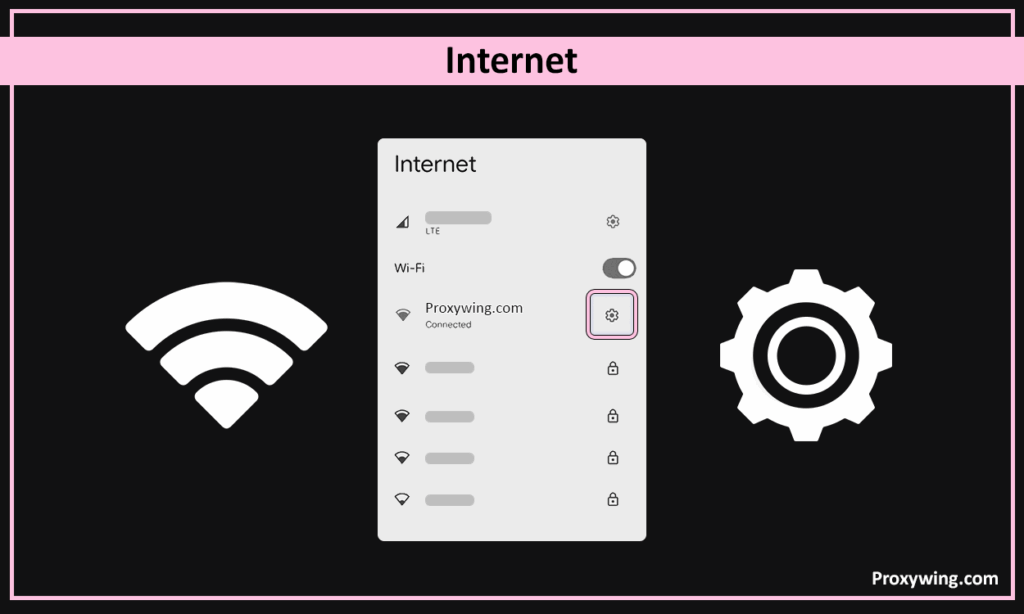
Tap the Gear icon next to your connected network.
Tap View More or Advanced to expand the hidden settings. You should then locate the Proxy dropdown menu and select Manual (change it from “none” to “manual”)
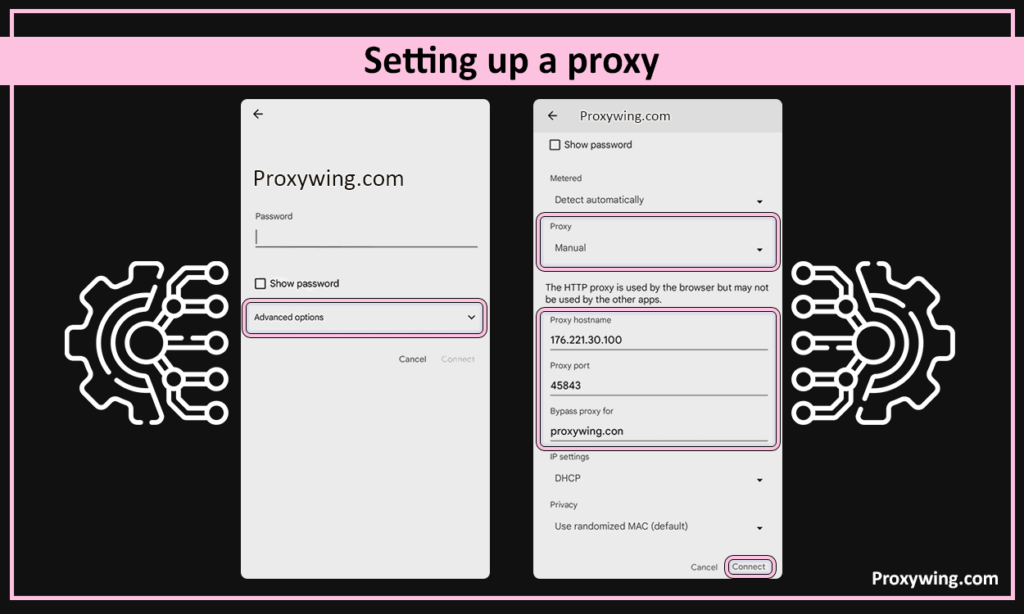
Input your proxy’s Hostname and Port into the respective fields. If your provider uses IP Whitelisting, leave the authentication fields blank. Otherwise you will need to input the authentication details (username and password).
Click Save to apply the changes. When you relaunch the Mail app or browser, it will now route traffic through the proxy.
If you installed an extension in Chrome, Edge, or any other browser, click the extension icon and toggle the switch to Off or select Direct Connection.
Go to Proxy Settings (With your Network Settings) on your Windows device and toggle the “Use a proxy server” switch to Off.
On your Android device, go to Wi-Fi network settings and set the Proxy dropdown to None. You should then click Save to apply the settings.
With proxies, you can assign a unique network address to every account to avoid the risk of linked-account bans and security flags.
They prevent triggering anti-spam filters when using automated systems to send marketing campaigns or organize mailbox.
Businesses use them to extract financial trends or headlines at scale by rotating residential network addresses. Using a rotating proxy allows for automatic IP rotation, which minimizes the chances of IP blocks by regulating the number of requests coming from each network address at any given moment.
Accessing information and using popular sites such as Yahoo is restricted in some countries. People living in countries like Russia, Syria, and Iran where this platform is banned can use proxies to tunnel their traffic through an IP in a supported region.
ProxyWing provides high-speed, ethically sourced residential and ISP proxies for Yahoo. These proxies allow you to seamlessly bypass detection easily with a 99.9% success rate and dedicated support that is available at all times.
Using a proxy to access Yahoo is the best way to manage multiple accounts and secure your data in 2026. Proxies also allow users in restricted countries to access Yahoo with just a few clicks. Setting up a proxy is straightforward if you know the correct steps to use for the platform you intend to use.
Finally, it is crucial to select the right type since the one you choose impacts both success and cost. Residential IPs offer the highest success rate, but they are the most expensive. Datacenter proxies on other hand are faster and cheaper, but are the easiest to detect. ISP proxies provide a balance between reliability and cost.
Article written by:

CEO
Founder of Proxywing. Drives growth across EU, US, and Asian markets, combining B2B strategy with a hands-on focus on product quality, 99% uptime, and responsive support.
All articles by author (64)Yes, you can use Yahoo Mail with a proxy server. However, you must use a proxy type that suits your priorities.
Yahoo mainly blocks proxies that use datacenter addresses or have a history of spamming users on their platform. Switching to premium residential proxies will significantly reduce chances of connection blocks.
Static ISP Proxies are the best because they provide the legitimacy of residential IPs and the stability of a permanent network address.
Yes, it is safe if you choose high-quality, private proxies. Avoid shared and free proxies. You must also ensure to use a different IP address for each account.

