




Proxy Authentication Methods Explained: Username/Password vs IP Whitelisting
06.10.2026 10 min
Using proxies has become one of the ways to bypass restrictions on the internet while keeping your connection anonymous. SOCKS5 proxies have become a popular choice over HTTP proxy servers because they can handle all types of traffic beyond HTTP/HTTPS. Mobile SOCKS5 proxy servers are one of the most reliable proxy types in this category.
If you are considering using proxies, whether for privacy reasons or to bypass restrictions, this guide is for you. We will discuss everything you need to know about this SOCKS5 mobile proxies to help you determine whether it is the right choice for you. Keep reading to learn the key benefits, use cases, setup process, common issues, and more about mobile proxies. Let’s dive in!
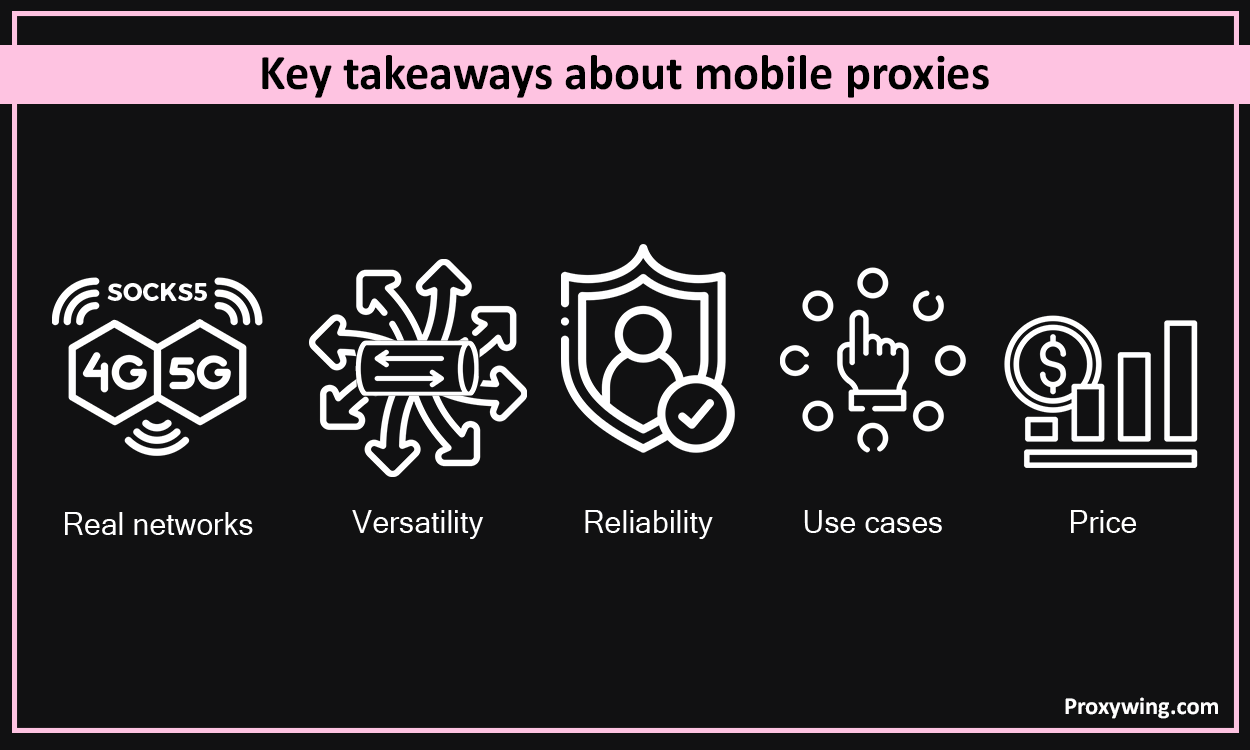
It is a proxy that runs on real mobile networks (4G/5G) but uses the SOCKS5 protocol instead of HTTP/HTTPS. When using a mobile proxy server, your traffic is routed through real devices connected to mobile networks before forwarding it to the target website. In the end, the IP address that the website you intend to access will see is that of the SOCKS5 proxy server and not your device’s.
Since your IP address is masked, every online service you use won’t see your real location, making your traffic more anonymous and private. Mobile proxy servers also rely on ISP-assigned IP addresses that are trusted by most websites, minimizing the chances of IP bans.
You will often see these proxies called 4G proxies, LTE proxies, or 5G proxies. They all mean the same thing, a SOCKS5 proxy that runs on a real cellular network. The only difference is the type of mobile connection the IP sits on. 4G and LTE IPs are the most common and work well for almost every task, while 5G IPs can give you higher speeds where the carrier supports them. With ProxyWing you get mobile IPs across all of these, so you don’t have to worry about picking the network type yourself.
SOCKS5 is a lightweight protocol that works at the transport layer. One of the benefits of using this protocol is that it can handle all kinds of traffic, including web traffic (HTTP/HTTPS) and UDP traffic. This makes it possible to use Mobile SOCKS5 for more than just web traffic.
So, you can use them to send web traffic, app data, streaming, automation tools, and more. Also, proxies that use the SOCKS5 protocol don’t make any modifications to the data, making them more reliable and faster.
When using these proxy servers, your device traffic is first sent to the SOCKS5 proxy server. If authentication is involved, the server will first verify your username and password before accepting the connection. After the authentication step, the server routes your traffic through mobile devices connected to a mobile network before forwarding it to the final destination. In the end, your device IP address is replaced with a mobile IP from an ISP.
One of the attributes of these proxies is IP rotation. ISPs dynamically change the IP address of mobile devices, which in return changes the IP of the proxy you’re connected to. The IP frequency of rotation is based on several factors, including time, number of requests, or when the mobile modem reconnects.
This automatic IP rotation makes it harder for online services to detect and block your connection. IP rotation also makes these proxy servers ideal for tasks like stealth browsing, automation, and app testing that need to simulate real mobile connection for the best results.
They hide your real IP address and replace it with a mobile device IP assigned by an Internet services provider. This makes it harder for websites and other online services to track your browsing activity, giving you a more private and anonymous browsing experience. Users can further enhance their privacy and anonymity by using the rotating residential IPs option offered by providers like ProxyWing.
Most websites trust mobile traffic, so using mobile proxy servers significantly reduces any chances of facing IP bans. When using a mobile proxy server, these online services will view your traffic as though it is coming from real smartphones or tablets. And since the IP addresses are ISP-assigned and not generated by servers, the chances of having them blacklisted are very minimal unlike datacenter IPs
These proxies make it seamless to access content that is restricted to certain regions. ProxyWing gives you access to millions of IPs in different regions, allowing you to choose one in the exact region where the website or content you need to access is not restricted.
Unlike HTTP proxies, SOCKS5 proxies can handle different kinds of traffic and not just web traffic. This makes them ideal for web browsing, app traffic, file transfers, streaming, gaming, automation tools, and other TCP-based connections. So, if you intend to do tasks that are more than just accessing or scraping the web, using proxies that use the SOCKS5 protocol can come in handy.
SOCKS5 proxies are designed to handle all sorts of TCP connections for web browsing, app data, file transfers, streaming, gaming, automation tools. They also support UDP traffic for tasks like DNS queries along with regular HTTP and HTTPS traffic. SOCKS5 mobile proxies also offer more anonymity.
On the other hand, HTTP proxies can only handle web (HTTP) traffic, making them limited to only web browsing. They also offer less anonymity, making them easier to detect and block.
Mobile SOCKS5 proxy servers route your traffic through real mobile carrier-assigned IPs that rotate naturally, making them harder to flag. On the other residential proxies route your device traffic through residential IPs of home devices such as computers and routers before forwarding it to the final destination. The benefit of residential proxies is that the IPs of real residential devices are more stable and can only be rotated if you want to.
Mobile SOCKS5 proxy servers mainly route the traffic of your chosen app or tool through IPs of mobiles. You can also configure the traffic of your entire device to go through the proxy in your network settings. One the hand, VPN encrypts and routes your entire device’s traffic (by default) through a server IP address before forwarding it to the target. Since VPNs route traffic through server IPs, they are much easier to detect and block than mobile SOCKS5 proxy servers.
Here are some of the popular real world applications:
Social media managers use them to run several accounts on one device without facing bans. Proxies allow them to use a different IP address every time they switch to another account.
They are also suitable for scraping and collecting web data on platforms that prioritize mobile traffic. Since mobile traffic is trusted by most online services, they tend to face fewer captchas and blocks, making your data collection tasks more consistent and uninterrupted.
They make your traffic seem like it is coming from real mobile devices like smartphones. This increases success rates when accessing limited editions products on e-commerce websites. You can also use sneaker bots with mobile proxies to access the sneaker releases that are limited to certain regions. Since we offer millions of IPs, users have the flexibility to access geo-restricted eCommerce and sneaker sites without any limitations.
Mobile app developers rely on mobile proxy servers to test how their apps behave in different regions. By switching the IP to different countries, they are able to simulate the behavior of their app or website in different countries without having to physically travel there. This allows them to detect any issues that could be region specific and fix them before rolling out their app or website to the general public.
Because SOCKS5 handles both TCP and UDP traffic, it works for tasks that HTTP proxies cannot manage well. For streaming, a mobile IP in the right country lets you reach region-locked catalogs without your connection looking like a datacenter. For gaming, the UDP support means you can route real-time traffic and pick a location closer to a specific server. Just remember that proxies do not encrypt your traffic, so they are about access and IP reputation, not added security.
If you finally choose to use mobile SOCKS5 proxy servers, here are the three key steps that you will need to follow when setting them up:
This is probably the most important step since the provider you choose will have a huge impact on your overall experience when using proxy servers. Choose a trusted mobile proxy provider and get your SOCKS5 details, including the proxy IP, port, username, and password. With ProxyWing, these details are provided after paying your subscription fee.
The configuration process for these varies based on the operating system:
Install a SOCKS5 app like Proxifier on your PC. Once the app is installed, open it and go to Profile > Proxy Servers > Click Add > Enter your SOCKS5 proxy IP and port. Remember to select SOCKS Version 5.
Go to System Settings > Network Settings > Select your active connection (Wi-Fi or Ethernet) > Click Details > Proxies and enable SOCKS Proxy. You should then enter the proxy IP, port, username, and password > Click OK and save.
iPhones have a manual proxy field under Wi-Fi settings, but it only handles HTTP and HTTPS, not SOCKS5. To use a SOCKS5 mobile proxy on iOS, you need a proxy app such as Shadowrocket (paid) or Potatso (free).
This routes your phone traffic through the proxy without rooting or jailbreaking the device.
Android does not let you enter SOCKS5 details in its built-in Wi-Fi proxy settings, so you need a small app to handle the connection. The most common free option is SocksDroid.
Once it is on, open any browser or app and check your IP with our IP checker to confirm the proxy is working. If pages load slowly or not at all, turn on DNS over TCP in the app settings and reconnect.
If you’re using a browser like Firefox that supports proxy integration, go to Settings > Network Settings > Configure Proxy and select Manual proxy configuration. Under the SOCKS Host option, enter your IP and port. Remember to select SOCKS5 as the proxy type and save the settings. Finally, check Proxy DNS since you’re using SOCKS. For Chromium browsers like Google Chrome and Edge you can use an extension like FoxyProxy to configure your SOCKS5 mobile proxy.
After saving the settings in the app of device settings, you now need to test if the SOCKS5 proxy works as expected. Use tools like our IP checker to confirm that your traffic is now running through the mobile SOCKS5 proxy server. Confirm the IP address is not the same as that of your device IP.
A lot of people set up a SOCKS5 proxy on Android and then notice only the browser is using it, while other apps still run on the real IP. This is a common point of confusion, so here is how it actually works.
Android’s native proxy field, the one under Wi-Fi settings, only supports HTTP and HTTPS, and it only covers Wi-Fi. There is no built-in setting that sends SOCKS5 traffic for the whole system. To route all apps through a SOCKS5 mobile proxy, you have two options.
The first is an app like SocksDroid. It uses Android’s built-in VPN service to create a tunnel, then forwards every app’s traffic through your SOCKS5 proxy. It is not a real VPN and does not add encryption, it just reuses the VPN slot to catch all traffic. That gives you system-wide coverage on a normal, non-rooted phone, and you can still exclude specific apps in the settings if some of them do not behave well behind a proxy.
The second option is ProxyDroid, which needs a rooted device. Root gives the most complete coverage, but most users do not need it, since SocksDroid already routes all apps.
A few things to keep in mind. SOCKS5 can carry UDP traffic, which apps use for calls, some games, and DNS, but this only works if your proxy plan supports UDP forwarding. If certain apps will not connect, exclude them with the per-app settings. And if websites load on one app but not another, turning on DNS over TCP usually fixes it.
Let’s explore the different ways IP rotation works with mobile SOCKS5 proxy servers:
Here are the key factors you must consider when choosing a proxy provider:
ProxyWing meets all the requirements for being a trusted and reliable mobile SOCKS5 proxy provider. We offer proxy speeds of up to 1Gbps, 99% uptime, 24/7 support, IP rotation, and both dedicated and shared proxy options that you can choose from based on your budget.
This comprehensive guide has covered all the details you need to determine whether mobile SOCKS5 proxy servers meet your needs. These proxies are ideal for users who handle tasks like social media management, scraping mobile-first websites, app testing, and accessing limited-edition products on e-commerce and sneaker sites.
Mobile proxies are harder to detect and block than datacenter and ISP proxies, making them suitable for use cases that require a higher level of privacy and anonymity. However, they are usually slightly more expensive than ISP and datacenter proxy servers, but the benefits they offer may make them worth the cost for certain users and businesses.
Article written by:

CEO
Founder of Proxywing. Drives growth across EU, US, and Asian markets, combining B2B strategy with a hands-on focus on product quality, 99% uptime, and responsive support.
All articles by author (64)No. The proxy field in Android’s Wi-Fi settings only accepts HTTP and HTTPS proxies, and only on Wi-Fi. To use SOCKS5 you need an app like SocksDroid, or a rooted device with ProxyDroid.
Yes. An app like SocksDroid uses Android’s VPN service to send every app’s traffic through your SOCKS5 proxy, not just the browser. You can also exclude specific apps if you need to.
WhatsApp’s built-in proxy field only works with HTTP-style proxies, so a SOCKS5 address entered there will not connect. To run WhatsApp through SOCKS5, set the proxy at the device level instead, for example with SocksDroid on Android. If you also need voice or video calls, your proxy has to support UDP forwarding.
iOS does not support SOCKS5 in its native proxy settings, so you use an app such as Shadowrocket or Potatso. Add the proxy as a SOCKS5 server with your IP, port, and credentials, then turn it on.
Yes. A mobile SOCKS5 proxy runs on real cellular networks, so the IP you get is a 4G, LTE, or 5G address from a mobile carrier. That is exactly what makes it harder to detect than a datacenter proxy.
SOCKS5 can carry UDP traffic, which is used for things like DNS, calls, and some games. Whether it works in practice depends on your provider enabling UDP forwarding on the proxy.
No. A VPN encrypts all of your traffic and routes it through a server IP. A SOCKS5 mobile proxy routes your traffic through a real mobile IP without encryption, which makes it faster and harder to block, but it does not add a security layer the way a VPN does.

