




Proxy Authentication Methods Explained: Username/Password vs IP Whitelisting
06.10.2026 10 min
uTorrent has registered over 1 billion downloads, making it one of the most popular torrent clients in 2026. If you need to use uTorrent without any restrictions, using it with proxies is the way to go. Proxies protect your torrent traffic by hiding your IP, allowing you to bypass geo-restrictions and protect your real IP address from potential attacks.
In today’s guide, we will discuss how to set up and use uTorrent proxy servers on your device. We will also share some of the common issues you may encounter when using uTorrent proxies and how to fix them. Let’s dive in!
Proxy vs VPN usage—How do they differ? It is important to note that proxies and VPNs don’t work the same way. A uTorrent proxy reroutes uTorrent traffic through an intermediary server before sending it to the destination. In contrast, a VPN encrypts your entire device’s traffic, hiding almost all browsing data from anyone on the network.
You can choose between the two depending on your privacy and performance goals. Let’s explore the differences more in the next section.
| Feature | Proxy (SOCKS5) | VPN |
| Encryption | None or minimal (TLS encryption for HTTPS traffic) | High-level AES encryption. All device traffic is encrypted |
| Speed | Generally faster due to less overhead since it doesn’t include the encryption step. | Can be slower due to encryption |
| Scope | It is usually app-specific (uTorrent only) unless setup is made for the entire system | System-wide protection. Implemented at the network layer of the device |
| Anonymity | High for the specific app where the proxy is set up. | Maximum for all online activity on the device |
| Best Use Case | Speed and bypassing restrictions by ISPs and networks admins in schools and organizations | Ideal for users who need maximum security and data privacy while downloading torrents. |
SOCKS5 proxies support different kinds of traffic, including UDP traffic, which enables more efficient peer-to-peer connections. The good news is that most providers do offer SOCKS5 proxies, enabling users to get the best torrenting experience, thanks to the fast speeds enabled by this protocol.
These proxies are primarily designed to handle web traffic. You should only use HTTP proxies if you deal with web browsing tasks. Even though HTTPS proxies can handle torrent traffic with specialized proxy configurations, we don’t recommend them. If you have the choice, always go with SOCKS5 proxies.
Free proxies may seem enticing, but they do have downsides that you need to be aware of. Some of the downsides include slow speeds, blacklisted IPs, and privacy risks. For the best experience, we recommend using paid proxies as these usually offer clean IPs with significantly better speeds. ProxyWing offers uTorrent proxies that are optimized to offer the speed and reliability required for effective torrenting.
ProxyWing does support all types of proxies and protocols, allowing our users to choose one based on their needs and budget. Some of the types supported include residential, ISP, datacenter, and mobile proxies. All the proxy lists offered with these types provide large pools of IPs.
Follow these five setup steps:
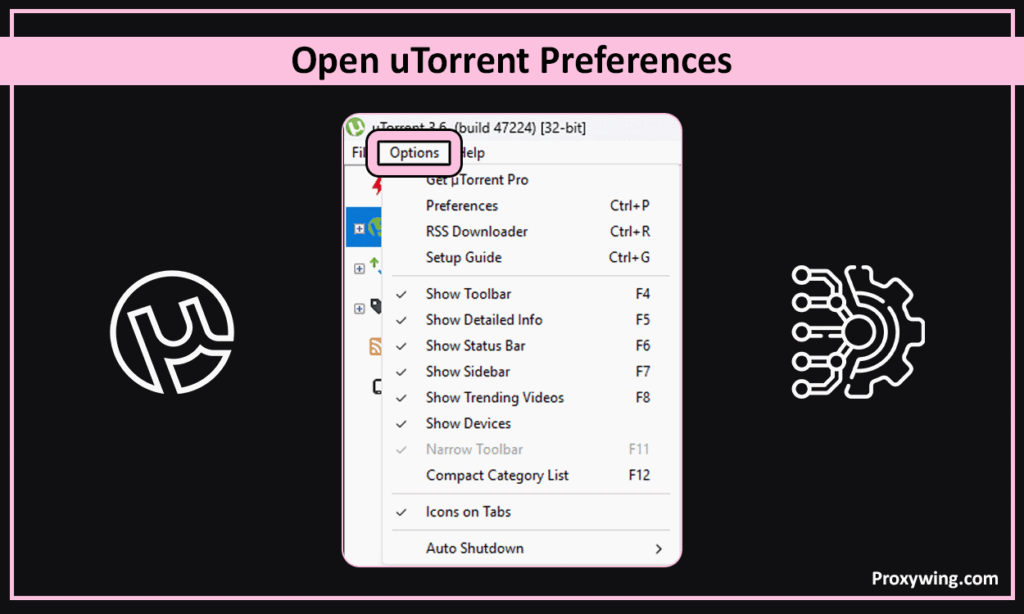
Launch the uTorrent client on your machine and go to Options—it is usually in the top menu. Select the Preferences option. You can also use the Ctrl + P keyboard shortcut to access this setting.
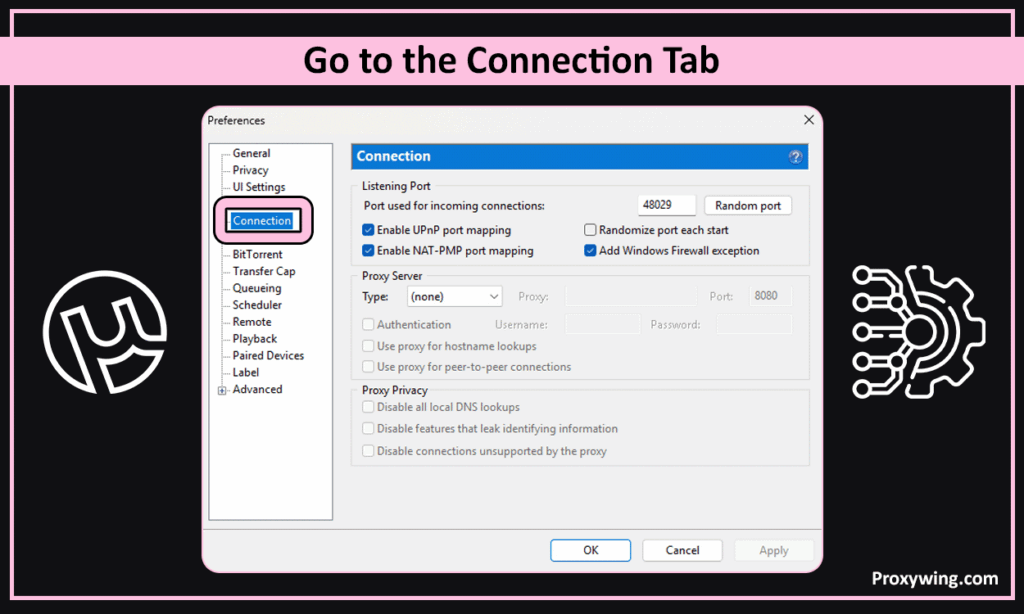
While in your preferences, you should locate and click on the Connection tab. This tab is on the left-hand sidebar.
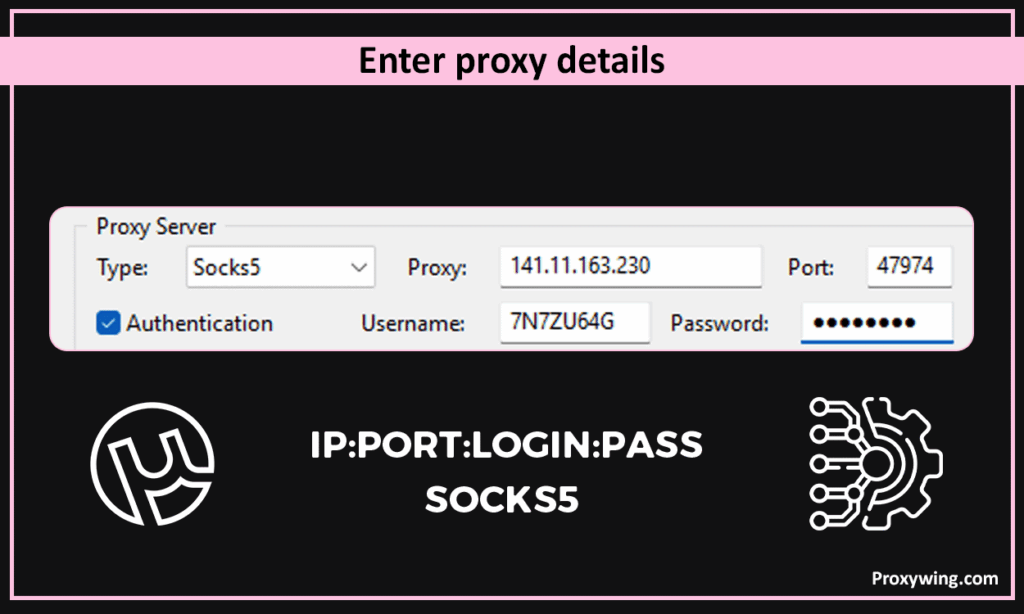
Under the connection tab, you may see the option to choose a protocol—choose SOCKS5. You will also see a section where you can input the proxy connection information, including the IP address and port.
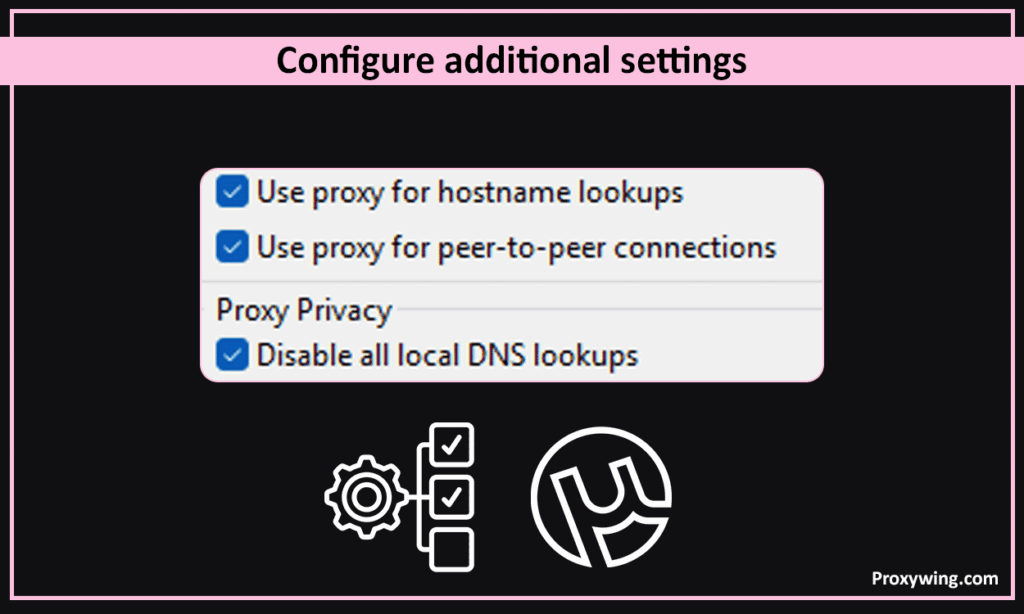
Some of the extra settings you should enable include: ”Use proxy for hostname lookups ,” ”Use proxy for peer-to-peer connections,” and “Disable all local DNS lookups.”
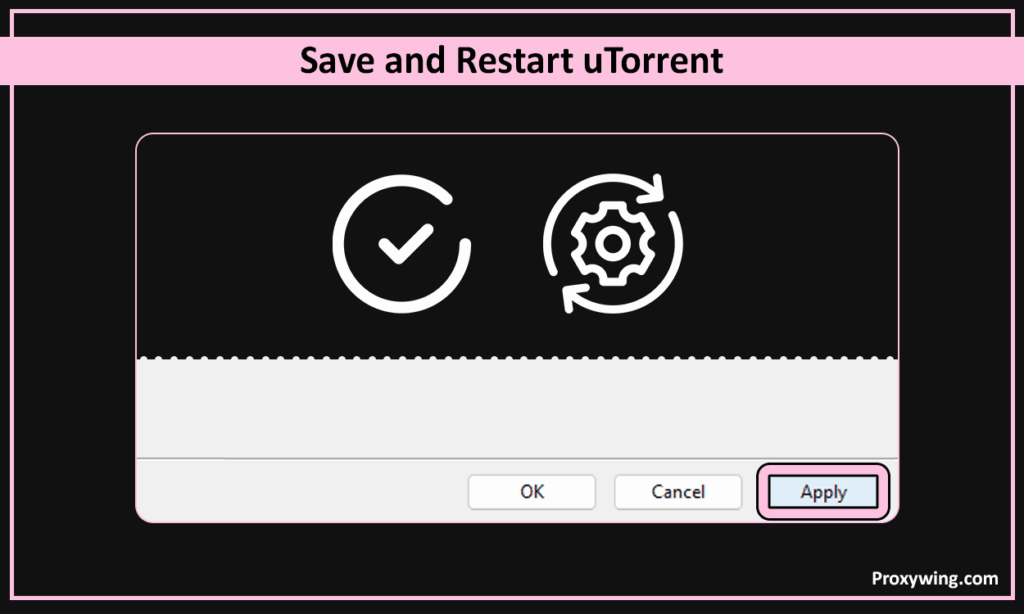
After making the above configurations, click Apply to save your settings. You can now restart the torrent client to ensure it reconnects using the configured proxy settings.
To use this method, you can download a “tracking torrent” from a site like ipleak.net. You should then open it in uTorrent and check the Trackers tab to confirm that the IP address displayed matches your proxy’s IP.
Follow these steps to disable proxy usage in your torrent client:
This issue is often caused when you use incorrect username and password for proxies that require authentication. Make sure your authentication credentials are correct and that your password doesn’t use special characters that some torrent clients may not support. Finally, confirm that your subscription is still valid by checking your provider’s dashboard.
This issue can be caused by protocol mismatch and blocked ports. Make sure you choose the SOCKS5 protocol and the correct port that your provider offers. Also confirm that your device or network firewall is not blocking the proxy server port. You should also check the tracker connection to ensure it is not showing the “timed out” error that often shows up when a proxy server is offline.
Slow speeds are often due to long server distance, server overload, and protocol overhead. To resolve this issue, ensure to use IPs closer to your actual location and switch to less crowded or dedicated IPs. Dedicated IPs are more expensive, but the speed benefits they offer make them worth it for some use cases.
Using a proxy with uTorrent is legal in many countries as long as you don’t use them to violate copyright laws. We also recommend checking your ISP’s terms of service to confirm if proxy usage is not prohibited.
Article written by:

CEO
Founder of Proxywing. Drives growth across EU, US, and Asian markets, combining B2B strategy with a hands-on focus on product quality, 99% uptime, and responsive support.
All articles by author (64)Yes, the uTorrent client for Windows fully supports the SOCKS5 protocol, which has become the industry standard for torrenting because it handles UDP traffic to significantly improve peer-to-peer speeds. Most proxy vendors also provide support for this protocol.
Yes, you can, but it comes with several downsides such as slow speeds and privacy risks. The IPs offered by free proxies are also often blacklisted by many websites, which affects the success rate of your connections.
No, your ISP will still see your IP address. Using a proxy only hides your IP address from the destination (the torrent swarm or website).
Achieving full anonymity is not possible with a proxy since it only hides your IP address. If you need full anonymity, you will have to use a proxy alongside other tools like anti-detect browsers.
When using proxies, it is common for speeds to drop. This can be due to the extra distance your data travels or because the proxy server is handling thousands of other users. To enhance your speeds, we recommend switching to a dedicated IP that is closer to your location.

